Repository navigation
Settings
Open Settings from the bottom of the sidebar.
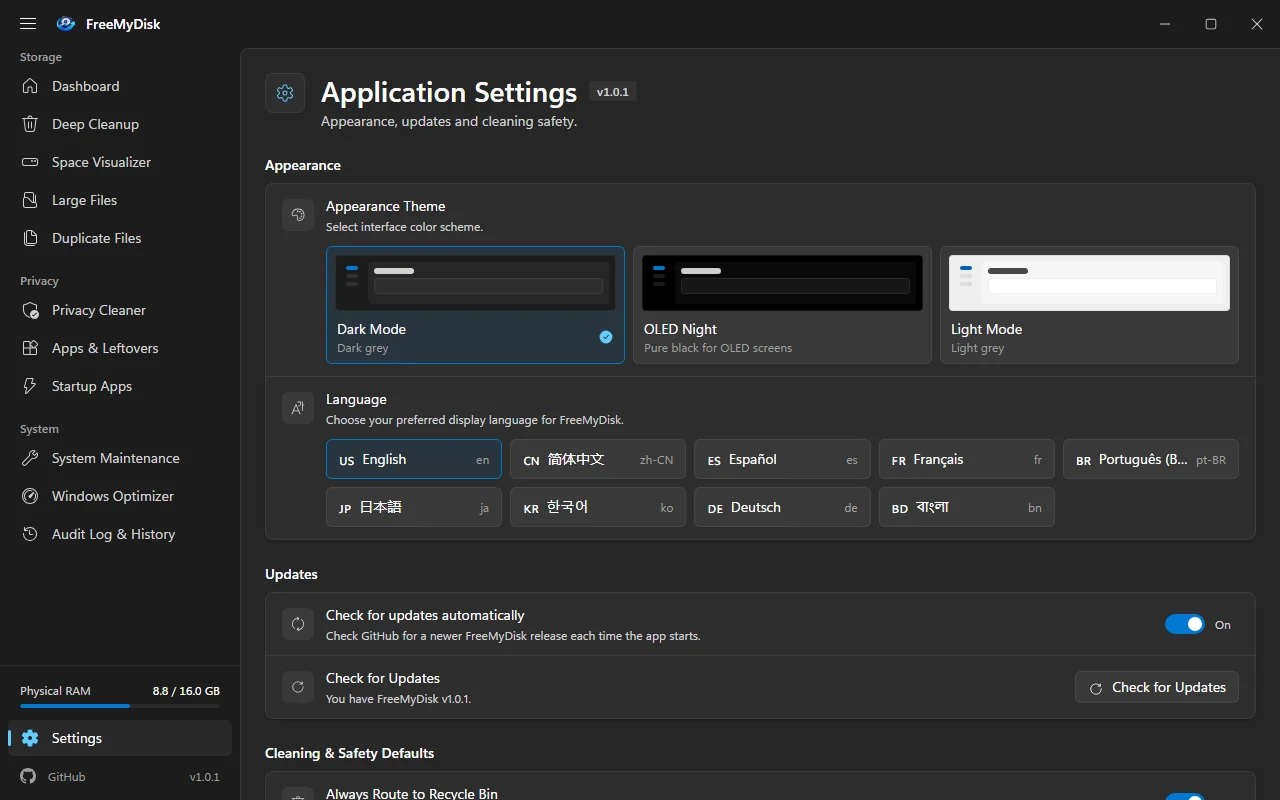
| Setting | Default | What it does |
|---|---|---|
| Always Route to Recycle Bin | On | Every cleanup goes to the Recycle Bin, so you can restore it. Turn it off only if you want space freed immediately and permanently. |
| Confirm Before Deletion | On | Asks you to confirm before anything is removed. |
| Large file threshold | 500 MB | The minimum size for the Large Files tool. |
System exclusions (Windows, Program Files, system files) are always active and can't be turned off. See Safety Model.
| Theme | Description |
|---|---|
| System Default | Follows the Windows light or dark setting |
| Light Mode | Light layered surfaces |
| Dark Mode | Dark layered surfaces |
| OLED Night | Pure black, for OLED screens and night use |
FreeMyDisk is available in 9 languages:
| English | বাংলা (Bangla) | Deutsch |
| Español | Français | 日本語 |
| 한국어 | Português (Brasil) | 简体中文 |
Missing or awkward translations? See Translations in CONTRIBUTING.md.
| Setting | Default | What it does |
|---|---|---|
| Check for updates automatically | On | Checks this repository for a new version. Nothing downloads without your OK. |
| Check for Updates | Checks right now. |
Shows your version, with links to the release notes, the GitHub repository, issue reporting and the license.