Repository navigation
System Maintenance
System Maintenance runs the repair routines that Windows support pages tell you to type into a terminal, with one click each. They fix common problems such as wrong icons, stuck print jobs or a broken search index.
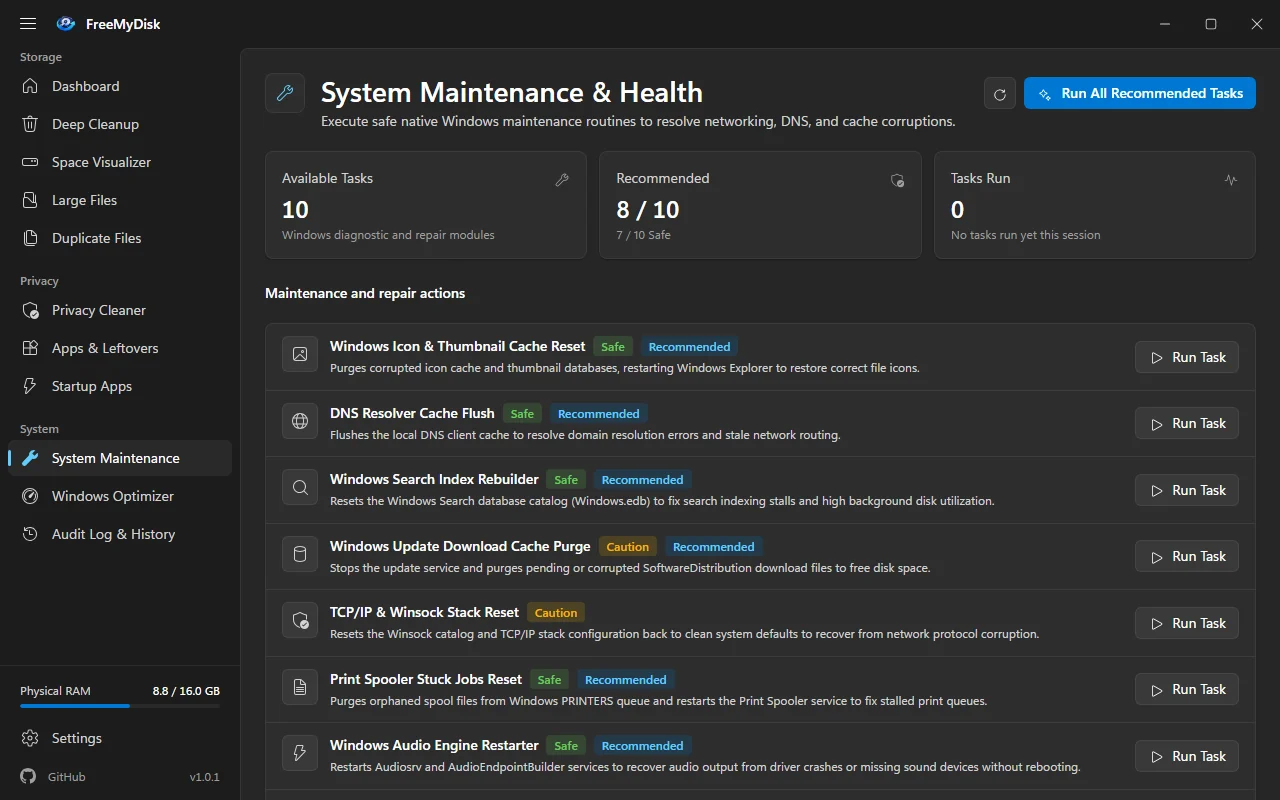
| Task | What it does | Risk | Recommended |
|---|---|---|---|
| Windows Icon & Thumbnail Cache Reset | Clears the icon and thumbnail databases and restarts Explorer, fixing blank or wrong icons | Safe | Yes |
| DNS Resolver Cache Flush | Clears cached DNS lookups, fixing some "site can't be reached" errors | Safe | Yes |
| Windows Search Index Rebuilder | Resets the search database (Windows.edb) when search is stuck or uses the disk constantly |
Safe | Yes |
| Windows Update Download Cache Purge | Stops the update service and removes downloaded update files | Caution | Yes |
| TCP/IP & Winsock Stack Reset | Resets network settings to defaults after network corruption. A restart is needed | Caution | No |
| Print Spooler Stuck Jobs Reset | Clears stuck print jobs and restarts the Print Spooler | Safe | Yes |
| Windows Audio Engine Restarter | Restarts the audio services when sound stops working | Safe | Yes |
| Windows Clock Resynchronizer (NTP) | Starts the time service and syncs the clock with internet time | Safe | Yes |
| Microsoft Store Cache Reset (wsreset) | Fixes Store apps that won't download or update | Safe | Yes |
| System Integrity Health Check (DISM & SFC) | Runs DISM /RestoreHealth and then sfc /scannow to repair damaged Windows files. Takes a while |
Caution | No |
- Run Task runs one task and shows its result and how long it took.
- Run All Recommended Tasks runs every task marked Recommended, one after another.
Tasks that change system settings show a Windows UAC prompt through FreeMyDisk's small administrator helper, which only accepts this fixed list of operations. Each task reports what actually happened: if Windows refuses a step, the task says so instead of reporting success.
| Problem | Task |
|---|---|
| Icons are blank or show the wrong picture | Icon & Thumbnail Cache Reset |
| A website won't load but others do | DNS Resolver Cache Flush |
| Start menu search finds nothing | Windows Search Index Rebuilder |
| An update keeps failing | Windows Update Download Cache Purge |
| No internet after a VPN or driver change | TCP/IP & Winsock Stack Reset |
| Windows behaves strangely after a crash | System Integrity Health Check |
- Windows Optimizer: hibernation, Storage Sense and virtual disks
- Blog: How to clear the Windows Update cache safely