Code of Conduct
Is there an existing issue for this?
Version
10.0.5
Bug description
Hello,
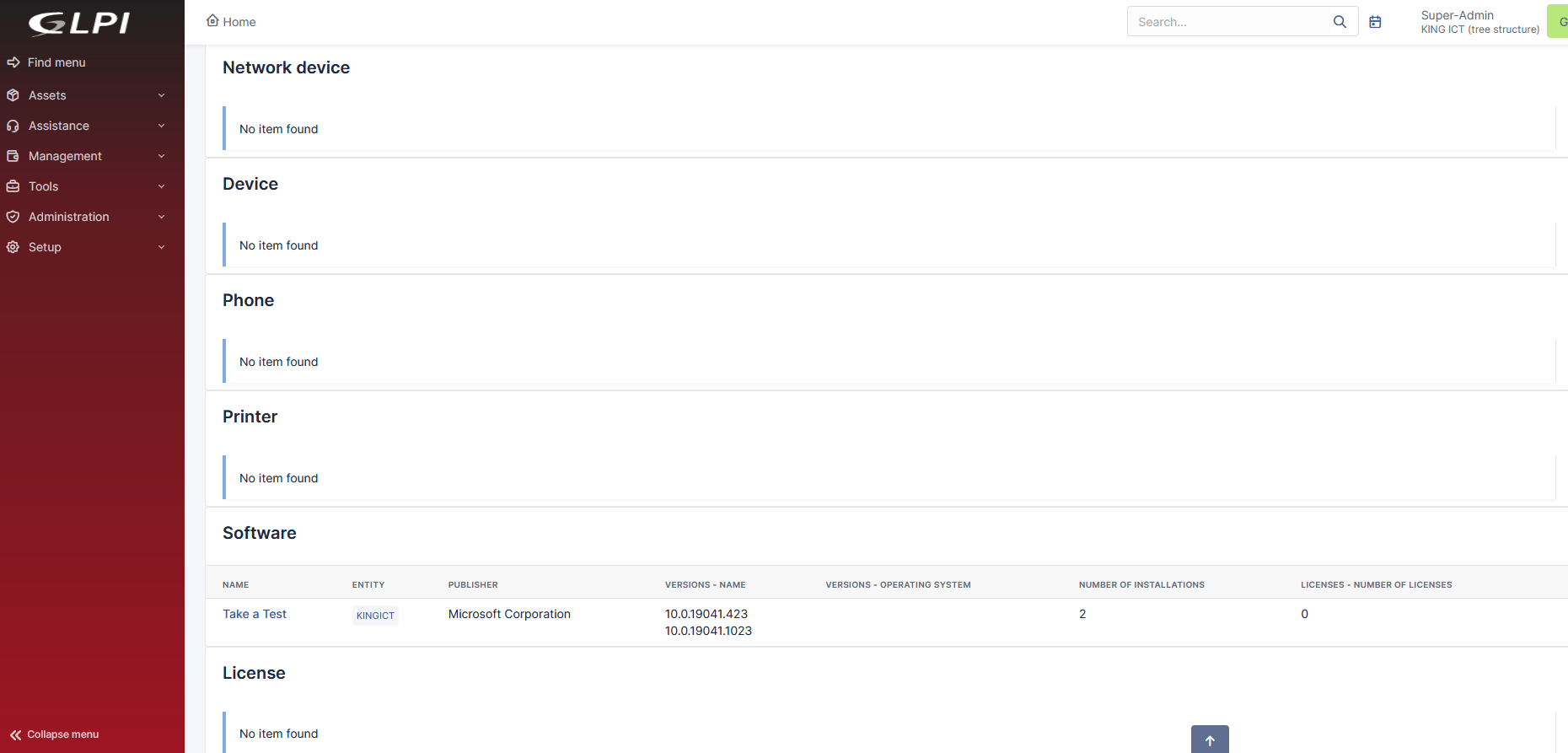
when using global search bar, GLPI returns all objects even if there is nothing found within that object (No item found). It would be nice if something is matched to be on the top so the users do not have to scroll down and looking every time while searching (a bit frustrated to scroll down everytime performing the search).
Even better, not to display object that does not match the phrase in the global search (No item found) or option to enable this kind of sorting in the global search results.
Another thing/idea would be an option(tag) to type into the search bar tag to point to specific object we want GLPI to search in (like !test - searches string test within tickets, #ci - searches string ci within all assets, ?help - searches for documents having string help within knowledge base, @user - searches string user within users, etc..
Thanks,
Domagoj
Relevant log output
No response
Page URL
No response
Steps To reproduce
No response
Your GLPI setup information
No response
Anything else?
No response
Code of Conduct
Is there an existing issue for this?
Version
10.0.5
Bug description
Hello,
when using global search bar, GLPI returns all objects even if there is nothing found within that object (No item found). It would be nice if something is matched to be on the top so the users do not have to scroll down and looking every time while searching (a bit frustrated to scroll down everytime performing the search).
Even better, not to display object that does not match the phrase in the global search (No item found) or option to enable this kind of sorting in the global search results.
Another thing/idea would be an option(tag) to type into the search bar tag to point to specific object we want GLPI to search in (like !test - searches string test within tickets, #ci - searches string ci within all assets, ?help - searches for documents having string help within knowledge base, @user - searches string user within users, etc..
Thanks,
Domagoj
Relevant log output
No response
Page URL
No response
Steps To reproduce
No response
Your GLPI setup information
No response
Anything else?
No response