Feature Tour

When a tab shows an image, PDF, video or audio file directly, MetaLens adds a small pill in the top-right corner with the file type, the number of warnings and the most important facts: GPS coordinates, camera, capture date, the software that produced it. Click the pill to open the full report; Esc closes it.
- The toolbar badge shows the file type. A
!on red or orange means something sensitive was found. - The panel works inside Chrome's built-in PDF viewer as well.
- GPS coordinates link straight to OpenStreetMap and Google Maps.
- Click any row to copy its value, or use the search box to filter fields (
gps,author,software…). - You can turn the automatic panel off from the popup ("Auto panel").

On a normal web page, open the MetaLens popup and choose Scan images, documents and media on this page. Every image, linked document and media file is analyzed and listed with the riskiest first.
- The summary line counts files with GPS, personal names and active content (JavaScript, macros, scripts).
- Findings only hides files with nothing notable.
- CSV exports the whole list for a report or spreadsheet.
- Click an entry to open it in the full viewer.
- Large files are read partially over HTTP Range, so scanning a page with videos stays fast.
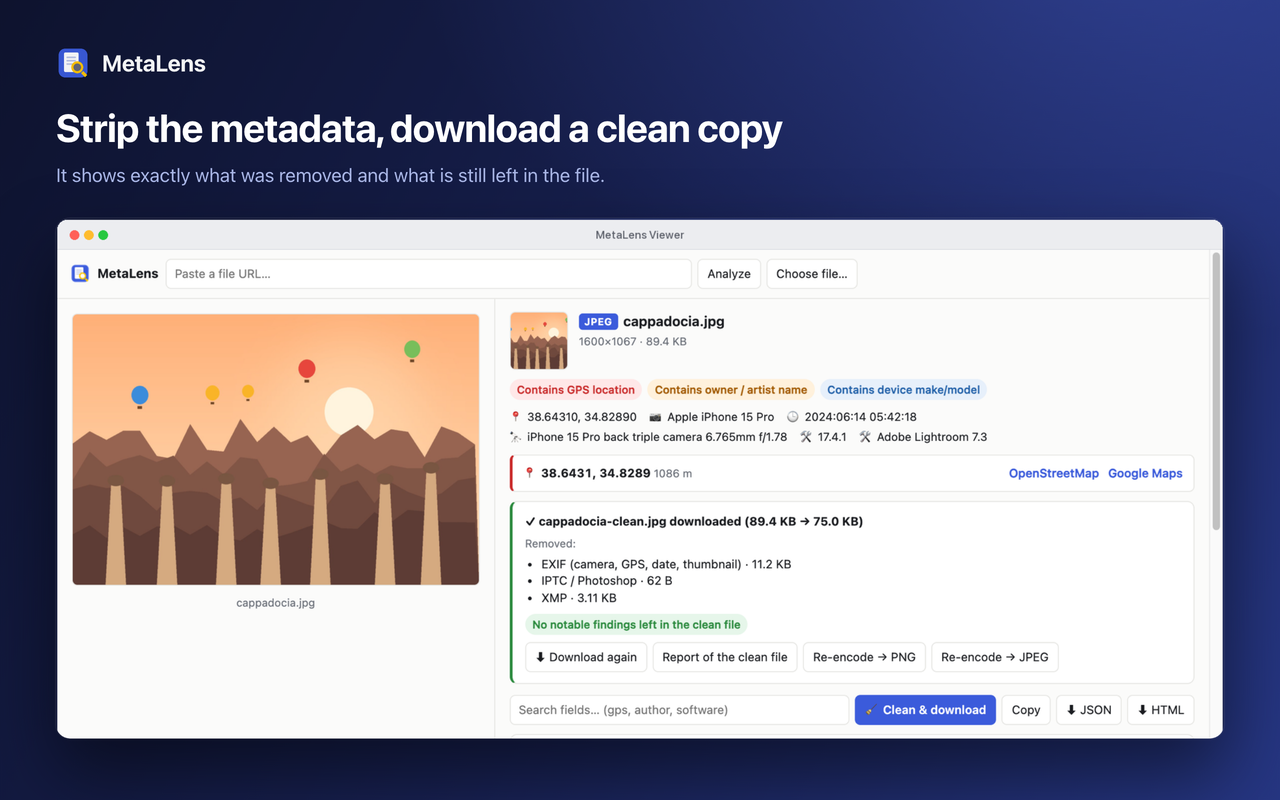
In the viewer, Clean & download removes the metadata and saves a new copy next to your downloads (name-clean.ext). The result box lists exactly what was removed, and the clean file is analyzed again so you can see what is still left.
- Images, audio and SVG are rebuilt without their metadata blocks; pixels and sound are untouched. JPEG orientation is kept.
- PDF, MP4/MOV and HEIC/AVIF are wiped in place so the file keeps working and keeps its size.
- Office documents lose their properties, comment and revision authors are anonymized, and embedded images are cleaned too.
- For other image formats, Re-encode → PNG/JPEG redraws the pixels.
- Anything that could not be removed (for example a VBA project) is listed.
4. Hidden traces inside Office documents
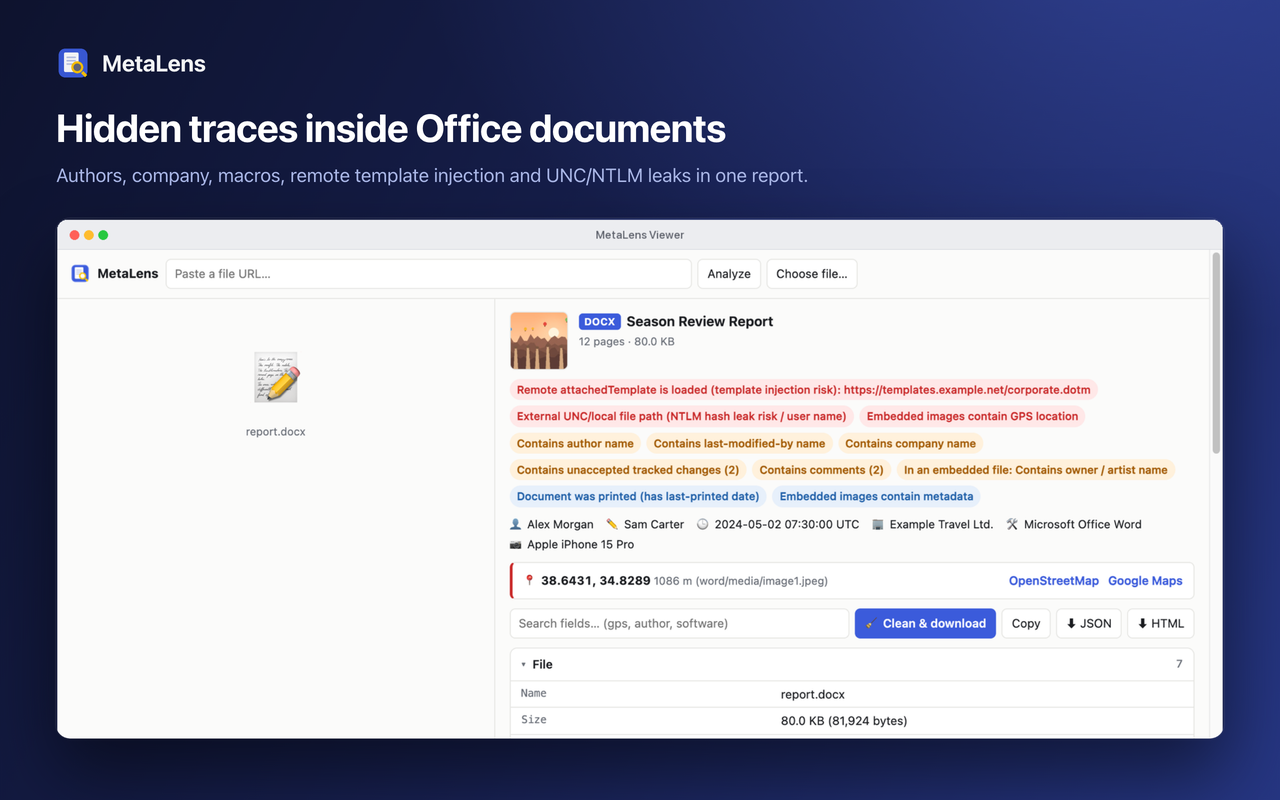
DOCX, XLSX, PPTX and OpenDocument files carry much more than an author name. MetaLens shows who created and last edited the file, the company, total editing time, comment and tracked-change authors, user IDs, hidden sheets and where an Excel file was originally saved.
- Remote template injection: a document that loads its template from a web address is flagged in red.
-
UNC / NTLM leaks: links to
\\server\sharepaths can leak Windows credentials and user names. - Macros, ActiveX controls and embedded OLE objects are flagged.
- Images inside the document are analyzed too, so a photo's GPS location inside a report is not missed.
- Older DOC/XLS/PPT files and Outlook
.msgemails are supported as well.

Phones write the recording location into videos, not just photos. MetaLens reads the ISO 6709 location, the device make and model, the software version, the creation time and the tracks inside MP4, MOV and M4A files.
- Works on video tabs, on video links with a right-click, and on local files dropped into the viewer.
- For large videos only the metadata box is downloaded (about 1 KB from a 100 MB file).
- Clean & download wipes the location, device keys and creation time without touching the video stream.
Next: Installation · FAQ
English
Türkçe
Links