



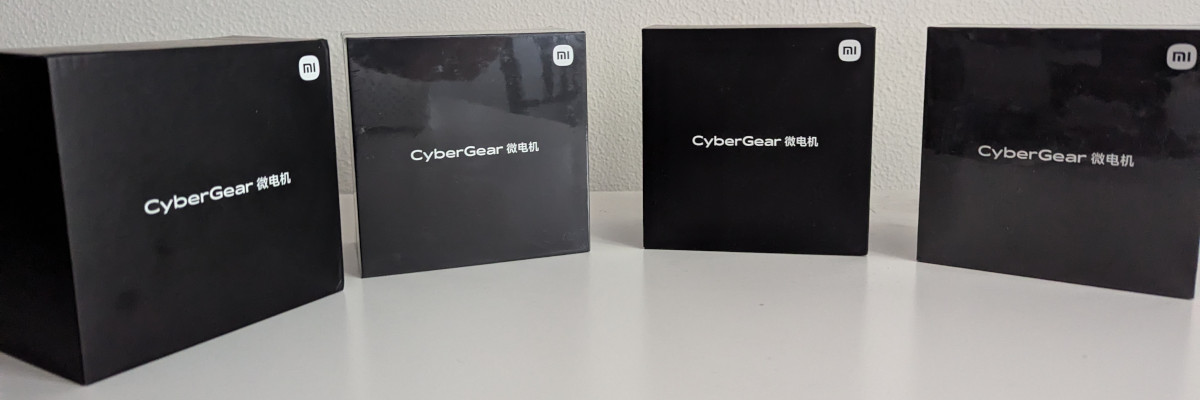
 My four Xiaomi CyberGear motors (photo © grrodre)
Python driver for the Xiaomi CyberGear brushless motor over CAN bus.
Built on top of python-can. Tested with SocketCAN; custom polling threads are used instead of BCM to support other python-can interfaces as well.
If you run into any issues, feel free to open an issue.
Full documentation: grrodre.github.io/cybergear
- Five control modes: operation (MIT-style), position, speed, current, and quick-move
- Auto-scan: discovers motors on the bus without needing to specify a CAN ID
- Async feedback:
can.Notifier-based listener deliversMotorFeedbacksnapshots without blocking - Background polling: portable parameter polling thread keeps properties up to date on any interface
- Event callbacks: subscribe to feedback, parameter updates, and fault state changes
- Context-manager API: guarantees clean resource release
- Fault detection: decodes and monitors over-temperature, over-current, undervoltage, and encoder faults
- Python 3.10+
- python-can ≥ 4.4.2
- A CAN interface supported by python-can (e.g. SocketCAN
can0at 1 Mbit/s)
Scan for motors on the bus:
uvx --from python-cybergear cybergear-scanLaunch the dashboard:
uvx --from python-cybergear[dashboard] cybergear-dashboardpip install python-cybergearOr with uv:
uv add python-cybergearTo include the dashboard (requires Textual and Rich):
pip install python-cybergear[dashboard]
# or
uv add python-cybergear[dashboard]Discover motors on the bus without writing any code:
cybergear-scan
cybergear-scan --interface socketcan --channel can0 --bitrate 1000000
Output:
Scanning CAN bus (timeout=0.5s)...

Found 1 motor(s):

  CAN ID     MCU Identifier
  ---------- --------------------
  1          8c1a313130333104
Live TUI dashboard showing feedback, parameters, and quick motor controls (requires cybergear[dashboard]):
cybergear-dashboard
cybergear-dashboard --interface socketcan --channel can0 --bitrate 1000000 --can-id 1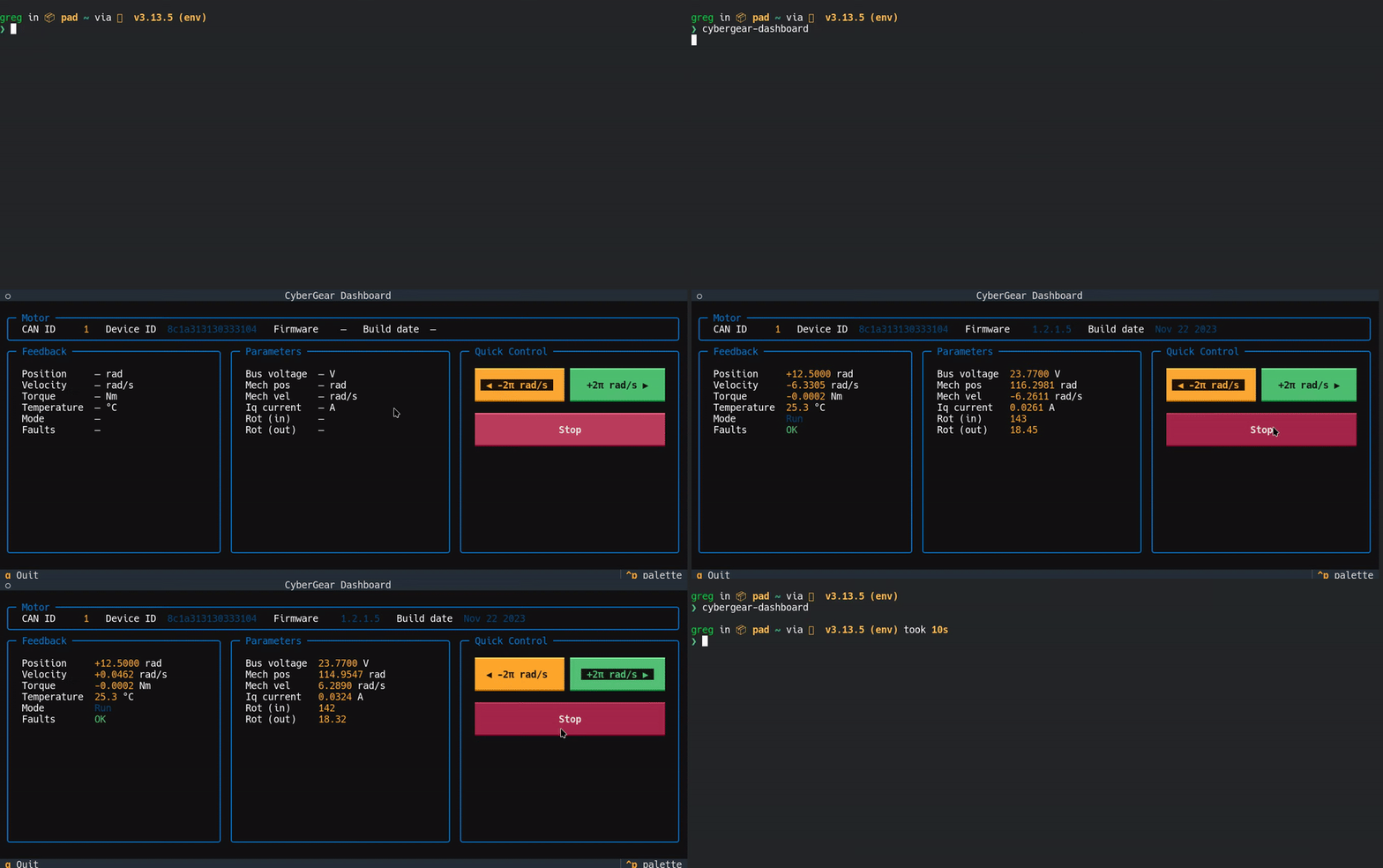
from cybergear import CyberGearMotor

bus_cfg = {'interface': 'socketcan', 'channel': 'can0', 'bitrate': 1_000_000}

with CyberGearMotor(bus_config=bus_cfg) as motor:
    motor.run_mode = 'speed'
    motor.enable()
    motor.spd_ref = 5.0          # 5 rad/s
Pass can_id explicitly if you have multiple motors on the bus:
with CyberGearMotor(bus_config=bus_cfg, can_id=1) as motor:
    ...
You can also omit bus_config entirely and let python-can read from its configuration file (~/.can, can.ini, or environment variables):
# interface, channel, and bitrate are read from the python-can config file
with CyberGearMotor() as motor:
...Directly command torque, position, velocity, and PD gains in a single frame:
motor.motor_control(torque=0.0, position=1.57, velocity=0.0, kp=10.0, kd=0.5)motor.run_mode = 'position'
motor.enable()
motor.loc_ref = 3.14 # radmotor.run_mode = 'speed'
motor.enable()
motor.spd_ref = 10.0 # rad/smotor.run_mode = 'current'
motor.enable()
motor.iq_ref = 1.0 # Amotor.quick_move(speed=5.0) # rad/s
# ...
motor.quick_stop()Feedback is updated asynchronously from incoming CAN frames. Read the latest snapshot via motor.feedback:
fb = motor.feedback
print(fb.position, fb.velocity, fb.torque, fb.temperature)
print(fb.faults.has_fault)
Individual parameters polled in the background are also available as properties:
print(motor.mech_pos)    # rad
print(motor.mech_vel)    # rad/s
print(motor.v_bus) # VCalled on every feedback frame in the can.Notifier thread. Keep callbacks fast.
def on_feedback(fb):
    print(f'pos={fb.position:.3f} vel={fb.velocity:.3f}')

motor.add_feedback_listener(on_feedback)
motor.remove_feedback_listener(on_feedback)Called whenever a polled parameter read response arrives.
def on_param(name, value):
    print(f'{name} = {value}')

motor.add_parameter_listener(on_param)Called on any fault state transition (fault appears or clears).
def on_fault(faults):
    if faults.has_fault:
        print('FAULT:', faults)

motor.add_fault_listener(on_fault)Discover all motors on the bus without constructing a CyberGearMotor:
motors = CyberGearMotor.scan(bus_config=bus_cfg)
for can_id, device_id in motors:
print(f'found motor can_id={can_id} device_id={device_id.hex()}')| Parameter | Min | Max |
|---|---|---|
| Position | −12.5 rad | +12.5 rad |
| Velocity | −30 rad/s | +30 rad/s |
| Torque | −12 Nm | +12 Nm |
| Kp | 0 | 500 |
| Kd | 0 | 5 |
| Method / Property | Description |
|---|---|
enable() |
Arm the motor (clears latched faults) |
disable() |
Disarm the motor gracefully |
emergency_brake() |
Cut torque immediately |
motor_control(torque, position, velocity, kp, kd) |
MIT-style operation mode frame |
quick_move(speed) / quick_stop() |
Simple velocity motion |
reset_zero_position() |
Set current position as zero |
encoder_calibration(timeout=30.0) |
Trigger encoder calibration; returns electrical offset (float) |
run_mode |
Get/set run mode ('operation', 'position', 'speed', 'current') |
feedback |
Latest MotorFeedback snapshot |
scan(bus_config, ...) |
Class method: scan bus for motors |
start_polling(interval) / stop_polling() |
Control background parameter polling |
close() |
Release CAN bus and all resources |
| Field | Unit | Range |
|---|---|---|
position |
rad | ±12.5 |
velocity |
rad/s | ±30 |
torque |
Nm | ±12 |
temperature |
°C | * |
mode |
int | 0 Reset, 1 Cal, 2 Run |
faults |
FaultState |
* |
| Field | Description |
|---|---|
has_fault |
True if any fault is active |
over_temperature |
Motor over-temperature |
over_current |
Over-current protection |
undervoltage |
Supply undervoltage |
hall_encoding_failure |
Hall sensor fault |
magnetic_encoding_failure |
Magnetic encoder fault |
calibrated |
False if encoder not calibrated |
git clone https://github.com/grrodre/cybergear.git
cd cybergear
uv sync --dev
Run tests (excluding hardware tests):
uv run pytest -m "not hardware"Hardware tests require a physical motor connected via CAN:
uv run pytest -m hardwareLint and format:
uv run ruff check src/ tests/
uv run ruff format src/ tests/
uv run ty check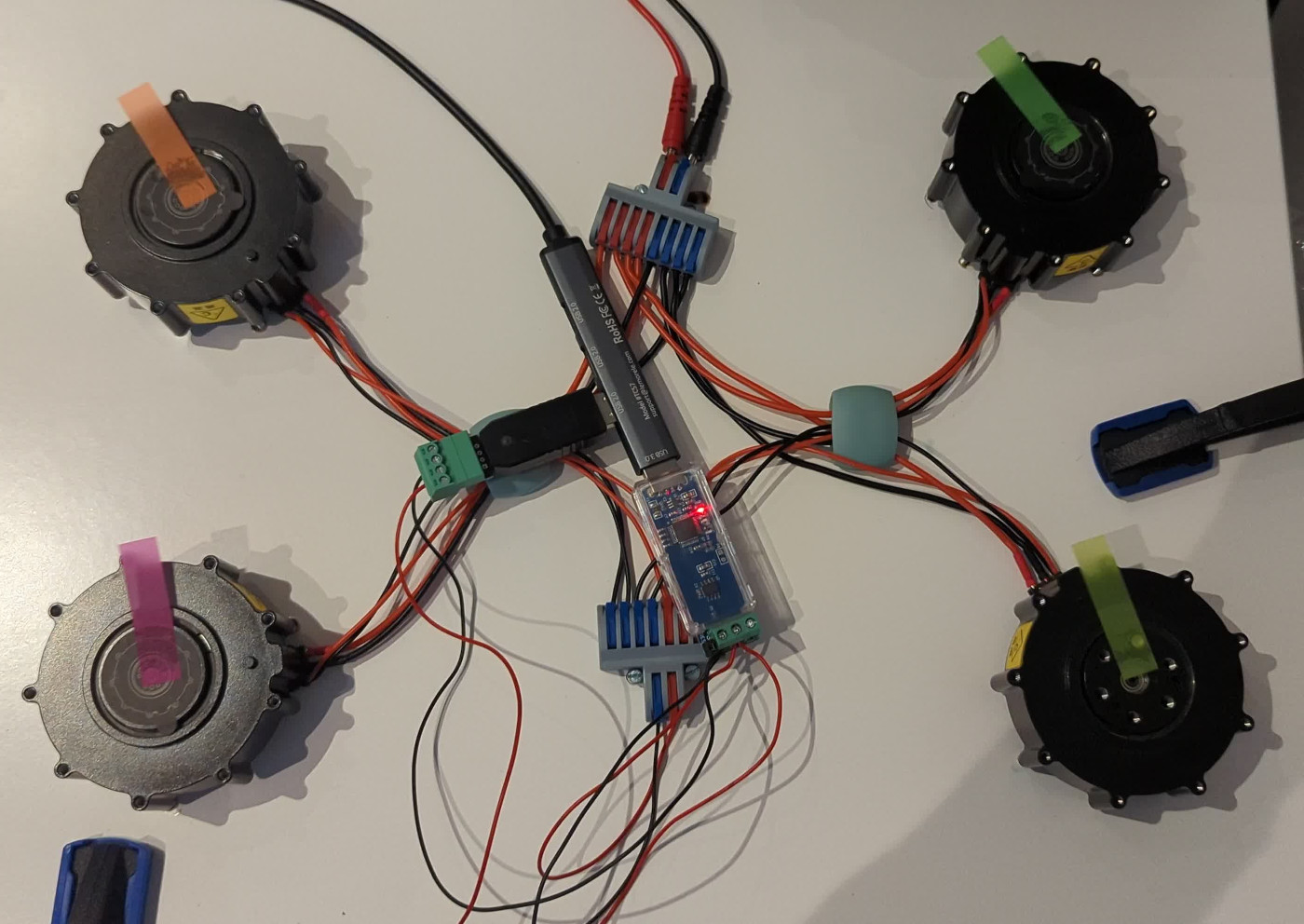 My Xiaomi CyberGear motors connected to the CANable USB adapter over a shared CAN bus.
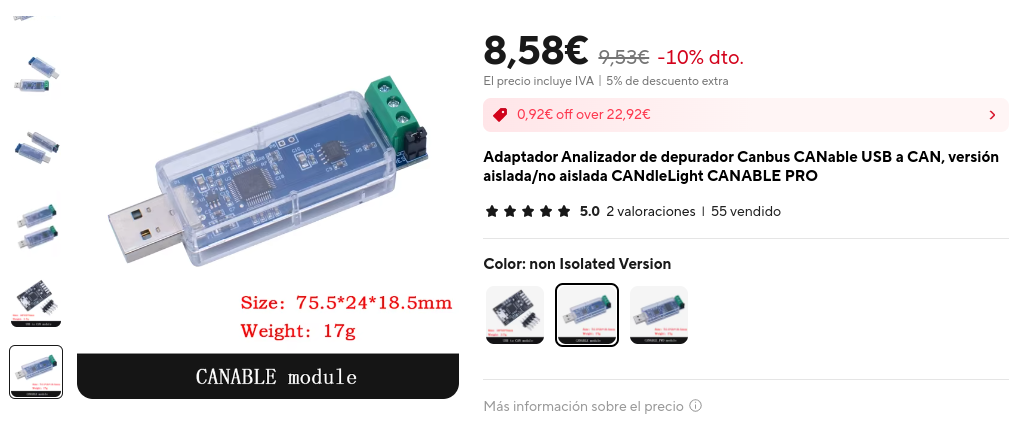
Used to connect the CAN bus to a PC via USB. Bring up the interface at 1 Mbit/s:
sudo ip link set can0 type can bitrate 1000000
sudo ip link set can0 up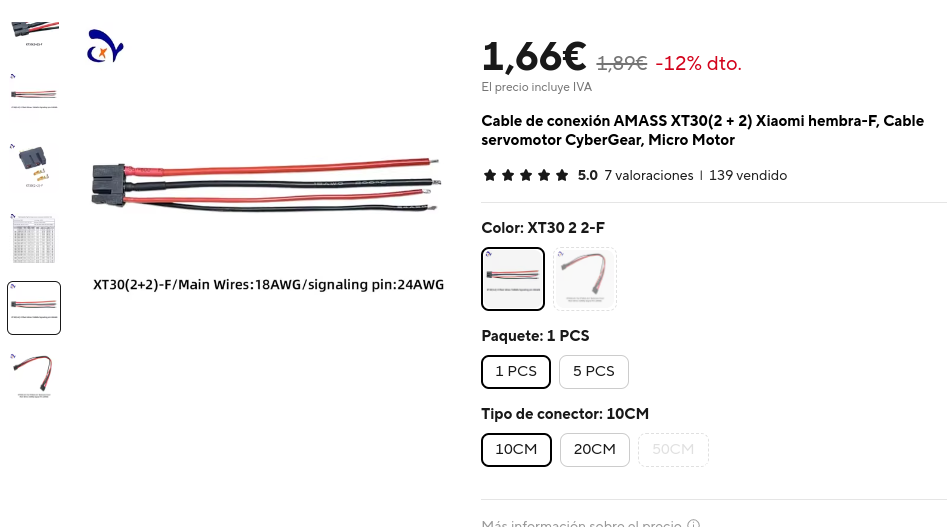
Power + signal cable required to connect the CyberGear motor (XT30 connector, 18 AWG power wires, 24 AWG signal wires).
Gregorio Rodrigo - grrodre@gmail.com
MIT, see LICENSE.