Description
As the window or screen size that func (g *Game) Layout(outsideWidth, outsideHeight int) receives is in rounded down device-independent pixels, it is impossible to determine the "real" window size. Therefore it's not possible to get pixel perfect output with some resolutions.
If you have full control over the window size, this may not be a problem. But it is if the user is allowed to resize the window.
Minimal example
For this to work (or not to work) correctly, you need to move the example to a monitor with 125% UI scaling.
package main

import (
	"image/color"
	"log"

	"github.com/hajimehoshi/ebiten/v2"
	"github.com/hajimehoshi/ebiten/v2/ebitenutil"
)

type Game struct{}

func (g *Game) Update() error { return nil }

func (g *Game) Draw(screen *ebiten.Image) {
	screen.Fill(color.RGBA{255, 0, 0, 255})
	for iy := 0; iy < 250; iy += 15 {
		ebitenutil.DebugPrintAt(screen, "Some text that may get blurry", 0, iy)
	}
}

func (g *Game) Layout(outsideWidth, outsideHeight int) (screenWidth, screenHeight int) {
	// Always prints "240 240" on a screen with 125% UI scaling, no matter if the window is 300x300 or 301x301.
	// Therefore there is a loss of information here.
	//fmt.Println(outsideWidth, outsideHeight)

	s := ebiten.DeviceScaleFactor()
	return int(float64(outsideWidth) * s), int(float64(outsideHeight) * s) // Will result in 300x300 with 125% UI scaling.
}

func main() {
	ebiten.SetWindowSize(241, 241) // With 125% UI scaling we get a window with a client area of 301x301. That's expected.
	if err := ebiten.RunGame(new(Game)); err != nil {
		log.Fatal(err)
	}
}
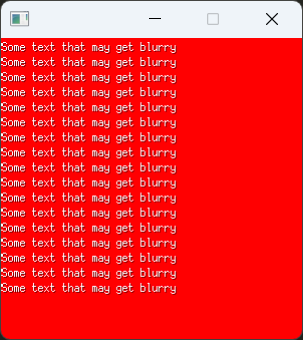
Results in:
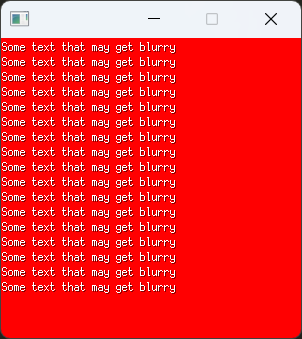
If we change the window size to 240x240 device independent pixels (300x300 "real" pixels), we get:
Possible solutions
- A flag or setting that changes
func (g *Game) Layout(outsideWidth, outsideHeight int) to receive the "real" window or screen size.
- A function that returns the "real" window or screen size.
Description
As the window or screen size that
func (g *Game) Layout(outsideWidth, outsideHeight int)receives is in rounded down device-independent pixels, it is impossible to determine the "real" window size. Therefore it's not possible to get pixel perfect output with some resolutions.If you have full control over the window size, this may not be a problem. But it is if the user is allowed to resize the window.
Minimal example
For this to work (or not to work) correctly, you need to move the example to a monitor with 125% UI scaling.
Results in:
If we change the window size to 240x240 device independent pixels (300x300 "real" pixels), we get:
Possible solutions
func (g *Game) Layout(outsideWidth, outsideHeight int)to receive the "real" window or screen size.