Releases: hbisneto/SuperNanno
Release list
SuperNanno 0.1.23

What's New On SuperNanno 0.1.23?
NannoKit.Dialogs
NannoKit.Dialogs is a modern, lightweight set of file and message dialogs built for Textual applications.
It provides a clean and high-level APIs for common user interactions:
OpenFile— select one or multiple filesOpenFolder— browse and select a folderSaveFile— choose a location and filename with optional overwrite confirmationmessagebox— flexible notification and confirmation dialogs
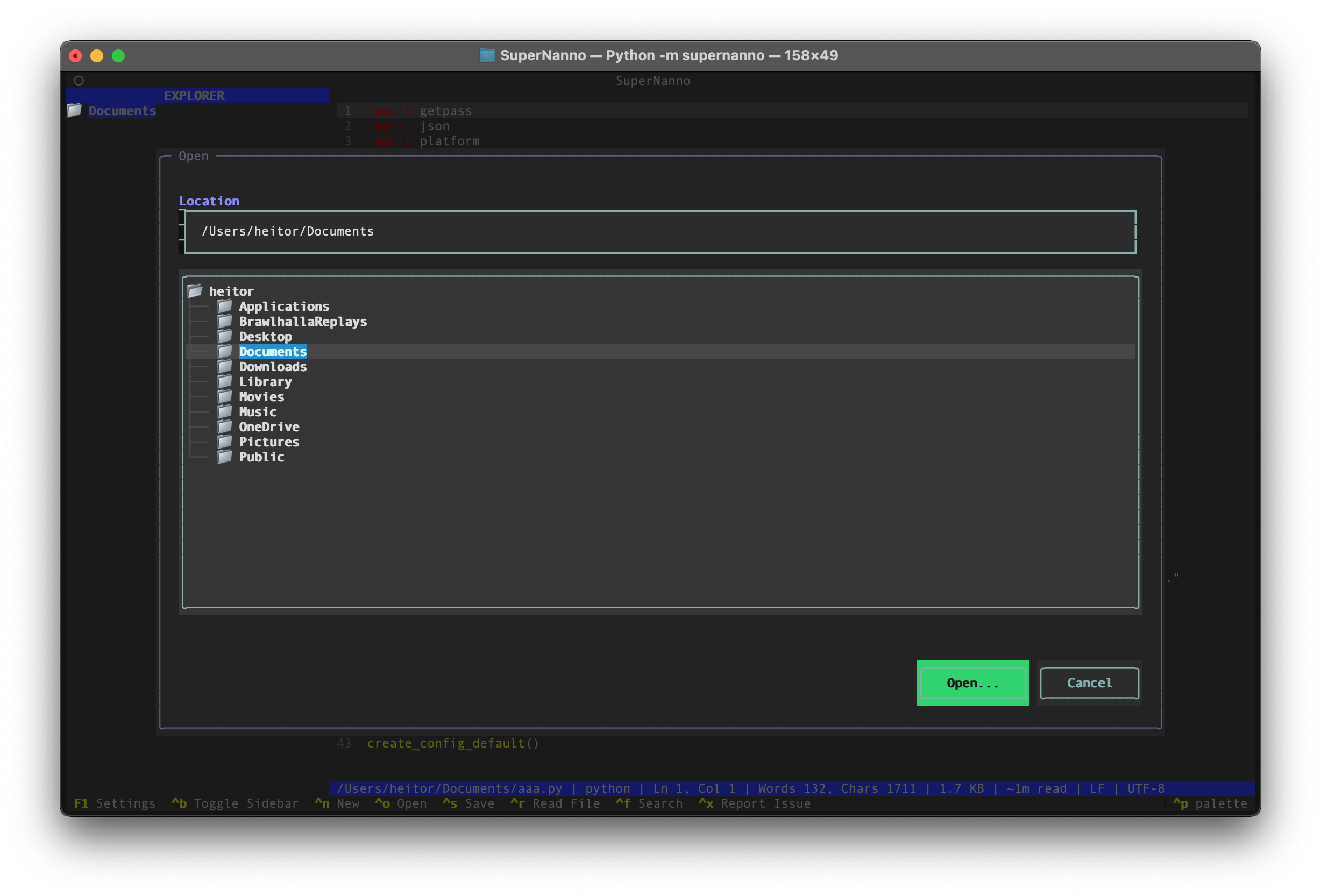 Directory/File Dialog |
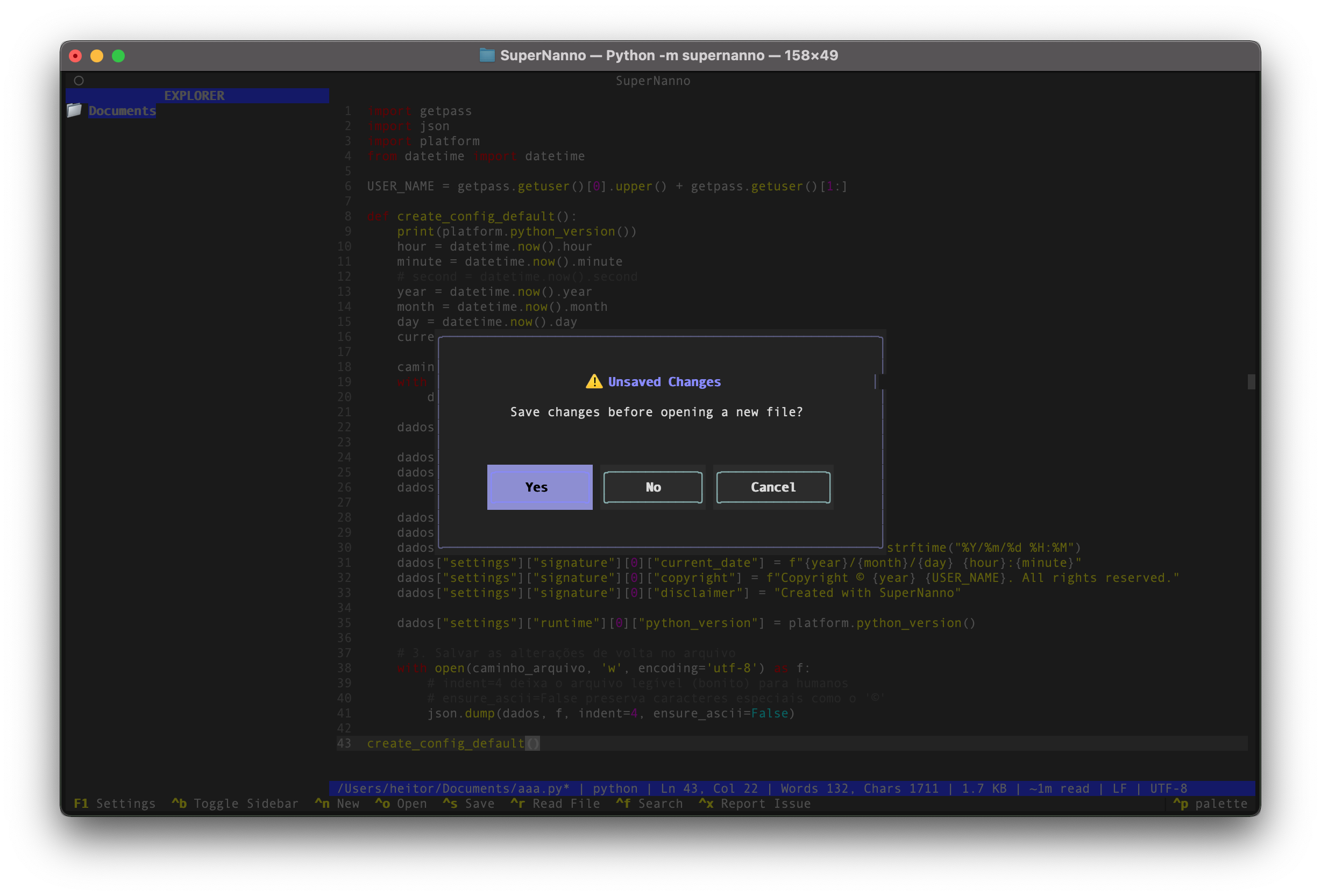 MessageBox |
- Modern native dialogs: We now use
nannokit-dialogsfor elegant and intuitive confirmations when saving, opening files, and handling unsaved changes. - Line numbers support via command line:
supernanno -l file.pyorsupernanno --no-linenumbers— full priority over configuration. - Visual Open File dialog:
Ctrl+Onow opens a nice file picker instead of just a text field. - Improved dirty state handling: Clearer and friendlier confirmations before discarding changes, opening new files, or exiting.
Tip
Designed to integrate seamlessly into SuperNanno and work standalone in any Textual app.
Note
Read more about NannoKit.Dialogs
Improvements
- Much more polished user experience with consistent dialogs (MessageBox with YES/NO/CANCEL buttons).
- More robust and user-friendly error handling with a "Try Again" option.
- Enhanced
set_languagewith better detection and preservation of visual settings (including line numbers). - Expanded and more resilient CLI parser.
linenumbersconfiguration now supported in.supernannorc.- Tooltips on keyboard shortcuts.
- Textual updated to the latest version.
Bug Fixes
- Unsaved changes confirmation flow now uses dialogs instead of requiring another key press.
- Correct priority between CLI args, config file, and defaults.
- Several small robustness improvements in load/save/open flows.
- Cleanup of legacy manual confirmation code.
Technical Notes
- Internal version: 0.1.23
- New dependency:
nannokit-dialogs - Textual updated to 8.2.8
How to Update
pipx install supernanno==0.1.23
# or
bash dev.sh
Heitor Bisneto – (@BisnetoDev)
SuperNanno 0.0.23
Nano, but modern.
A professional terminal text editor built with Python, Textual, and Tree-sitter.
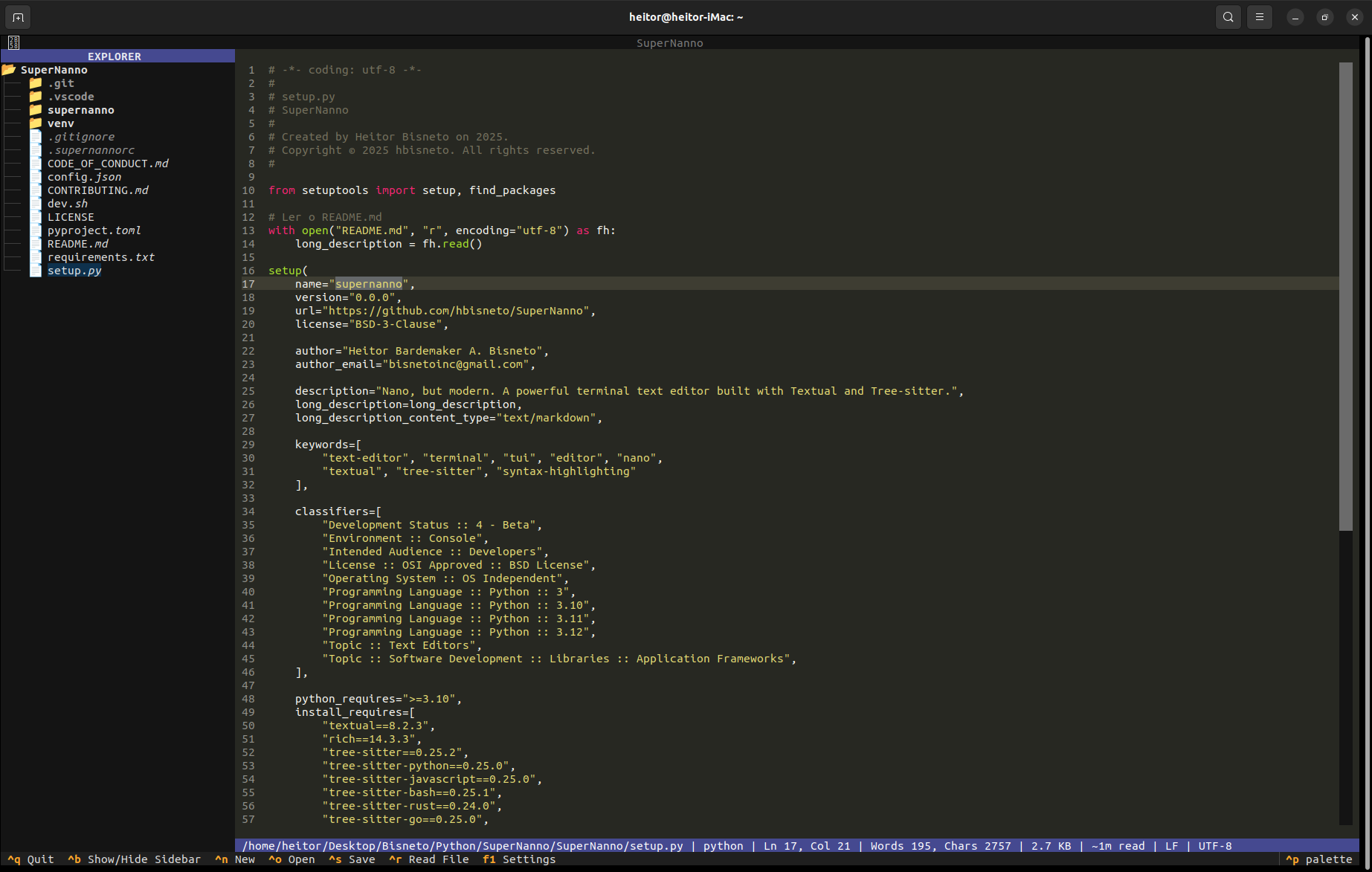
About the Project
SuperNanno is a modern terminal text editor inspired by the classic Nano, rebuilt from scratch using contemporary Python technologies and a service- and event-driven architecture.
It combines the simplicity and speed of traditional terminal editors with features commonly found in modern IDEs, including:
- Incremental syntax highlighting powered by Tree-sitter
- Rich terminal interface built with Textual
- Integrated file explorer in the sidebar
- Advanced search and replace with configurable strategies
- Session restoration, automatic backups, and comprehensive observability
- Real-time configuration with hot reload
- Automatic diagnostic reports for GitHub issues
Designed with maintainability, modularity, and developer ergonomics as core principles.
Features
Core Editor
- Full-featured text editing with advanced cursor movement, selection, and smooth scrolling
- Mouse support (click-to-position and scrolling)
- Auto-indentation, tab conversion, and trailing whitespace cleanup
- Current line highlighting and configurable line numbers
Syntax Highlighting
- Tree-sitter support for 16 major languages (Python, JavaScript, Rust, Go, Bash, and more)
- Intelligent fallback to Pygments
- Automatic language detection based on file extension
Search & Replace
- Literal, Case-sensitive, and Regular Expression search modes
- Highlights all matches
- Interactive replace confirmation workflow
Sidebar & Navigation
- Integrated directory tree (
Ctrl + B) - Responsive layout
Session & Backup
- Automatic restoration of the last editing session
- Configurable
.bakbackups before overwriting files
Observability
- Structured JSON logging with correlation IDs
- Centralized
ErrorServicewith semantic error classification - Automatic GitHub issue generation with
Ctrl + X
Configuration
.supernannorcconfiguration file (Nano-style)config.jsonwith asynchronous hot reload- Graphical settings interface (
F1)
Keyboard Shortcuts
| Shortcut | Action |
|---|---|
Ctrl+N |
New file |
Ctrl+O |
Open file |
Ctrl+S |
Save |
Ctrl+F |
Search |
Ctrl+H |
Search and replace |
Ctrl+B |
Toggle sidebar |
Ctrl+X |
Generate diagnostic report |
Ctrl+Q |
Quit |
F1 |
Settings |
Installation
From PyPI (Recommended)
pipx install supernannoOr:
pip install supernannoFor Developers
git clone https://github.com/hbisneto/SuperNanno.git
cd SuperNanno
bash dev.sh
Run with:
supernanno [file]
supernanno +42 main.py          # Open at line 42
supernanno +/TODO app.py        # Open and search for "TODO"
Requirements
- Python 3.10+
pipx(recommended for isolated installations)
Why SuperNanno?
| Feature | Nano | SuperNanno | Vim/Neovim |
|---|---|---|---|
| Native terminal application | ✅ | ✅ | ✅ |
| Works out of the box | ✅ | ✅ | ❌ |
| Tree-sitter syntax highlighting | ❌ | ✅ | ✅ |
| Integrated file explorer | ❌ | ✅ | (plugin) |
| Session restoration | ❌ | ✅ | (plugin) |
| Structured logging | ❌ | ✅ | ❌ |
| Built-in diagnostic reporting | ❌ | ✅ | ❌ |
| Python extensibility | ❌ | ✅ | ❌ |
Architecture
SuperNanno follows a service- and event-oriented architecture featuring:
AppContextas the central facade- Clear separation between the Textual UI and business logic
- Strategy Pattern for search implementations
- Resilient error handling throughout the application
Useful Links
- Repository: https://github.com/hbisneto/SuperNanno
- Documentation: https://github.com/hbisneto/SuperNanno/blob/main/README.md
- Issues: https://github.com/hbisneto/SuperNanno/issues
- PyPI: https://pypi.org/project/supernanno/
Made with ❤️ by Heitor Bardemaker A. Bisneto (@BisnetoDev)
Built in public — contributions are welcome! See CONTRIBUTING.md.
