
An open guide or book site – with a blog, standard pages, and almost any other Grav page alongside it, all in portable Markdown files you control.


Try the demo (or the Grav 1.7 version)
A free, open-source package built on Grav CMS and the Quark 2 Open Publishing theme (Quark Open Publishing in the Grav 1.7 version), with Markdown file-based content, a built-in Admin panel, and no database required.
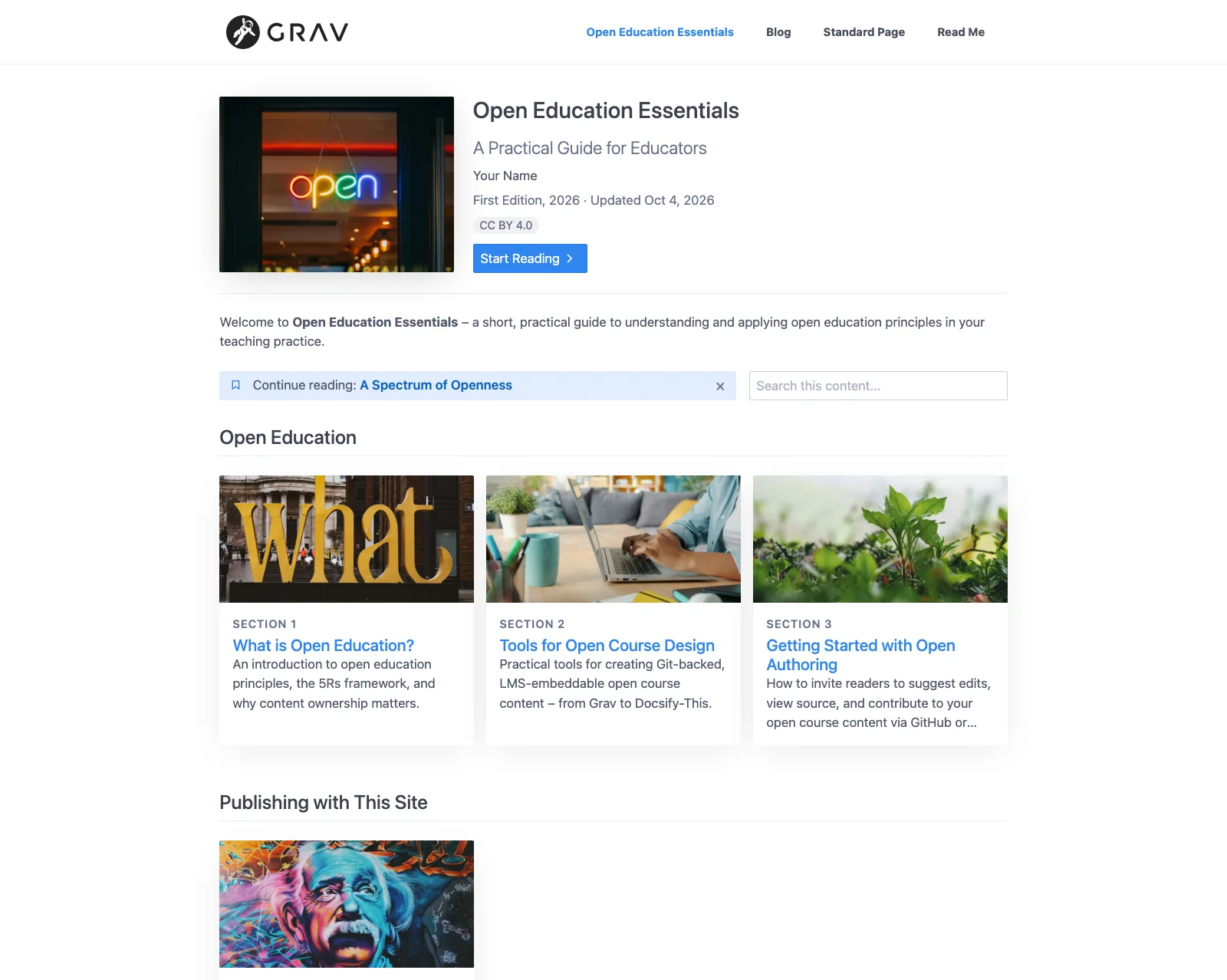
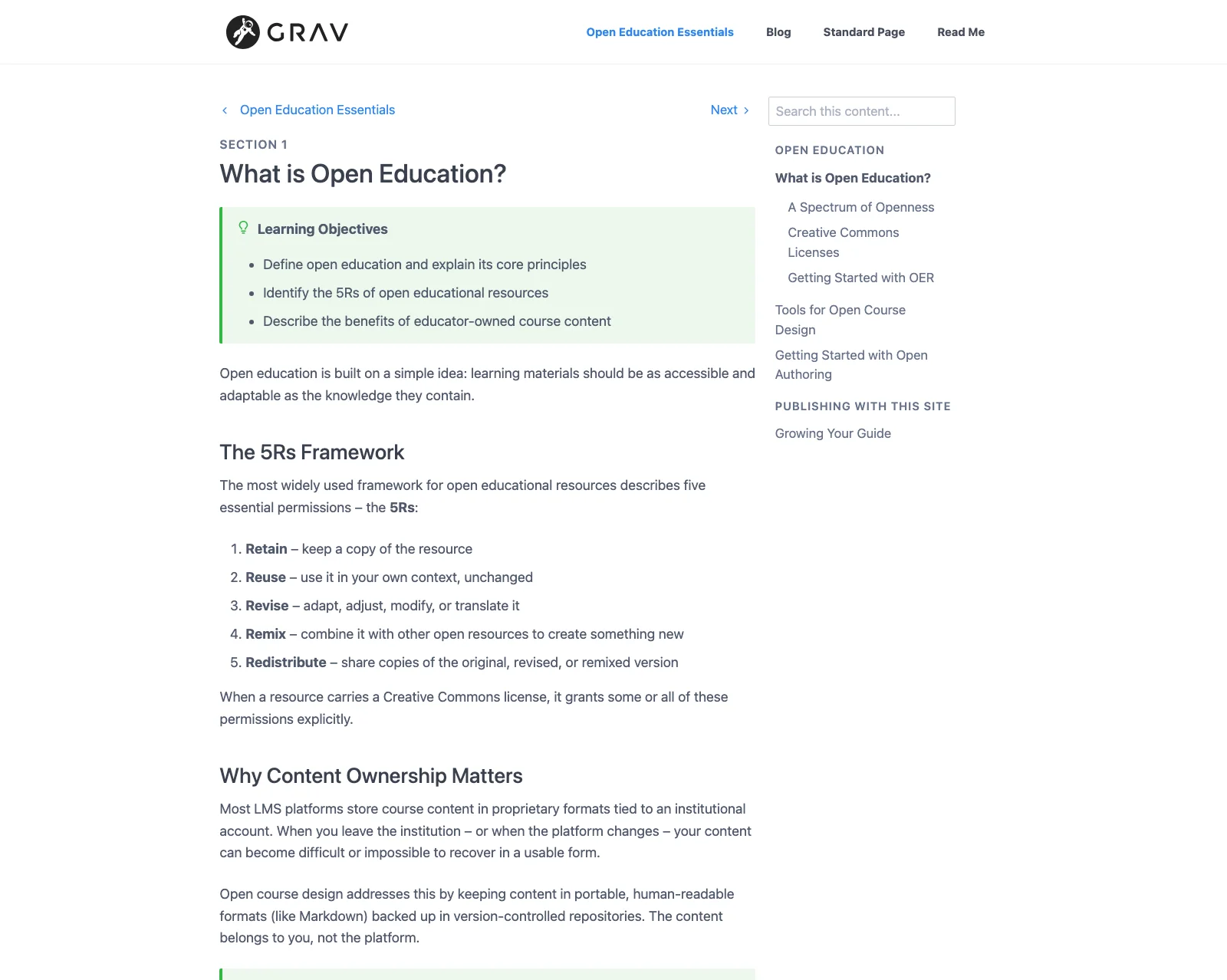
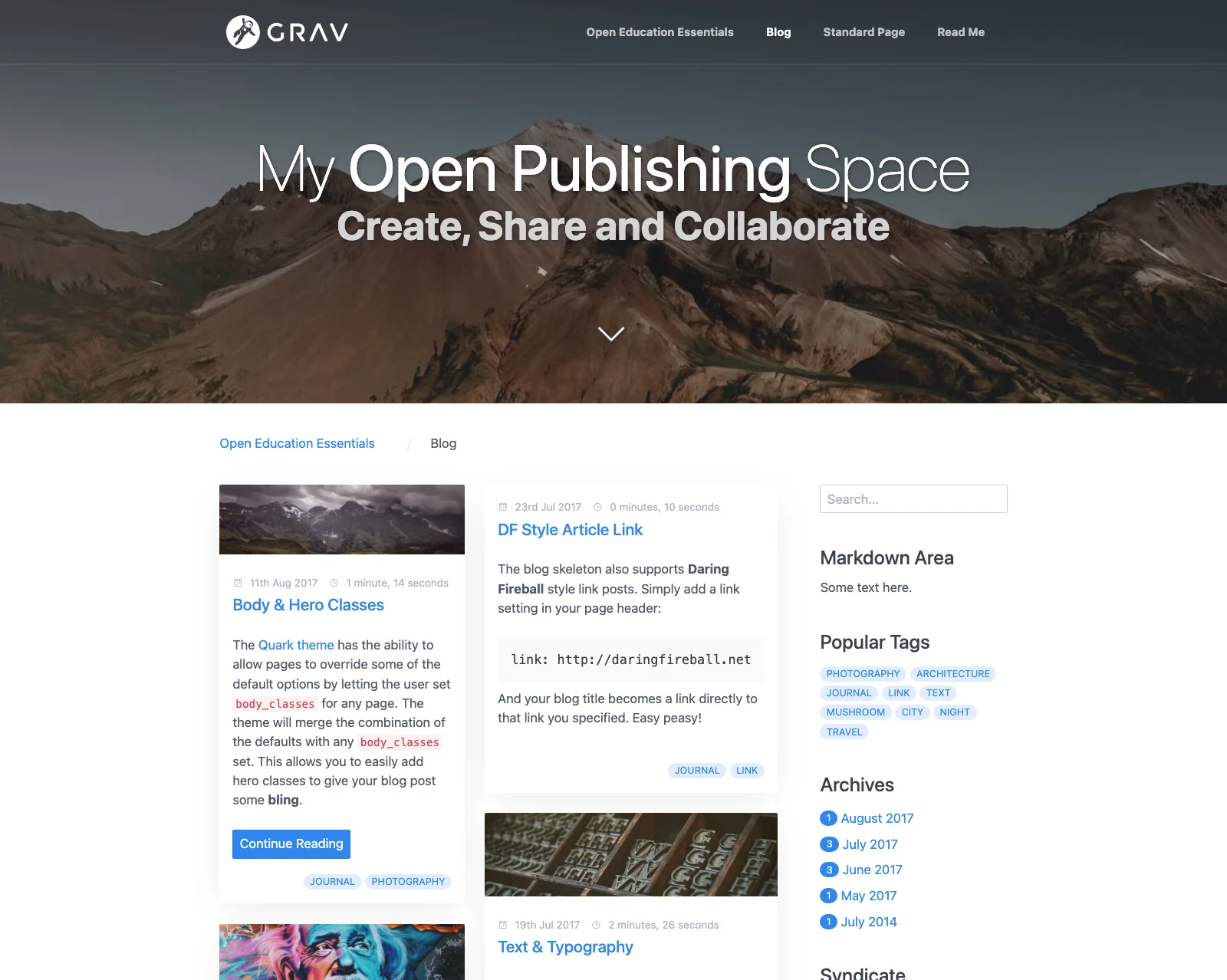
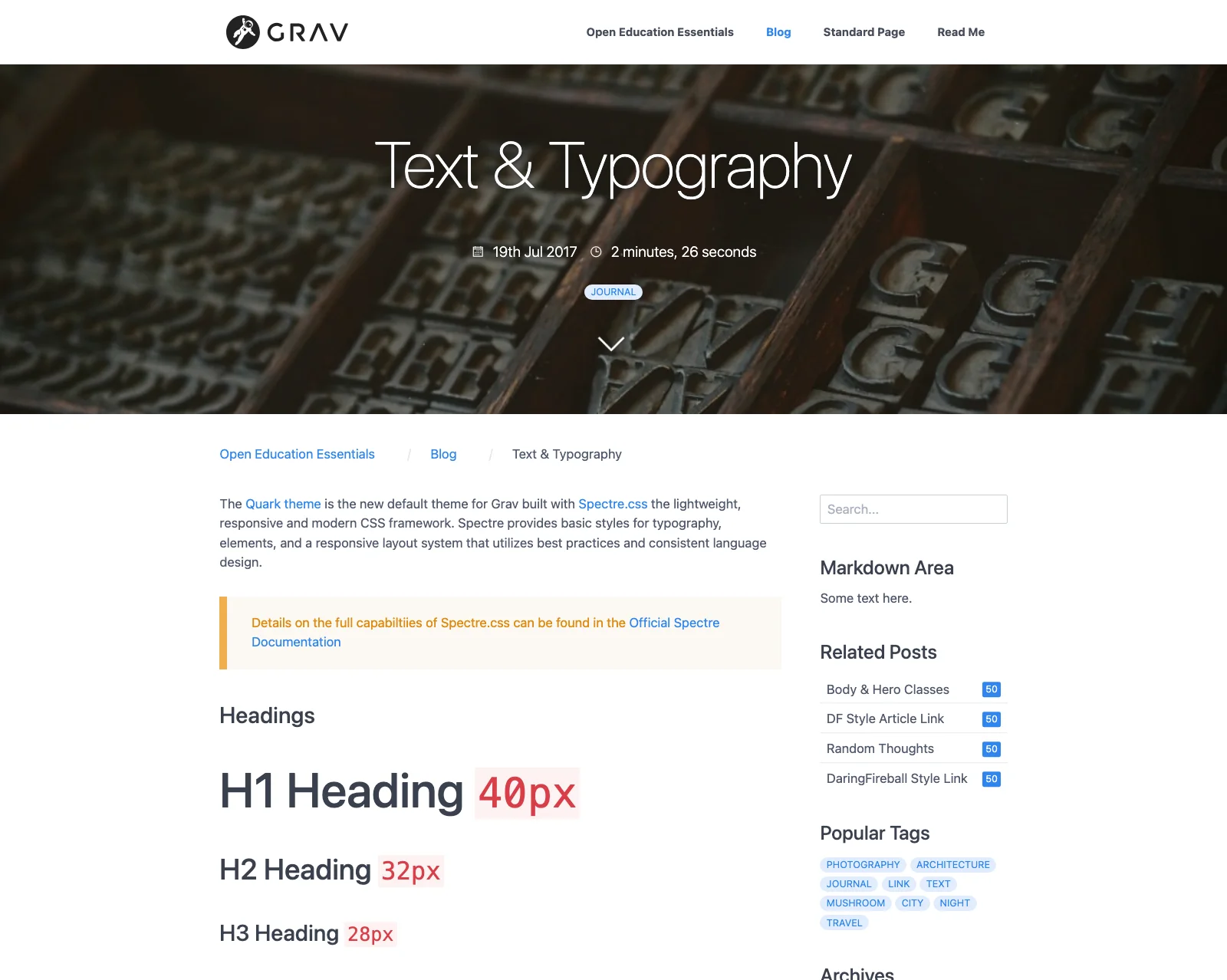
Open Publishing Space – Guide homepage and section page (top), blog and blog post (bottom)
A complete, pre-configured package for publishing an open guide or book – such as a course reader, handbook, or short open textbook – with section cards, parts, reading progress, and OER attribution. Because it's a full Grav CMS site, you can add almost any other kind of page alongside it: a blog, standard pages, modular landing pages, and embedded content. Content is stored as simple Markdown files you can keep locally, with a built-in Admin panel for browser-based editing and no database required. Runs on nearly any web hosting service.
- An open guide or book, plus the rest of Grav – guides with section cards, parts, reading progress, Previous/Next navigation, Keep My Place, Learning Objectives, and OER attribution, alongside a full blog, standard pages, and multi-section and modular pages. Guides use the same page settings as Grav Helios Open Reader, so they can move there if your site becomes mainly about reading
- Open authoring built in – Git Sync keeps the site in step with GitHub or a similar Git service, with "Edit this Page" links to each page's Markdown source, plus a "This page as Markdown (.md)" link on pages (Grav 2 version)
- Embed anywhere – add
/chromeless:trueor?embedded=trueto any page URL to show only its content, ready to embed in an LMS or other site - A blog that's ready to go – posts listed newest first in a card layout, featured (sticky) posts, tags, archives, and Atom/RSS feeds
- Rich content – shortcodes for Google Slides, H5P, PDF, iFrame, Embedly, and link preview cards, callout shortcodes such as
[objectives]and[key-takeaways], and GitHub-style alerts - Search – grouped results with the search words highlighted, from the blog sidebar, the Search page, or a search box on each guide that searches just that guide
- Built on Quark 2 – Grav 2's modern default theme, with hero images, full-page mobile navigation, and Light, Dark and Auto modes with a toggle for visitors (the Grav 1.7 version uses Quark, with Dark Mode off, on, or following the visitor's system setting)
- Portable by design – your content is plain Markdown files on your server, ready to move to any tool or host if your needs change
Grav Open Publishing Space is a good fit when you:
- Want to publish an open guide or book on your own hosting and domain
- Value Git-based, open authoring and collaboration on your writing
- Want flexible pages around your guide – a blog, landing pages, standard pages, or embedded content – rather than a site just for reading
- Prefer a clean, minimal design you can adjust through theme options
Other options might be better when you:
- Want a dedicated reading site, such as for open textbooks and course readers, with a table of contents on every page and several publications on one site – consider Grav Helios Open Reader, built on the premium Helios theme
- Want a weekly companion site for a course alongside your LMS – consider Grav Open Course Hub, or Grav Open MultiCourse Hub for several courses
- Want zero-server publishing directly from GitHub – consider Docsify-This
- Need comments, memberships, or newsletters built in
- Prefer fully visual drag-and-drop page builders over Markdown-based editing
Open Publishing Space is best suited for writers and educators comfortable with web hosting and folder-based content. An online Admin panel is included for browser-based editing – no code editor required.
- Confirm your web server meets Grav's requirements (PHP 8.3 or higher, or PHP 8.0.2 or higher for the Grav 1.7 version)
- Have your web server login credentials ready (username and password)
- Download the Open Publishing Space Skeleton package (a Grav 1.7 version is also available on the release page)
- Unzip the package onto your desktop
- Copy the entire Grav Open Publishing Space folder to your web server
- Open your browser and go to your site's URL
- Create your site administrator account when prompted
- You're done! – press the preview icon in the Admin Panel to view your site
Tip
When copying the Grav Open Publishing Space folder to your web server, copy the entire folder – it contains hidden files (such as .htaccess) that are not selected by default. Omitting these hidden files can cause problems when running Grav.
-
Site name and description – in the Admin Panel under Configuration → Site
-
Homepage – the Open Education Essentials guide is the homepage; to use another page (such as the Blog), change the Home Page setting in Configuration → System
-
Blog – at
/blog; its text and image form the hero banner at the top. Each post is a folder insideblog(add one with Pages → Add), listed newest first, six per page. Tag a postfeaturedto keep it at the top, and edit the notice above the posts inblog/_important-notice -
Other pages – top-level pages (Open Education Essentials, Blog, Standard Page, Read Me, and so on) appear in the menu, ordered by their folder number; unpublish any you don't need. The
modular-page,modular-page-injectandmulti-section-pageexamples are unpublished – publish one to try it -
Multi-Section Page – a simpler alternative to a guide: a page with a side list of its sections and classic Next/Prev buttons. When embedded, it keeps its side list and buttons, while a guide shows only the page content
-
Open Education Essentials – the example guide, in two parts, using the Section List page type; it is also the example guide in Grav Helios Open Reader. Set its subtitle, cover image, author(s), edition, last updated date, section label, reading progress, Keep My Place, Previous/Next position, and OER attribution on its home page, and each section's Part, card description, image, and Learning Objectives on the section (see the Quark Open Publishing README, including moving a guide to Grav Helios Open Reader)
-
Search – uses the SimpleSearch plugin, from the blog sidebar, the Search page, and the search box on each guide; the optional TNTSearch plugin can be used instead. On sites set up with an earlier version of this skeleton, clear the Category filter in Plugins → SimpleSearch so search covers every page, not just blog posts
-
Shared parts – edit the
sidebarpage (set itspositiontotoporbottomof the sidebar) and thefooterpage -
Theme – the Grav 2 version uses Quark 2 Open Publishing, and the Grav 1.7 version Quark Open Publishing, with the same pages and settings. My Theme, where your customizations go, works with either and shows the settings of the theme that's installed. Install the Quark 2 theme only together with Quark 2 Open Publishing, and check any custom CSS in My Theme when switching between the two
-
Moving an existing site to Quark 2 Open Publishing – sites created before Open Publishing Space 2.3.0 have a
streamssetting inuser/config/themes/mytheme.yamlthat only lists Quark Open Publishing. If guide pages then show "template not found", replace itsstreamsblock with the one below and clear the cache (and checkuser/env/<domain>/config/themes/mytheme.yamltoo, if your site has one):streams: schemes: theme: type: ReadOnlyStream prefixes: '': [user/themes/mytheme, user/themes/quark2-open-publishing, user/themes/quark2, user/themes/quark-open-publishing, user/themes/quark]
-
Look and options – under Themes → My Theme: Light, Dark or Auto mode and accent colour (Quark 2 Open Publishing) or Dark Mode and text size on phones (Quark Open Publishing), plus logo, header and footer style, chromeless site, Creative Commons license, and custom menu items (see the Quark 2 Open Publishing and Quark Open Publishing READMEs for all options)
-
Embedding – add
/chromeless:trueor?embedded=trueto any page URL, for example/blog/hero-classes/chromeless:trueor/blog/hero-classes?embedded=true -
Markdown of any page (Grav 2 version) – a "This page as Markdown (.md)" link below a page's content gets that page as Markdown, ready to reuse (the same as adding
.mdto the page URL, for example/blog/hero-classes.md, or/index.mdfor the home page). This is Grav 2.1's Markdown output, which can be turned off in Configuration → System → Content. The link's settings, including where it shows and which page templates hide it, are under Reuse Pages as Markdown in Themes → My Theme. The Copy as Markdown Button plugin is also included, turned off, for anyone who'd like a one-click copy button on pages (turn it on in Plugins). -
Git Sync and "Edit this Page" – set up Git Sync in the Admin Panel (its own menu item in Grav 2, or Plugins → Git Sync in Grav 1.7), then choose where the link appears and whether it views or edits the source in the theme's Git Sync Link options
A Pressbooks book can become a guide here. The free Pressbooks Converter turns a Pressbooks export into a publication that works as a guide in Open Publishing Space:
- Convert the book's export with the Pressbooks Converter, and download the converted publication
- Copy the publication's folder into
user/pages. The converter numbers it10.(for example10.universal-design-for-learning), so it appears after the sample pages and before Read Me; to replace the sample guide instead, delete01.open-education-essentials. If its section folders sit beside the book's home page (section-list.md) rather than inside its folder, make a folder for the guide and movesection-list.md(with its images) and the section folders into it - Converted sections redirect to their first page: if a section's
redirect:doesn't start with the guide's folder, add it (for exampleredirect: /universal-design-for-learning/section-1/about-this-guide) - To make the book the homepage, change the Home Page setting in Configuration → System to the guide
On the guide's home page, consider:
- Section labels – converted section titles often already start with "Module 1:" or "Chapter 1:", so keep the section labels off (converted books usually include
show_section_label: false) - Previous/Next – set Prev/Next Page Controls Position to Top and bottom, for long pages
- Cover image – a portrait book cover is shown whole with either Cover Image Layout
Exercises, callouts, figures and captions carry over as they are. A few things to know:
- Images still load from the original Pressbooks site; to keep your own copies, add the images to each page's folder and update their addresses
- Pressbooks tables inserted with a shortcode (such as
[table id=5]) show as text; replace them with a Markdown table
H5P activities and videos are converted to links back to the original Pressbooks book. To show them in the page instead:
-
H5P activities – shown as "View H5P activity online" links (or an Open Interactive Activity button inside an exercise). On the original Pressbooks page, the activity's Embed option (when its author allows embedding) gives its embed address; replace the link with the H5P shortcode, for example:
[h5p url="https://example.pressbooks.pub/wp-admin/admin-ajax.php?action=h5p_embed&id=3" title="UDL guidelines slide show"] -
Videos – the links go to the Pressbooks page that holds the video, not the video itself. Find the video's own address on that page (for example on YouTube), and replace the link using the included YouTube plugin:
[plugin:youtube](https://www.youtube.com/watch?v=VIDEO_ID)
- PHP >= 8.3 (or >= 8.0.2 for the Grav 1.7 version)
- Grav CMS 2.1 or newer (included in the package), or Grav CMS 1.7 in the Grav 1.7 version
- Share your feedback in the Open Publishing Space Survey
- Follow @hibbittsdesign@mastodon.social on Mastodon for updates
- 👩🏻💻🧑🏻💻 Join the Grav Discord and often find me there
- Add a ⭐️ star on GitHub to the Open Publishing Space project repository
- For bugs or feature requests, open an issue on GitHub
By leveraging his extensive UX design expertise and systems-oriented approach, Paul helps teams and individuals utilize open content in education and publication settings. Professional services include user experience and workflow consulting, premium support subscriptions, workshops, and custom development. Interested? Send a note to paul@hibbittsdesign.org.
MIT – Hibbitts Design