Repository navigation

Syscura 1.0.0, the first full release
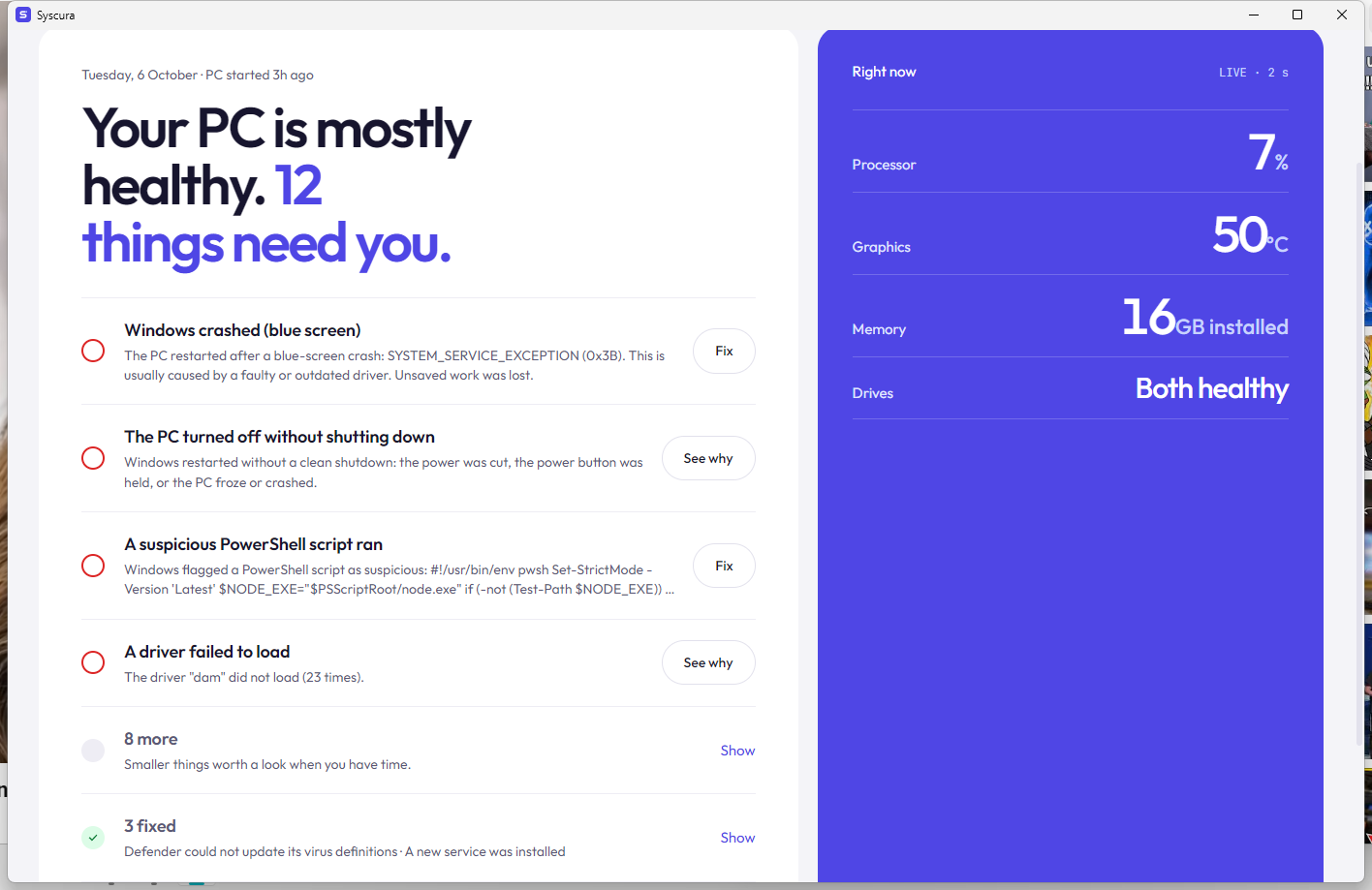
Syscura is a free, open-source health and security guard for Windows 10 and 11. It explains every alert in plain words, fixes what it safely can, checks whether the fix really worked, and catches what antivirus can miss, using ~14 MB of memory.
⬇️ Install
- Download
Syscura-1.0.0-setup.exebelow. - Double-click it. SmartScreen warns because Syscura isn't code-signed yet: More info → Run anyway, then Yes.
- Next → Install → Finish. Background protection starts as a Windows service, and Syscura sits in the tray (^ next to the clock) after every restart.
Coming from a beta or the portable zip? Just run the Setup. It replaces the old copy (never a second one), and your history and settings are kept.
✨ What Syscura does
- 🩺 Explains every alert: what happened, whether it's harmful, and what to do. Blue-screen stop codes are decoded; harmless noise is marked safe to ignore.
- 🛠️ Fixes safely: safe fixes run by themselves. Everything else asks first, makes a restore point and can be undone. Nothing is ever deleted without you.
- ✅ Honest results: "SFC found nothing wrong, so it was not the cause", not a fake "fixed". After any fix, the AI checks whether it really worked.
- 🕵️ Catches what antivirus misses. A light live process watch flags fake Windows processes, unsigned programs in Temp/Downloads/AppData, and Office starting PowerShell. A startup check flags unsigned programs and hidden scripts that start with Windows.
- 🗂️ Processes page: every running program, live, with publisher, signature, CPU and memory. Open its folder, scan it with Defender, or stop it.
- 🦠 Virus files: open the folder, or delete the file or its whole folder (to the Recycle Bin, after a warning). The problem closes itself once the file is gone. You can also let Defender remove it, or run a Defender Offline scan.
- 🧠 Remembers: Mark as safe once and Syscura never warns again. A problem that returns gets the fix that worked before.
- ✦ Free AI help, no key needed: opens ChatGPT, Claude, Copilot, Gemini or Google AI Mode with the problem written out. Or add a free Gemini key for in-app answers with web search.
- 🔬 Accurate hardware on any PC:
- read fresh from Windows: exact Windows version and build, board, BIOS, CPU, every RAM stick, GPU, drives, monitors, battery and more;
- details your PC doesn't report can be looked up online with AI, and are marked as such.
- 🛡️ Warnings and backup: notifications for serious problems, even with the window closed, and a copy-only backup to another drive.
- 🔄 Updates itself: checks GitHub daily. Download and install verifies the SHA-256 checksum, installs in place and keeps your data.
✅ Tested
Every change is tested automatically on clean Windows machines:
- Hardware, process and startup checks: Windows Server 2022 and 2025.
- Agent and command-line tool: start, answer, problems and process list.
- Installer: fresh install → service running and auto-start present → install again over itself (history kept, still one copy) → replace an old portable copy (one service) → clean uninstall.
Full list of changes: CHANGELOG.md · Something wrong? Report it
Made by Ibrar Ahmad · GitHub · LinkedIn · Website · If Syscura helped you, a ⭐ helps others find it.