Repository navigation
PS-WRAP v0.10.0
Pre-release
Pre-release

Rumble Boost, testing vibration and the light bar, and the game's name while playing.
New
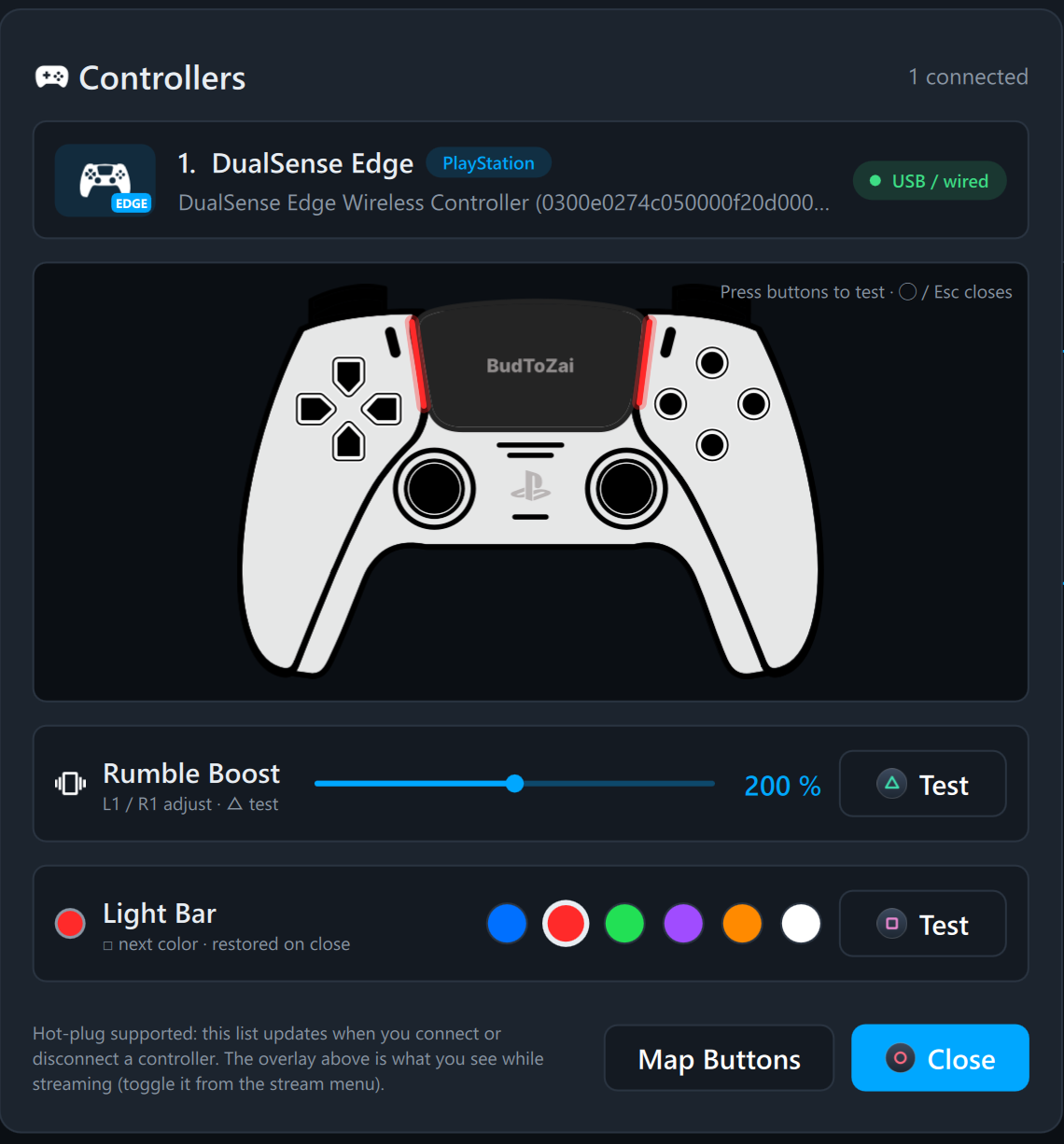
- Rumble Boost. Make your controller vibrate harder, from 100% to 300%, in Settings › Controllers › Vibration or in the controller panel (the controller chip on the home screen). It boosts the rumble games send to the motors, which had no strength setting before, and the Rumble Haptics conversion. It helps most when the game asks for a light or medium rumble; a controller already shaking at full strength can't go further. On a DualSense the PS5's own Vibration Intensity still applies, so set it to Strong on the console too.
- Test vibration and the light bar in the controller panel. △ Test (or △ on the controller) plays three pulses, light, medium and strong, with your boost applied; L1 / R1 change the boost by 10%. Light Bar (DualSense and DualShock 4) has six colors: click a dot or press □, and both the controller and its picture on screen light up. Closing the panel stops the vibration and puts the light back.
- The game's name while playing. The game running on the console shows on the status bar and under the clock overlay. It is read from the console on your home network. PS4 only for now: a PS5 doesn't report the running game this way.
Website
Community
Questions, help and beta builds: Discord https://discord.gg/6VTSxu8JRf
Download
Already on 0.9.0? Click the Update 0.10.0 chip on the home screen, or About › Check for updates.
PS-WRAP-v0.10.0-win64.zip: unzip anywhere and run PS-WRAP.exe. PS-WRAP-Diagnostics.exe is in the same folder if something goes wrong.
SHA-256: C2FE455522E6E7AD29FC8CC5588043445F940199DD2236D57DB66826E9DFEA7E
Full list in CHANGELOG.md. Report problems in Issues. AGPL-3.0; the source for this release is tag v0.10.0.