
Your Blender agent, in the tools you already use.
A free, open-source Blender AI plugin for Codex and Claude Code for creating and refining models, animations, and scenes. It gives your agent a way to plan the work, build it in your local Blender installation, and inspect the result before delivery.
Describe what you want to make. Keep the editable .blend file and the Python
that built it. The goal is a portable Blender agent: open workflows and local
tools that you can use from your existing agent harness. Codex and Claude Code
have bundled plugin installers today. Other hosts need compatible skill
loading and local execution; see portability and host requirements.
Docs · Install · Examples · Try it · How it works · Workflows · Development · Report a bug
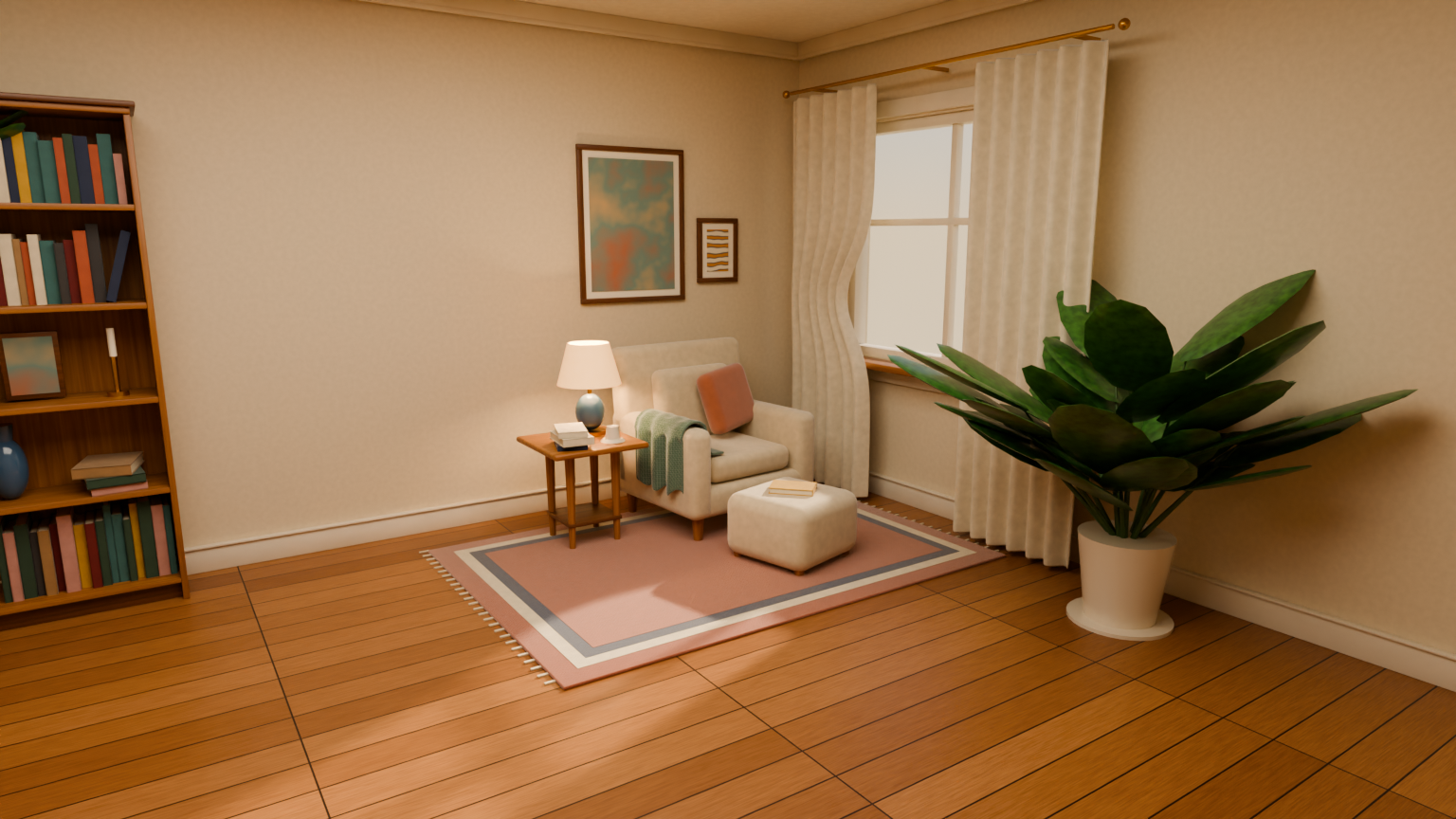
One example from the published gallery: a reading room built with Claude Code and Sonnet 5.5. The image is an HD render of the saved scene. Explore the paired examples to see results with and without the plugin, including failed checks and mixed visual reviews. This selected example is not an average-quality claim.
- Build props, environments, characters, and Geometry Nodes setups.
- Design readable signs, labels and graphic panels as editable 2D artwork, then integrate their materials and supports and review them at the intended distance. See the signage workflow.
- Optionally record real modeling milestones and deliver a timelapse from the empty/default scene to the completed render. Ask before modeling starts; capture guide.
- Gather references from several angles and compare the model's proportions before adding detail.
- Overlay projected geometry on a reference image, with optional silhouette-mask measurements for missing and excess coverage. See reference modeling.
- Rig and animate models, or work with cloth, smoke, and other simulations.
- Render through your scene's cameras with its lighting intact, or use studio views to inspect a model from every side.
- Download CC0 textures and HDRIs from Poly Haven at 1K, 2K, 4K, or 8K.
- Find Mixamo motion through your browser and import downloaded FBX animations into a new
.blend. See the Mixamo workflow for browser requirements and retargeting limits. - Find and preview Pixabay sound effects through a browser handoff. The tool provides a search URL and workflow; it does not return live results or import audio. See the MCP integration guide.
- Check geometry and exported files, review renders, and repair what doesn't work.
- Query scene parts and evaluated dimensions, check explicit geometry and ground constraints, and compare repairs against preserved SceneIR baselines with the optional Rust runtime.
The plugin includes twelve specialist skills and a local MCP server for inspection, rendering, and asset downloads. Generated scenes come with Python source so you can rebuild them and keep making changes.
The skills guide the agent through modeling, rendering, animation, and other tasks. Blender runs locally to build or inspect the saved scene; you do not need to keep its interface open. The agent chooses the relevant steps for your request. The workflows and tools help it:
- Turn the brief into parts, proportions, finish goals, and delivery checks. Review a graybox before spending time on materials and small details.
- Check geometry, materials, dimensions, and other scene details. For an export, it can reopen the file in a fresh Blender process to check what survived.
- Render a hero view plus fixed front, back, left, right, and top views. During repairs, it can use two smaller views for faster feedback before the full check.
- Light diagnostic views with a studio setup scaled to the asset. The
autopreset picks a contrasting background from simple material color hints; the agent still needs to inspect the image and adjust it when the choice fails. - Render through the scene's own cameras and lighting for beauty images. The
tool caps resolution, samples, and render time. It offers faster
previewand higher-qualityfinaldenoising policies; by default, it preserves the scene's authored denoising settings. The agent selects the policy for the job.
The .blend is the editable result. The Python source records the build steps,
so you can regenerate it or ask the agent to change it later. The workflow
guide explains which specialist skills apply to
each kind of task. Studio views are for inspection and do not replace your
scene's authored lighting in beauty renders.
You'll need Codex or Claude Code with plugin support, Bun, and Blender. Blender 5.2 LTS is the tested version; use Bun 1.3.5 or newer. Both hosts install the same skills, MCP server, and SceneIR tools from this repository.
Codex
codex plugin marketplace add ifBars/blender-agent-studio
codex plugin add blender-agent-studio@blender-agent-studio
Claude Code
claude plugin marketplace add ifBars/blender-agent-studio
claude plugin install blender-agent-studio@blender-agent-studio
Inside a Claude Code session, /plugin marketplace add ifBars/blender-agent-studio
and /plugin install blender-agent-studio@blender-agent-studio do the same.
Put blender on your PATH, or set BLENDER_EXECUTABLE to its location.
For example, in PowerShell:
$env:BLENDER_EXECUTABLE = "C:\path\to\Blender\blender.exe"Start a new Codex task or Claude Code session after installing or updating the
plugin. In Codex, invoke a skill as $blender-agent-studio:blender-modeling-workflow;
in Claude Code, as /blender-agent-studio:blender-modeling-workflow. Both hosts
also pick the relevant skill from a plain request.
For the optional scene-understanding tools, build the Rust runtime in the
installed plugin directory with bun run setup:runtime. See
scene understanding for setup, examples and
measurement limits. The existing tools do not require Rust.
Update an existing GitHub installation
Codex:
codex plugin marketplace upgrade blender-agent-studio
codex plugin add blender-agent-studio@blender-agent-studio
Claude Code:
claude plugin marketplace update blender-agent-studio
claude plugin update blender-agent-studio@blender-agent-studio
Prefer skills only? See the alternative installation options and browse the workflows on skills.sh.
Use Blender Agent Studio to build a walnut desk lamp. Give it warm lighting, render it from two angles, and save the .blend and Python source.
Include the style, dimensions, and intended use when they matter. For a game asset, ask for a GLB export and a check that it imports correctly. For a render, you can specify a camera angle, lighting, or reference image.
You can also give the agent an existing .blend and ask it to inspect or refine
the scene. For a second review, ask it to check the result from multiple views.
In five fresh, matched pairs covering a lantern, lever press, and animated drawbridge, the plugin's guided workflow passed the technical gate five times; the agent without it failed five times. Three blinded visual judges preferred the plugin asset in four of the five pairs. On one lantern repeat, all three preferred the baseline's appearance even though its geometry failed the technical gate. The plugin used more reported tokens. Lantern build time was about even across three pairs; the press and drawbridge plugin runs took about twice as long. See the current paired evidence for scores, controls, and defects.
These results show a quality gain for delivery checks on the tested prompts, with less consistent visual gains. Five pairs cannot give a reliable success rate for arbitrary prompts, models, or art styles. The three judges in each pair reviewed the same two assets; their votes are not separate generations. The comparison used the plugin's skills without its optional MCP tools, so it does not measure the extra benefit of those tools. An earlier four-task comparison also favored the plugin's final runs, but a harder integrated task had mixed results. Plugin revisions have shown both gains and regressions. Review the result yourself, particularly its shape, materials, animation, and exported files.
The five pairs above ran in Codex. The published gallery now retains 31 pairs, including later scene comparisons with Sonnet 5.5 and Opus 5.5 in Claude Code, alongside the Codex models. The scene report records their controls, scores, visual votes, and missing reviews. Those scene results are mixed; the selected reading-room image above does not establish a general visual advantage. Each pair has one generation per condition, so the gallery is evidence to inspect rather than a general success rate.
The earlier Claude Code lantern samples had no baseline and remain separate from those paired scene comparisons. Keep each result tied to its tested host, model, task, and plugin revision.
Found a bug? Open an issue with your Blender version, what you asked for, and what happened. A render or error log helps.
Made something with the plugin? Share an example with your prompt, agent/model, Blender version, and a render. If you want it featured in the docs, say so and include the build script when you can. Only share files you have permission to publish.
For code changes, see the development guide and repository instructions. Keep generated models and benchmark output out of commits. Review unfamiliar Blender scripts before running them; see security notes.
MIT. Powered by Poly Haven, whose assets are CC0.
This is an independent project, not affiliated with or endorsed by the Blender Foundation or Poly Haven. See third-party notices.