Repository navigation
Move Data
Move the analytics tables to another database: on the Data page for a database bound to this Worker, or as files with the ca-data command line tool that ships in the package, into another site, install or Cloudflare account. Use the tool for backups, for a source the Worker cannot bind, and for databases of any size: the Worker never holds more than one chunk of under 1.2 MB.
For a database bound to this Worker, the Data page copies the tables for you. Switch first: create the new database, add its binding, point the plugin option at it and deploy (one config change and one deploy, see Postgres through Hyperdrive for Postgres). New data goes to the new database from then on. Then open Data, Move data:
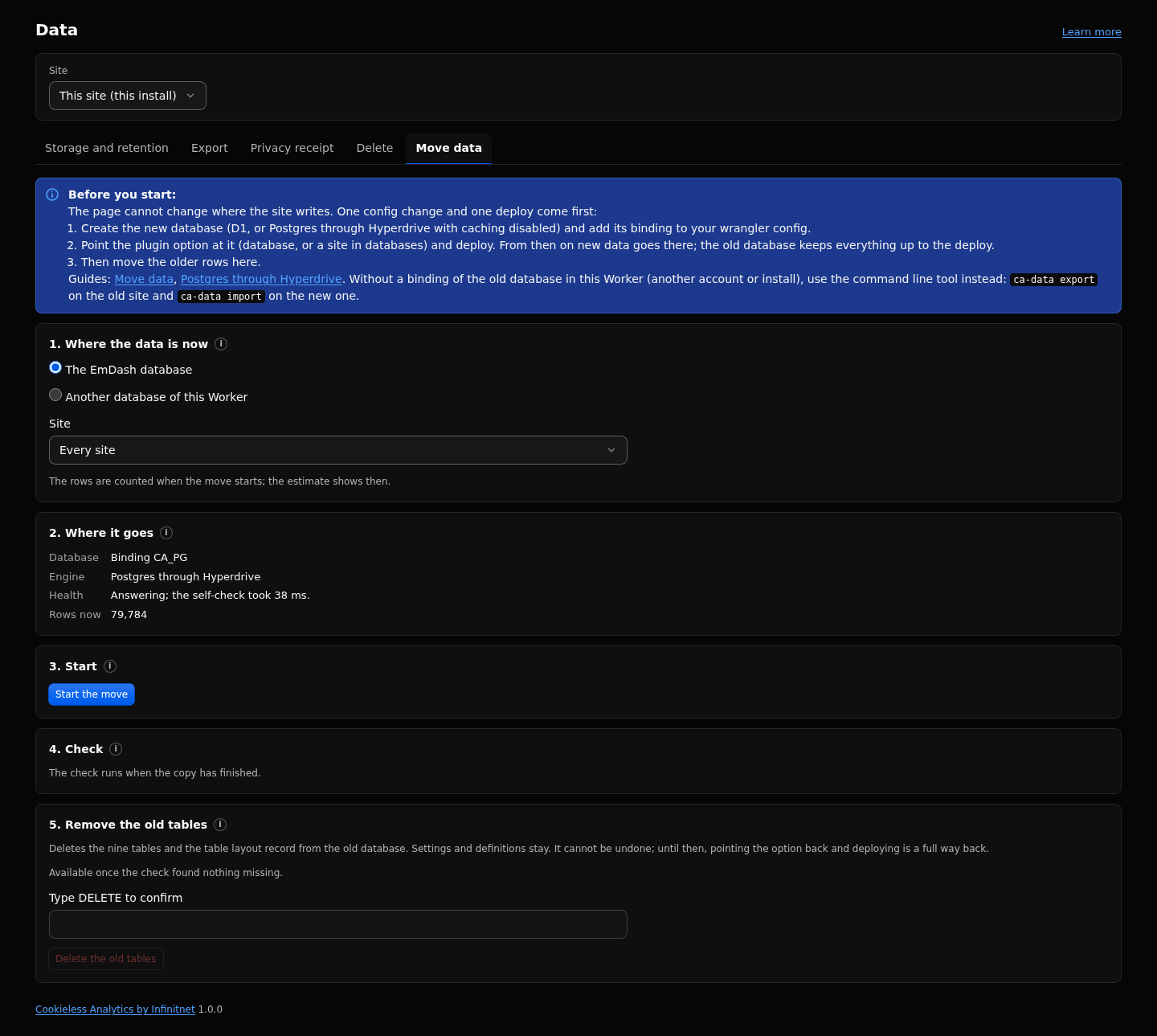
- Where the data is now: the EmDash database or the old binding, and one site or every site.
- Where it goes: the database the site writes to now, its engine and health.
- Start: chunks of 50 rows (Small) or 200, continued each minute in the background and faster while the tab is open. "Moving data: N percent. Older days appear as they arrive." Pause, Resume and Cancel; Start with the same source and site continues a cancelled move. Summaries, retention and Search skip the new database and the delete tools wait until the move ends. On Small into a D1 database the move writes at most 15,000 rows a day (shared with imports) and continues after 00:00 UTC by itself.
- Check: per table, site and day, inside the new database's detailed window; on days where the new database holds more rows, the old rows are looked up one by one. Short means rows are missing; More means rows written since the switch or split visits.
-
Remove the old tables: type
DELETE; enabled once the check found nothing short, and refused when the old database is one the site writes to under another binding name.
A visitor who was on the site during the deploy counts as two visits on that day; page views, events and revenue are complete. The per day counters (not found pages, requests not recorded) are added once: moving the same pair again adds nothing, and moving back keeps the larger count. Full reference: docs/move-data.md.
- On the site the data comes from, open Definitions, API keys and create a key with the scope
data:export. - On the site the data goes to, create a key with the scope
data:import. - Give both an expiry date. A
data:exportkey reads every stored row, the visit details and the daily visitor keys included: revoke it after the run.
CA_DATA_KEY="ab12cd34.EXAMPLESECRET" pnpm exec ca-data export --url https://example.com --out ./backupAdd --site shop to export one site. The folder then holds one <table>.ndjson.gz per table and manifest.json with the table layout, the database engine, the site filter, the creation time and per file the row count and sha256. Neither holds the URL or the key.
CA_DATA_KEY="cd34ef56.EXAMPLESECRET" pnpm exec ca-data import --url https://new.example.com --in ./backupThe tool reads the key from CA_DATA_KEY first; --key is only the fallback, since a key on the command line shows in the shell history. Add --rows 50 to import into a site on the Small profile.
The import:
- refuses a file whose sha256 does not match the manifest, before it posts anything;
- refuses files of another table layout (
layout_mismatch); there is no conversion; - posts chunks of 500 rows (or
--rows), halves them after a server error, and keepsprogress.json, so running the same command again after a broken run resumes where it stopped; - checks every row (
400 invalid_row) before anything of a chunk is written, and is refused and with409while a delete or a move into the same database runs; - compares row counts at the end and exits with code 1 when the site holds fewer rows than the files.
A row whose key exists is kept as it is, so a second import of the same files inserts 0 rows.
- Import into an empty database. In a database that already received traffic the destination's values win for keys on both sides, and the per day counters of
ca_srvandca_dropskeep the destination's count. - Settings, plugin state and the storage collections (API keys, goals, funnels, segments, annotations, dashboards, client sites) are not in the files; they stay in the EmDash database.
- With per site databases, export each site that has its own database with
--site. An import writes each row into the database its site writes to. - Every chunk is one request against the key's rate limit (
agentRateLimitPerMinute, default 60). The tool waits on429; raise the setting for a large export. - On the Small profile with D1, imports and moves together write at most 15,000 rows a day. A chunk over that answers
429until 00:00 UTC; the tool waits and continues the next day. - On synthetic test data in the test suite: 5,000 page views over 14 days exported in 102 requests; a visit took about 129 bytes in the gzip file, a summary row about 9 bytes.
The routes behind the tool: Agent API and MCP. Full reference: https://github.com/infinitnet/cookieless-analytics/blob/main/docs/move-data.md