bug: Unexpected behavior of ion-datetime on iOS 14 #25067

Description

Prerequisites
- I have read the Contributing Guidelines.
- I agree to follow the Code of Conduct.
- I have searched for existing issues that already report this problem, without success.
Ionic Framework Version
- v4.x
- v5.x
- v6.x
Current Behavior
When initially loading a page with an ion-datetime element on iOS v14 the datetime will start on the current month and then immediately display the previous month. Each time I navigate to a new page and back it goes back another month.
I am seeing this result using both a physical IPod touch running iOS 14.7.2 and the xcode IPod touch 7th gen running iOS 14.5. When testing on chrome and android I do not see this behavior. Also, on iOS 15 it does not seem to happen.
<ion-content>
  <ion-datetime
      presentation="date"
      size="cover"
      class="calendar-style"
      slot="fixed"
      color="primary"
      mode="md"
    >
</ion-content>
scss I am using:
.calendar-style {
    width: 100%;
    overflow: hidden;
    height: 50%;
    --background: #e5ebf2;
}

ion-datetime {
    color: black;
}
Expected Behavior
The datetime should stay on the current month until changed by a user.
Steps to Reproduce
Create a datetime element with the given code and use on iOS 14.
Code Reproduction URL
No response
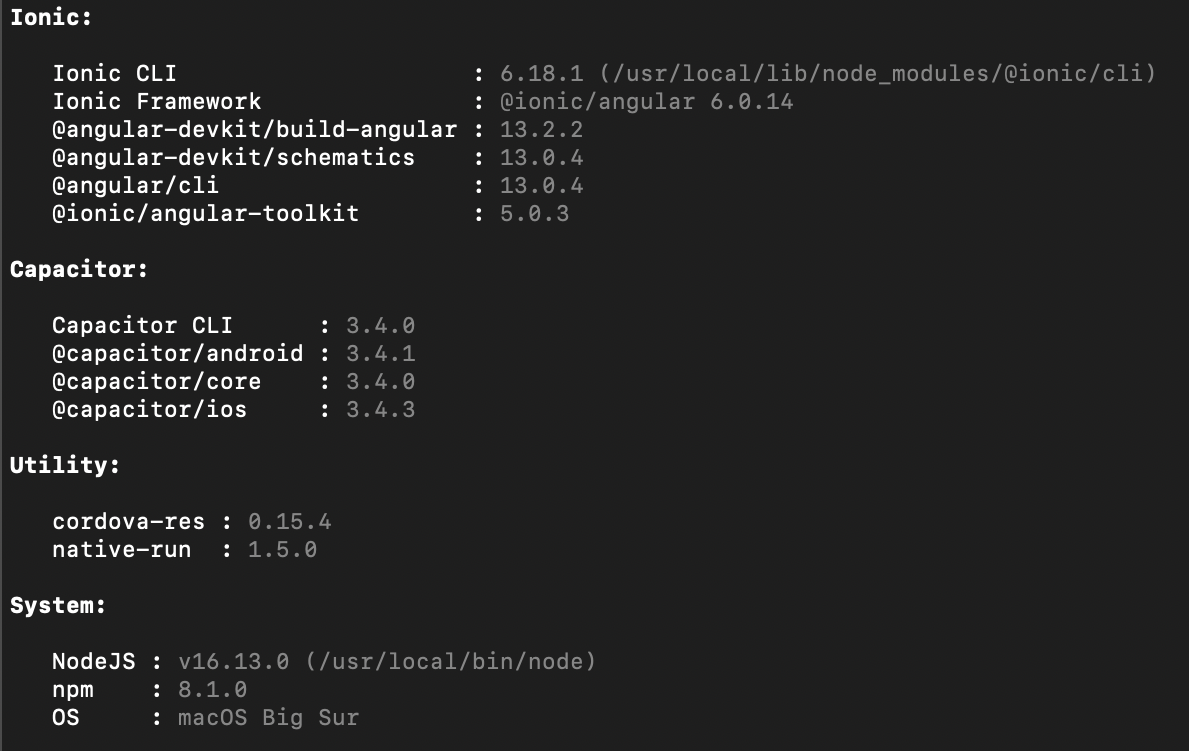
Ionic Info
Additional Information
No response