Repository navigation
Proof Pack
The proof pack collects demo-safe assets that show what DOCSight does: an evidence timeline and a sample complaint report. Everything here uses synthetic data. Real exports and reports should be reviewed by their owner before sharing, with personal, network, account, and ticket details removed first.
Community threads with real setups and outcomes:
- Share your DOCSight setup and what it helped you prove
- Supported modem reports
- ISP evidence outcomes
To post your own story or modem report safely, use the Community Proof Templates.
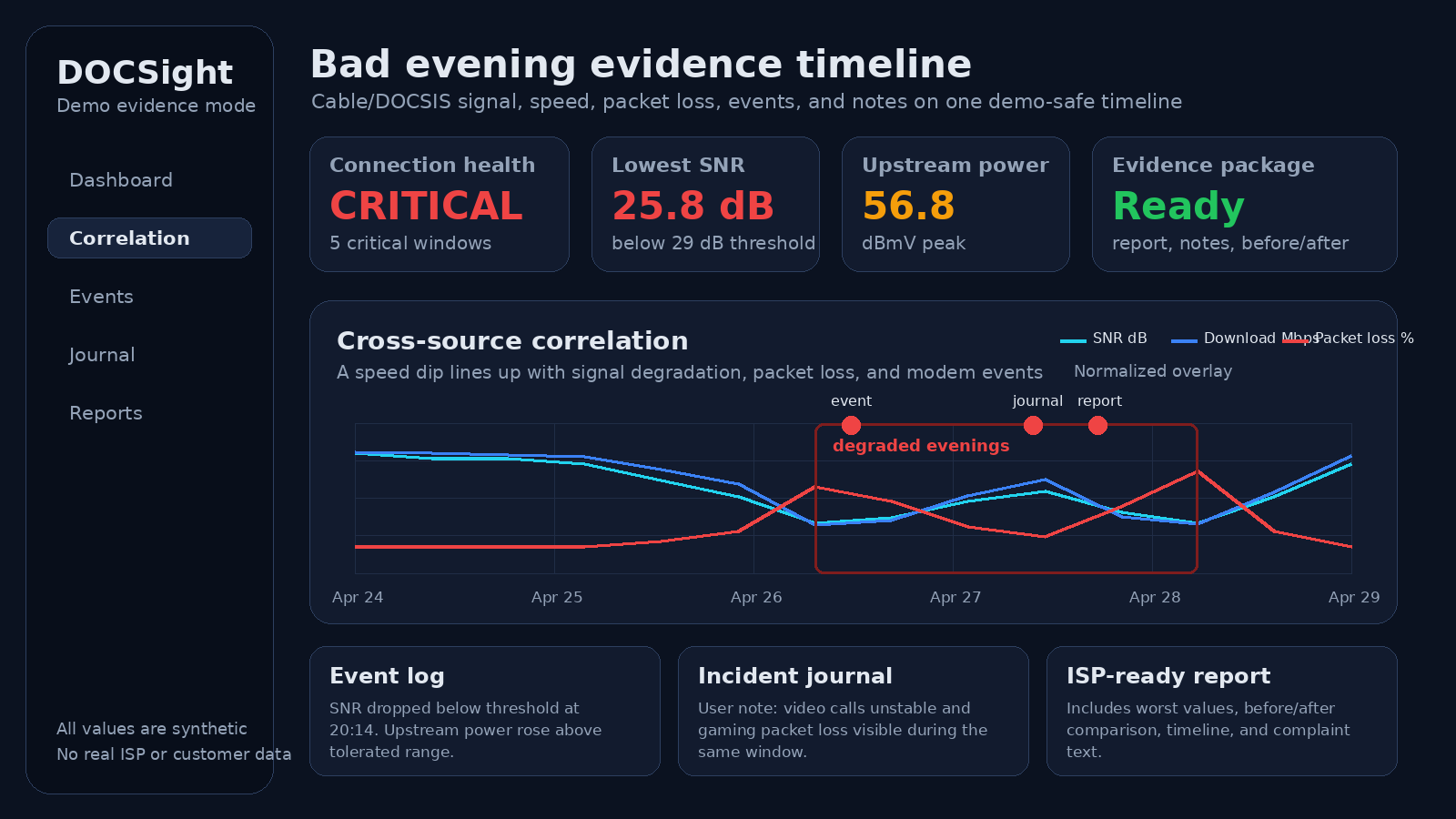
Synthetic illustration of the evidence workflow, not a screenshot of the current user interface.
What it shows:
- DOCSight can put signal health, speed, packet loss, events, notes, and reporting into one timeline.
- The product is about recurring patterns, not a single modem screenshot.
- A clear problem case can be shown without exposing a real ISP, address, IP, MAC, customer number, or ticket.
Download the demo complaint report (PDF)
The sample uses synthetic data with Example Cable Provider and Demo DOCSIS Gateway, but it intentionally keeps the app's Germany/VFKD threshold references and complaint wording. Treat it as a public-safe product output sample, not as universal legal or regulatory guidance.
What it shows:
- DOCSight can turn collected measurements into a PDF report.
- The report contains current status, worst values, threshold references, and complaint-ready text.
- The sample is safe to share because it uses synthetic connection data,
Example Cable Provider, andDemo DOCSIS Gateway.
See Filing a Complaint for how reports are generated from your own data.
| Claim | Assets |
|---|---|
| Your ISP says everything is fine. DOCSight shows the timeline. A long-running timeline turns a symptom into a case file. |
docs/screenshots/bad-day-evidence.png, docs/samples/demo-complaint-report.pdf, docs/screenshots/social-preview.png, docs/screenshots/complaint-workflow.png
|
| A speed test alone is not enough. Speed dips gain meaning next to cable signal health, latency, and events. |
docs/screenshots/bad-day-evidence.png, docs/screenshots/speedtest.png, docs/screenshots/social-preview.png
|
| Local-first evidence workflow. Connection history stays on the user's machine unless they export it. | The README privacy section, the data contract, Architecture, and the locally generated sample report |
All files are in the docs/ folder of the repository. Product screenshots there were captured with synthetic demo data.
Before adding a screenshot to the README, the Wiki, release notes, or social posts, check for:
- no real ISP account number, customer number, ticket ID, address, name, or phone number
- no public IP, private IP, MAC address, serial number, Wi-Fi SSID, hostname, or precise location
- no browser profile avatar, bookmarks, notification center, OS username, or devtools panel
- no localhost-only error page, stack trace, debug banner, or test fixture wording that looks broken
- no third-party brand shown unless it is necessary and factual
- no legal or regulatory promise such as "guaranteed complaint success" or "certified proof"
Preferred public labels:
Example Cable ProviderDemo DOCSIS GatewayDemo evidence modeSynthetic data
Avoid:
- real provider names in hero screenshots unless the page is specifically about that provider
- screenshots that show mostly healthy values when the message is about proving a fault
- filled complaint forms with personal data, even fake-looking data that could be mistaken for real data
The repository keeps the generated, demo-safe assets, not the one-off generation tooling. Replacements must stay synthetic, pass the safety checklist above, and be reviewed before they are committed.
Bundled files:
docs/screenshots/bad-day-evidence.pngdocs/screenshots/dashboard-hero.pngdocs/screenshots/social-preview.pngdocs/samples/demo-complaint-report.pdf