Repository navigation
Linger v0.4.2

Linger 0.4.2: voice that holds
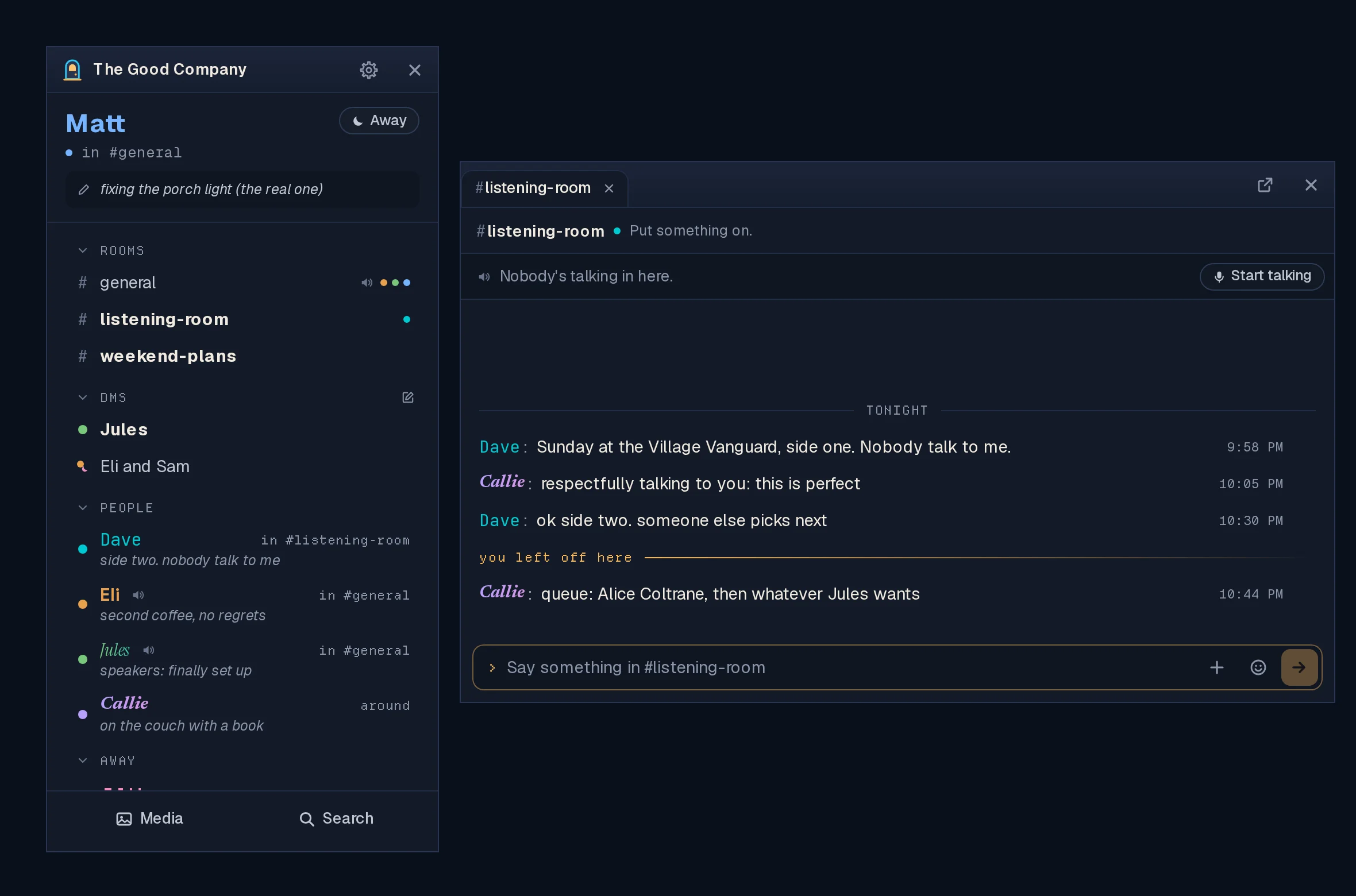
Voice through the server stopped cutting out, and a handful of fixes from the
first week of real use.
Hosts: update the server. The voice fix is in the server. With a 0.4.1
server, voice through the server still drops every fifteen seconds or so,
whatever app people have.
Voice through the server stays connected (#210)
- In 0.4.1, two people talking through the server lost each other over and
over: about fifteen seconds of voice, then half a minute of "can't reach".
The server only waited for each app to check in, and an app mid-conversation
never did. It now checks on each app itself, every few seconds, and a
moment's hiccup no longer ends a connection. - If you turned Voice through the server off to get around this, turn it
back on in Settings → Sound & Voice and join voice again.
Voice in the room's window (#216, #215)
- Mute, Deafen and Leave are now at the end of the voice line in the chat
window of the room you're in voice in, as symbols (hover one for its name).
No more finding the list to mute yourself. The voice bar in the list stays. - Your name lights up there when you talk, the same as everyone else's.
Smaller things
- A knock rocks the list of the person you knock, side to side, as the
design always had it (#211). Nothing moves with reduced motion turned on. - Back to tabs is now the pop-out button's mirror: the same box, with the
arrow coming in, and no words (#214). - Signing in with
http://in front of the address works (#208). Linger
always connects securely, so the address works however it's typed. The
sign-in screen also says plainly that a member signs in with the server's
address; an invite is only for a new account.
Known issues
- On Hyprland (Omarchy included), opening a conversation moves the mouse
pointer into the chat window. That's Hyprland's own behaviour when an app
brings a window forward, and Linger leaves it to your desktop. The
user guide
has the two lines that turn it off, if you'd rather it didn't. - Jumping around a shared video's timeline breaks it ("error", until you
leave the room and come back) on servers that keep files on their own disk.
Playing from the start works. The fix is in the server (#222).
The previous look
Still inside 0.4.2 while voice through the server is tried: start Linger with
LINGER_CLASSIC=1 (on Linux, LINGER_CLASSIC=1 linger-client). It goes once
the new voice has proven itself.
Download the app
Install the app on your own computer. Hosts run the separate server image.
| Your computer | Download |
|---|---|
| Windows | Linger_0.4.2_x64-setup.exe |
| Omarchy or Arch | Nothing to download: curl -fsSL https://raw.githubusercontent.com/itsMattGuenther/Linger/main/packaging/arch/setup.sh | bash once, then update with your system |
| Ubuntu, Debian or Mint | Linger_0.4.2_amd64.deb |
| Fedora or openSUSE | Linger-0.4.2-1.x86_64.rpm |
| Other Linux | Linger_0.4.2_amd64.AppImage |
The .msi is an alternative Windows installer. The app uses .sig files and
latest.json for updates; you do not need to download them yourself. macOS and
ARM desktop installers are not available. Windows installers are updater-signed,
not Authenticode-signed, so SmartScreen may warn: Run anyway is behind More
info. See the
user guide
for installation and troubleshooting.
Updating
Existing clients: choose Update… at the foot of your list, or open Settings →
Account & App → Updates, or close Linger and install the new download. You stay
signed in. Windows users should keep the same installer format (.exe or .msi).
On Omarchy or Arch, the package updates with your system.
Hosts: update the server; the voice fix is in it. It's
ghcr.io/itsmattguenther/linger:0.4.2 (amd64 and arm64) and latest:
docker compose pull && docker compose up -d (add --profile voice to both if
you run the voice relay). No database changes and no new settings. Turning on
voice through the server is in the
host guide.
Checks on installed clients
Record OS, package type, previous and new version, and interface size with
any failure. Use made-up messages, and keep private conversations out of
screenshots.
- With the server on 0.4.2 and Voice through the server on, two people on
different networks talk for five minutes without dropping. Then everybody
you can gather. - In the room you're in voice in, mute, deafen and leave from its chat
window; the voice bar in the list agrees. - Talk: your name lights up in the room's voice line.
- Knock somebody: their list rocks and the card says who.
- Pop a tab out and put it back with the arrow-in button.