Repository navigation
Linger v0.4.3

Linger 0.4.3: the first weekend's fixes
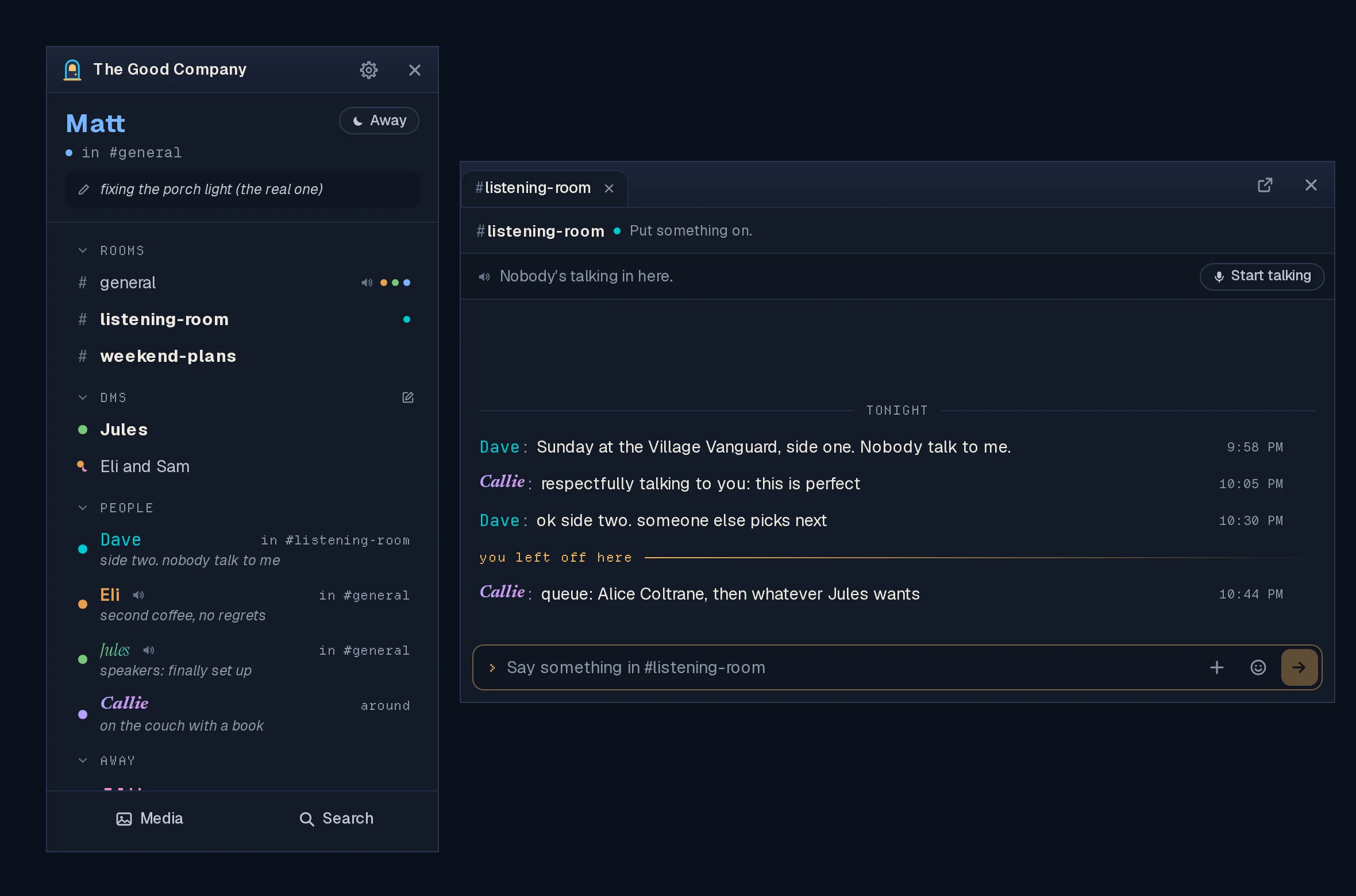
Fixes and small things from the first weekend of real use: shared videos you
can jump around in, push-to-talk that doesn't look like mute, a volume for
Linger's own sounds, and a Windows window you can actually move.
Hosts: update the server. Jumping around a shared video's timeline needs
the new server (#222). Everything else is in the app.
Shared videos (#222)
- Jumping around a video's timeline works. On servers that keep files on
their own disk, dragging or clicking the timeline turned the video blank with
"error" until you left the room. The server now sends the part of the file the
player asks for. Servers that keep files in S3 were never affected. - A video that fails to load says so, with Load again, right where it is,
and picks up where it had got to. No more leaving the room and coming back.
Voice
- Push-to-talk no longer shows you as muted (#232). With push-to-talk on,
not holding the key closed your microphone by really muting you, so everyone
saw a crossed-out microphone beside your name. Now nobody sees anything: they
see you light up when you talk. Mute and Deafen still show, because those are
choices you made, and the Mute button is there with push-to-talk too. - Turning push-to-talk on or off applies to the call you're in (#231). Before,
it only took effect after leaving and joining again. Changing the talk key
applies at once too. A mute you chose stays when you turn push-to-talk off. - Mute, Deafen and Leave in the voice bar are symbols (#230), the same as in
the room's chat window. Hover one for its name; screen readers still read it. - Their sounds come with the click (#241). Pressed in the room's chat window,
Mute and Deafen sounded seconds late on Linux. The window you click now plays
the sound, and only once.
A volume for Linger's sounds (#234)
Settings → Sound & Voice → Sound volume: one slider for Linger's own sounds
(chimes, knocks, the door chime and the voice sounds), from silent to 400%. It
starts at today's level. Let go of it to hear one. How loud people are in voice
is separate and unchanged.
Starting when you sign in (#228)
Settings → Account & App → This Computer → Start Linger when I sign in to the
computer. Off unless you turn it on. On Windows it shows in Task Manager's
Startup apps; on Linux it's an entry in your autostart folder. Some Linux
setups, Omarchy's Hyprland among them, don't start what's in that folder by
themselves; Settings says so and links to the one line to add. The
user guide has how to undo it by hand.
Smaller things
- Windows: the tabbed chat window moves (#225). In tabs mode it couldn't be
dragged by its title bar, and always opened in the same spot. Drag it by the
empty space beside the tabs; double-click there to maximize. It now reopens
where you left it, on the same display. - New Room asks for the name first (#221), and the address after the
#
fills itself in:Screenshots and Clipsbecomesscreenshots-and-clips. You
can still type your own. - Older NVIDIA cards on Linux (#229): on NVIDIA's 580 "legacy" driver (GTX 900
and 1000 series cards), Linger could close when you resized one of its windows
while another was open. On that driver Linger now draws without the graphics
card, which stops it. Typing may feel a beat behind there. The
user guide has the details.
Known issues
- On Hyprland (Omarchy included), opening a conversation moves the mouse
pointer into the chat window. That's Hyprland's own behaviour when an app
brings a window forward, and Linger leaves it to your desktop. The
user guide has the two lines that turn
it off, if you'd rather it didn't.
The previous look
Still inside 0.4.3 while voice through the server is tried: start Linger with
LINGER_CLASSIC=1 (on Linux, LINGER_CLASSIC=1 linger-client). It goes once
the new voice has proven itself.
Download the app
Install the app on your own computer. Hosts run the separate server image.
| Your computer | Download |
|---|---|
| Windows | Linger_0.4.3_x64-setup.exe |
| Omarchy or Arch | Nothing to download: curl -fsSL https://raw.githubusercontent.com/itsMattGuenther/Linger/main/packaging/arch/setup.sh | bash once, then update with your system |
| Ubuntu, Debian or Mint | Linger_0.4.3_amd64.deb |
| Fedora or openSUSE | Linger-0.4.3-1.x86_64.rpm |
| Other Linux | Linger_0.4.3_amd64.AppImage |
The .msi is an alternative Windows installer. The app uses .sig files and
latest.json for updates; you do not need to download them yourself. macOS and
ARM desktop installers are not available. Windows installers are updater-signed,
not Authenticode-signed, so SmartScreen may warn: Run anyway is behind More
info. See the
user guide
for installation and troubleshooting.
Updating
Existing clients: choose Update… at the foot of your list, or open Settings →
Account & App → Updates, or close Linger and install the new download. You stay
signed in. Windows users should keep the same installer format (.exe or .msi).
On Omarchy or Arch, the package updates with your system.
Hosts: update the server; jumping around a shared video needs it. It's
ghcr.io/itsmattguenther/linger:0.4.3 (amd64 and arm64) and latest:
docker compose pull && docker compose up -d (add --profile voice to both if
you run the voice relay). No database changes and no new settings.
Checks on installed clients
Record OS, package type, previous and new version, and interface size with
any failure. Use made-up messages, and keep private conversations out of
screenshots.
- With the server on 0.4.3, share a video in a room and jump around its
timeline, on Linux and on Windows. It keeps playing. - In voice with push-to-talk on: nobody sees a crossed-out microphone beside
you while the key is up, on your screen or theirs. Hold the key and talk.
Turn push-to-talk off in Settings mid-call: you're heard at once, without
rejoining. - In the room you're in voice in, press Mute, Deafen and Leave in its chat
window: each sound comes with the click, once. - Move Sound volume up and let go: one chime at the new level. At 400% it's
loud but clean. - Windows, tabs mode: drag the chat window by the empty space beside its tabs
to your other display, close it, open a room again: it comes back there. - Turn on starting at sign-in, sign out and back in: Linger starts. Turn it off:
it doesn't. On Windows, check Task Manager's Startup apps agrees. - Settings → Hosting → Rooms → New Room: type a name, and the address fills in.
- On a GTX 900 or 1000 series card with NVIDIA's 580 driver on Linux: tile two
Linger windows and drag the border between them. Nothing closes.