Repository navigation
forgekit v0.5.0 — forms and flows


forgekit 0.5.0 — forms and flows
forgekit is the shared base the Forge apps are built on. 0.5.0 adds everything a settings screen needs, so people pick known values instead of typing them, and see every change before it is written.
These pieces weren't designed in the abstract. Each one was built for grubForge 2.0 and changed while grubForge used it for real, including on four Linux distributions and in Javier's own test run.
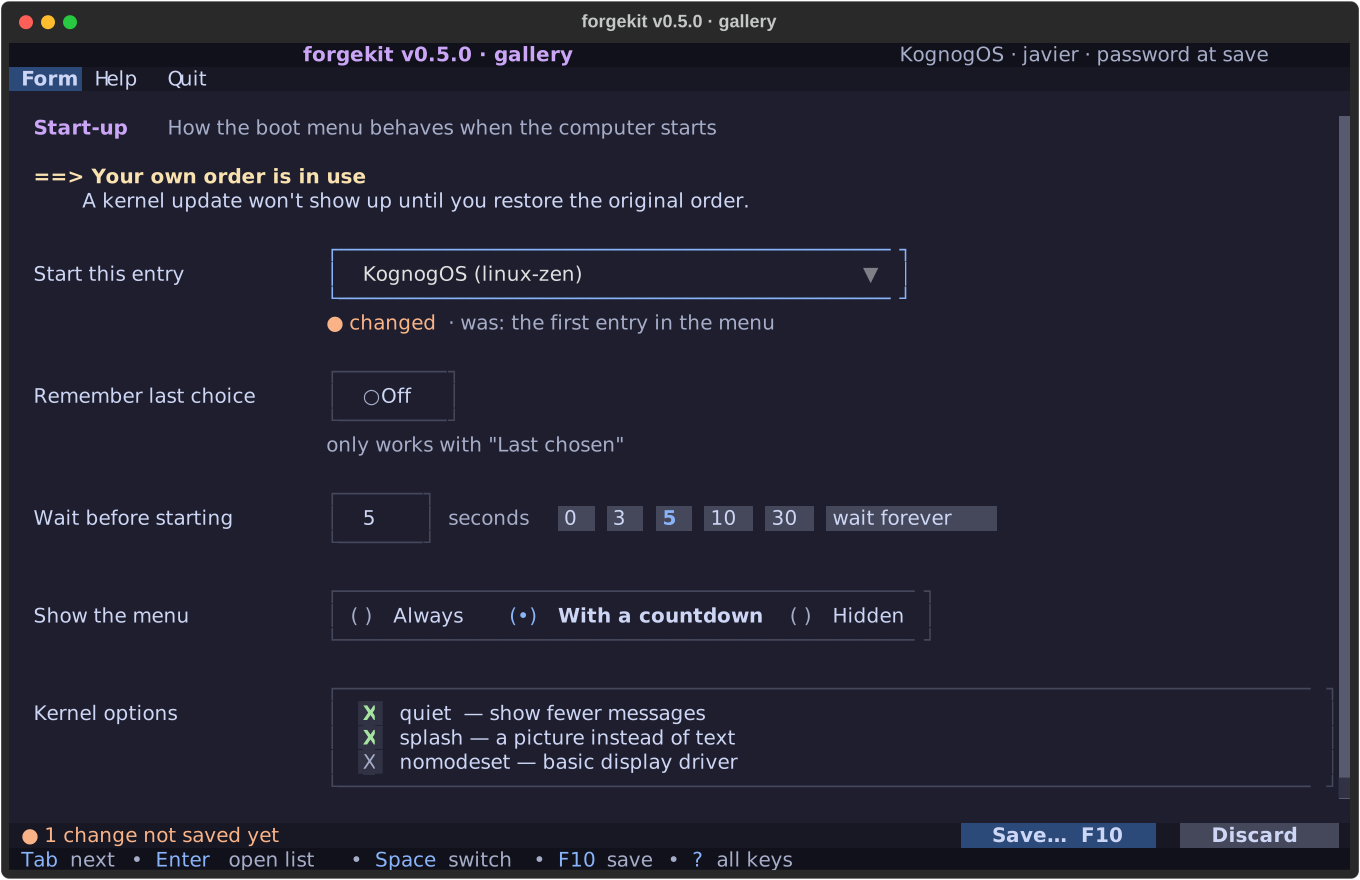
New
- Setting rows: a label, a control, and a line underneath with a hint. Once you change something, that line says "● changed · was: …", and it fits at any window width.
- Controls: a worded On/Off switch, choices in one box, a ticklist, a number with one-key presets, and a list you narrow by typing.
- The changes bar ("3 changes not saved yet") and a hint line with the keys that work right now.
- Designed notices: a heading and indented text that wraps under its own indent.
- A review before saving: every change as old → new. A progress window for saves that take a while. A yes/no that starts on Cancel for risky steps.
- A manual inside the app, written as Markdown pages; F1 can open the right page.
- The same start and end on every run: a banner, a closing note in the terminal, and one line per run in a log.
Fixed before release
Checked at 100 columns (a common text-console size): the changed mark was cut off beside wide controls, notices wrapped back to the edge, and presets took twice the room they needed. All three are fixed.
Numbers
Tests: 23 → 48, all passing. Warnings: 0. Works on a plain text console as before (0.4).
Dependency note: grubForge 2.0 needs this version, so it reaches the AUR first.
Built by Javier (@jetomev) and Claude (Anthropic), a human and AI collaboration.