

Color scheme with clearly defined contrasting colors and a slightly earthy tone.
You don’t need to do anything for this colorscheme to work in GVim or MacVim.
To use Srcery in the terminal you need to change your terminal emulator’s so-called “ASCII” colors to the ones in the table below. There's a list of terminal configurations in the srcery-terminal repository.
| TERMCOL | NR | HEX | RGB | IMG |
|---|---|---|---|---|
| black | 0 | #1C1B19 | 28, 27, 25 | |
| red | 1 | #EF2F27 | 239, 47, 39 | |
| green | 2 | #519F50 | 81, 159, 80 | |
| yellow | 3 | #FBB829 | 251, 184, 41 | |
| blue | 4 | #2C78BF | 44, 120, 191 | |
| magenta | 5 | #E02C6D | 224, 44, 109 | |
| cyan | 6 | #0AAEB3 | 10, 174, 179 | |
| white | 7 | #D0BFA1 | 208, 191, 161 | |
| brightblack | 8 | #918175 | 145, 129, 117 | |
| brightred | 9 | #F75341 | 247, 83, 65 | |
| brightgreen | 10 | #98BC37 | 152, 188, 55 | |
| brightyellow | 11 | #FED06E | 254, 208, 110 | |
| brightblue | 12 | #68A8E4 | 104, 168, 228 | |
| brightmagenta | 13 | #FF5C8F | 255, 92, 143 | |
| brightcyan | 14 | #53FDE9 | 83, 253, 233 | |
| brightwhite | 15 | #FCE8C3 | 252, 232, 195 |
Additionally Srcery uses some xterm 256 colors to pad out the color selection, no extra configuration needed.

| NAME | NR | HEX | RGB | IMG |
|---|---|---|---|---|
| orange | 202 | #FF5F00 | 255, 95, 0 | |
| bright_orange | 208 | #FF8700 | 255, 135, 0 | |
| hard_black | 233 | #121212 | 18, 18, 18 | |
| xgray1 | 235 | #262626 | 38, 38, 38 | |
| xgray2 | 236 | #303030 | 48, 48, 48 | |
| xgray3 | 237 | #3A3A3A | 58, 58, 58 | |
| xgray4 | 238 | #444444 | 68, 68, 68 | |
| xgray5 | 239 | #4E4E4E | 78, 78, 78 | |
| xgray6 | 240 | #585858 | 88, 88, 88 |
Put srcery.vim in ~/.vim/colors/ (on unix-like systems) or %userprofile%\vimfiles\colors\ (on Windows).
Vim 8 has native support for loading plugins. All you need to do to is to clone
this repository into ~/.vim/plug/default/opt.
git clone https://github.com/srcery-colors/srcery-vim ~/.vim/plug/default/opt
The same works for NeoVim, but you have to clone it into a path where NeoVim can find it.
git clone https://github.com/srcery-colors/srcery-vim ~/.config/nvim/plug/default/opt
call dein#add('srcery-colors/srcery-vim')cd ~/.vim/bundle
git clone https://github.com/srcery-colors/srcery-vimPlug 'srcery-colors/srcery-vim'Srcery includes a few toggles due to discrepancies in the various setups possible.
To change any of these you'd put something like this in your .vimrc
let g:srcery_italic = 1Make sure that you set these variables before assigning colorscheme.
Enables bold text. default: 1
Enables italic text. default: gui 1, term 0
Removes the background color in terminal. This is a bit of an experimental option, and it cause issues in certain terminals. default: 0
Enables underlined text. default: 1
Enables undercurled text. default: 1
Enables inverse colors. default: 1
Enables inverse search matches. default: 0
When enabled will inverse matching delimiters.
Works best with Rainbow parenthesis
default: 0
Dims lisp dialects delimiters to a fairly dark gray (xgray5 specifically)
default: 0
:color srcery
If you like what you see and decide to make srcery your default colorscheme, add the relevant line to your vimrc:
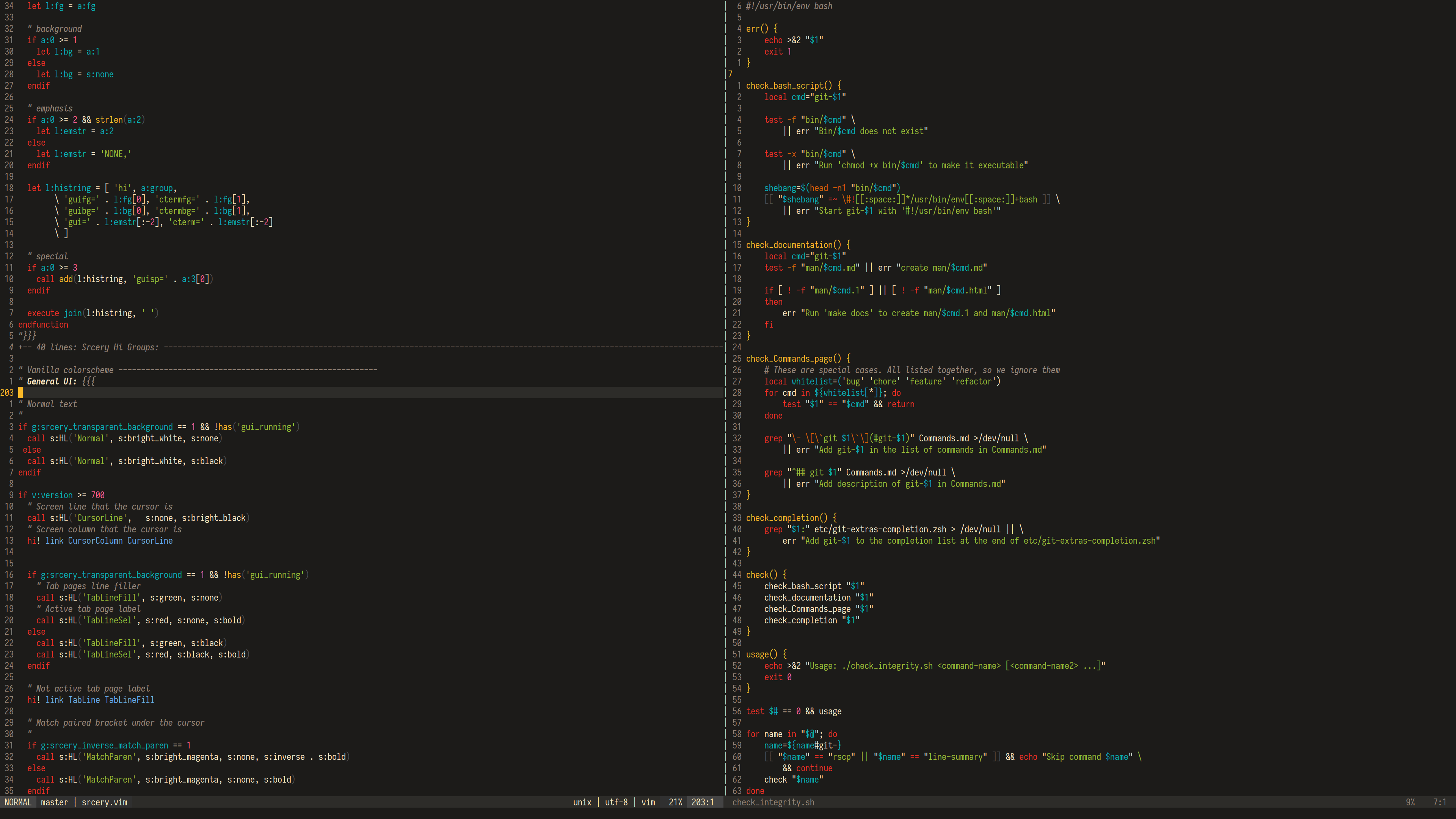
colorscheme srceryviml, bash
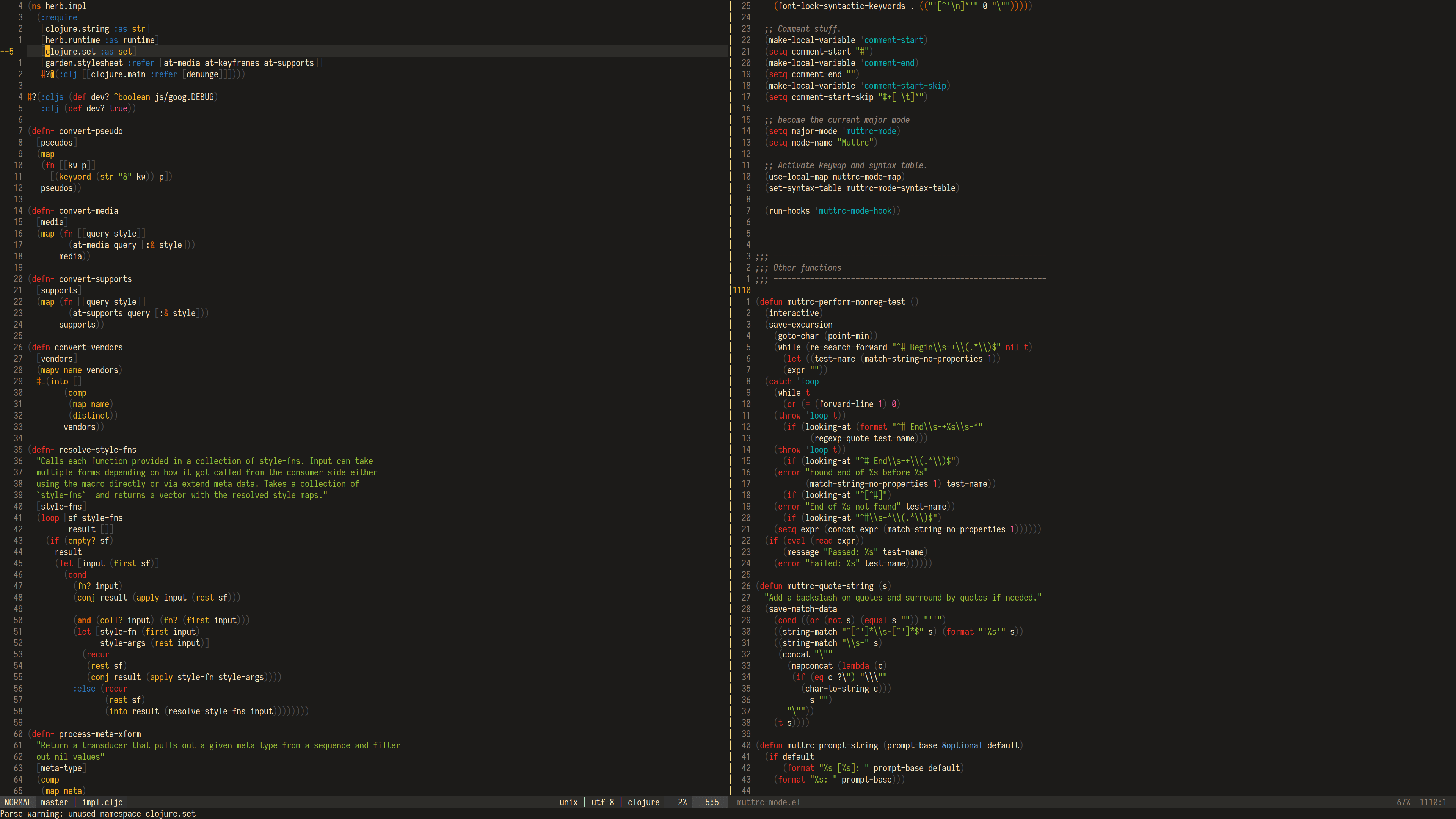
clojure, elisp
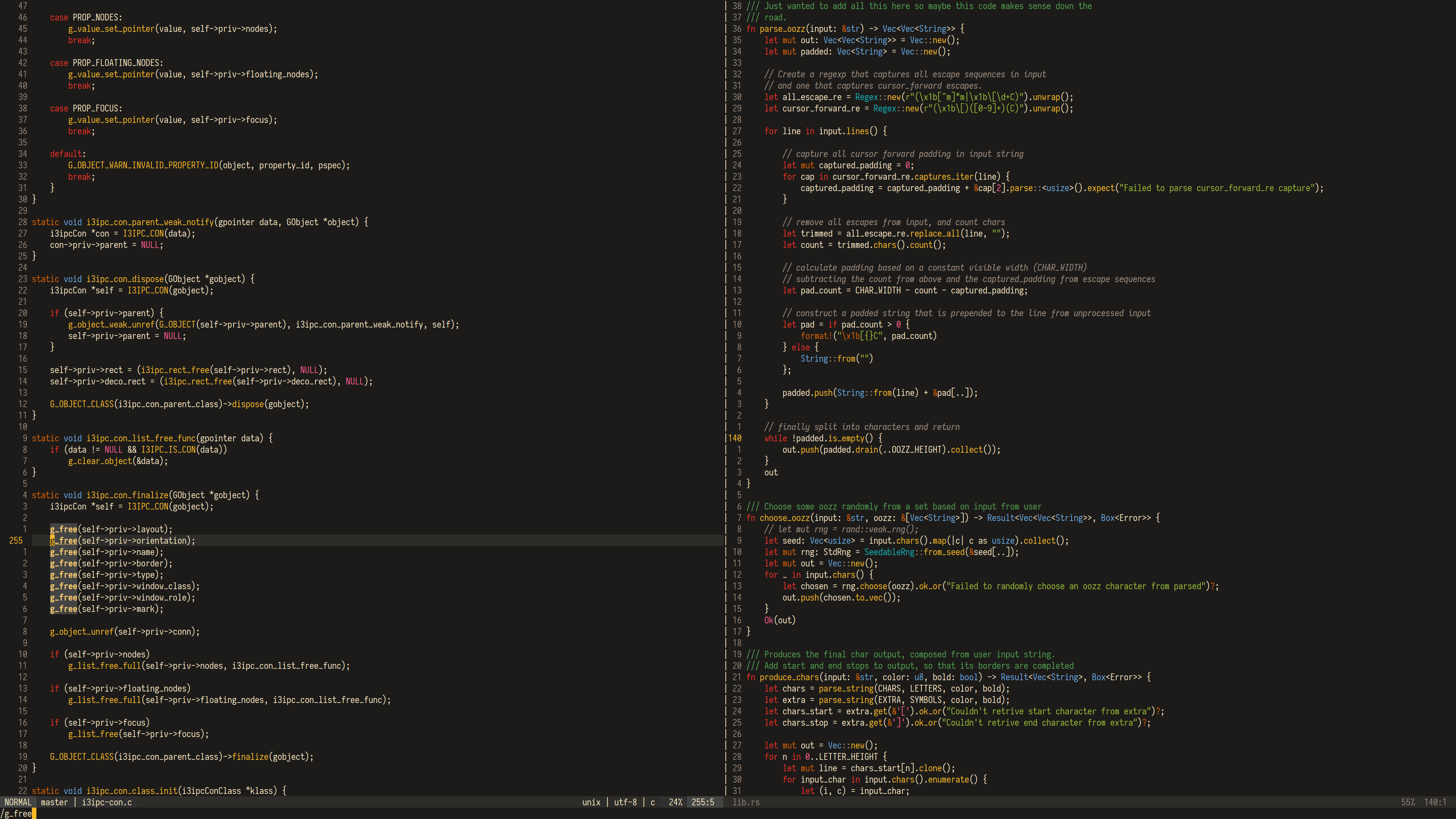
c, rust
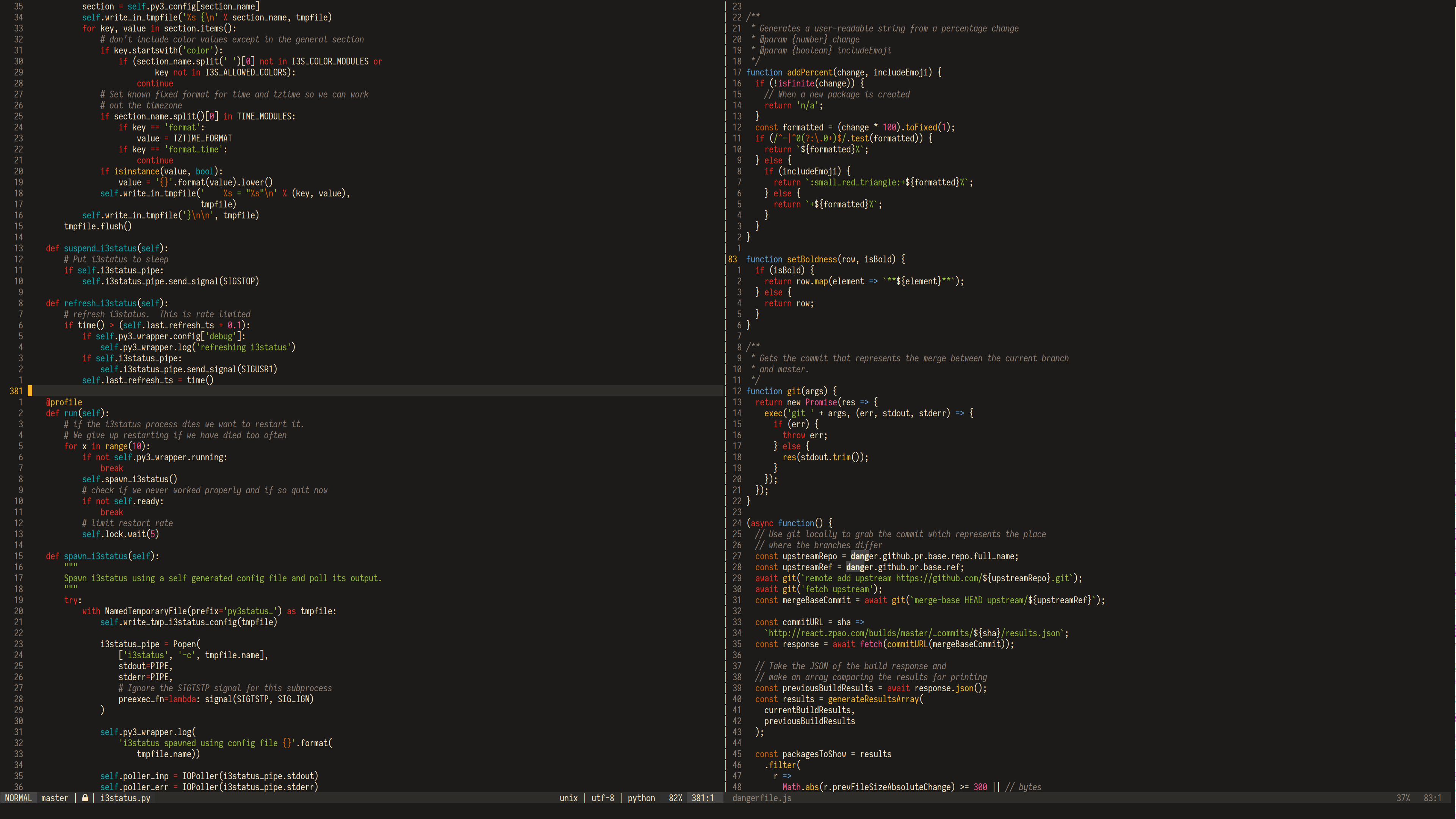
python, js
git, terminal
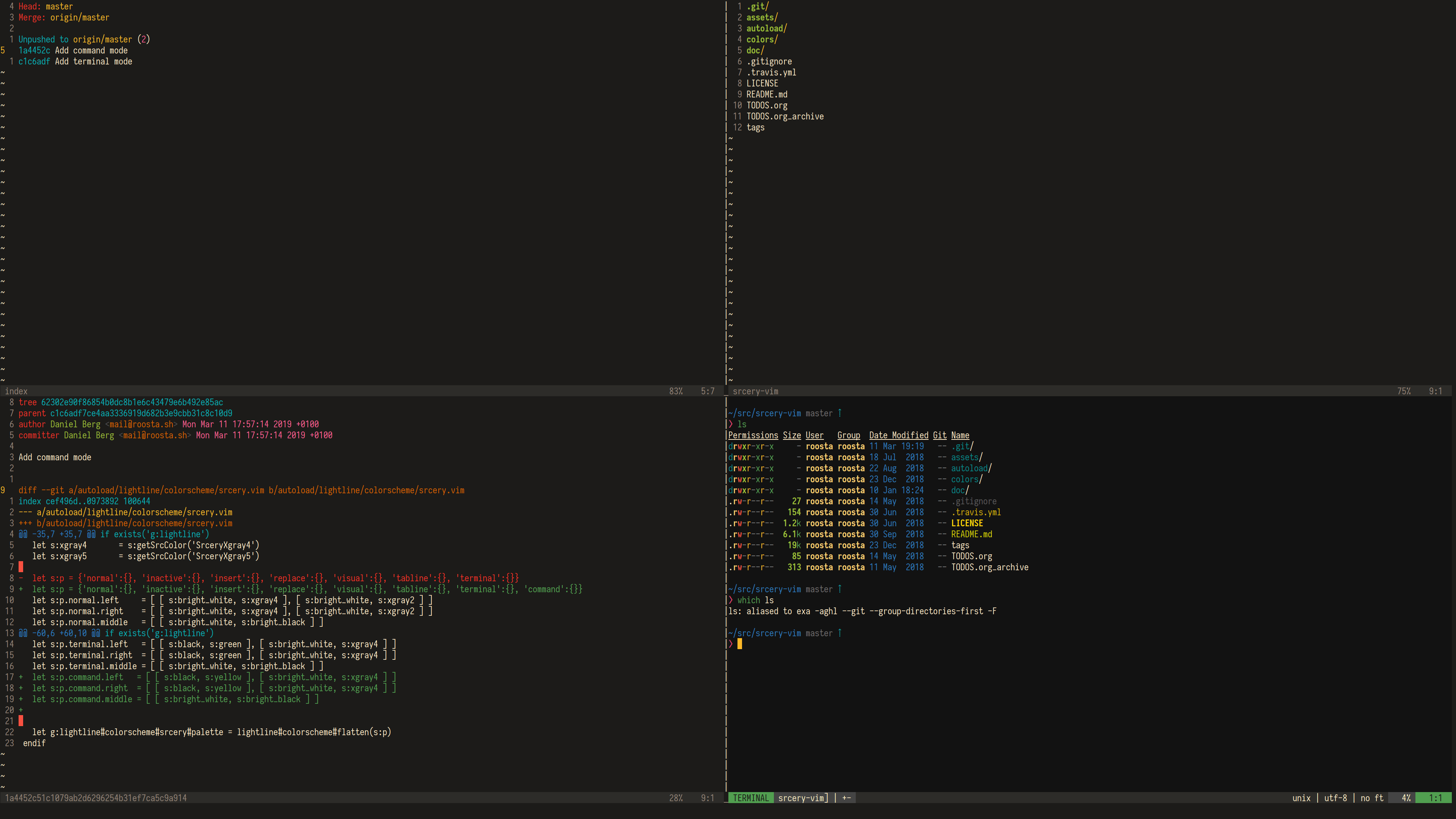
Typeface used in screenshots is Iosevka

Lightline colorscheme. To use it, include 'srcery' value in lightline configuration, like so:
let g:lightline = {
      \ 'colorscheme': 'srcery',
      \ }
Thanks to MindTooth, Srcery now includes an Airline theme.
These don't require any additional configuration.
- ale
- ctrlp.vim
- vim-gitgutter
- vim-indent-guides
- vim-sneak
- vim-clap
- vim-sneak
- vim-startify
- fzf.vim
- coc.nvim
Plugin support is still a work in progress and more will come, if there is anything missing that you'd like to add please open an issue and let me know.
This project started as essentially a palette swap of Gruvbox and all credit goes to the maintainers of that fantastic color scheme. I wanted something a bit sharper, but I loved the syntax color choices of Gruvbox. I also tried to make the theme as simple to use as possible, which was inspired by Flattened. Other themes that influenced Srcery:
Ensure that 256 colors are enabled in vim by setting this option before setting the colorscheme.
set t_Co=256If you want to use GUI colors in terminal make sure that tmux pass through 24-bit color codes. For example, if you use Termite add it to the terminal overrides setting:
set -ga terminal-overrides ",xterm-termite:Tc"For other terminals, replace xterm-termite with the relevant
terminal type. (stored in $TERM).
Check out srcery-emacs