Repository navigation
PlexusTerm 0.1.0

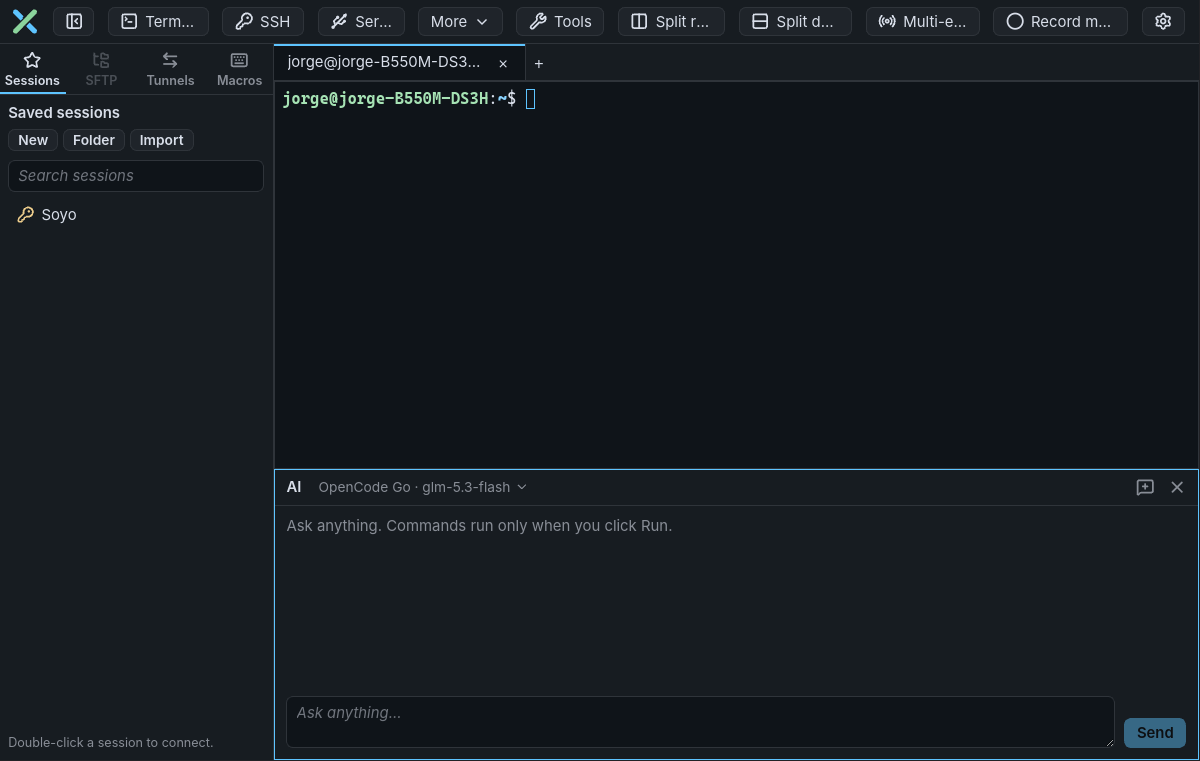
PlexusTerm 0.1.0 is the first release: one window for local shells, SSH, SFTP, tunnels, serial, Telnet and Mosh, with an AI assistant next to every terminal. It runs natively on Linux and Windows and speaks ten languages.
Quick path
- Download the file for your system from Assets below and install it (see the table).
- Press Ctrl+Shift+T for a local terminal, or Ctrl+Shift+S to connect over SSH (
user@host:port). - Optional: add an API key in Settings → AI, then press Ctrl+Shift+Space to open the AI chat under the terminal.
| System | File | Install |
|---|---|---|
| Debian / Ubuntu | plexusterm_0.1.0_linux_amd64.deb (or arm64) |
sudo apt install ./plexusterm_0.1.0_linux_amd64.deb |
| Fedora / RHEL / openSUSE | plexusterm_0.1.0_linux_x86_64.rpm (or aarch64) |
sudo dnf install ./plexusterm_0.1.0_linux_x86_64.rpm |
| Any Linux, per user | plexusterm_0.1.0_linux_amd64.tar.gz (or arm64) |
extract it and run install.sh |
| Windows 10/11 | plexusterm_0.1.0_windows_x86_64-setup.exe or .msi |
run the installer |
What you get
| Area | In this release |
|---|---|
| AI assistant | A chat pane under the terminal that answers any question in your language and offers a command with Copy, Insert or Run; the conversation survives closing the chat. Inline suggestions from your own history, optionally completed by the AI. Anthropic, Gemini, OpenAI, OpenAI-compatible (Ollama, LM Studio, OpenRouter) and OpenCode Go. |
| Sessions | Tabs with up to 4 split panes; SSH with password, key or agent login, known_hosts checks and up to 3 jump hosts; Telnet, Mosh and serial; a saved-session library with folders, search and import from .ini session files. |
| Files and tunnels | SFTP browser next to each SSH tab (drag-and-drop upload, open, edit and re-upload, compare, permissions); local, remote and SOCKS5 tunnels. |
| Tools | SSH key generator (Ed25519, RSA, ECDSA, PuTTY .ppk), port and network scanners, Wake On LAN, remote monitor bar, multi-execution, macros. |
| Look and language | 57 colour schemes that dress the whole window; the interface in English, Spanish, German, French, Japanese, Portuguese (Brazil), Simplified Chinese, Korean, Arabic (right to left) and Hindi, following the system language. |
Your safety
- Nothing runs unless you click Run or press Enter; Run refuses at password prompts and in full-screen programs.
- The terminal output is never sent to an AI provider, and API keys and saved passwords live only in the system keyring.
- Password, PIN and one-time-code prompts are recognised in the ten interface languages, so typed secrets never reach AI suggestions or the command history.
- A strict content security policy, rustls 0.23.46, and the other fixes from a Strix security scan are included.
Checklist
- Verify the download:
sha256sum --ignore-missing -c checksums.txtnext tochecksums.txt. - On Windows, expect Mosh to be unavailable and closed ports to show as filtered in the scanners.
- Error messages from the connection backend are still in English, and the translations have not had a native review yet: reports are welcome.
Next step
Read the user guide for every feature and its limits, and open an issue for bugs or ideas. Licensed under the MIT License.