CUPS Admin 1.1.0

First release with CUPS Admin.app, the native macOS replacement for the CUPS web interface Apple removed in macOS 27. One signed, notarized PKG installs both the app and the cupsadmin CLI.
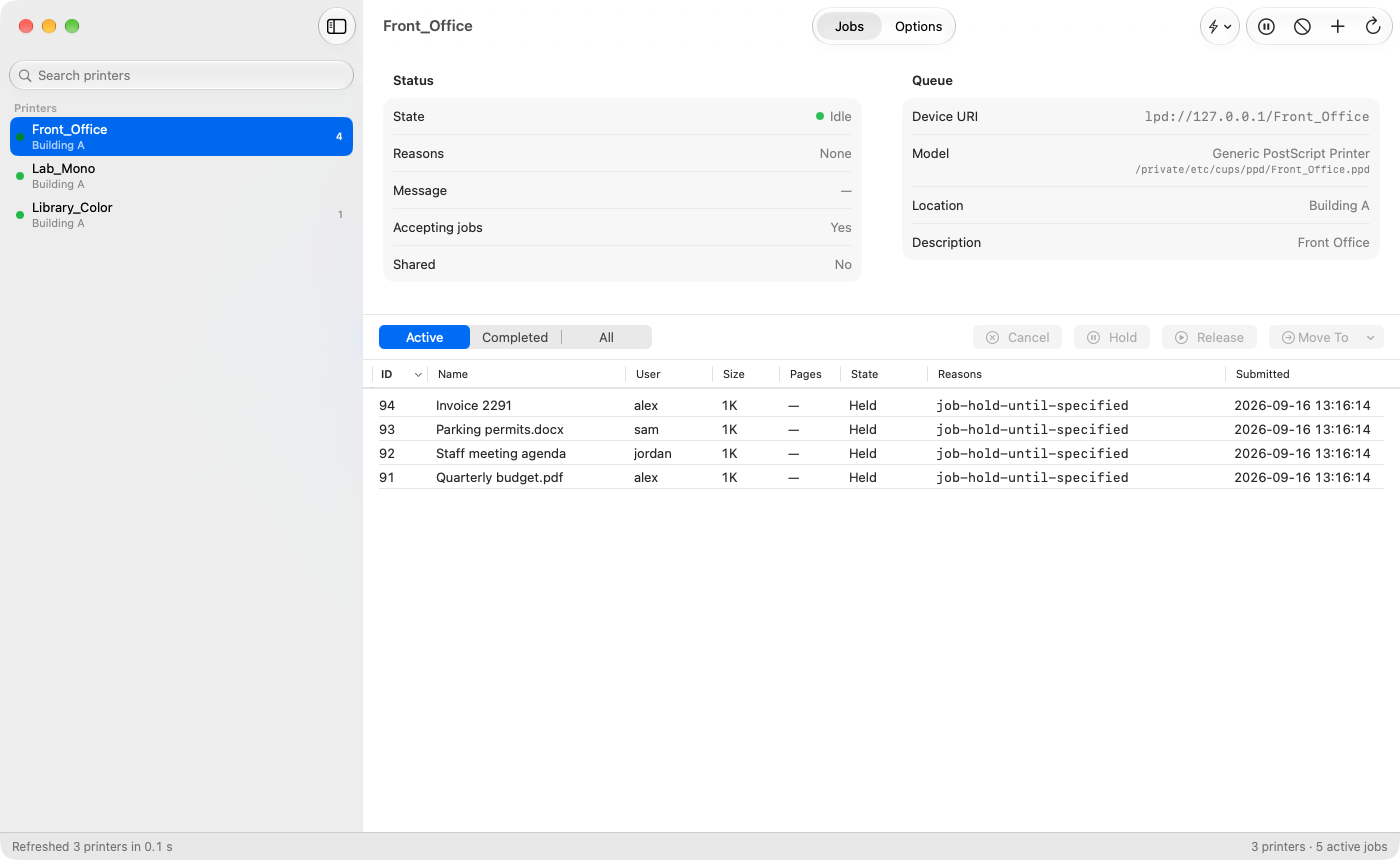
What the app does today
- Sidebar — every queue with a state dot (idle, printing, stopped or rejecting), location, active-job badge and a star on the server default. Searchable.
- Status header — state, reasons, message, accepting jobs, shared, device URI, model and PPD file, location, description.
- Jobs — sortable table (ID, name, user, size, pages, state, reasons, submitted); Active / Completed / All; Hold, Release, Move To and Cancel on one or many jobs; copy rows as tab-separated text.
- Options — the old "Set Default Options" page: every PPD option grouped as the driver groups it (pickers, toggles, and text/number fields for typed values like Ricoh user codes), IPP defaults and queue policies. Edits are applied with one
lpadmincall and read back per row (green check or red X with the reason). Warns before saving a password-type option into the world-readable PPD. - Quick Actions — Always Print in Color / Black & White, Set User Code, Default to Duplex / Single-Sided, Use Letter Paper (fit to nearest size where the driver can), Make Default Printer. Driver-neutral: keywords come from driver profiles (Ricoh built in, generic PPD and IPP Everywhere fallback); actions a driver can't do are disabled with the reason.
- Right-click a printer — Pause/Resume, Accept/Reject, Print Test Page, Cancel All Jobs, Set as Default Printer, Modify Printer, Delete Printer, Quick Actions, Copy Device URI, Show PPD in Finder. Add Printer (manual: device URI plus IPP Everywhere, a driver from the installed list, or a PPD file).
- Every action shows the exact command, is verified against cupsd afterwards, and reports its result and timing in the status bar.
CLI
Everything in 1.0.1, plus:
cupsadmin quick <action> <queue> [code | --clear]— the Quick Actions above, for scripts and MDM commands.cupsadmin ppdreport <queue>(or--file <path.ppd>) — every PPD group and option with keyword, label, type, default, choices and custom-value types, plus which driver profile and quick actions apply. Use it to add a profile for your driver.
Installing
Installs /usr/local/bin/cupsadmin and /Applications/CUPS Admin.app. Universal, macOS 14 or later. The PKG is payload-free: its postinstall copies both, so it never changes the ownership of an existing /usr/local/bin or of /Applications. For Munki, use an installs array with both paths.
SHA-256: aaec01934404a56d57458d94d58c9e5f73525c47f589ce607a5452be54fe710f