Releases: koryboc/ImageToIcon
Release list
2026-07-21


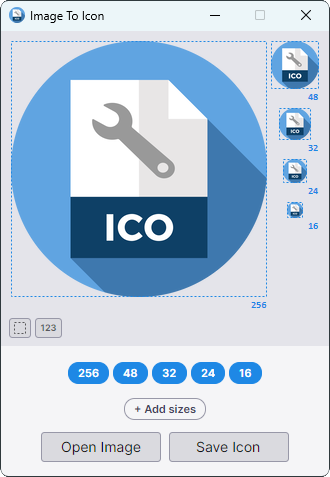
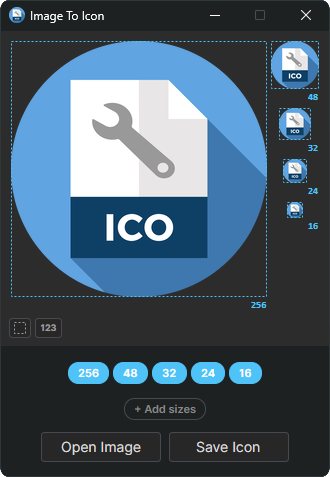
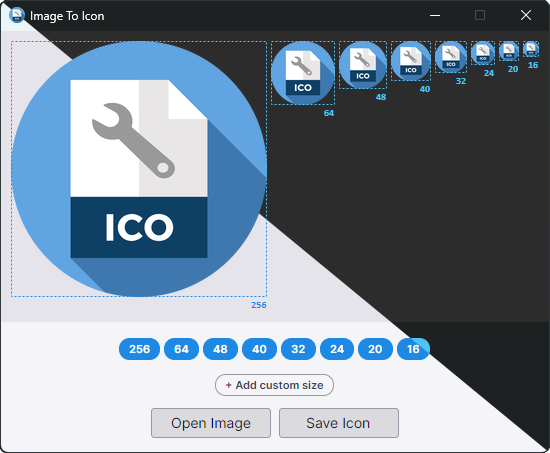
Main Window (Light / Dark)
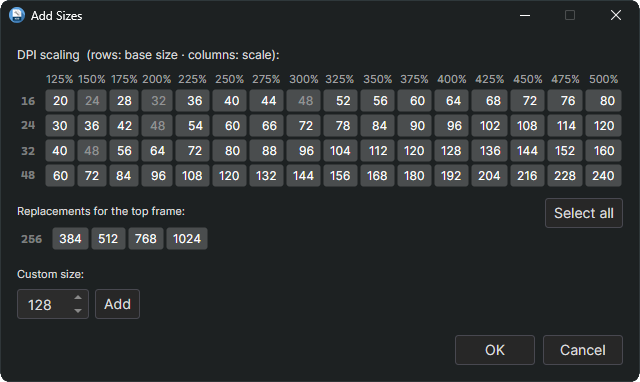
Add Sizes
Test Mode
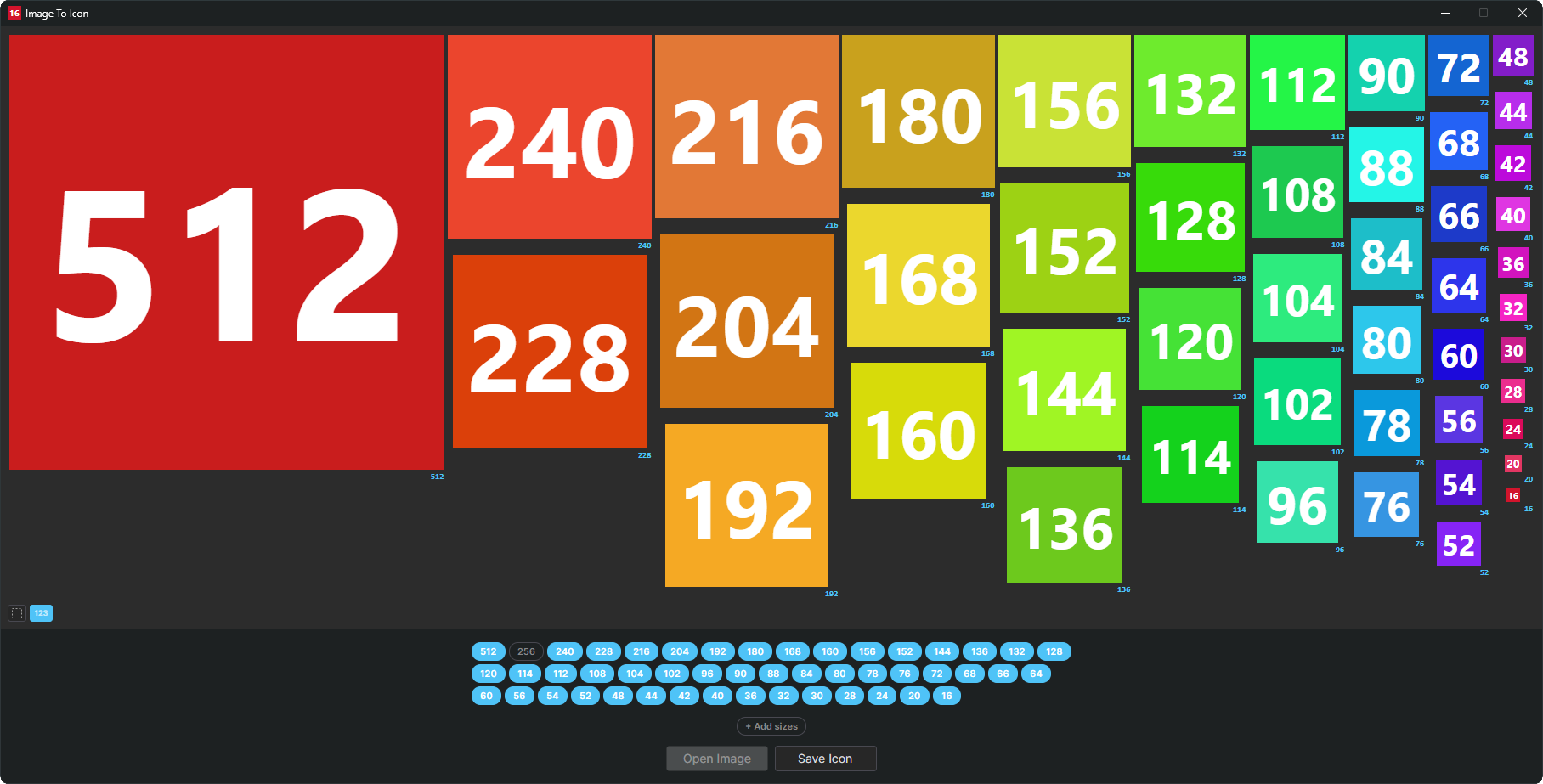
Description
ImageToIcon is a small cross-platform tool for turning any image into a multi-size Windows .ico file. Drop in a single picture and it generates all the standard icon sizes at once, with clean Lanczos‑3 downscaling — no wizard, no upsell, no bundle of proprietary editors.
Version Highlights
- Added: New Add Sizes dialog with DPI grid (16/24/32/48 base sizes x 125-500% Windows scale factors), high-res top-frame options (384/512/768/1024), custom size input
- Added: Toggle to show/hide thumbnail borders
- Added: Debug/test toggle to show size labels instead of thumbnail previews — lets you find out which sizes the system actually uses
- Changed: Reduced default icon sizes to 256/48/32/24/16 — the other sizes are only relevant on modern Windows systems with non-standard DPI scaling
- Changed: Faster thumbnail updates by reusing existing thumbnails instead of recreating them from scratch
- Changed: Icon sizes are now generated asynchronously — major performance improvement, especially with many sizes selected
- Changed: No longer possible to select multiple sizes ≥256px at once — Windows only ever loads the largest one, so e.g. having both 256px and 512px in the .ico is pointless dead weight
- Fixed: Dark titlebar on Windows now applied correctly
Additional Features
- No requirements: runs natively on Linux and Windows — same binary logic, same output
- Load any common raster format:
.png,.jpg,.bmp,.tif,.gif,.webp,.tga,.qoi,.pbm/.pgm/.ppm/.pnm - Pull embedded icon frames straight out of
.ico,.exeand.dllfiles - Load
.svgfiles directly, rasterised on the fly via Skia for crisp results at any size - High-quality Lanczos-3 resampling for sharp results at every size
- Drag-and-drop support on the main window and on individual thumbnails
- CLI mode for batch conversion and scripting — process a folder of images in one call
.png-compressed frames inside the.icocontainer for smaller files, especially at 256 px and up
Supported File Types
| Short Name | Long Name | File Extensions |
|---|---|---|
| BMP | Microsoft Windows Bitmap | *.bmp; *.dib; *.rle |
| DLL | Windows Library | *.dll |
| EXE | Windows Executable | *.exe |
| GIF | Graphics Interchange Format | *.gif |
| ICO | Windows Icon | *.ico |
| JPEG | Joint Photographic Experts Group | *.jpg; *.jpeg; *.jpe; *.jfif |
| PNG | Portable Network Graphics | *.png |
| PNM | Portable Anymap | *.pbm; *.pgm; *.ppm; *.pnm |
| QOI | Quite OK Image | *.qoi |
| SVG | Scalable Vector Graphics | *.svg; *.svgz |
| TGA | Truevision Targa | *.tga |
| TIFF | Tagged Image File Format | *.tif; *.tiff |
| WEBP | Google's Web Page Image | *.webp |
Requirements
- Linux (x64) or Windows 10+ (x64)
- No runtime required — ships as a self-contained single-file executable
2026-07-19
Details
Preview (light / dark)
Description
ImageToIcon is a small cross-platform tool for turning any image into a multi-size Windows .ico file. Drop in a single picture and it generates all the standard icon sizes at once, with clean Lanczos‑3 downscaling — no wizard, no upsell, no bundle of proprietary editors.
Version Highlights
- Full rewrite as a cross-platform Avalonia app on .NET 10 — no more WinForms, one binary for Linux and Windows
- Read
.ico,.exeand.dllfiles as input and pull their embedded icon frames - Load
.svgfiles directly — vector sources are rasterised on the fly via Skia - Custom sizes from 2–4096 px can be freely added, edited or removed from the size bar with a right-click
- Windows 11 default sizes (256, 64, 48, 40, 32, 24, 20, 16) are pre-selected and can be toggled on or off, but not removed
- Non-square sources keep their aspect ratio and are centred with transparent padding instead of being stretched
- Window keeps itself inside the working area and wraps its controls so nothing gets pushed off-screen
- Program icons improved
- In-app self-update: an orange button appears when a newer release is on GitHub, shows the version highlights, then downloads the matching archive with a progress dialog and restarts into the new build
Additional Features
- No requirements: runs natively on Linux and Windows — same binary logic, same output
- Load any common raster format:
.png,.jpg,.bmp,.tif,.gif,.webp,.tga,.qoi,.pbm/.pgm/.ppm/.pnm - High-quality Lanczos-3 resampling for sharp results at every size
- Drag-and-drop support on the main window and on individual thumbnails
- CLI mode for batch conversion and scripting — process a folder of images in one call
.png-compressed frames inside the.icocontainer for smaller files, especially at 256 px and up
Supported File Types
| Short Name | Long Name | File Extensions |
|---|---|---|
| BMP | Microsoft Windows Bitmap | *.bmp; *.dib; *.rle |
| DLL | Windows Library | *.dll |
| EXE | Windows Executable | *.exe |
| GIF | Graphics Interchange Format | *.gif |
| ICO | Windows Icon | *.ico |
| JPEG | Joint Photographic Experts Group | *.jpg; *.jpeg; *.jpe; *.jfif |
| PNG | Portable Network Graphics | *.png |
| PNM | Portable Anymap | *.pbm; *.pgm; *.ppm; *.pnm |
| QOI | Quite OK Image | *.qoi |
| SVG | Scalable Vector Graphics | *.svg; *.svgz |
| TGA | Truevision Targa | *.tga |
| TIFF | Tagged Image File Format | *.tif; *.tiff |
| WEBP | Google's Web Page Image | *.webp |
Requirements
- Linux (x64) or Windows 10+ (x64)
- No runtime required — ships as a self-contained single-file executable
2026-05-09


Details
Preview

Description
Creating a single icon with multiple embedded sizes used to mean juggling several different tools — and either they weren’t user-friendly or they cost money. So I built my own: very user-friendly, completely free, and open-source.
Just load a source image and the tool automatically generates all required sizes at the highest possible quality. You can also assign custom images to individual sizes before saving, with dimensions adjusted automatically.
Supported File Types
| Short Name | Long Name | File Extensions |
|---|---|---|
| BMP | Microsoft Windows Bitmap | *.bmp; *.dip; *.rle |
| GIF | Graphics Interchange Format | *.gif |
| JPEG | Joint Photographic Experts Group | *.jpg; *.jpeg; *.jpe; *.jfif |
| PNG | Portable Network Graphics | *.png |
| TIFF | Tagged Image File Format | *.tif; *.tiff |
| WEBP | Google's Web Page Image | *.webp |
Requirements:
- Microsoft Windows 7 or higher
- Microsoft .NET Framework Version 4.8.1+
Version Highlights:
- Fixed a critical issue where the window was reduced to the title bar when display scaling was set significantly above 100%.
2025-08-01
Details
🔥 A special thanks to everyone who donated and
helped make this version possible 🤝
Preview
Description
I'm tired of using multiple tools to create a single icon with multiple image sizes inside. I found some similar tools, but not for free. So I just created my own.
I needed a tool that loads a single image and depending on the size it creates all the lower sizes with the best possible quality. It's also possible to manually change each image for all sizes before saving, the size will be adjusted automatically.
Supported File Types
| Short Name | Long Name | File Extensions |
|---|---|---|
| BMP | Microsoft Windows Bitmap | *.bmp; *.dip; *.rle |
| GIF | Graphics Interchange Format | *.gif |
| JPEG | Joint Photographic Experts Group | *.jpg; *.jpeg; *.jpe; *.jfif |
| PNG | Portable Network Graphics | *.png |
| TIFF | Tagged Image File Format | *.tif; *.tiff |
| WEBP | Google's Web Page Image | *.webp |
Requirements:
- Microsoft Windows 7 or higher
- Microsoft .NET Framework Version 4.8.1+
Version Highlights:
- Added command-line support to convert multiple images to icons at once.
- Added scripts to create or remove context menu entries.
2024-01-28
Details
🔥 A special thanks goes to all the donors
who support the development of this little project 🤝
Preview
Description
I'm tired of using multiple tools to create a single icon with multiple image sizes inside. I found some similar tools, but not for free. So I just created my own.
I needed a tool that loads a single image and depending on the size it creates all the lower sizes with the best possible quality. It's also possible to manually change each image for all sizes before saving, the size will be adjusted automatically.
Supported File Types
| Short Name | Long Name | File Extensions |
|---|---|---|
| BMP | Microsoft Windows Bitmap | *.bmp; *.dip; *.rle |
| GIF | Graphics Interchange Format | *.gif |
| JPEG | Joint Photographic Experts Group | *.jpg; *.jpeg; *.jpe; *.jfif |
| PNG | Portable Network Graphics | *.png |
| TIFF | Tagged Image File Format | *.tif; *.tiff |
| WEBP | Google's Web Page Image | *.webp |
Requirements:
- Microsoft Windows 7 or higher
- Microsoft .NET Framework Version 4.8.1+
Version Highlights:
- Fixed issue that caused images to become blurry when using drag and drop
- Added support for WEBP format
2023-12-24
Details
Preview
Description
I'm tired of using multiple tools to create a single icon with multiple image sizes inside. I found some similar tools, but not for free. So I just created my own.
I needed a tool that loads a single image and depending on the size it creates all the lower sizes with the best possible quality. It's also possible to manually change each image for all sizes before saving, the size will be adjusted automatically.
Supported File Types
| Short Name | Long Name | File Extensions |
|---|---|---|
| BMP | Microsoft Windows Bitmap | *.bmp; *.dip; *.rle |
| GIF | Graphics Interchange Format | *.gif |
| JPEG | Joint Photographic Experts Group | *.jpg; *.jpeg; *.jpe; *.jfif |
| PNG | Portable Network Graphics | *.png |
| TIFF | Tagged Image File Format | *.tif; *.tiff |
Requirements:
- Microsoft Windows 7 or higher
- Microsoft .NET Framework Version 4.8.1+
Version Highlights
- Fixed issues with using UNC and DOS device paths
2023-12-06
Details
Preview
Description
I'm tired of using multiple tools to create a single icon with multiple image sizes inside. I found some similar tools, but not for free. So I just created my own.
I needed a tool that loads a single image and depending on the size it creates all the lower sizes with the best possible quality. It's also possible to manually change each image for all sizes before saving, the size will be adjusted automatically.
Supported File Types
| Short Name | Long Name | File Extensions |
|---|---|---|
| BMP | Microsoft Windows Bitmap | *.bmp; *.dip; *.rle |
| GIF | Graphics Interchange Format | *.gif |
| JPEG | Joint Photographic Experts Group | *.jpg; *.jpeg; *.jpe; *.jfif |
| PNG | Portable Network Graphics | *.png |
| TIFF | Tagged Image File Format | *.tif; *.tiff |
Requirements:
- Microsoft Windows 7 or higher
- Microsoft .NET Framework Version 4.8.1+
Version Highlights
- Fixed issues with using shared paths
- Fixed some incorrect resizing issues at high dpi
- Added support for dark mode
- Added support for drag and drop
- Added tooltips when hovering over images to show image size
- Runs natively on 64-bit
2020-01-15

Details
Preview
Description
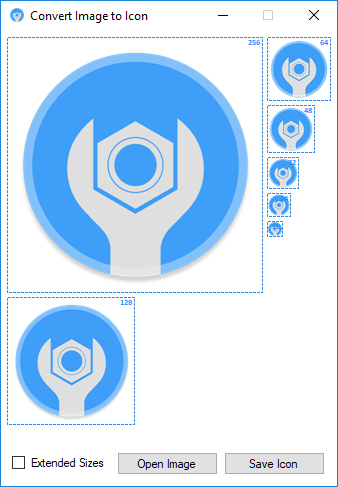
I'm tired of using multiple tools to create a single icon with multiple image sizes inside. I found some similar tools, but not for free. So I just created my own.
I needed a tool that loads a single image and depending on the size it creates all the lower sizes with the best possible quality. It's also possible to manually change each image for all sizes before saving, the size will be adjusted automatically.
Supported File Types
| Short Name | Long Name | File Extensions |
|---|---|---|
| BMP | Microsoft Windows Bitmap | *.bmp; *.dip; *.rle |
| GIF | Graphics Interchange Format | *.gif |
| JPEG | Joint Photographic Experts Group | *.jpg; *.jpeg; *.jpe; *.jfif |
| PNG | Portable Network Graphics | *.png |
| TIFF | Tagged Image File Format | *.tif; *.tiff |
Requirements:
- Microsoft Windows 7 or higher
- Microsoft .NET Framework Version 4.7+
