


The most beautiful, free way to build your GitHub profile README.
Pick your stack → choose a theme → generate → copy. No coding, no sign-up, no backend.
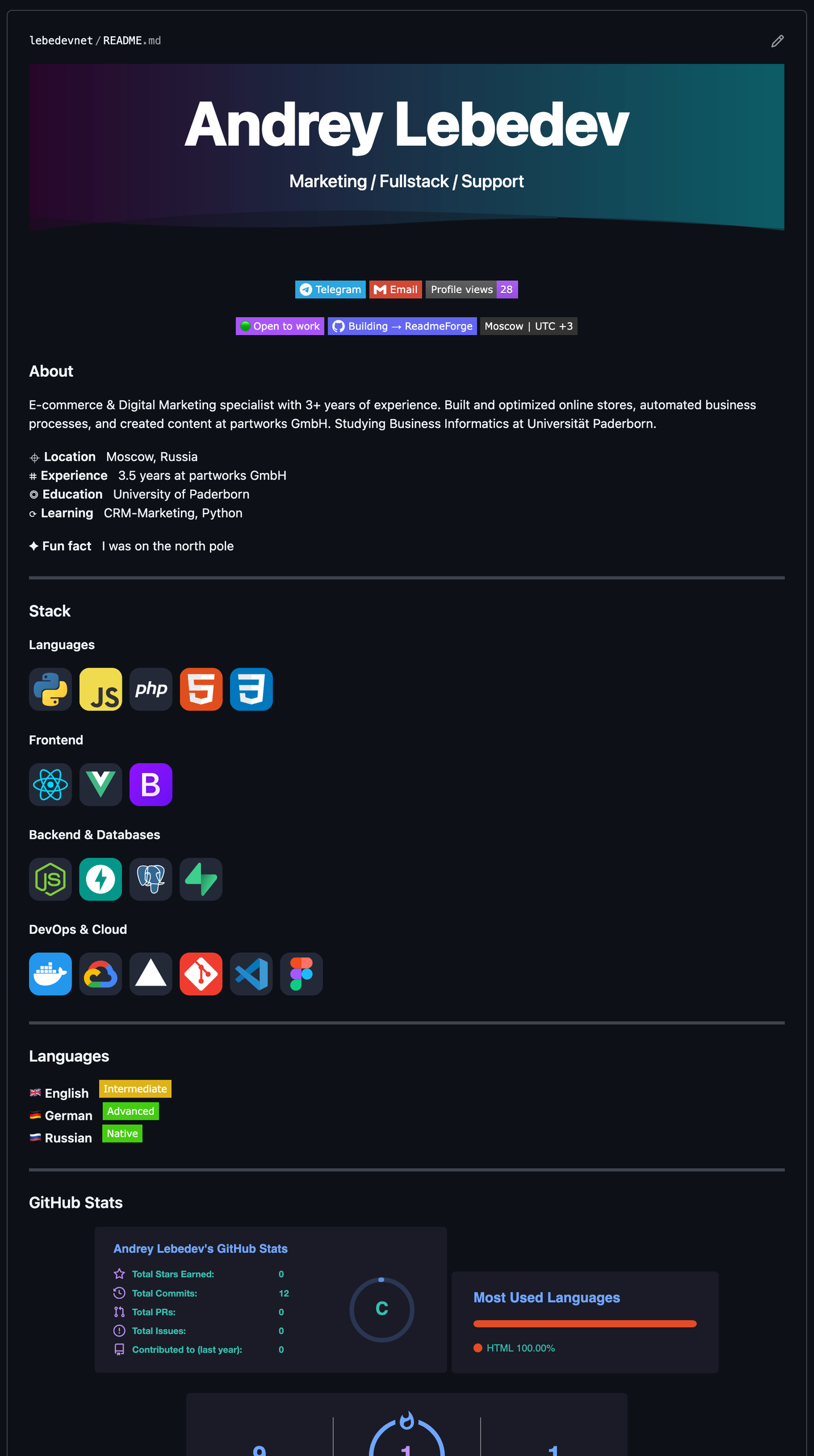
Free, browser-based tool that generates a fully customized README.md for your GitHub profile. Fill in a form — click Generate — copy and paste. Done in under 2 minutes.
⌖ Hosted lebedevnet.github.io/ReadmeForge
⌗ Stack Pure HTML · CSS · JavaScript — zero dependencies
◎ License MIT — free to use, fork, modify
⟳ Status Active
60+ Technologies Languages, Frontend, Backend, DevOps, AI/ML with real logos via skillicons.dev
18 Accent Colors 12 solid colors + 6 gradients — Aurora, Ocean, Matrix, Sunset, Cosmic, Candy
16 Stats Themes Tokyo Night, Dracula, Nord, Synthwave, Aura, Midnight Purple and more
12 Widgets Stats, Streak, Trophies, Activity Graph, WakaTime, Spotify, Snake and more
Live Preview See exactly how your README looks on GitHub as you type
Header Info Availability status, currently building, timezone — right in the header
Spoken Languages Show what you speak with a color-coded level badge
Custom Quote Write your own or get a random dev quote
One-click Copy Your complete README.md ready to paste instantly
Online — no install needed:
https://lebedevnet.github.io/ReadmeForge
Or run locally:
git clone https://github.com/lebedevnet/ReadmeForge.git
cd ReadmeForge
open index.html
No npm. No build step. No config.
All suggestions are welcome — I read every issue and pull request. If you have an idea for a new feature, a missing technology, or a bug fix, here's how to contribute:
1. Fork the repo — click Fork at the top right of the GitHub page. This creates your own copy of ReadmeForge under your account.
2. Make your changes — clone your fork, edit the files (everything is in index.html), and test it by opening the file in a browser.
3. Open a Pull Request — push your changes and click "Compare & pull request" on GitHub. Describe what you changed and why.
git clone https://github.com/YOUR_USERNAME/ReadmeForge.git
git checkout -b feat/your-feature
git commit -m "feat: describe your change"
git push origin feat/your-feature
Good first contributions: missing tech stacks · new gradient colors · language flags · bug fixes · localization (RU, ZH, ES)
Not sure how to start? Open an Issue describing your idea — I'll help figure out the implementation.
Done 60+ technologies · 18 accent colors & gradients · 16 stat themes · live preview · header info card · custom quote · spoken languages
Planned Export as .md file download · PWA offline support · Localization (RU, ZH, ES) · More widgets
MIT © lebedevnet — free to use, fork, and modify.
If this saved you time, a ⭐ goes a long way

