Patchbay 0.1.0 — the launcher, and a daemon that shares the device

This is the first release of Patchbay, the desktop app for
qc-mcp, plus the daemon that makes it
work. Ask Claude for a tone and it builds it on your Quad Cortex.
What's in it
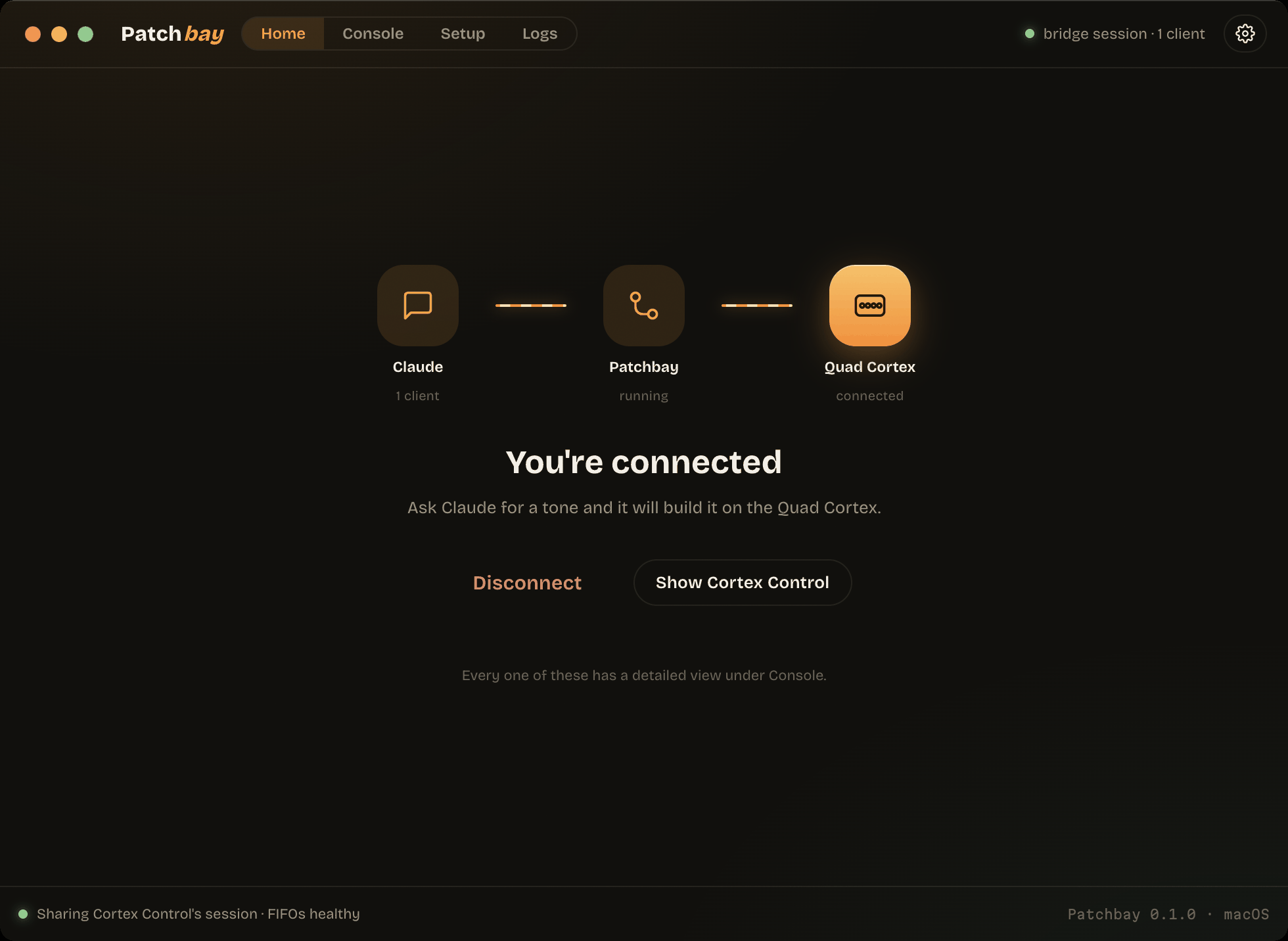
- One button. Home shows the signal path — Claude → Patchbay → Quad Cortex —
with each hop lit only when it is really live. Connect runs whatever is
missing, in order. - It brings its own Python. No prerequisites: the installer ships
uv,
which fetches CPython 3.12 and builds the environment in about eight seconds.
macOS's/usr/bin/python3is 3.9.6 and Windows has none, so this is the
difference between "it works" and "go install Python first". - A daemon that shares the device. One process owns the Quad Cortex and fans
device→host reports to every attached MCP client, each with a disjoint
request_idrange. Claude Code, Claude Desktop, Cursor and VS Code can all be
attached at once. - Use Cortex Control at the same time. On macOS a DYLD interposer rides the
app's own HID session; on Windows the daemon opens a second, non-exclusive
handle. Your installed Cortex Control is never modified — the instrumented
build is a local copy. - Setup that measures. Seven probes on macOS, five on Windows, each a real
check rather than a stored flag. It never asks for your password.
Install
- macOS —
Patchbay-0.1.0-mac-arm64.dmg(Apple silicon) or
Patchbay-0.1.0-mac-x64.dmg(Intel). Right-click → Open on first launch. - Windows —
Patchbay-0.1.0-win-x64.exe. More info → Run anyway.
Neither is signed with a paid certificate yet. The macOS bundle is ad-hoc
signed, so you get "unidentified developer" rather than "damaged".
Requires a Quad Cortex on USB and Cortex Control installed (CorOS 4.0 or 4.1).
Verified on hardware
Both platforms were run against a real Quad Cortex on CorOS 4.1.0, not inferred:
bridge mode on macOS sharing Cortex Control's live session, shared mode on
Windows 10 beside the running app, two concurrent clients reading the same live
preset through the daemon on each, and the full offline suite (38 tests) green
on both.
Known limitations
- No code signing on either platform, and no auto-update.
- macOS bridge mode depends on the instrumented copy staying up; it is a
re-signed local copy of a third-party app and can be less stable than the
original. Direct mode is unaffected. - Linux is not supported — there is no HID backend for it.
Unofficial, and not affiliated with Neural DSP. Built by inspecting a device I
own; see PROTOCOL.md.