Kid Experience
When a kid selects their profile, they see their chores for the day grouped by time period:
- Morning — chores available before noon
- Afternoon — midday chores
- Evening — after-dinner tasks
- Anytime — no time restriction
Each chore card shows the title, icon, points value, estimated time, and completion status. Swipe right to complete, swipe left to undo.
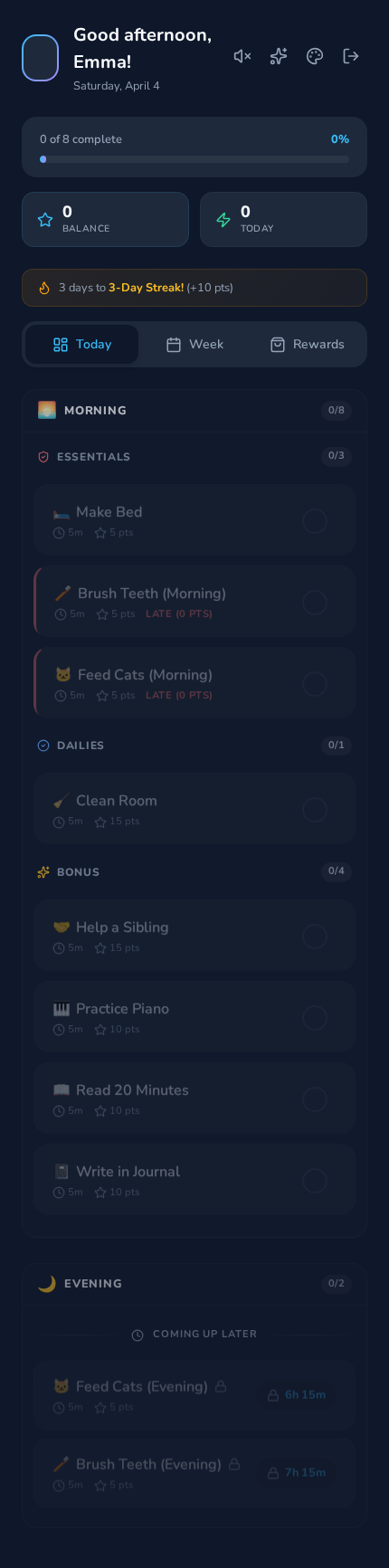
- Progress bar at top: "X of Y complete"
- Point summary cards: Balance, Streak, Today's Earned, Pending
- Streak milestone banner shows progress toward the next bonus
- Chores with
available_atshow a countdown timer until unlocked - Chores with
due_byshow expiry warnings - Expired chores follow the schedule's penalty setting (block, 0 points, or deduct)
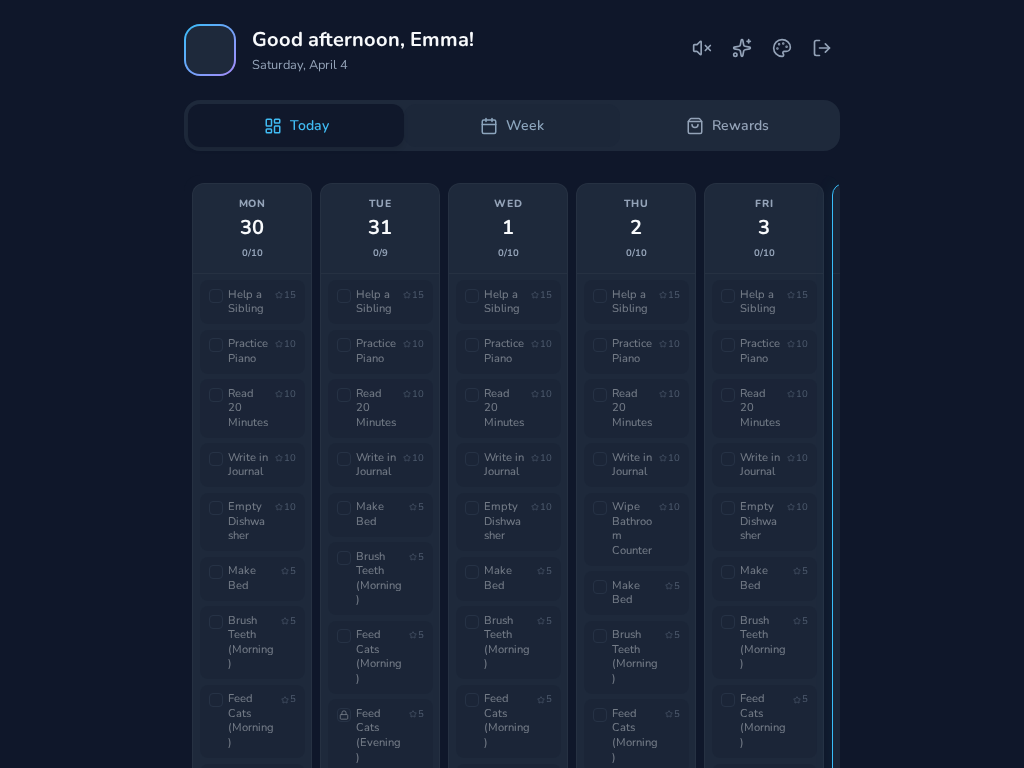
Seven-day calendar showing all scheduled chores across the week, with per-day progress.
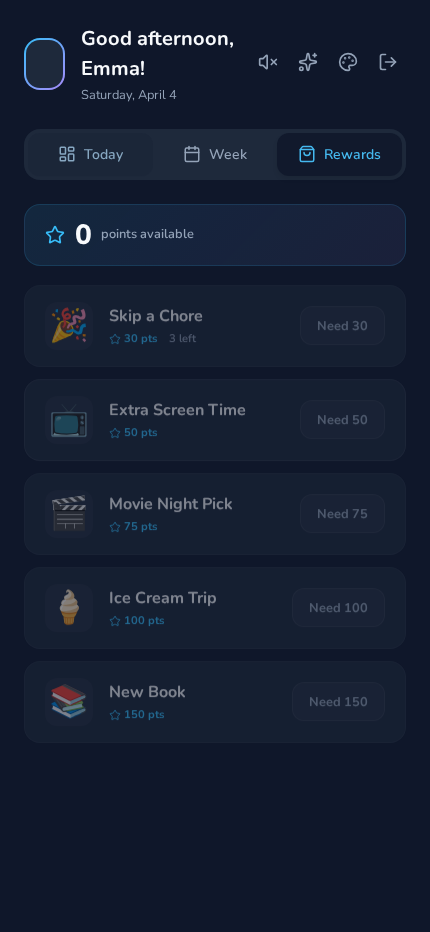
Kids spend earned points on rewards configured by parents. Each reward shows its icon, name, cost, and stock count.
When AI photo review is enabled, chores that require a photo are reviewed automatically. If a photo doesn't pass review, kids see a friendly message on the chore card explaining what still needs to be done — for example, "Great start! There are still a few dishes on the counter." Kids can re-submit a new photo after making the fix. If the AI is unavailable, the chore goes to the parent approval queue as normal.
Chores may have audio descriptions generated by AI. When available, a speaker button appears on the chore card — tap it to hear a kid-friendly description of what the chore involves. The app uses pre-generated audio when available, and falls back to the browser's built-in text-to-speech if needed. AI feedback messages can also be read aloud, which is especially helpful for younger kids.
Kids can customize their experience from the dashboard header:
- Avatar — tap your profile picture to choose from 12 DiceBear styles with shuffle
- Theme — tap the palette icon to switch between Classic, Quest, Galaxy, and Forest themes
- Line Color — tap the sparkle icon to pick your color on the ambient dashboard race graph
- Text-to-Speech — toggle the speaker icon to have chore descriptions read aloud