
What's New
Beefed-up game info card
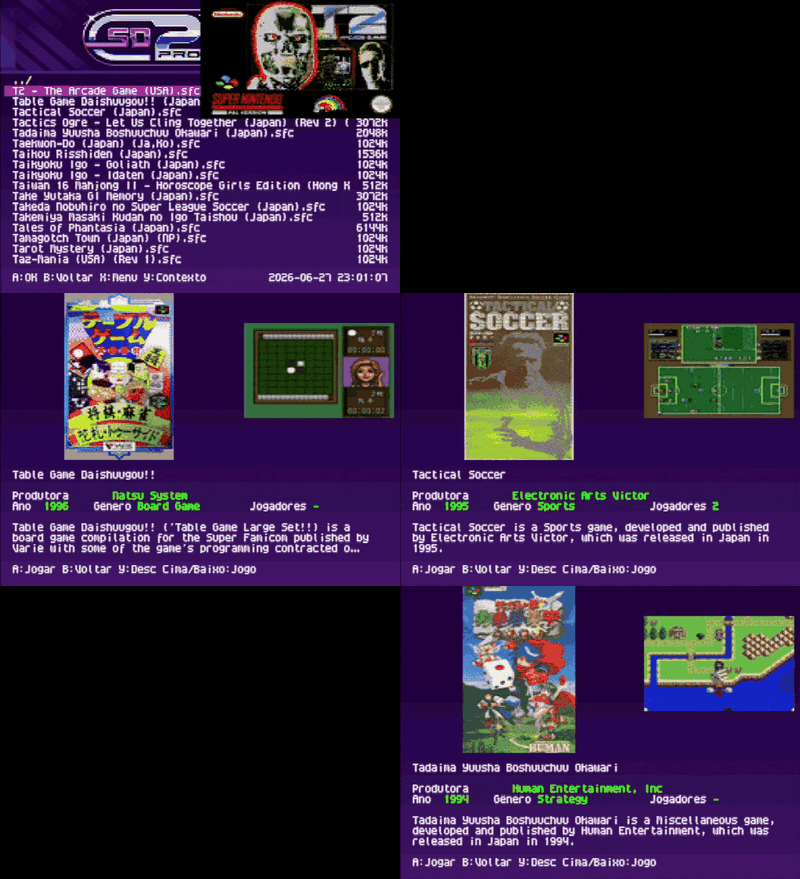
Before a ROM boots you get the info screen with the cover, a screenshot and the game's details. The screenshot can now be an animated clip with sound, and there are two new menu options to toggle the video and its music on/off, they grey out when Game Info is turned off.
Tip
Help make Game Info complete! The info cards come from a community database. If a game is missing its cover, screenshot or details, add it in a few clicks — every contribution ships for everyone via the Web Manager.
Contribute at sd2snes.ludufre.com/gamesdb.
Full header logo
The menu header logo is full-width again, back across the top of the menu.

Note
New menu themes adjusted for the full-width header are in the theme gallery.
Much faster patching
Applying a .bps patch when you launch a game now takes about 6 seconds (it used to be ~15). It even works on big hacks that turn the game into SA-1, like the Super Mario World romhacks.
French menu 🇫🇷
The menu now comes in 5 languages: Portuguese, English, Spanish, German and French.
Thanks Romain80200!
Web Manager
An app that runs in your browser (Chrome/Edge) — point it at your SD card folder and it does the rest:
- Identifies each game by CRC32
- Auto-downloads covers (
.cov), the game info card (cover, screenshot and clip with sound) and cheats - Tidies up the files on the card
- Updates the sd2snes+ firmware for you
- Everything stays local — nothing is uploaded to a server (File System Access API)
Important
Be patient on the first download. Because of the large amount of new assets, downloading and copying them to the SD card can take a while. For reference: ~3,600 ROMs took about 40 minutes on average (without audio; with sound it takes longer). Just let it run — it'll get there.
Fixes
- Patching
- Cheats
- Audio
- USB connection