Repository navigation
mod-5.2

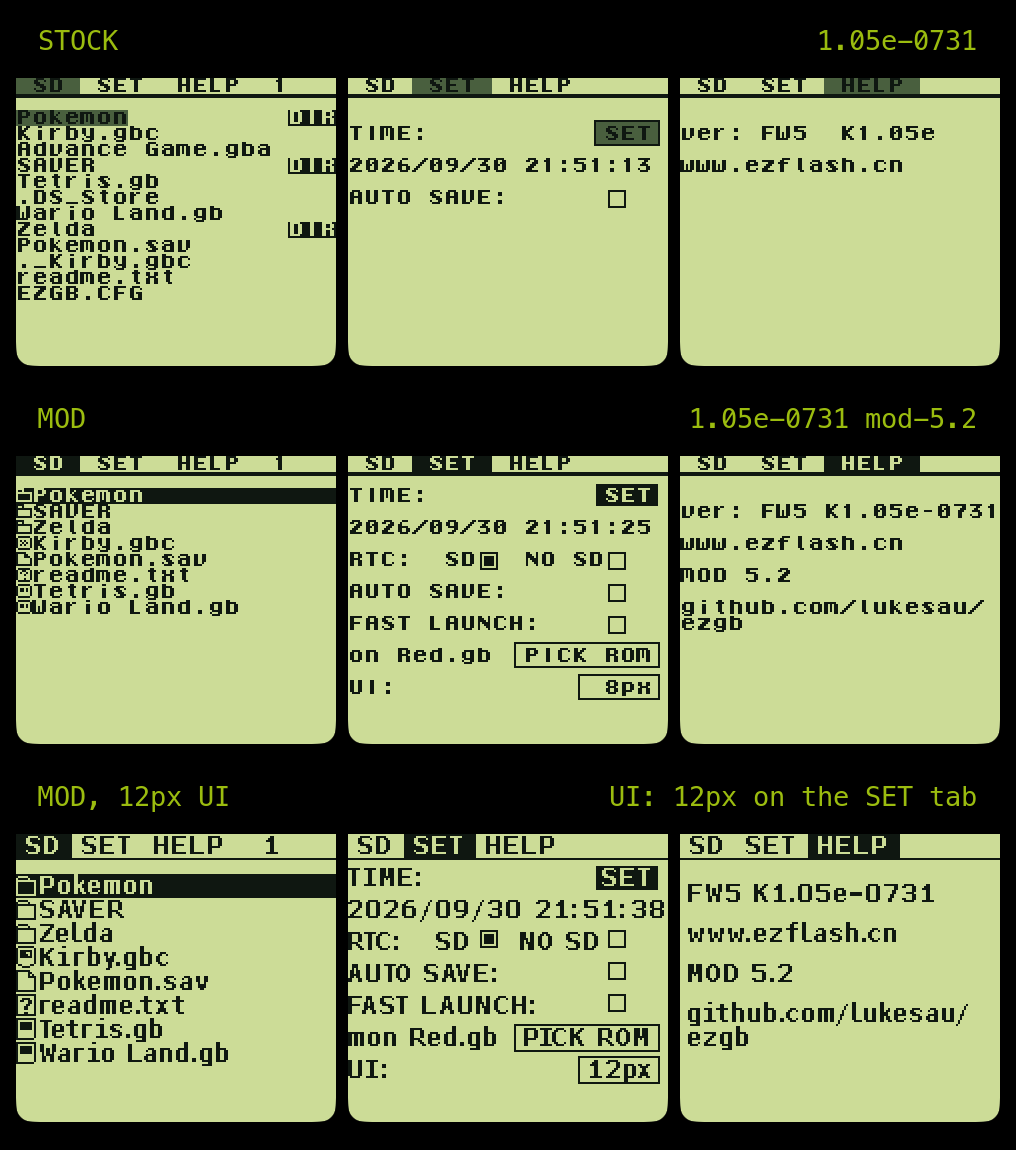
New in 5.2
- 12px mode covers the whole menu. The tab strip, the SET and HELP tabs, the START overlay, the boot prompts and the Reading / Loading / Error boxes now follow
UI: 12px, not just the file browser. Digits are tabular figures with a plain zero, so the clock and dates do not shift as they change. - START overlay redrawn. One closed box:
Launch Last ROM?, the ROM's name in white on a black band (scrolling when long), and[B]return/[A]startwith a rule between them. The stock overlay's text repainted parts of its frames, leaving bracket-like stubs. - Save prompt redrawn.
Back up save?in the same look, with the save's file name, when the game was last played (from the RTC backup), and dots counting afterSavingwhile it writes. The RTC restore prompt matches. - No garbage save prompt without a battery. The "backup pending" stamp is checked at boot; a stamp whose path is not a real
/SAVER/file is ignored instead of offering to back up a save with a long garbled name.
The 12px UI is opt-in: UI: on the SET tab. Everything else is as in mod-5.1.
Applying
One patch per kernel; pick the one matching the ezgb.dat from your official firmware package:
| Kernel | Package | Stock ezgb.dat md5 |
|---|---|---|
| 1.04e | juniorkernel-1.04e-FW4 |
b8c29fa5a94c37200434e4c72f0cdfea |
| 1.05e-0731 | juniorkernel-1.05e-FW5-0731 |
91eb7fc67332ef20b5691029181ff748 |
| 1.05e-0918 | juniorkernel-1.05e-FW5-0918 |
5238ac5987d23b68a19d40e43af8c786 |
Apply with any IPS patcher, or with scripts/kernel-patch.py apply ezgb.dat from this repo, which detects the kernel by md5 and checks the result against manifest.json. Copy the output to the card root as ezgb.dat. The HELP tab shows MOD 5.2 when it's installed.