EchoSub 1.0.1

EchoSub shows live, translated captions for anything your PC plays — videos, streams, calls, games. It listens to your speakers, recognizes speech in almost 100 languages, translates it on your own GPU, and shows it in a customizable always-on-top caption box, with a line and a color for every speaker.
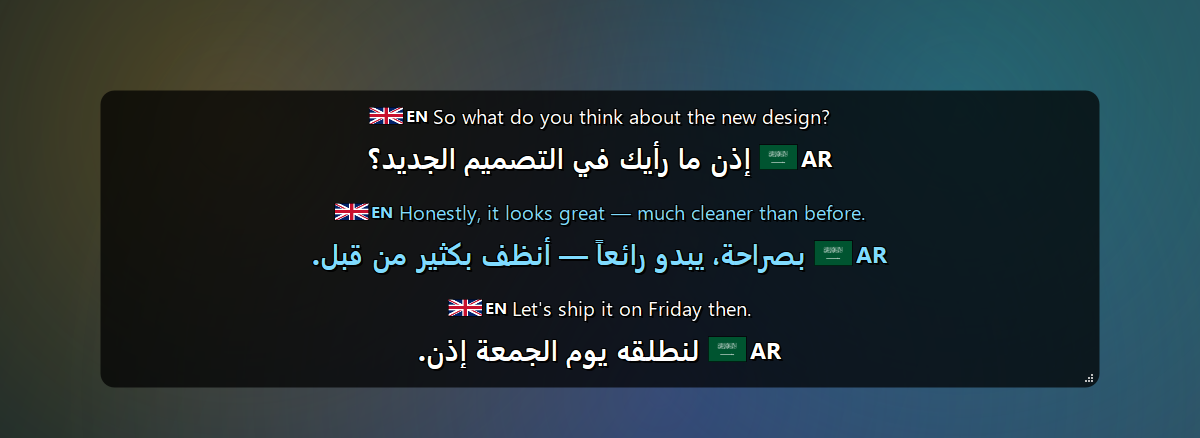
What's new in 1.0.1
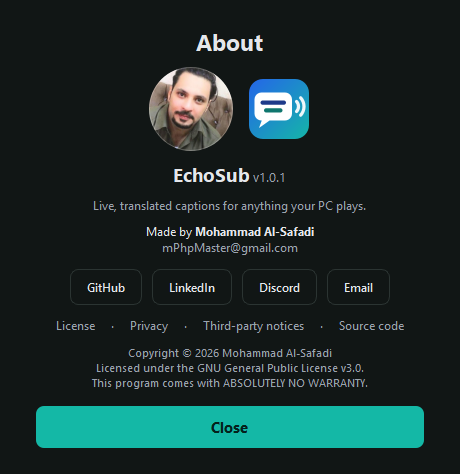
- The author's photo in the About window.
- System requirements (minimum and recommended) plus download size, graphics memory and speed for every model — see below and the README.
- Screenshots in the README and user guide.
Download
EchoSub-Setup-1.0.1.exe (971 MB) — Windows 10/11, 64-bit
SHA-256: BCA6628FF3D7F57EC1EAF11DAD84830EEAB9B96D3F01013C612CD02A2575D3D9
- Close EchoSub if it is running, then run the installer (no admin rights needed; you can also install for all users). Installing over 1.0.0 keeps your settings and models.
- Start EchoSub. The first start downloads the AI models (~2.3 GB) in a progress window — you can cancel and it resumes later.
- Play anything with speech. Right-click the caption box or the tray icon for the menu.
Windows SmartScreen: the installer isn't code-signed yet, so Windows may show "Windows protected your PC". Click More info → Run anyway. You can verify the file with the SHA-256 above:
Get-FileHash EchoSub-Setup-1.0.1.exe.
System requirements
| Minimum | Recommended | |
|---|---|---|
| Operating system | Windows 10, 64-bit | Windows 11, 64-bit |
| Processor | 64-bit, 4 cores | 6+ cores (e.g. Intel Core i5-9400F / AMD Ryzen 5 3600) |
| Memory (RAM) | 8 GB | 16 GB |
| Graphics | None required — CPU with the Small or Base speech model (captions lag several seconds) | NVIDIA GeForce GTX 1060 6 GB or better |
| Graphics memory | 4 GB (default models on an NVIDIA GPU) | 6 GB or more |
| NVIDIA driver | 527.41 or newer | Latest |
| Free disk space | 6 GB | 10 GB on an SSD |
| Internet | Once, to download the models (~2.3 GB) | Also for the optional Google Translate engine |
Highlights
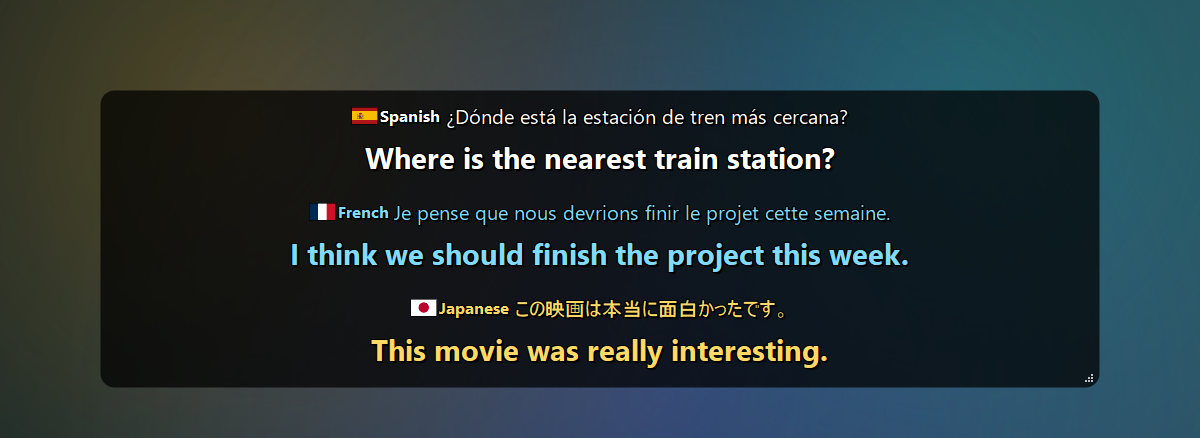
- Any app, any language — WASAPI loopback capture, Whisper large-v3-turbo recognition with automatic language detection (~100 languages).
- On-device translation — NLLB-200 (600M / 1.3B), or Google Translate. The original text appears instantly and the translation follows a moment later.
- Speakers — each voice gets its own line and color.
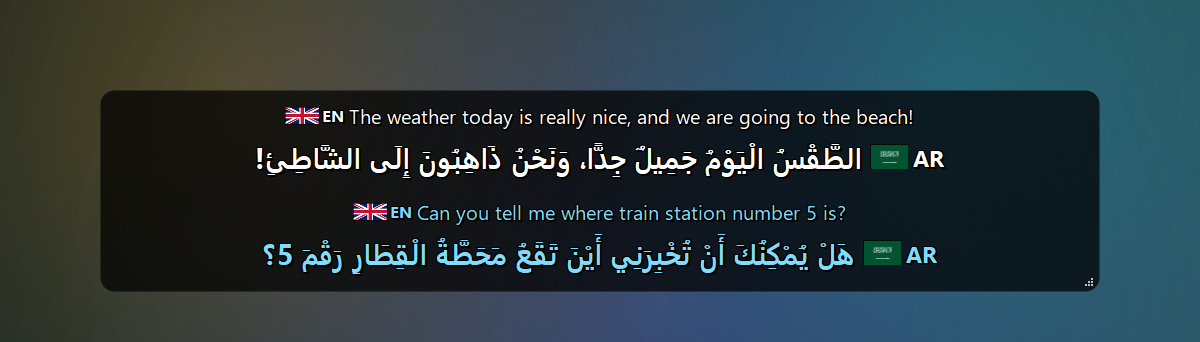
- Arabic — Moroccan Arabic (Darija) support and optional diacritics (تشكيل).
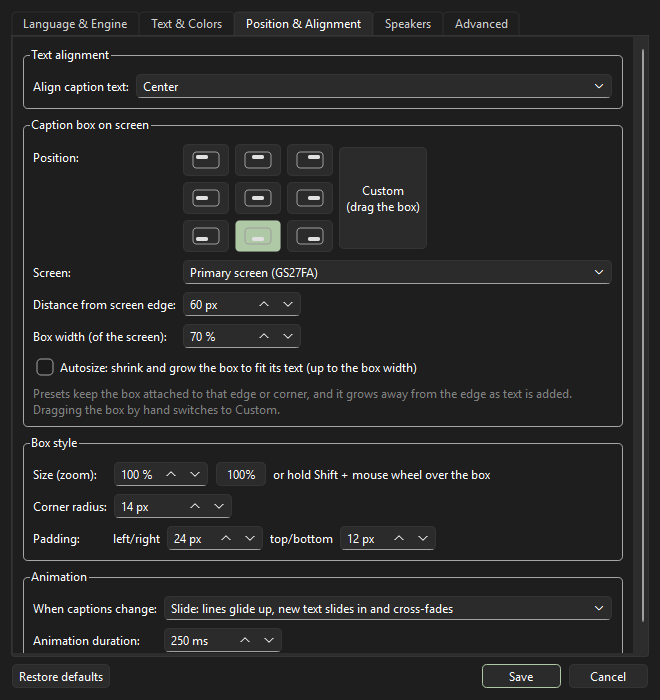
- Caption box your way — fonts, colors and spacing, language labels with flags, 9 screen positions or drag anywhere, autosize, corner radius, padding, smooth slide / fade animations.
- Handy — global hotkeys (
Ctrl+Alt+H/P/L), caption history and transcripts, click-through lock, auto-hide when nobody talks, cancelable model downloads, self-recovery when an audio device disappears.
| Any language in, your language out | Arabic diacritics (تشكيل) |
|---|---|
 |
 |
| Settings | About |
|---|---|
 |
 |
More screenshots in the README · full changelog · user guide.
License
Copyright © 2026 Mohammad Al-Safadi — GPL-3.0.
The default offline translation model (NLLB-200) is licensed for non-commercial use only; see third-party notices.