EchoSub 1.0.5

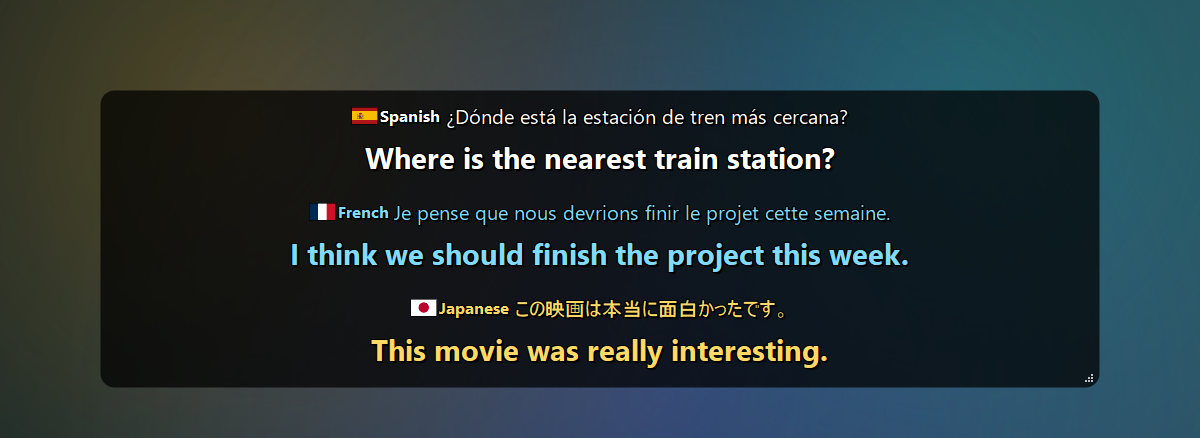
EchoSub shows live, translated captions for anything your PC plays — videos, streams, calls, games. It listens to your speakers, recognizes speech in almost 100 languages, translates it on your own GPU, and shows it in a customizable always-on-top caption box, with a line and a color for every speaker.
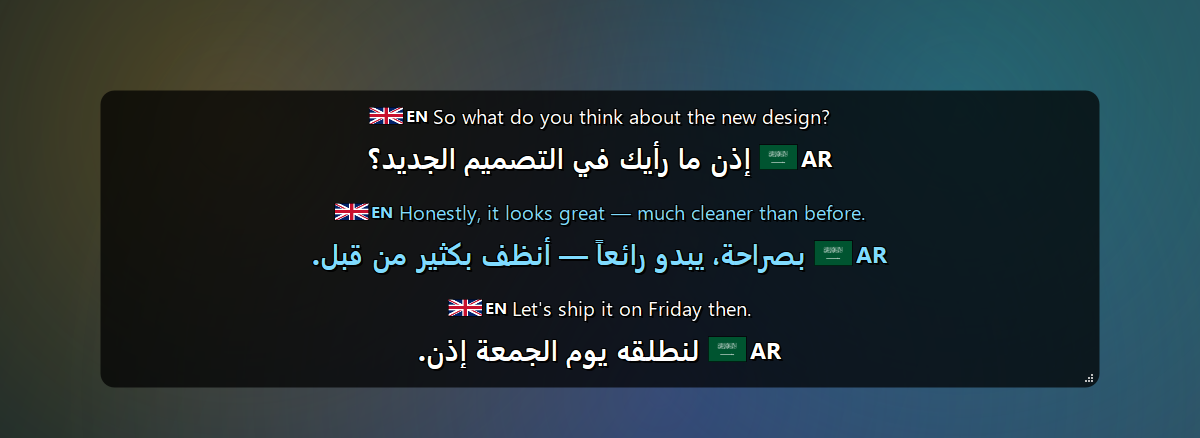
What's new in 1.0.5 — keeping up with the speaker
Measured on a GTX 1060 6 GB while a game was using the card, on 39 seconds of speech:
- Light mode (tray menu, or Settings → Language & Engine) — uses the Small speech model instead of a large one and turns live text off. Whisper's work dropped from 15.2 s to 3.7 s for the same clip, and every caption appeared about 1.0–1.3 s sooner. Your own model choice and settings are kept and come back when you turn it off.
- Live text no longer holds up recognition. It used to be translated on the recognition thread, which blocked it for 3.4 s. It is now translated separately, only the newest one, and a translation that arrives after the finished caption is discarded.
- Captions can no longer fall behind without end. At most 60 s of audio waits for recognition and at most six captions wait for translation; beyond that the oldest audio is dropped and the oldest captions are shown in their original language, and the status line says so. Before, a slow translator left the tenth caption 21 s late and growing.
- Cheaper speech detection. It ran for every 50 ms of audio (3.7 s of CPU per 39 s of speech); it now runs at most every 0.15 s, and less often for long buffers, down to 1.4 s — with a fresh check before a caption ends, so nothing is cut off mid-sentence.
Also new: tests under tests/ that run without a GPU, models or a sound card.
Coming from 1.0.3 or earlier? 1.0.5 added a copy button on every caption row.
Download
EchoSub-Setup-1.0.5.exe (973 MB) — Windows 10/11, 64-bit
SHA-256: AF4E9B002A8DDF1592867DEAE00C0FFBA72AF977CE486F5CFECAA379AAE8F1F4
- Close EchoSub if it is running, then run the installer (no admin rights needed; you can also install for all users). Installing over an earlier version keeps your settings and models.
- Start EchoSub. The first start downloads the AI models (~2.3 GB) in a progress window — you can cancel and it resumes later.
- Play anything with speech. Right-click the caption box or the tray icon for the menu.
Windows SmartScreen: the installer isn't code-signed yet, so Windows may show "Windows protected your PC". Click More info → Run anyway. You can verify the file with the SHA-256 above:
Get-FileHash EchoSub-Setup-1.0.5.exe.
System requirements
| Minimum | Recommended | |
|---|---|---|
| Operating system | Windows 10, 64-bit | Windows 11, 64-bit |
| Processor | 64-bit, 4 cores | 6+ cores (e.g. Intel Core i5-9400F / AMD Ryzen 5 3600) |
| Memory (RAM) | 8 GB | 16 GB |
| Graphics | None required — CPU with the Small or Base speech model (captions lag several seconds) | NVIDIA GeForce GTX 1060 6 GB or better |
| Graphics memory | 4 GB (default models on an NVIDIA GPU) | 6 GB or more |
| NVIDIA driver | 527.41 or newer | Latest |
| Free disk space | 6 GB | 10 GB on an SSD |
| Internet | Once, to download the models (~2.3 GB) | Also for the optional Google Translate engine |
Highlights
- Any app, any language — WASAPI loopback capture, Whisper large-v3-turbo recognition with automatic language detection (~100 languages).
- On-device translation — NLLB-200 (600M / 1.3B), or Google Translate. The original text appears instantly and the translation follows a moment later.
- Speakers — each voice gets its own line and color.
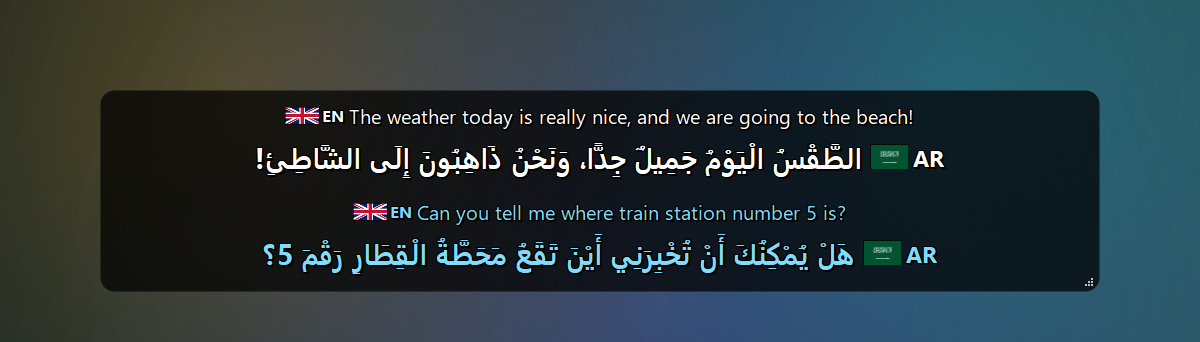
- Arabic — Moroccan Arabic (Darija) support and optional diacritics (تشكيل).
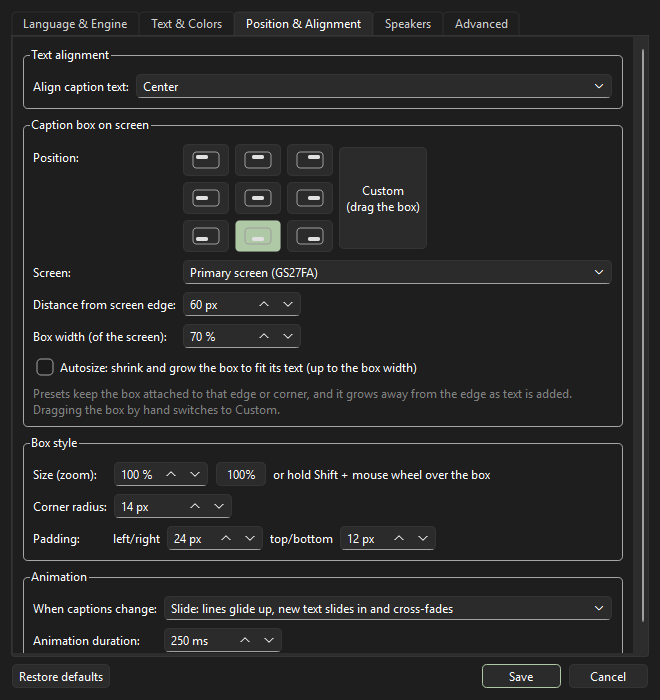
- Caption box your way — fonts, colors and spacing, language labels with flags, 9 screen positions or drag anywhere, autosize, corner radius, padding, smooth slide / fade animations.
- Handy — global hotkeys (
Ctrl+Alt+H/P/L), caption history and transcripts, click-through lock, auto-hide when nobody talks, cancelable model downloads, self-recovery when an audio device disappears.
| Any language in, your language out | Arabic diacritics (تشكيل) |
|---|---|
 |
 |
| Settings | About |
|---|---|
 |
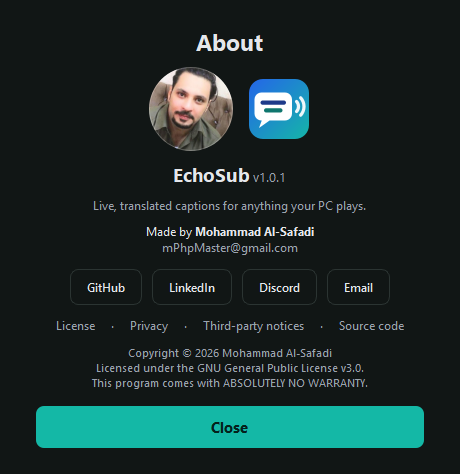 |
More screenshots in the README · full changelog · user guide.
License
Copyright © 2026 Mohammad Al-Safadi — GPL-3.0.
The default offline translation model (NLLB-200) is licensed for non-commercial use only; see third-party notices.