Repository navigation
Releases: mannydiwa/murphy
Releases · mannydiwa/murphy
Release list
Murphy v1.5.0

Smoother
- Much smoother on budget phones: the player opens at the screen's full speed and Murphy asks for your display's fastest refresh rate.
- Starting Murphy with a big server library is quicker: Home builds only what you see first, so the pause at launch is much shorter.
- Scrolling Home fast no longer shows shelves "loading": they're ready before you reach them.
- Switching tabs, opening the player and the setup steps all move more smoothly.
Sound
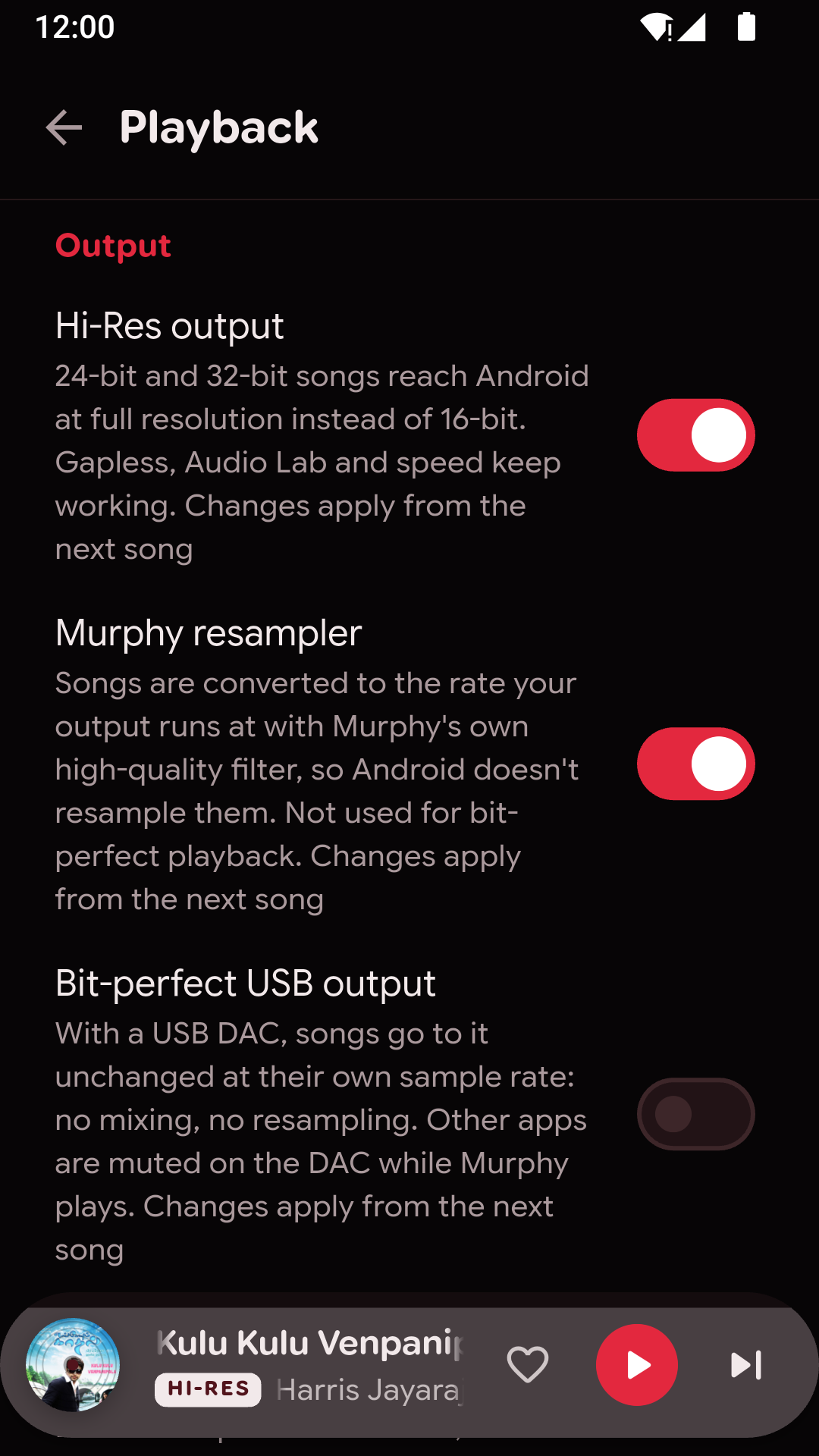
- Murphy resampler (Settings › Playback): converts music to your output's own rate with a high-quality filter, instead of leaving it to Android.
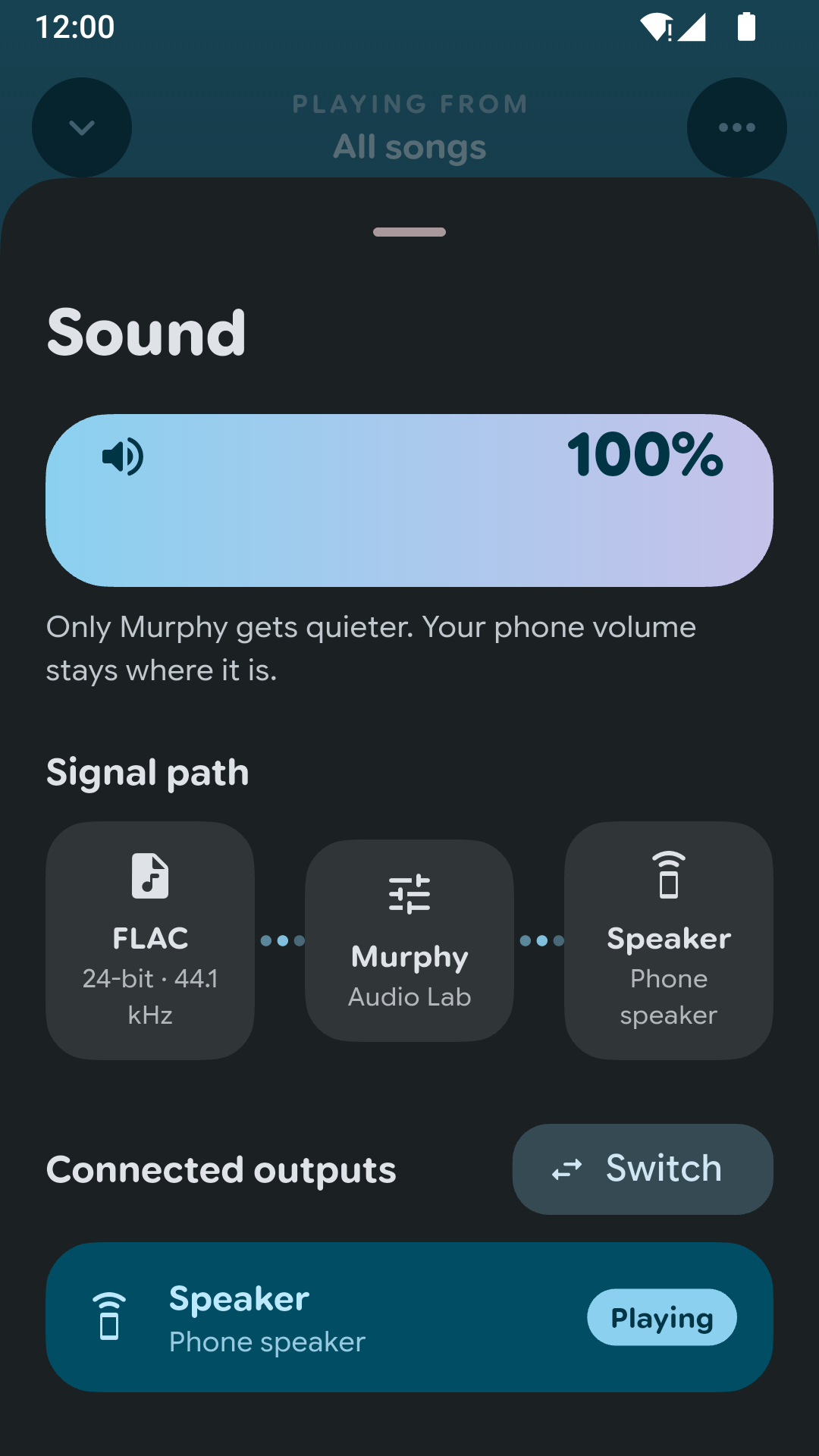
- USB DACs: Murphy picks the best path your phone offers: bit-perfect at the song's rate, bit-perfect at a converted rate, or the DAC's own hi-res mode. Bit-perfect requests were being refused on every phone; that's fixed.
- USB DACs now show by name as the output in use, instead of the Bluetooth device you also have connected.
- Sound for each device: every output (headphones, DAC, speaker) keeps its own Audio Lab settings.
- Server songs streamed at a lower quality are labelled as you hear them, for example "FLAC 24/96 streamed at 128 kbps".
Look and feel
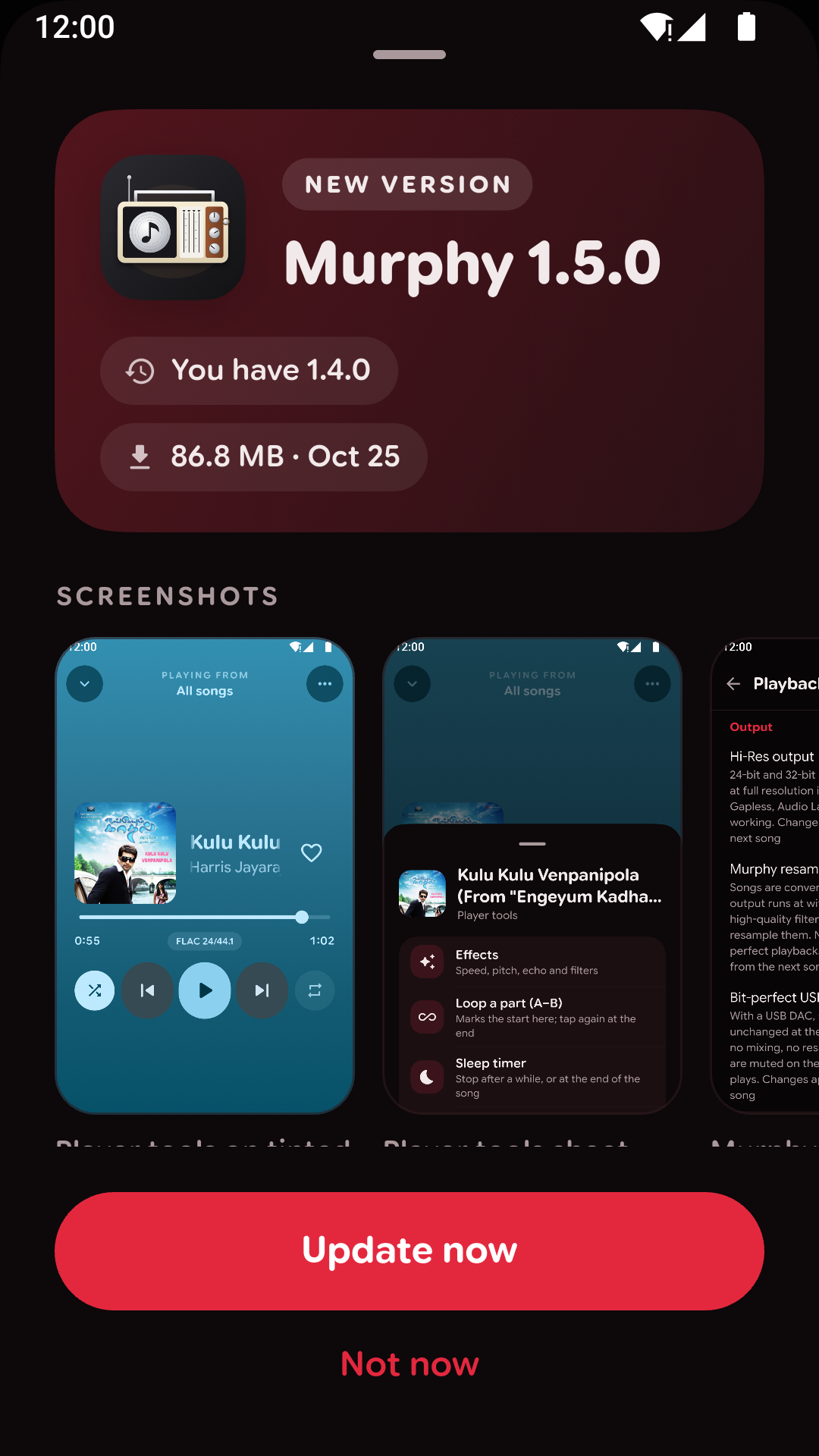
- The update prompt shows the release's screenshots and its notes in clear sections, with a progress card while it downloads.
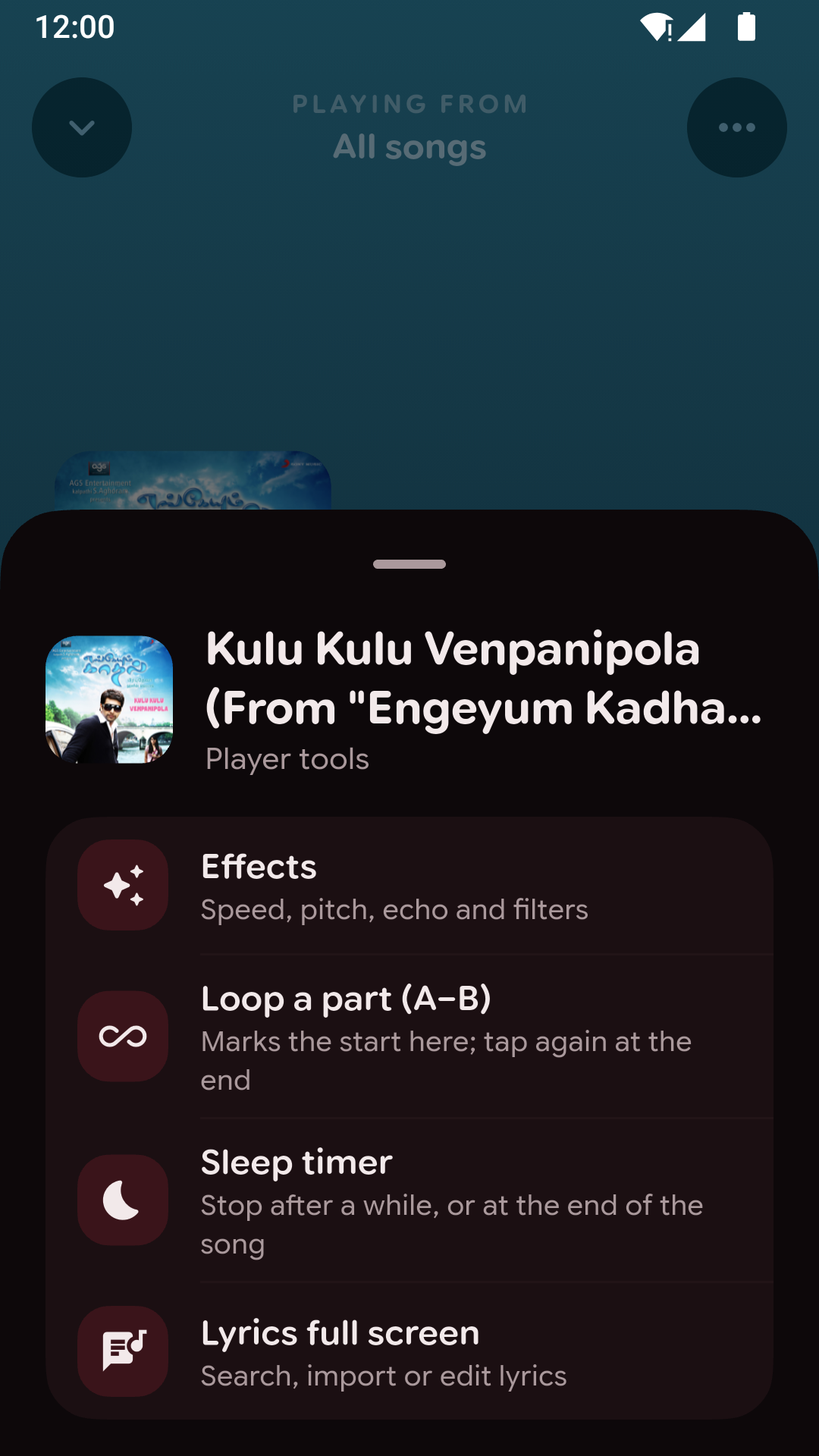
- Every "⋯" menu now opens as the same bottom sheet as song options, with icons and a line on what each choice does.
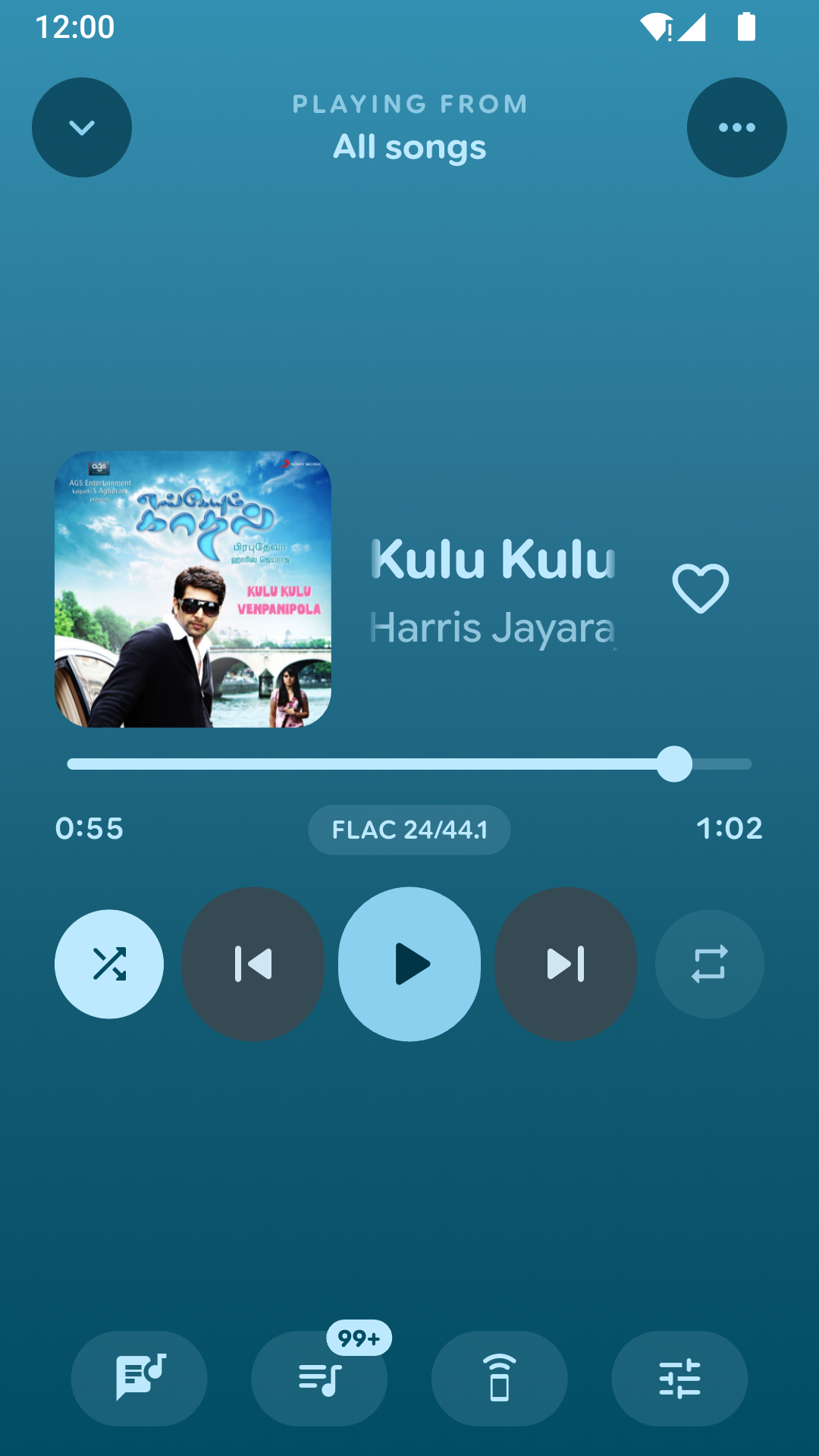
- Player tools (effects, A–B loop, sleep timer) have their own sliders button, and the buttons under the player sit on tinted pills.
- The lock screen and notification show a designed cover for songs without artwork, and the album instead of "Unknown Artist".
- Format labels no longer say "0" for a bit depth ("MP3 320", not "MP3 0/44.1"), and Navidrome's "[Unknown Artist]" reads "Unknown artist".
- In landscape, the side rail's labels stay on one line at every text size.
Fixes
- Tapping Done after connecting a server no longer leaves you stuck in Settings with no way back to Home.
- Removing the server you're listening to goes back to your phone's music instead of a nameless "Server" Home. A server you connect then shows on Home under its own name.
- Setup steps ignore taps until they've finished moving in, and permission requests can't be sent twice.
Screenshots
Murphy v1.4.0
Music servers
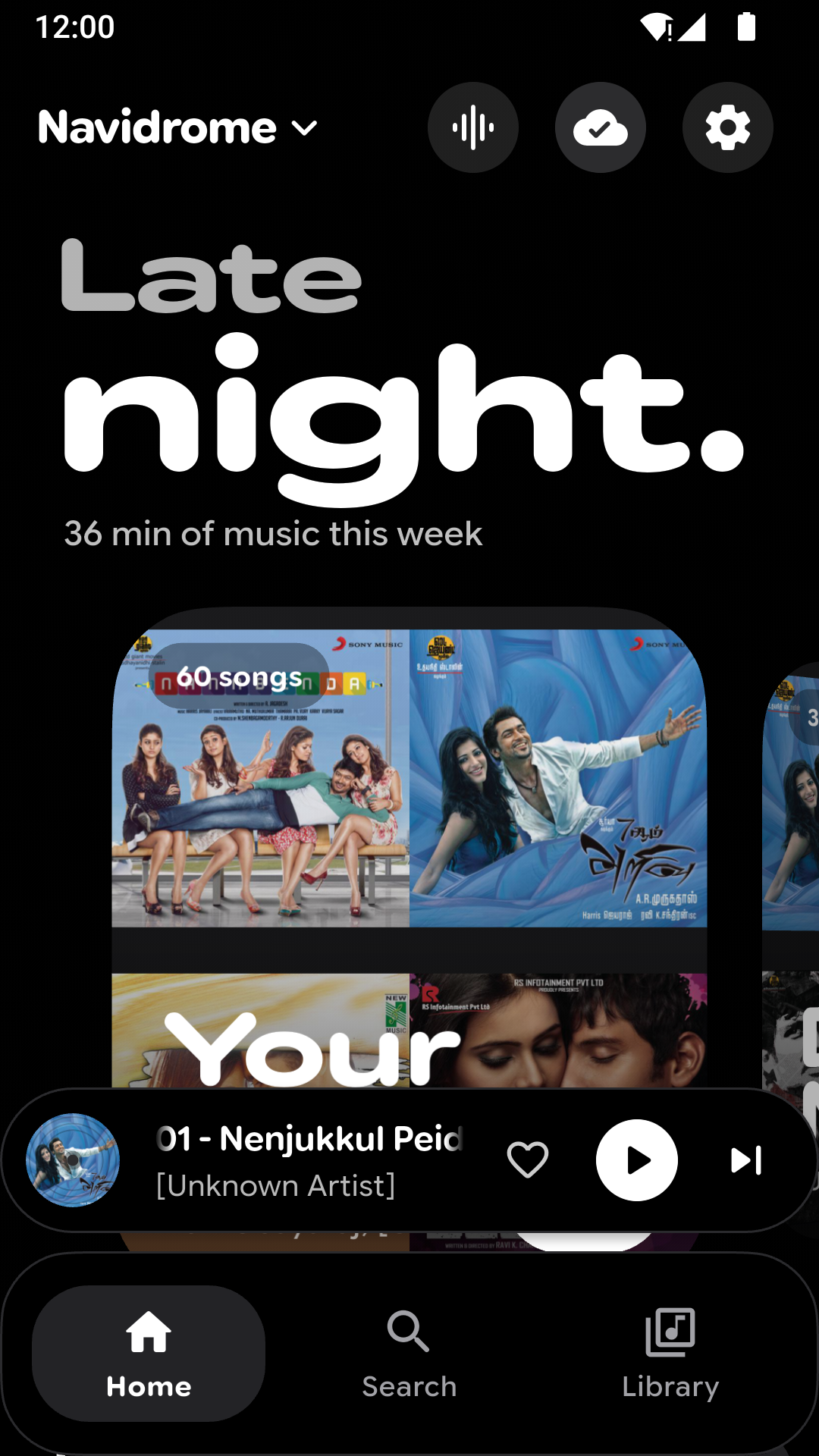
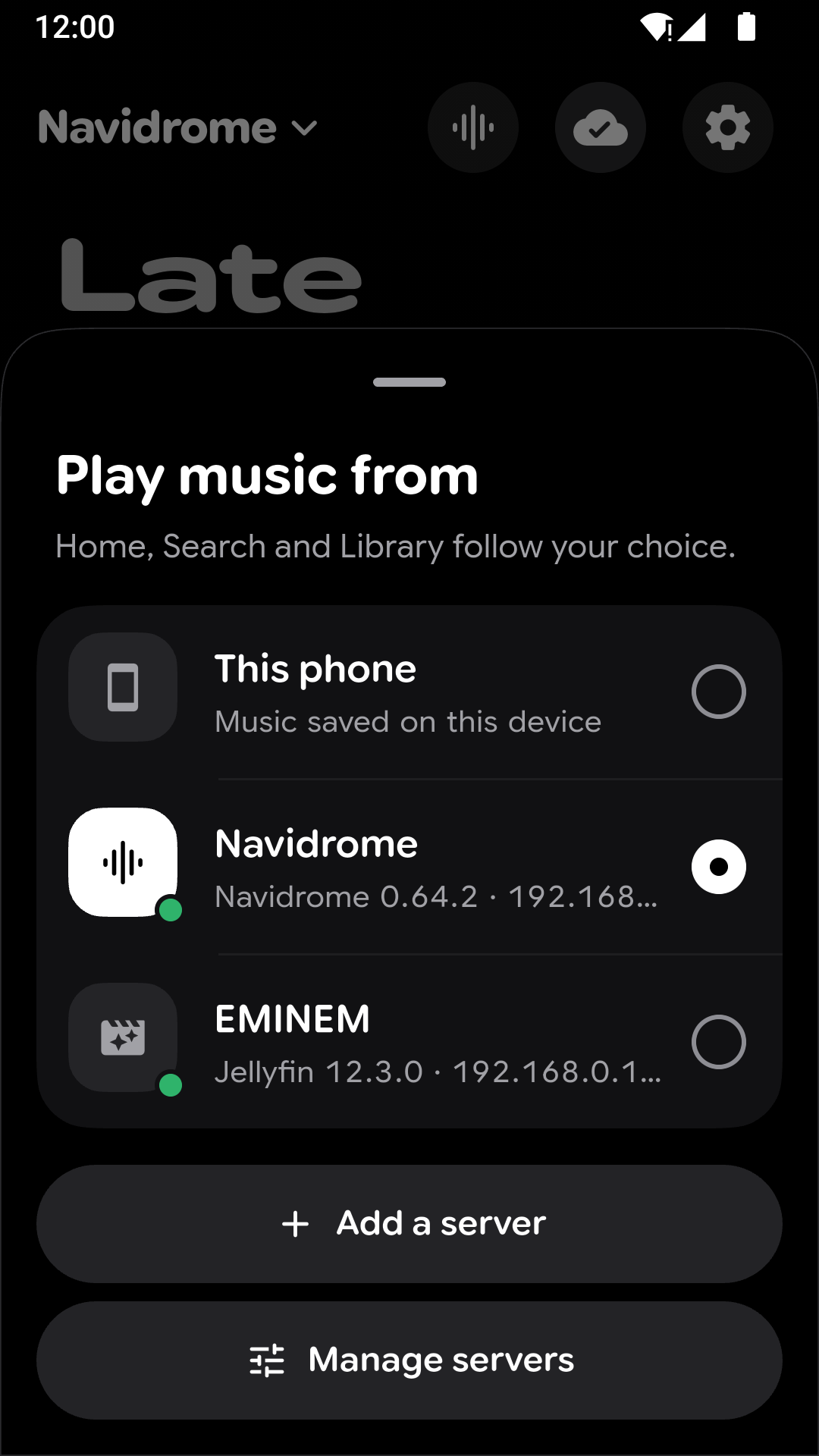
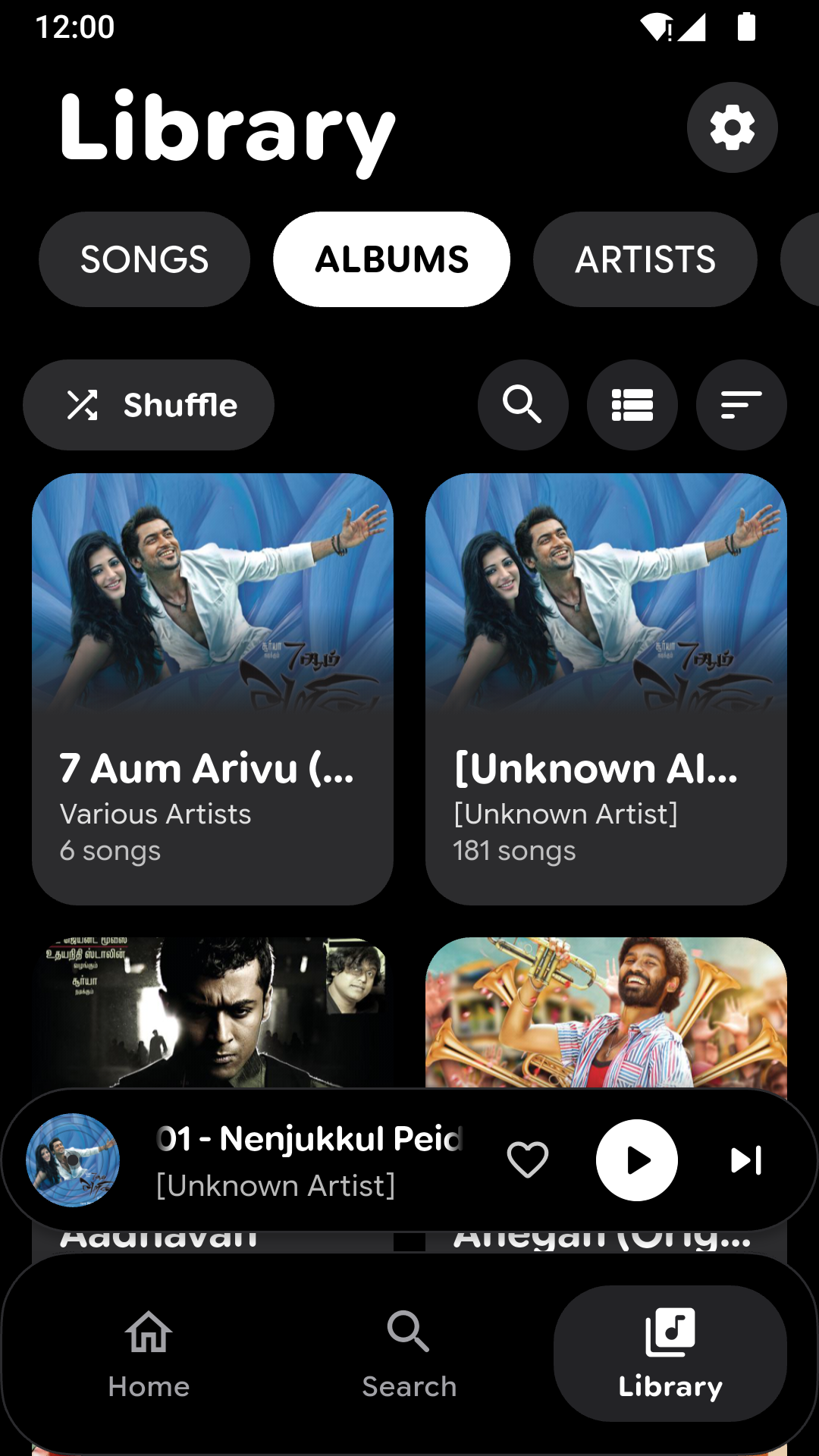
- Your server's music now lives in the same Home, Search and Library as the music on your phone. Switch between them from the name at the top of Home.
- The "Play music from" picker checks your servers when it opens, so the green dot shows which ones are really connected.
- Jellyfin now does everything Navidrome does: favourites, playlists you can edit and rename, lyrics, and play counts.
Sound
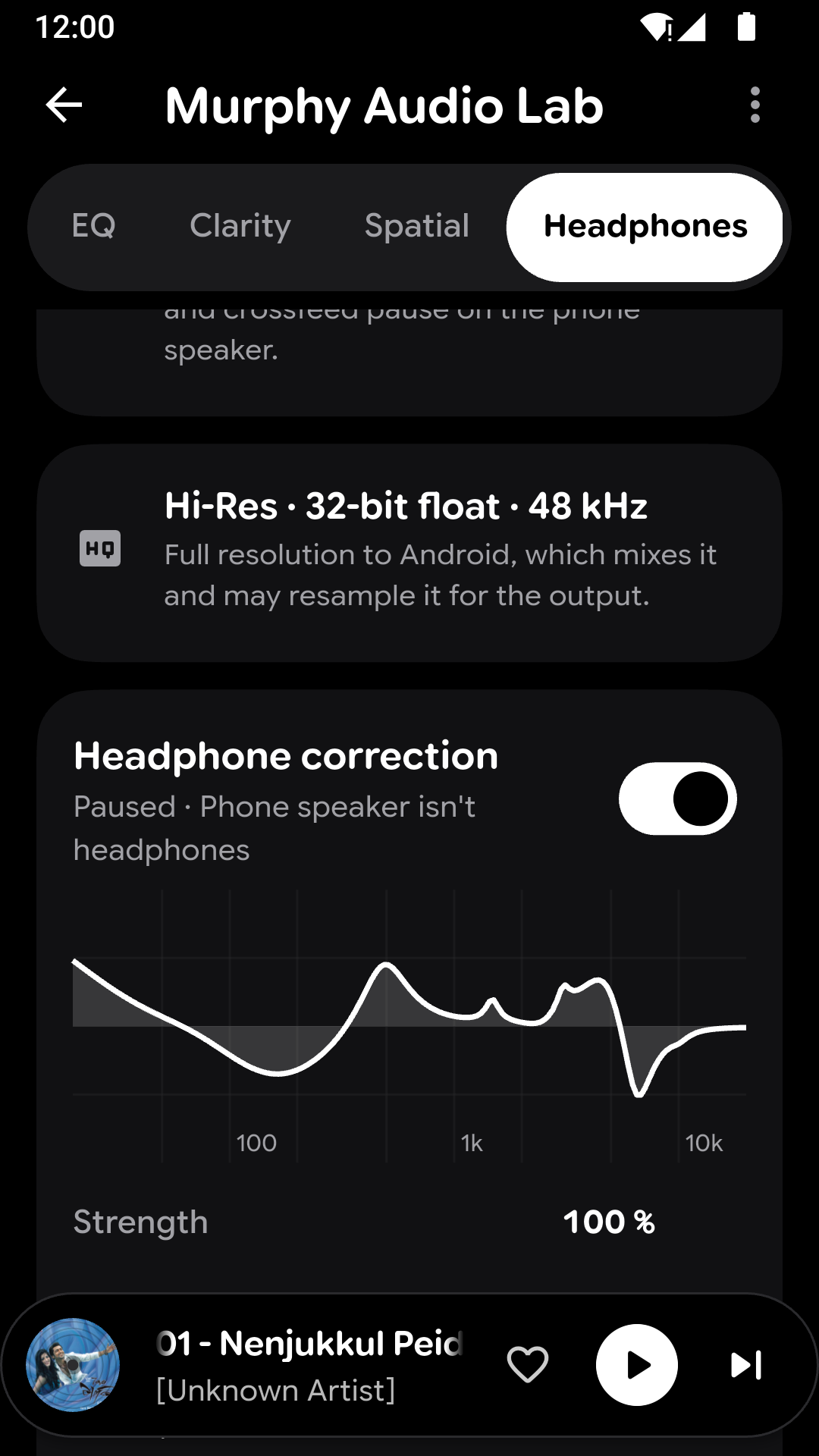
- Hi-res output: 24-bit and 32-bit music reaches Android at full resolution instead of being cut to 16-bit.
- Bit-perfect playback for USB DACs on Android 14 and later. The Audio Lab shows how the song playing really leaves Murphy, and what keeps it from being bit-perfect.
- When headphones, a DAC or a speaker connect, a card shows what it is and what it can play.
Playback
- Skipping now overlaps the two songs like Rhythm: the current song fades out while the next one fades in, with no silence or stutter in between.
- The play button no longer shows "paused" after one song crossfades into the next.
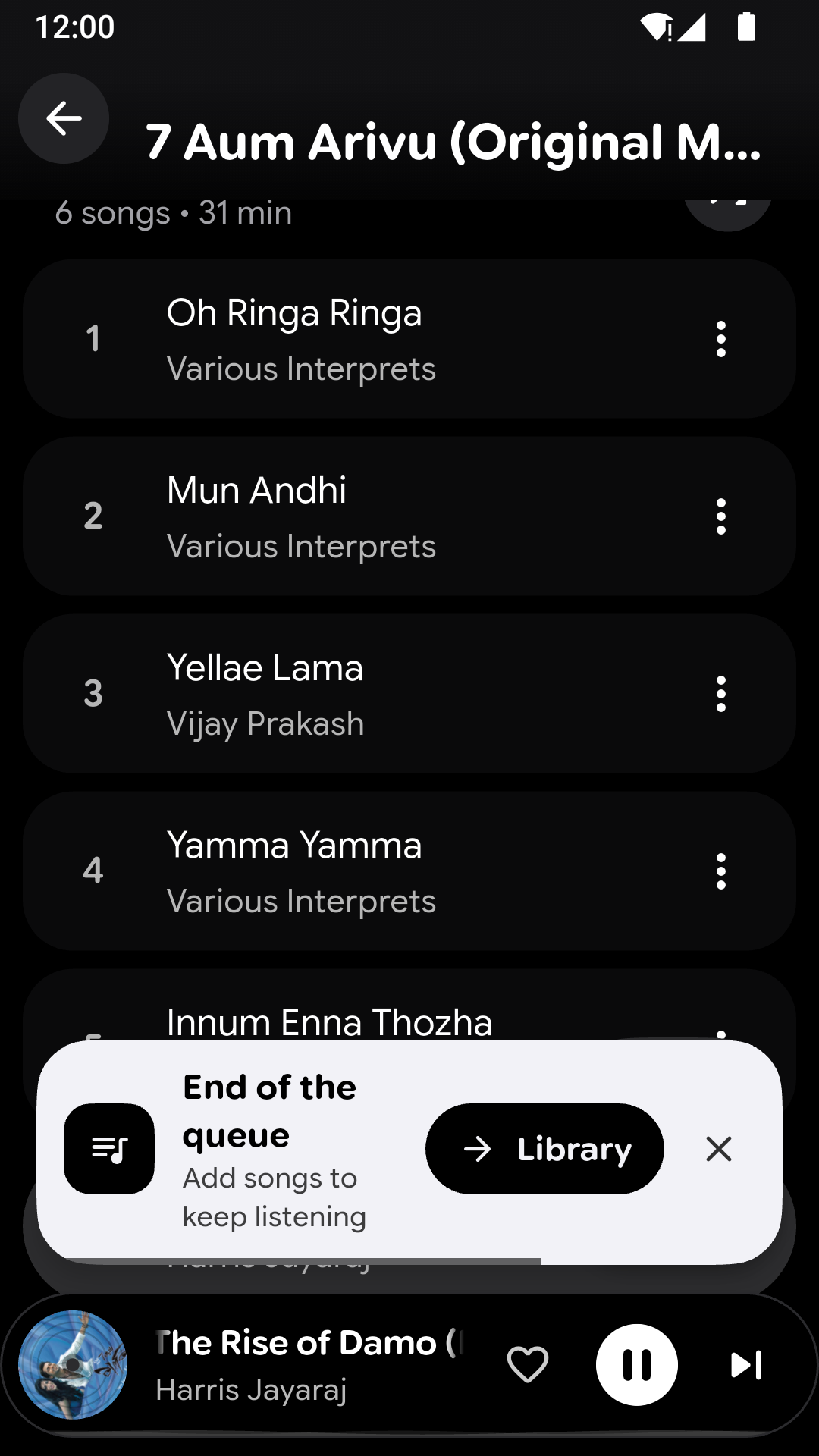
- Tapping Next on the last song tells you the queue has ended and offers to open your Library.
Look and feel
- Every message now uses one look: a card with an icon, what happened and why, and a button when there's something to do.
- Feature tips point out gestures and shortcuts the first time you open a screen. Reset them in Settings › Behavior.
- Library tabs can be searched, and their colours stay clear in every theme.
- Double-tap Home to go back to the top.
- Long titles scroll only while music plays, which saves battery.
Updates
- Beta updates: turn them on in Settings › About to try new versions early.
Fixes
- Searching a big library no longer holds up the screen.
- Many other fixes and improvements.
Screenshots
Murphy v1.3.0
Murphy Audio Lab
- Headphone correction now knows over 6,000 headphones and IEMs, up from 17. Search for yours by name, and filter by in-ear, over-ear or earbuds.
- Pick your sound around the correction: the standard target, more bass, less bass or brighter, or set bass and treble yourself.
- Loudness compensation: when you listen quietly, Murphy restores the bass and treble your ears stop hearing, following your volume.
- The equalizer curve now stays on screen while you adjust a band, and shows the band you're changing.
- Reset the whole Audio Lab, one tab, or a single setting, and undo it if you change your mind.
Updates and feedback
- See an update's download progress, and get a notification when it's ready to install.
- Go back to one of the previous three versions if a new one doesn't suit you.
- Send feedback or a bug report straight to the developer from Settings › About, with a crash log attached if you like.
Music servers
- Murphy now tells you when you're offline or your server can't be reached, and picks the song up again once it's back.
Look and feel
- Undo looks the same everywhere: swipe it away or wait for the countdown.
- Searching Settings now takes you straight to the option and highlights it.
- Search your folders when choosing which ones to scan.
- The selected option is now clearly visible in every theme.
Fixes
- Murphy opens normally the first time after restarting your phone.
- Album covers now show right after the first scan.
- The player slides open even with Battery saver on.
- Many other fixes and improvements.
Murphy v1.2.0
Listen from your own music server
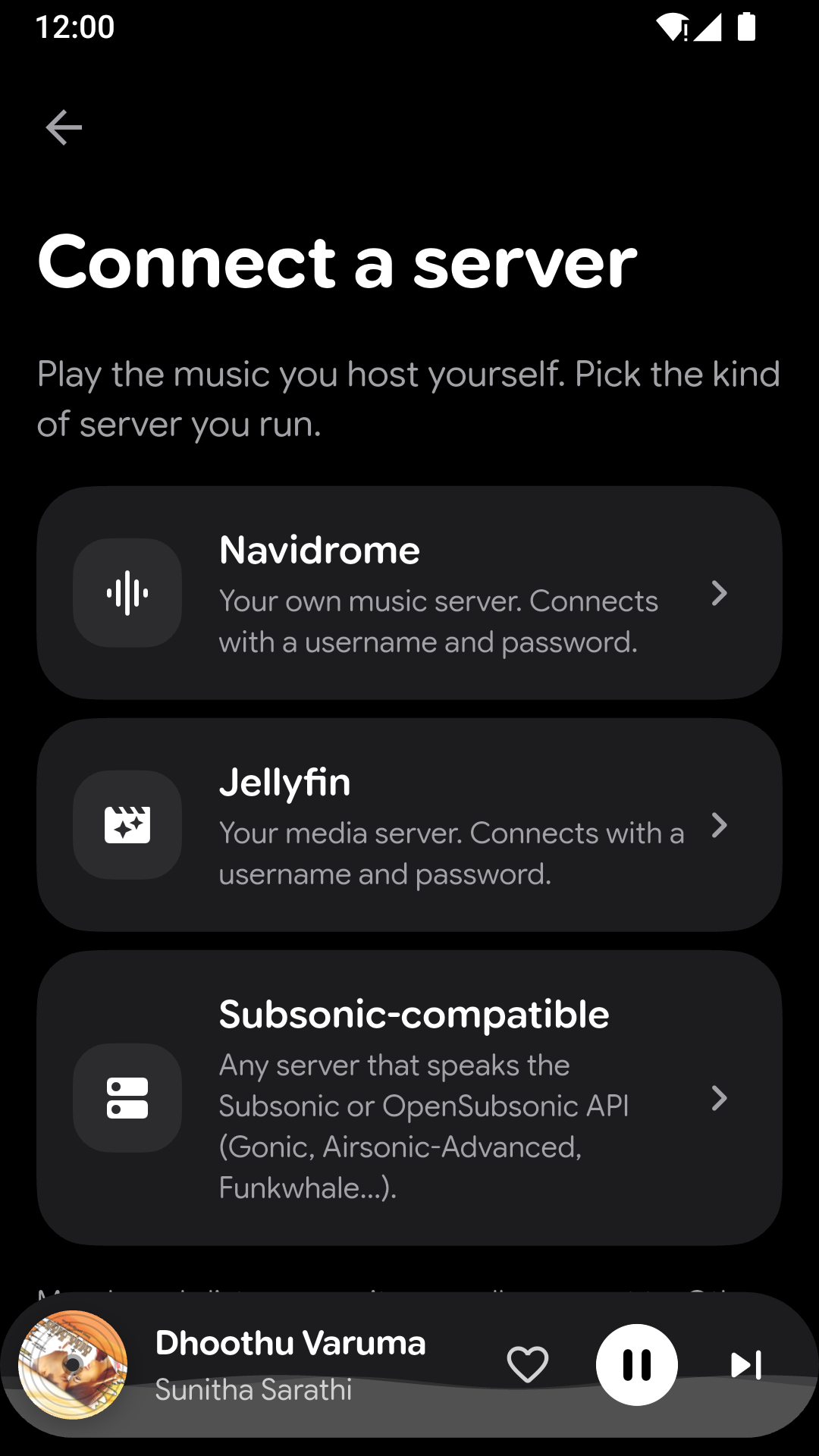
- Connect a Navidrome, Subsonic or Jellyfin server and play your whole collection from it. Murphy can find servers on your Wi-Fi for you.
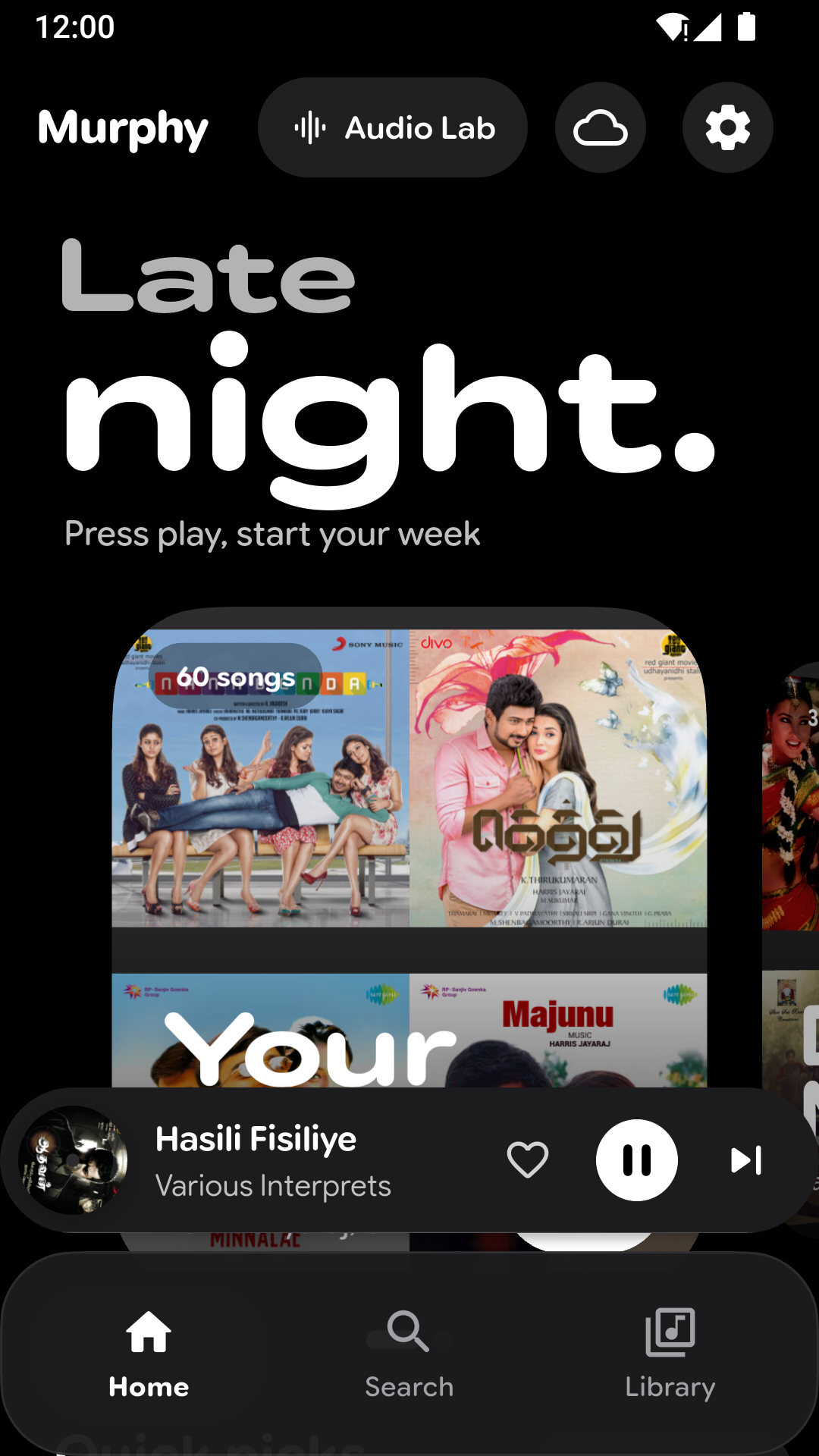
- One tap switches between the music on your phone and your server. Your server gets its own Home with mixes, albums, artists, playlists and favourites.
- Searching your server forgives small typos.
- Choose the streaming quality for Wi-Fi and for mobile data, or don't stream on mobile data at all.
- Murphy can report what you play back to your server.
Lyrics
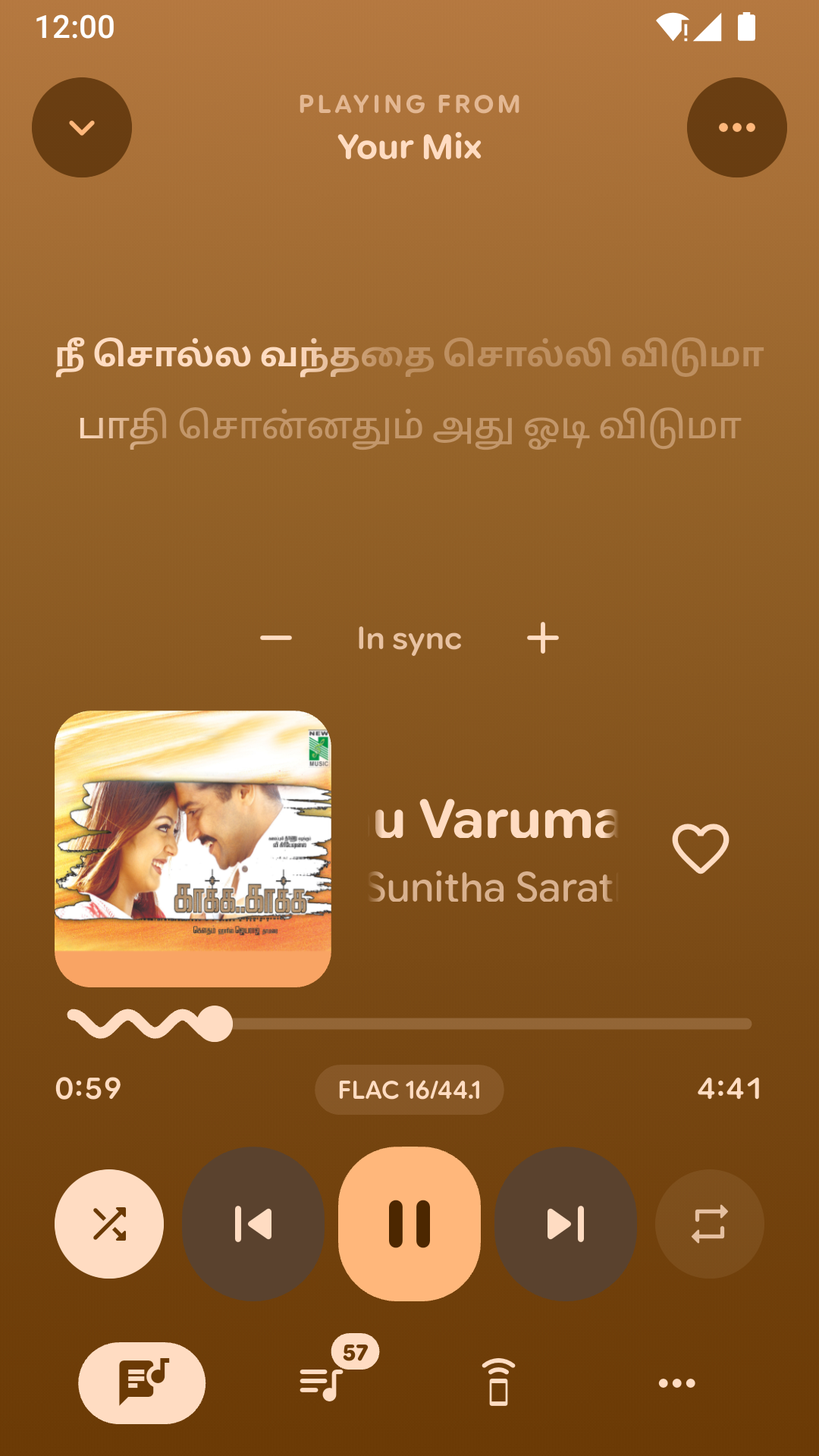
- Murphy now finds lyrics online (from LRCLIB) for songs that have none, and prefers versions that are timed to the song. When it isn't sure, you pick the right one.
- Translate lyrics, or show them in Latin letters.
- Choose the lyrics text size and whether they're centred, and keep the screen on while you read along.
- Show lyrics on the home-screen widget, or on your car stereo over Bluetooth.
- Lyrics that aren't timed to the song now say so.
Playing music
- Crossfade between songs, and gentle fades when you play, pause or skip.
- Skip the silence at the start and end of songs.
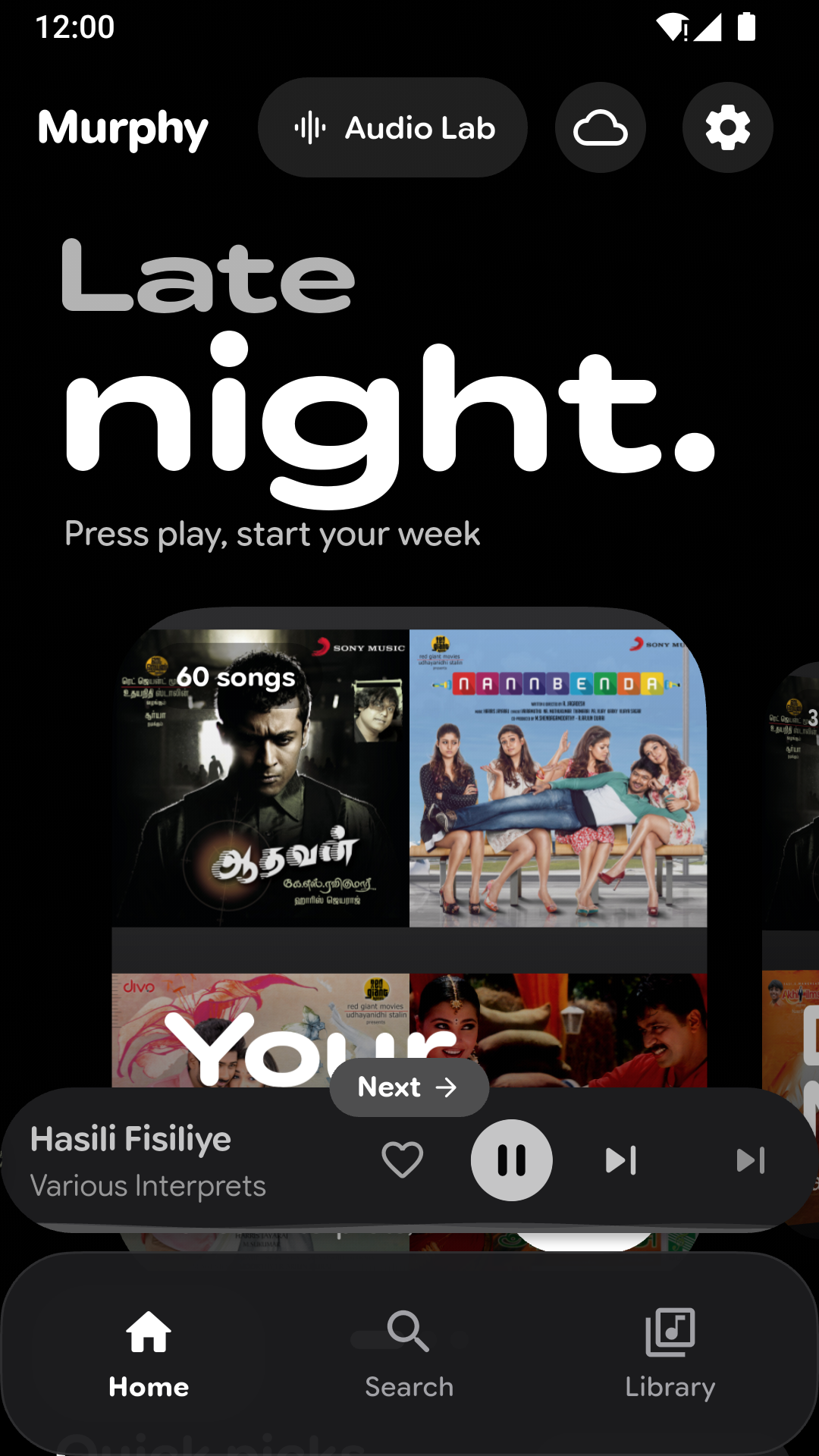
- Swipe the mini player left or right to skip; a small "Next" or "Previous" label shows where you're going.
- Make the mini player and the player your own: ±10 second buttons, a wavy or straight progress bar, a progress fill or ring, a spinning cover, and which buttons to show.
- Pause automatically when the volume reaches zero.
Look after your hearing
- Listening breaks remind you to rest your ears.
- Set a volume limit, for headphones and the speaker.
Your library
- Smart playlists that build themselves from what you play.
- Edit an album's title, artist, year, genre and cover in one go.
- Hide songs you don't want to see, and bring them back from Settings.
- Leave out low-quality files, and list songs by "Artist A; Artist B" under both artists.
- Artist photos and biographies (optional).
- Weekly automatic backup to a folder you choose.
- After scanning, see how much of your library has artwork, which formats you have, and any files Murphy can't play.
Stats
- Shareable stats cards, like a year-in-review, to save to your gallery or send to friends.
Look and feel
- A new calm, grey look by default; the colourful look is still one tap away in Settings.
- New themes: pure black, colours that follow the time of day, and festive themes for the holidays.
- A new welcome and setup that walks you through Murphy.
- Choose whether Murphy opens on Home, Library or Search.
- Battery saver turns off extra effects and animations.
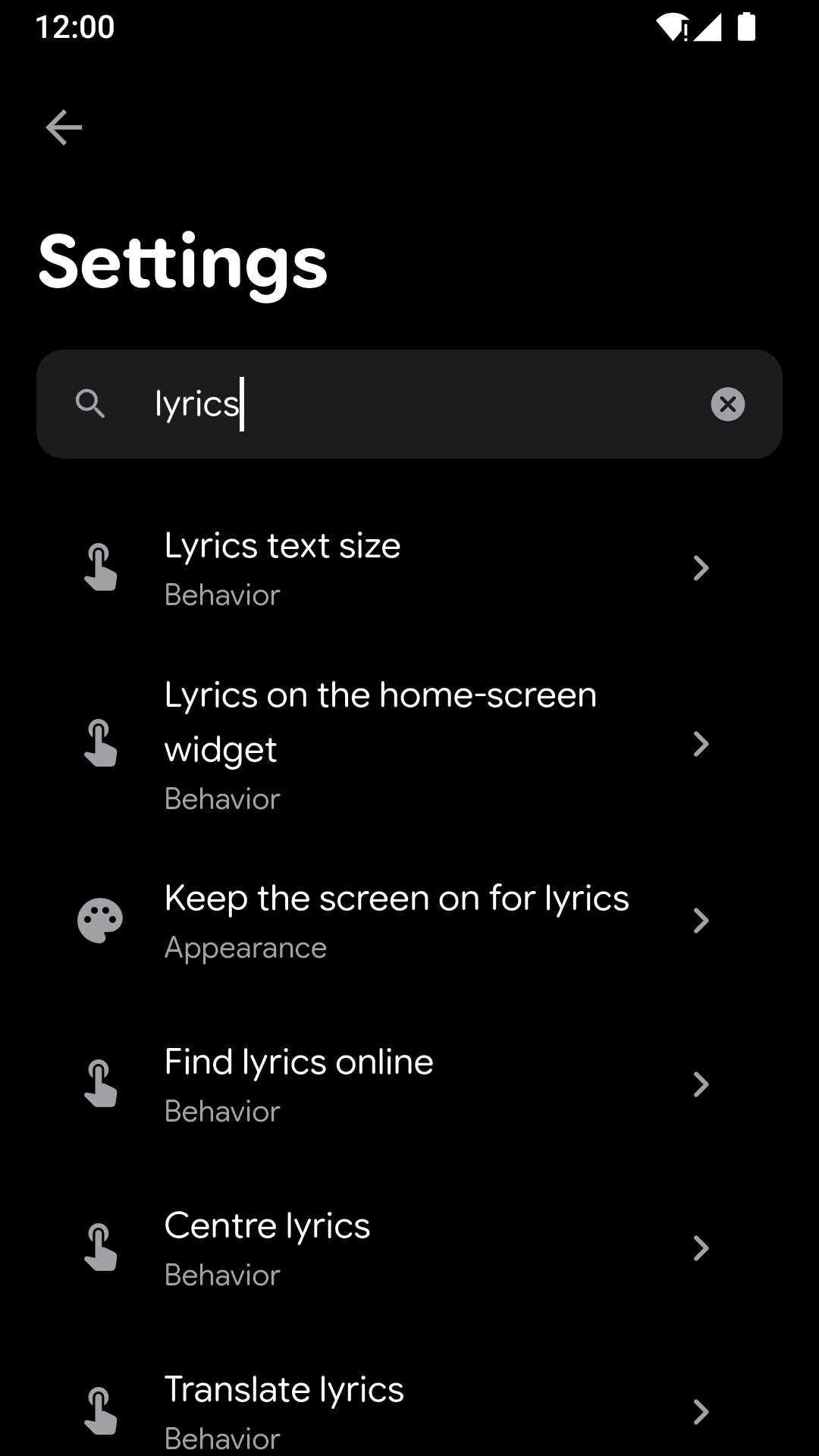
- Settings are rebuilt, with a search to find any option quickly.
Faster and more reliable
- Murphy starts faster, and the player opens more smoothly.
- If Murphy ever stops unexpectedly, it tells you next time and keeps a crash log you can share with the developer (Settings › About › Crash logs). Logs stay on your phone.
- Beta updates: try new versions early if you like (optional).
- Fixed: lyrics not following the song when the next one starts, the scan summary showing 0% artwork, the weekly backup switch being hard to turn off, and the lyrics menu not responding while lyrics load.
- Many other fixes and improvements.
Screenshots
Murphy v1.1.0
Murphy Audio Lab
- The Equalizer is now Murphy Audio Lab: a parametric equalizer with your own presets, smart enhancement, clarity and dynamics tools, stereo width and headphone crossfeed, all running inside Murphy's player.
- Headphone correction for 17 measured headphone and IEM models, or import your own AutoEq profile.
- A live spectrum analyzer, and an Original/Enhanced comparison at matched loudness.
Lyrics files
- Import a lyrics file (.lrc) you downloaded for a song, from the lyrics screen.
- Murphy finds the .lrc next to each song by itself once you let it read your music folder.
Your downloads, right away
- Songs you download appear in Murphy as soon as you switch back to it, without rescanning.
Improvements
- Bug fixes and minor improvements.
Murphy v1.0.0
Personalisation
- Artist themes: ten built-in palettes inspired by artists, applied across the whole app.
- Create, edit, rename, duplicate, import and export your own themes.
- Live preview and a readability check while editing a theme; Undo right after applying one.
Sound
- Audio Effects: pitch, speed, reverb, echo, filters, 8D audio and presets.
- Equalizer with presets, loudness, bass boost and virtualizer.
- ReplayGain volume levelling, in-app volume and an A–B loop.
Now Playing
- Redesigned player with swipeable artwork, 10-second seek and an expressive progress bar.
- Lyrics with per-song timing offset and editing.
- Sleep timer, including "stop after N songs".
- Mini player and floating navigation bar.
Library
- Fast offline library with songs, albums, artists, playlists, genres and folders.
- Ranked search that forgives typos and word order.
- Tag editor that writes changes into your files.
- Playlists with custom or designed covers; M3U import and export.
- Multi-select on every song list and an A–Z fast-scroll rail.
- Library backup and restore.
Discovery and stats
- Home with daily mixes, quick picks and shelves built from your own listening.
- Listening stats and a yearly Wrapped recap.
Android
- Murphy's app ID is now io.github.mannydiwa.murphy (version 1.0.0). It installs alongside builds with the old ID; use Settings › Backup to bring your library across.
- Home-screen widget, Quick Settings tile and launcher shortcuts.
- Android Auto browsing.
- "Open with Murphy" for audio files.
First launch
- Guided setup: welcome, music access, notifications, scan and look.
- A smooth hand-off from the system splash into Murphy: the logo expands away as Home springs in, once.
- Finishing setup goes to Home without a flicker or jump, and works with reduced motion.
Every screen size
- Murphy now uses the whole window on tablets, foldables and in landscape, instead of a phone-sized frame.
- Side navigation rail on wide windows; the bottom bar stays on phones.
- Now Playing adapts: artwork beside the controls when wide, split at the hinge on foldables, a compact layout on flip covers and in split screen.
- Folding, unfolding, rotating or resizing keeps your song, queue, page and open player.
- Large system text, 3-button navigation and the keyboard no longer cover or cut off controls.
- Sheets (library tab order, version & build, cover designer, confirmations, scan options) scroll on short windows instead of being cut off.
- Setup's scan summary says "1 album", not "1 albums".