Repository navigation
Releases: missingno7/LithTech-1-Renderer
Releases · missingno7/LithTech-1-Renderer
Release list
d_ren 0.2

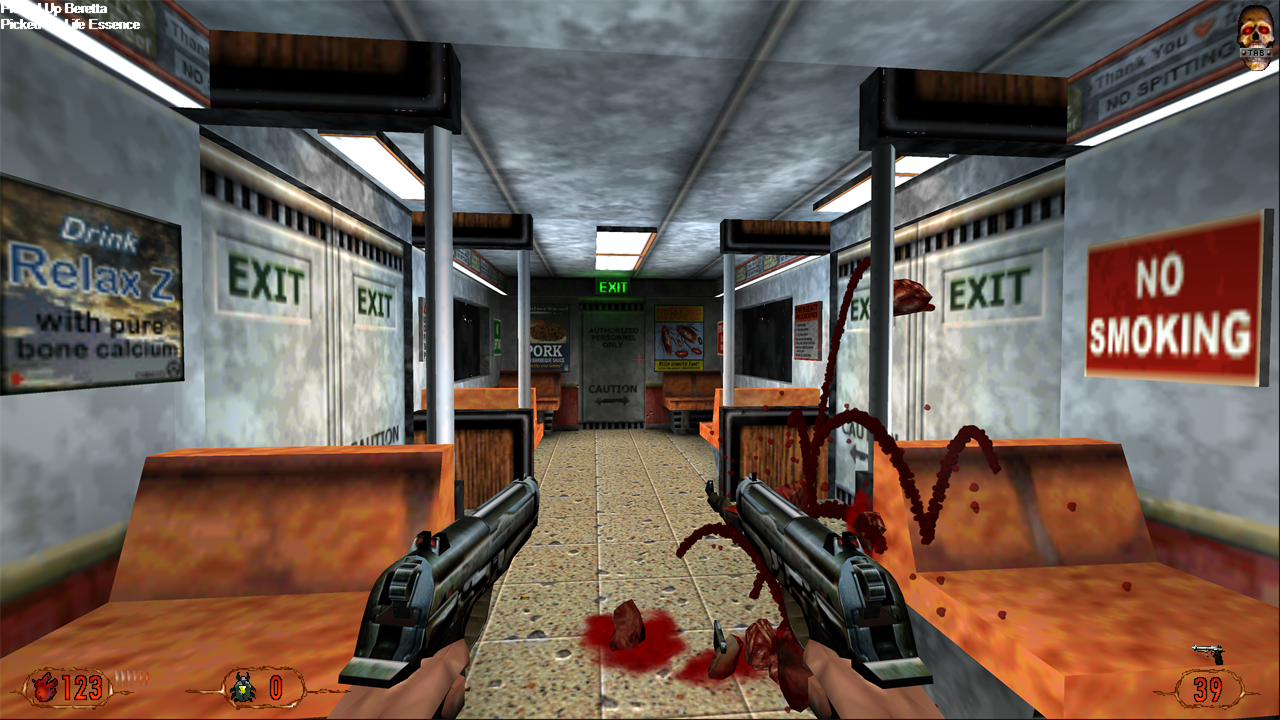
The second release of d_ren, the Vulkan renderer for LithTech 1 that replaces Blood II's d3d.ren / soft.ren. It fills in most of what the original renderer drew that 0.1 didn't, and fixes how the game window behaves.
Install
- Unzip
d_ren-0.2.zipinto the Blood II folder (next toCLIENT.EXE), replacing an olderd_ren.ren. - In the game's launcher, open the display settings and pick the d_ren renderer and a resolution.
Requires a graphics card with Vulkan support.
New in 0.2
- Chrome weapons and props. On high detail, the weapons in your hands and props marked as chrome reflect the level's environment map, as in the original.
- Moving cloud shadows in the outdoor levels that have them (CAS Revenant, Cabal Safehouse and some multiplayer maps).
- Dynamic lights on walls. Muzzle flashes, explosions and other moving lights now light lightmapped walls, doors and lifts per pixel, with the original's falloff. The rules for which lights affect the world and which affect characters now match the original.
- The game window behaves like a modern game:
- with focus, the cursor is hidden and the mouse controls the view;
- without focus, the cursor is free, so a game that started in the background no longer pulls the cursor to the middle of the screen;
- the game comes to the front when it starts.
- Checked in-game: the sky and water in Pickman St. Station, the chrome weapons and the airship's cloud shadows.
Known limitations
- Not done: model detail levels (models are always drawn at full detail) and the game's screenshot key.
- Low-detail options such as
LightMap 0andMipmapOffsetare ignored. - Line systems (beams and lines) haven't been checked in-game yet.
Recommended, separate projects
- dinputto8, if Blood II crashes at startup on current Windows (a DirectInput problem unrelated to the renderer).
- A Blood II widescreen patch, for 16:9 menus and loading screens.
Reporting problems
Attach vk_test.txt and test.txt from the game folder. They're rewritten at every start.
d_ren 0.1
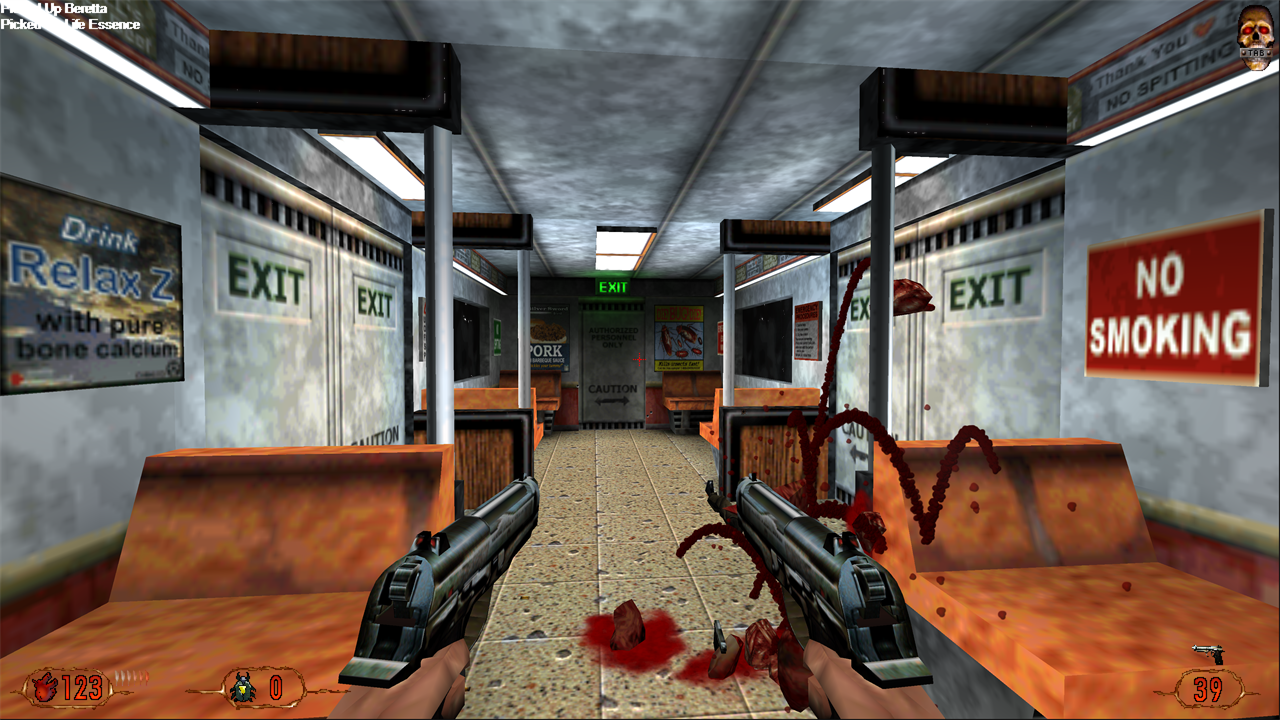
First release of d_ren, a Vulkan renderer for LithTech 1 that replaces Blood II's d3d.ren / soft.ren.
Install
- Unzip
d_ren-0.1.zipinto the Blood II folder (next toCLIENT.EXE). It contains a singled_ren.renand a readme. - In the game's launcher, open the display settings and pick the d_ren renderer and a resolution.
The 3D view renders at your monitor's full resolution, borderless fullscreen. The resolution you pick only sets the size of the menus and HUD.
Requires a graphics card with Vulkan support.
Highlights
- Everything Blood II draws:
- the world with lightmaps;
- animated characters and weapons;
- doors and lifts;
- sprites, particles, water and the sky;
- fog, screen flashes, model shadows and scrolling textures;
- menus and HUD.
- Checked against the original: behaviour is ported from a reconstruction of the original
d3d.renand compared against it running under dgVoodoo2. - High resolutions, widescreen and high frame rates. For example 4K at 240 fps, with a proper widescreen field of view.
- Two fixes for engine problems at high frame rates, both done in memory with nothing changed on disk:
- Above 100 fps the game normally runs too fast; at 240 fps physics, AI and cutscenes run at 2.4× speed.
d_GameSpeedFix, on by default, keeps the game at normal speed. - Above ~64 fps, mouse look updates in uneven steps.
d_MouseFix, on by default, makes it follow the mouse every frame.
- Above 100 fps the game normally runs too fast; at 240 fps physics, AI and cutscenes run at 2.4× speed.
- Options are console variables saved in
autoexec.cfg:d_VSync,d_MaxFPS,d_Widescreen,d_FogModeand the two fixes. They're described in the included readme.
Known limitations
- Not yet done:
- chrome (environment-mapped) models;
- per-texel dynamic lights on lightmapped walls (they're approximated);
- moving cloud shadows outdoors;
- model detail levels;
- the game's screenshot key.
- The sky, water and line-system effects are implemented but haven't been checked against the original in every level.
Recommended, separate projects
- dinputto8, if Blood II crashes at startup on current Windows (a DirectInput problem unrelated to the renderer).
- A Blood II widescreen patch, for 16:9 menus and loading screens.
Reporting problems
Attach vk_test.txt and test.txt from the game folder. They're rewritten at every start.