Repository navigation
d_ren 0.1

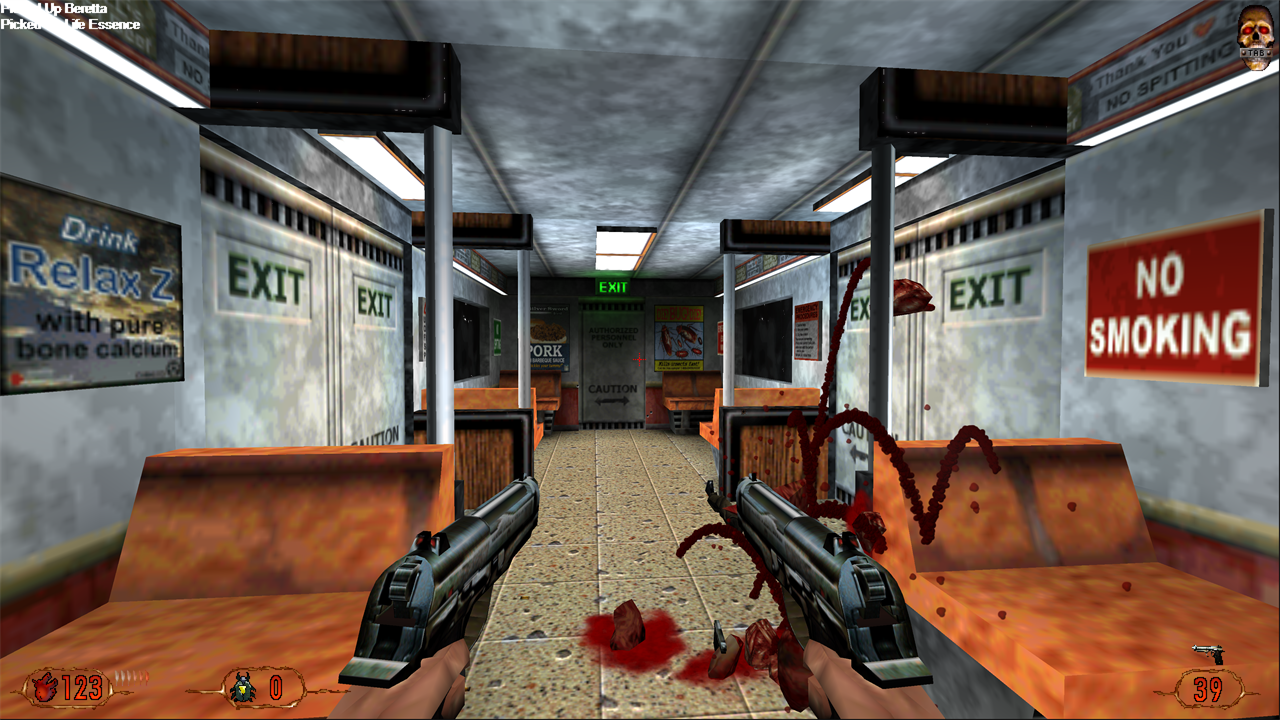
First release of d_ren, a Vulkan renderer for LithTech 1 that replaces Blood II's d3d.ren / soft.ren.
Install
- Unzip
d_ren-0.1.zipinto the Blood II folder (next toCLIENT.EXE). It contains a singled_ren.renand a readme. - In the game's launcher, open the display settings and pick the d_ren renderer and a resolution.
The 3D view renders at your monitor's full resolution, borderless fullscreen. The resolution you pick only sets the size of the menus and HUD.
Requires a graphics card with Vulkan support.
Highlights
- Everything Blood II draws:
- the world with lightmaps;
- animated characters and weapons;
- doors and lifts;
- sprites, particles, water and the sky;
- fog, screen flashes, model shadows and scrolling textures;
- menus and HUD.
- Checked against the original: behaviour is ported from a reconstruction of the original
d3d.renand compared against it running under dgVoodoo2. - High resolutions, widescreen and high frame rates. For example 4K at 240 fps, with a proper widescreen field of view.
- Two fixes for engine problems at high frame rates, both done in memory with nothing changed on disk:
- Above 100 fps the game normally runs too fast; at 240 fps physics, AI and cutscenes run at 2.4× speed.
d_GameSpeedFix, on by default, keeps the game at normal speed. - Above ~64 fps, mouse look updates in uneven steps.
d_MouseFix, on by default, makes it follow the mouse every frame.
- Above 100 fps the game normally runs too fast; at 240 fps physics, AI and cutscenes run at 2.4× speed.
- Options are console variables saved in
autoexec.cfg:d_VSync,d_MaxFPS,d_Widescreen,d_FogModeand the two fixes. They're described in the included readme.
Known limitations
- Not yet done:
- chrome (environment-mapped) models;
- per-texel dynamic lights on lightmapped walls (they're approximated);
- moving cloud shadows outdoors;
- model detail levels;
- the game's screenshot key.
- The sky, water and line-system effects are implemented but haven't been checked against the original in every level.
Recommended, separate projects
- dinputto8, if Blood II crashes at startup on current Windows (a DirectInput problem unrelated to the renderer).
- A Blood II widescreen patch, for 16:9 menus and loading screens.
Reporting problems
Attach vk_test.txt and test.txt from the game folder. They're rewritten at every start.