Repository navigation
Releases: mohsen1/nyx
Release list
Nyx 1.0.3

Review report screenshots before copying them. Black out private areas in both comparison views, undo changes, and inspect screenshots at actual size. Report details can also be edited before opening GitHub.
Nyx now re-checks a site's own dark mode when browser appearance changes. Fixed excessive dimming of article images beneath fixed navigation, and a Safari screenshot-capture stall.
Nyx 1.0.2
Fixes Safari crashes on pages with empty textareas, including Hacker News comment pages. Nyx now leaves browser-owned form and media internals alone while continuing to style open and closed page components.
This release also includes the changes on main since 1.0.1:
- Better handling of composed CSS colors, gradients, inline styles, and stylesheets that cannot be read or fetched.
- Contrast fixes for text fields, icons, logos, and backgrounds, with less work during page load.
- Before-and-after screenshots when reporting a problem.
Validation: typecheck, 94 unit tests, and 32 browser tests passed. The Safari fix was also built, signed, installed, and checked on the original Hacker News page in dark mode.
Install
- Chrome / Edge: download
nyx-chrome-1.0.2.zip, unzip it, openchrome://extensions, turn on Developer mode, click "Load unpacked" and pick the folder. - Firefox: download
nyx-firefox-1.0.2.zip, openabout:debugging#/runtime/this-firefoxand choose "Load Temporary Add-on". - Safari: build it with Xcode. The App Store version is not available yet.
The Chrome Web Store 1.0.1 submission does not contain this fix. Store updates are separate from this GitHub release.
Nyx 1.0.1
Fixes for text and logos that were hard to read, mostly found on Gmail.
- Logos with dark text. A logo that mixes a colored mark with a gray, black or navy wordmark on a transparent background (Gmail's logo, company account badges) is now redrawn with only its dark parts lightened, so the colored parts keep their colors.
- Buttons with an icon. Text on a button that also has an icon in its background (Gmail's Compose) is now checked for contrast like any other text.
- Contrast guard. Any visible text that still ends up below 3:1 against the background behind it is lifted to 4.5:1, keeping its hue. This catches colors Nyx couldn't see in a stylesheet.
- More pages darkened properly: Tailwind sites (
rgb(255 255 255 / var(--tw-bg-opacity))), colors stored as bare channels (--grey-50: 249, 249, 248), CSS variables set from script, stylesheets included twice, legacybackground=tiles, pale hero images, and modal backdrops that made Nyx think a page was already dark. - Safari: stylesheets on a site's CDN are fetched from the page when Safari hasn't granted access to the CDN.
Install
- Chrome / Edge: download
nyx-chrome-1.0.1.zip, unzip it, openchrome://extensions, turn on Developer mode, click "Load unpacked" and pick the folder. - Firefox: download
nyx-firefox-1.0.1.zip, openabout:debugging#/runtime/this-firefoxand choose "Load Temporary Add-on". - Safari: not on the App Store yet; build it with Xcode.
Nyx 1.0.0
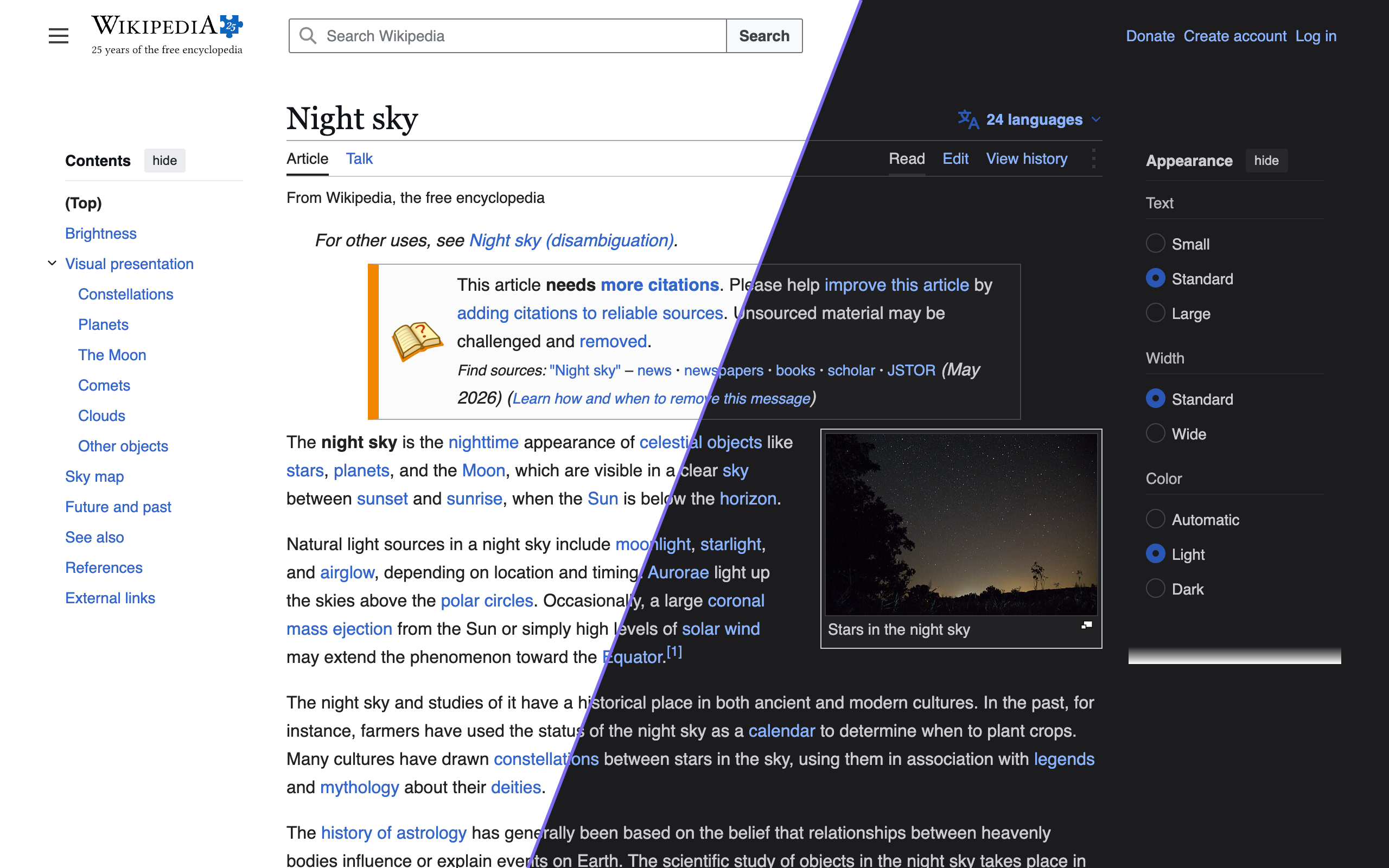
First release of Nyx, a dark mode for websites that don't have one.
Install
- Chrome / Edge: download
nyx-chrome-1.0.0.zip, unzip it, openchrome://extensions, turn on Developer mode, click "Load unpacked" and pick the folder. A Chrome Web Store listing is coming. - Firefox: download
nyx-firefox-1.0.0.zip, openabout:debugging#/runtime/this-firefoxand choose "Load Temporary Add-on". Firefox removes temporary add-ons when it restarts. - Safari (iPhone, iPad, Mac): the App Store version isn't out yet. You can build it with Xcode; see DEVELOPMENT.md.
What it does
Nyx reads each page's stylesheets and picks a darker color for every background, text color and border, so links stay blue and brand colors stay recognizable. Text that still ends up hard to read is lifted to at least 4.5:1 contrast. Sites that already have a dark mode are left alone.
- Auto (follows system dark mode or a schedule), On or Off, and per-website settings
- 26 themes, plus your own, shareable as links
- Keyboard shortcuts for the current site
- No data collection