Daily use
Everyday parent scenarios, ordered from most to least frequent. «Steps» are taps from the console already open on «Сейчас» (Now); for comparison, the parent TimeLimit Android app and Google Family Link. Step counts are counted from the screens' code; frequencies are estimates.
| # | Scenario | Console | TimeLimit app | Family Link |
|---|---|---|---|---|
| P1 | How long has he used it today, how much is left | 0 | 1 | 2 |
| P2 | Give him 30 more minutes of games | 1 | ~7 | 3–4 |
| P3 | It's night/school time, but allow 20 minutes | 2 | ~6 | ~3 |
| P4 | Block now, dinner time | 1 | ~4 | 2 |
| P5 | Where did the time go — a loophole? | 1 | — | 2 |
| P6 | He installed a new app, allow/block it | not available (see FAQ) | ~5 | 2 |
| P7 | Allow this website | 3 | — | ~4 |
| P8 | One hour a day for this app | 5 (category limit — 3) | ~12 | ~5 |
| P9 | Bedtime 21:00–07:00 | 3 (own times and days — 5–6) | ~4 per category | ~5 |
Every action shows a toast «Отменить» (undo) for 8 seconds; reversible actions are never confirmed. The console refreshes every 30 s.

The home screen is the child: per category the time used today, the limit, extra time and what is left. On top: «Заблокировать» (block) and «Разрешить всё» (allow everything) for a while. Chips explain the state of a category: «запрет до …» (ban until), «время вышло» (time is up), «время сейчас не считается» (time is not counted now).

One tap on the category card. The toast confirms and offers «Отменить». Extra time counts for today only and does not lift a hard ban — for that see P3.

When a ban is active, the category shows «запрет до 07:00» with «разрешить…» (allow…). Tap it and pick «20 мин», «1 ч» or «до конца запрета» (until the ban ends). Subcategories blocked together with the parent category say so.
«Заблокировать: 30 мин / 1 ч / до снятия» (until unblocked) at the top of «Сейчас» blocks all root categories, including «Разрешено». «Разблокировать» removes it.

Time per category for 7 days and «Где время может уходить незаметно» (where time can slip away): categories without a rule active right now (their time is not recorded at all, so the history shows «—»), limits switched off and forgotten, the category for unassigned apps. Per-app time is not on the server — see it on the child's tablet.
Add a line to «Разрешённые» (allowed) or «Запрещённые» (blocked), «Сохранить списки». Details — Website filter.
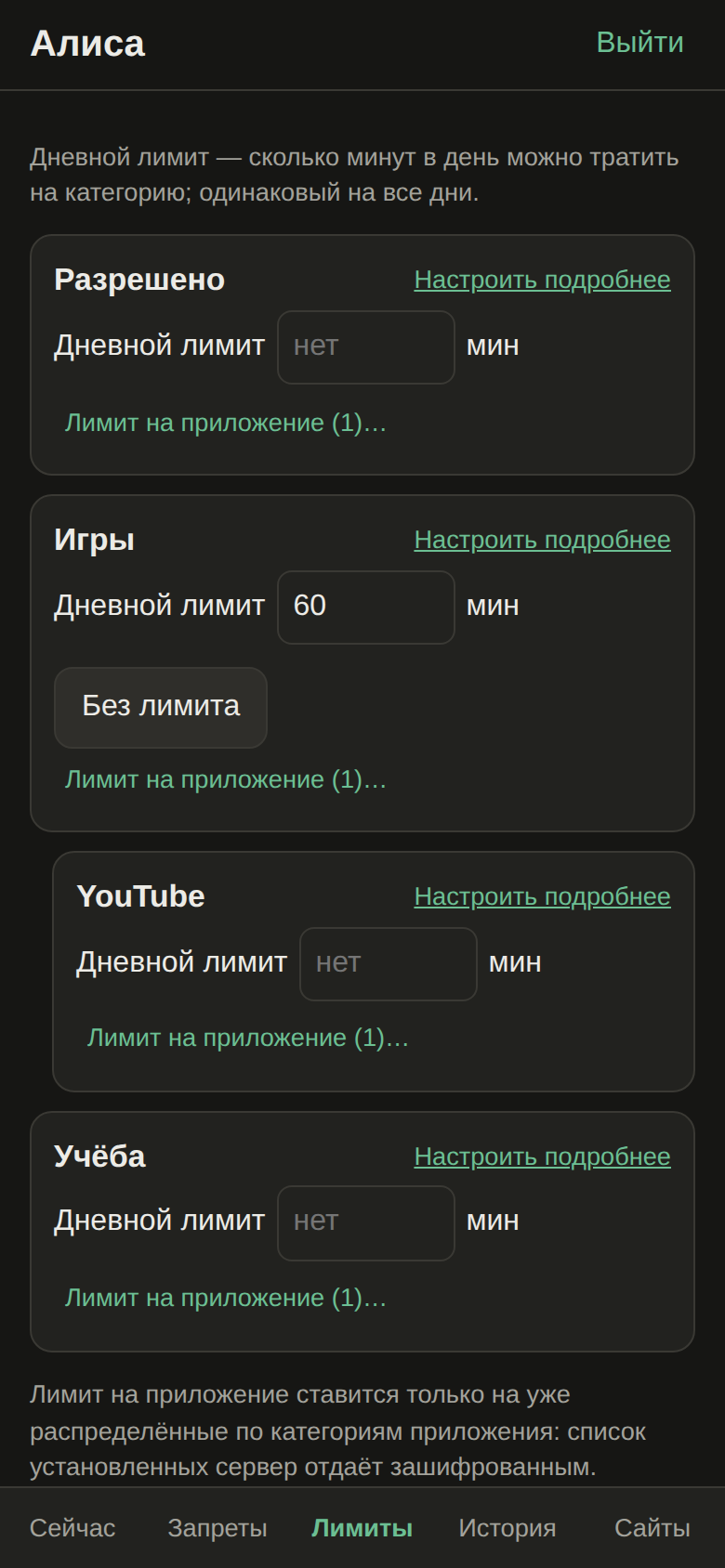
- «Лимиты» (limits): a daily limit per category; «Лимит на приложение…» moves an app into its own subcategory with a limit.
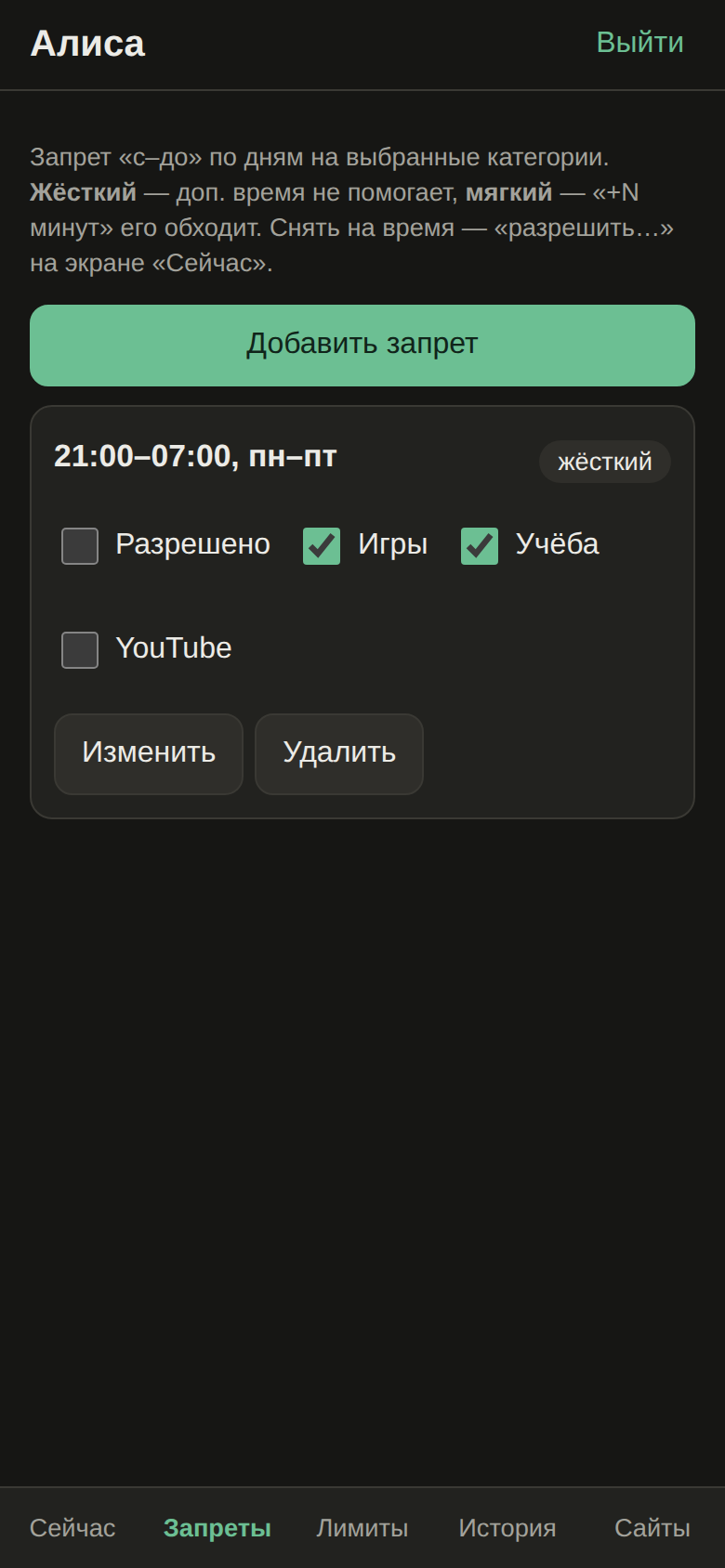
- «Запреты» (bans): «Добавить запрет» (add ban) → «Сохранить». Defaults: 21:00–07:00, every day, root categories. A ban card shows «жёсткий»/«мягкий» (hard/soft), «действует» (active now) and category checkboxes that apply immediately.
How this maps to TimeLimit rules — Bans and limits.
The same page works in a desktop browser.


Главный экран «Сейчас» отвечает на «сколько сидел и сколько осталось» без касаний; «+30» — одно касание; «разрешить…» на плашке запрета — два; «Заблокировать» — одно; «История» с лазейками — одно; сайт — три; лимит на приложение — пять; отбой 21:00–07:00 — три. Каждое действие отменяется из уведомления «Отменить». Новые приложения без категории веб-админка не видит — сервер отдаёт список установленных только зашифрованным.