Repository navigation
Slurm Jobs
Türkçe: Slurm-Jobs-TR
The Jobs & Outputs area covers submitting, watching, and cancelling jobs. Output following has its own page: Job Outputs.
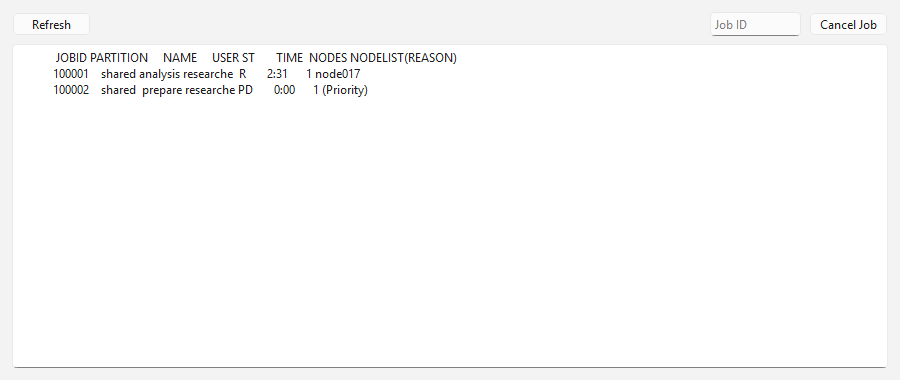
The jobs view, showing parsed squeue output for the current user.
Three routes, all ending in sbatch:
-
From the file manager: Submit with sbatch, or Submit all with sbatch for a multi-selection. A batch submission reports how many scripts were submitted and how many failed.
-
From the editor: Submit (sbatch) or Save + Submit. See Script Editor.
-
From the command line:
hpc-client-gui --profile mycluster jobs submit /scratch/$USER/job.sh --yes
A successful submission reports the Job ID. If it fails, the message suggests what to check — account, partition, time, memory, and the script's own directives — and an invalid QOS for your account is called out specifically, because it is a common and confusingly-worded Slurm rejection.
The Jobs view lists your jobs with a Refresh action, and can refresh automatically on the configured interval. The Cluster Servers (lssrv) panel shows cluster resource state with its own refresh; if the command returns nothing or fails, the panel says so rather than showing a stale view.
Accounting & Job Details holds sacct and scontrol results, with
Refresh sacct and Show job details for a given Job ID (required —
the view will tell you if it is missing). The Script path of the job is
shown alongside.
Auto-refresh for squeue, sacct, and lssrv is configured separately — see
Settings Reference.
Cancel Job cancels the selected job. On the command line:
hpc-client-gui --profile mycluster jobs cancel 123456 --yes--yes is required; without it the command exits 2. See
CLI Guide.
When a tracked job ends, the application reports it — completed successfully, or ended in another state, with the state named. You do not have to keep the queue view open to find out.
What happens next is configurable: no follower, the existing Outputs tab, a new follow tab, one combined follow window, or separate output and error windows. See Job Outputs and Settings Reference.
The commands behind these actions come from the connection profile —
squeue, sbatch, scancel, sacct, scontrol, and optional custom status
commands — so a site with different tooling is configured rather than patched.
See Connecting and Profiles.
Slurm output parsing varies with site customization; if a parsed view looks wrong, compare it against the raw command through Terminal and Remote Commands.
hpc-client-gui --profile mycluster jobs list
hpc-client-gui --profile mycluster jobs status 123456
hpc-client-gui --profile mycluster jobs accounting
hpc-client-gui --profile mycluster jobs lssrv
Aliases squeue, scontrol, sacct, sbatch, scancel, and lssrv map to
these. See CLI Guide.