Repository navigation
SimpleWhisper 0.5.0

What's new
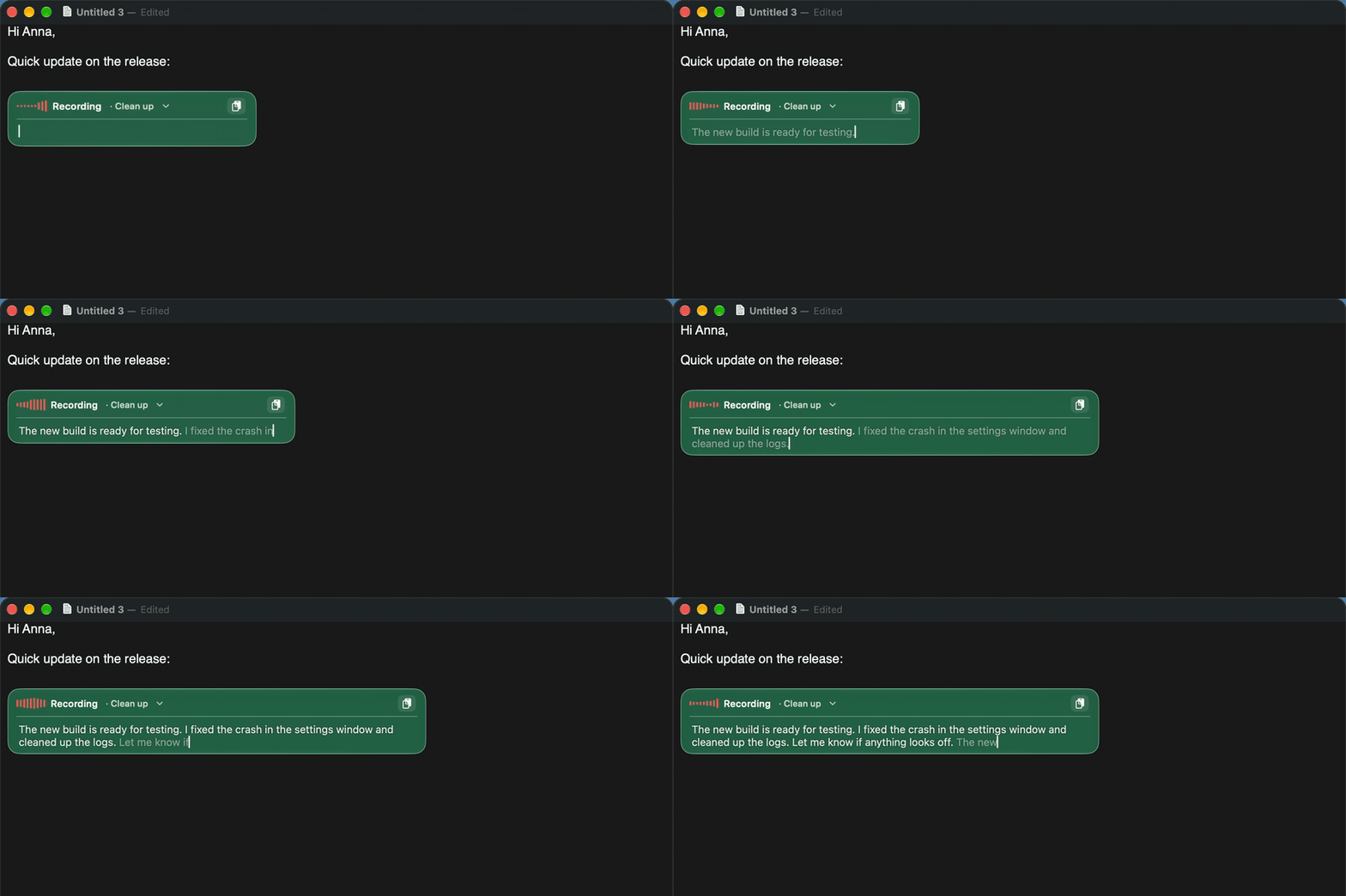
Live typing
- An editor opens in the HUD and fills with text as you speak: greyed while provisional, confirmed at each pause.
- Click anywhere to keep dictating there, select text to replace it, or edit with the keyboard; the editor grows with the text.
- Clipboard button, prompt picker always visible, Control + letter switches prompt (Control + space: plain text).
- Stop dictation to run the prompt and insert the result into the original app; Esc discards it.
Better transcripts
- Filter silence and hallucinations (on by default): Silero VAD cuts out non-speech before transcription, and phrases models invent on silence (“Thank you.”, “Dziękuję.”, “Napisy stworzone przez społeczność Amara.org”) are removed.
- Whisper retries a result that comes back empty or cut short.
- New optional Gemini API cloud engine.
HUD
- Liquid Glass background tinted with the theme colour (can be turned off).
- Nowhere to paste? The text stays in the HUD card with Copy and Close instead of a separate window.
Automatic updates
- Optional daily check for new GitHub releases, verified in-place install and restart (Settings › General › Updates), plus Check for Updates… in the menu bar. This is the first version with the updater, so the next release can install itself.
Other
- Menu bar trimmed: language and spoken punctuation switches live in Settings only; the default language set is English.
- New product-style README with screenshots and animations.
Installation
- Unzip and move
SimpleWhisper.appto/Applications. - The app is ad-hoc signed (not notarized). Clear the quarantine flag before the first launch:
xattr -dr com.apple.quarantine /Applications/SimpleWhisper.app - Grant Microphone, Accessibility and Input Monitoring when asked.
SHA-256: d98b887c7fa5000b10a33f80126a9305074def4403f2cb7074894034557abeea