Repository navigation
Releases: nbschultz97/kestrel
Release list
KESTREL v0.45.0-alpha


Footage recorded from this exact package. Watch the 42-second highlight reel (720p MP4).
Build notes prepared October 22. The official release page records publication,
download hashes and exact-package test results.
- Flight Lab is one entry for replaying recorded flights and running
simulations. Replay and Simulation each have one Back button; only the Flight
Lab hub closes to the main menu. - Simulation can run a local Lua script, unchanged, in native ArduPlane SITL
over streamed terrain, with live firmware messages and telemetry. You supply
the SITL executable; scripts and results stay on this computer. - Saved areas (Data & Catalogs) build offline terrain and imagery for any
location from public data: about 10 m elevation in the US (30 m elsewhere),
USGS or Sentinel-2 imagery, optional 0.6 m US detail near the centre, and
OpenStreetMap building footprints where mapped. Saved areas load without a
connection and are used when streamed terrain has no coverage. - When nothing streams under the launch point, KESTREL now builds a small
local area on the spot (usually under a minute) instead of a flat floor. - Mission Builder keeps everything in a mission you edit (loadout, brief,
annotations, jammers, unknown fields) and saves back to the file you opened.
Adds undo (Ctrl+Z), duplicate (Ctrl+D), stacked selection and a briefing
field. Placed jammers now emit, and a strike destroys a jammer inside its
blast. Six palette items with no purpose were retired; old missions still load. - New models for objectives, OPFOR target vehicles (with destroyed versions),
civilian cars, and SOF and support vehicles.
Known limits: saved-area imagery is public data and looks soft at very low
altitude; building footprints are visual only, with estimated heights where
OpenStreetMap has none. Terrain is generated before insertion, never swapped
during flight. Two-PC LAN, full input rebinding and calibrated aircraft
performance remain incomplete. Customer layers, recordings and private parts
libraries are not bundled. Windows binaries are unsigned.
Source commit: 3814987f4876f48e334ad54ca370c5c6cdeb4f5b
SHA256 725be80ceabdb307744aa2b5f9753e4e92de5079c53e54225e820ff5ab907b34
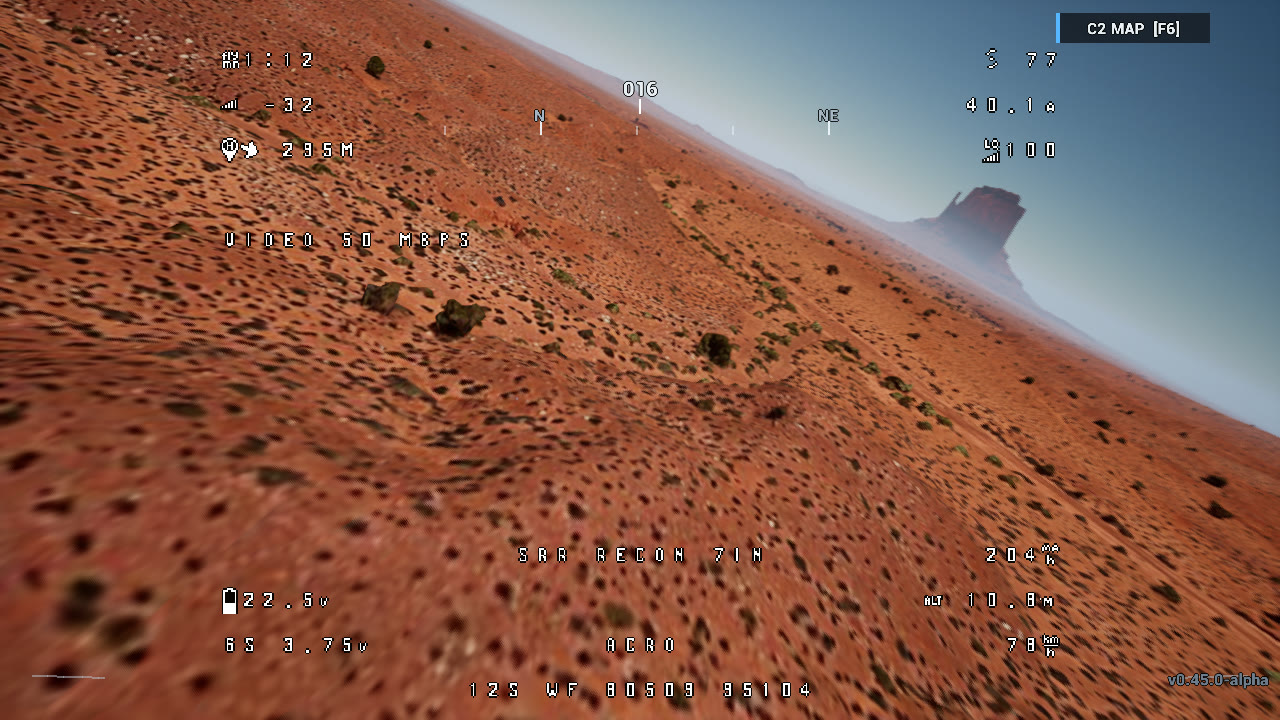 |
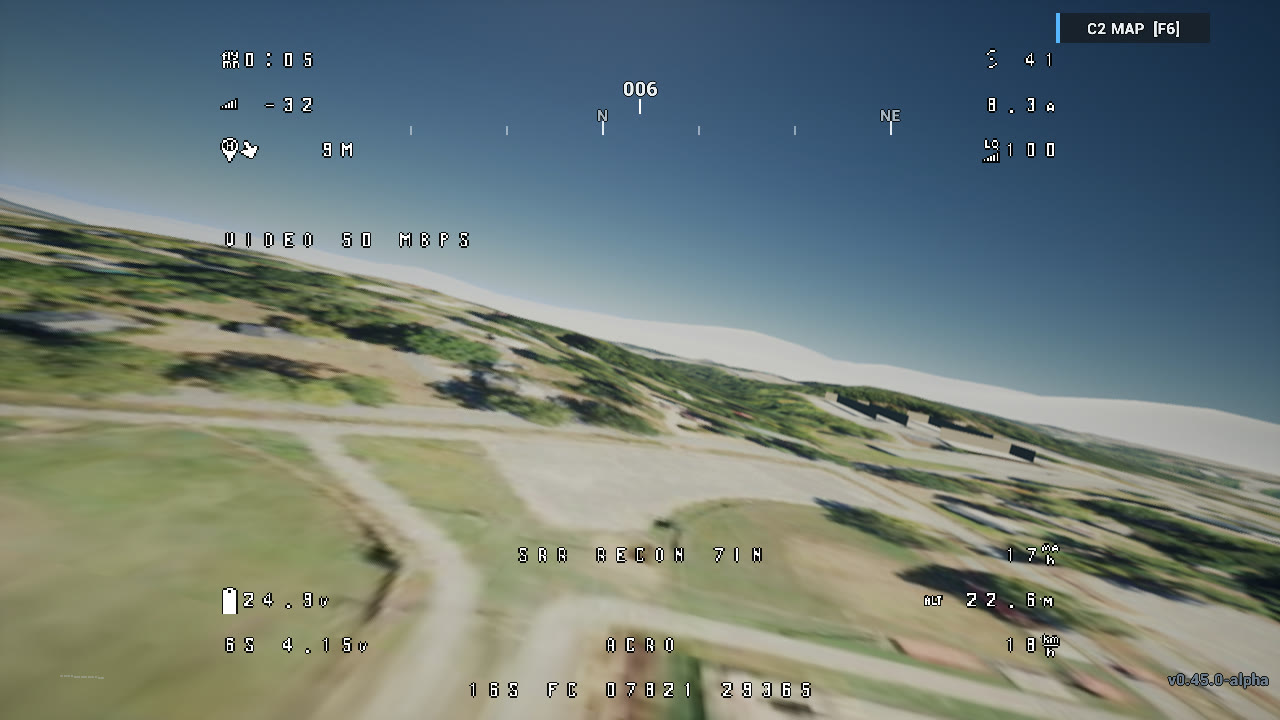 |
| Canyon pass, Monument Valley | Offline saved area built in game from public data |
KESTREL v0.44.4
KESTREL v0.44.4-alpha - Flight Review, controls and presentation
-
Flight Review clears the previous recording before a failed replacement import,
avoids identifying custom firmware prefixes as standard vehicles, and explains
the difference between mission definitions and recorded flight logs. -
Controls adds configurable Mode, Low-light and Launch-point actions, with two
compact pages and readable gamepad labels. Existing saved assignments take
precedence over added defaults. Keyboard axes and contextual replay bindings
are not yet fully configurable. -
Human presentation uses modular character bodies and fitted pilot props.
Preview framing uses saved pose bounds, with brighter character thumbnails.
This is not a complete equipment or character-diversity overhaul. -
Free Flight supports changing compatible saved builds during a session.
-
The automatic desktop view caps horizontal FOV at 100 degrees while preserving
explicit user preferences. The compact OSD uses smaller telemetry glyphs. -
Parts libraries replace the inventory label. Work Bench lists only builds
belonging to the selected library; removing a library warns about its saved builds. -
Import and export parts libraries as JSON or XLSX, and saved builds as
.build.json. Paired transfers retain library identity; conflicting imports
are refused without overwriting files. Copy creates a separate library. -
XLSX import supports explicit part roles/categories, stable IDs and supported
unit headers. Values-only spreadsheets are required; arbitrary third-party
workbooks are not guaranteed compatible. -
Free Flight search accepts typing reliably. Controller setup and binding
capture receive focus fixes, and compact settings labels no longer overlap. -
Flight Review removes opaque trail markers and fades the glow near the camera.
Controls use a graphite panel with clearer button hierarchy and larger text;
they wrap in smaller windows. FPV hides gap and event markers. -
Data & Catalog restores keyboard focus after form refreshes. Escape and Back
unwind the current form or confirmation before closing the panel, preserving
unsaved-draft protection. -
Menus include original music and navigation, confirmation and back sounds.
Generic sound effects now respect both Master and Effects volume controls. -
Local-scene fallback status no longer claims successful terrain streaming.
-
Fixed-wing and rover artwork, replay camera controls, preview corrections and
persistent terrain request caching are included. -
Flight Review source-status labels use supported punctuation instead of
characters that could display as missing-glyph boxes.
Known limits: Mission Planner QGC WPL 110 files support read-only inspection;
playable mission import and QGroundControl .plan files are not supported.
Full input rebinding and physical two-PC LAN validation remain incomplete.
Vehicle art is representative rather than calibrated hardware. Terrain streaming
depends on provider access and coverage; raw GIS or point-cloud files do not
become rendered 3D scenes automatically. Customer layers, recordings and private
parts libraries are not bundled. Windows binaries are unsigned, and Windows
security policies may block launch.
Source: a62d0a79ad7de38be18335a5ca61af47ff775ac6
Artifact: KESTREL-alpha-win64.zip
Bytes: 949279805
SHA256: 8dce244ce9c9808072aaca23cfa8a7adb98a23a61aa3a7c4042b8666dd966c58
Validation: both source CI runs passed; 218 launcher checks, 31 packaged native checks, controller and replay rendering at 888x500 and 1280x720, and isolated launcher startup passed. Hardware radio, two-PC multiplayer, live terrain coverage and acoustic quality are not certified by these checks.
KESTREL v0.44.2 - compact Controls panel
KESTREL v0.44.2-alpha for Windows - compact Controls panel.
The Controls / Bindings panel now fits smaller windows. All six existing action rows, status guidance, Save/Cancel controls and the unsaved-changes dialog stay on-screen. Standard-size windows retain their existing layout. This update does not add actions or complete input rebinding.
Retains v0.44 Flight Review and v0.44.1 usability fixes. Native ArduPilot BIN review remains available; Mission Planner QGC WPL 110 files support read-only inspection, not playable mission import.
This is an unsigned public Windows alpha. Extract the complete ZIP and open KESTREL.exe. Windows may warn or block unsigned applications; no development trust certificate is bundled and no security-policy changes are required by this release. Customer recordings, customer layers and private catalogs are excluded.
Validation: Editor/Game build and cook passed; 218 launcher tests, 35 focused source checks and three packaged native controls tests passed. Rendered checks verified Controls at 888x500 and 1280x720 and the unsaved dialog at 888x500. All 4,453 archive entries, CRCs and extracted file hashes verified. Cooked containers and content match the previously approved v0.44.1 release; no matches against 103 known private-file hashes were found.
Known limits remain: physical two-computer LAN/controller acceptance, full control rebinding, live weather/address lookup, operational integrations and calibrated real-aircraft performance are not claimed. Vehicle models remain representative. Customer 3D scenery is not bundled. A pre-existing Missions subtitle overlap at 888x500 remains.
Artifact identity:
- Source: b969778adf2d03f35d0bc6f9ccfc5d39508e9d88
- ZIP size: 679200052 bytes
- ZIP SHA-256: bb296c0e8ea5c89753bdf67f8a7b4ce91261ae23154a42c65f7d019681bd57e5
Installed update: the public v0.44.1-to-v0.44.2 download/install passed payload/version checks, preserved two synthetic files and passed three native controls tests. On the release workstation, Windows Application Control blocked the new unsigned launcher on cold restart; cold-launch acceptance is not claimed.
KESTREL v0.44.1 - Usability update
KESTREL v0.44.1-alpha for Windows ? usability and flight-file inspection.
- Aircraft selection and Work Bench give metrics more space at smaller window sizes. Instructions stay on-screen, the footer reflows, and irrelevant startup hints no longer cover the aircraft title.
- In Data & Catalogs > Flight files, press Enter to inspect a path. Inspect is disabled for an empty path or while a read is in progress.
- Terrain connection checks distinguish endpoint access from rendered scenery. Source status reports the selected source and imagery errors without claiming that every tile or customer layer has loaded.
- Flight Review labels terrain placement as an estimate. This update does not change geographic placement behavior.
Flight Review retains native ArduPilot BIN recording support, camera controls, telemetry, Tab to minimize/expand, T to toggle the trail and Escape for the normal pause menu. Mission Planner QGC WPL 110 exports remain read-only inspection; they do not become playable missions.

Previously released, separately authorized demonstration footage.
Known limits: vehicle models remain representative rather than exact-airframe replicas. Raw customer GIS/point-cloud conversion and customer 3D scenery are not included. Streamed terrain needs Internet access and provider coverage. Broader physical-controller and two-computer LAN acceptance remain open. The Windows application is not publisher-signed.
Extract the complete ZIP into a new folder and open KESTREL.exe. Customer recordings, datasets and local catalogs are excluded from this application package.
Validation: guarded Windows Editor/Game builds and cooking passed; 218 launcher tests passed. All 4,453 archive files, CRCs and extracted hashes verified. Every bundled content file is byte-identical to the prior approved v0.44 release; source and known private-file hashes were checked.
Fresh-package native tests: 25 passed with no failures or warnings. Rendered checks passed at 888x500 and 1280x720, including Work Bench and Data & Catalogs. A pre-existing Missions subtitle overlap remains at 888x500. The actual v0.44-to-v0.44.1 launcher upgrade passed: downloaded archive verification, installed executable/source/version checks, preservation of two synthetic local files, menu-navigation test, and a rendered first-run restart. The upgrade navigation test logged two existing compatible-model fallback warnings.
Artifact identity:
- Source: 1b6c007a878085f4ff59a74e7d47e8124fb6d688
- ZIP size: 679198814 bytes
- ZIP SHA-256: 494b18c19f2a50c2f59bcf5543afdc6b66d996755de4d513fd70b69dd9f364f9
KESTREL v0.44
KESTREL v0.44.0-alpha public release for Windows.
User-recorded Flight Review footage.
Flight Review now opens ArduPilot DataFlash BIN logs directly in KESTREL. It hides the live simulator aircraft during review to prevent duplicate vehicles. Recordings, planned timelines and simulations retain distinct provenance labels.
Included improvements:
- Minimize and expand review controls with the buttons or Tab. Escape opens the normal game pause menu. Toggle the trail with its checkbox or T.
- Playback controls reflect availability and state. Review includes camera controls and concise telemetry.
- Data & Catalogs inspects native BIN logs and Mission Planner QGC WPL 110 exports (.waypoints, .wpl and .txt). Inspection is read-only; waypoint files do not become playable missions.
- Work Bench offers an inventory-mismatch action when a saved aircraft needs unavailable parts.
- Missing local import files are rejected. Customer libraries remain local and are excluded from release content.
Known limits:
- Existing representative fixed-wing, rover and submersible shapes remain. Detailed replacement vehicle art and exact-airframe identification are not included.
- Raw LiDAR and GeoPackage references are not converted or rendered as customer 3D scenery.
- Terrain streaming requires Internet access and provider coverage. Replay height is launch-relative rather than a surveyed reconstruction. Recorded FPV video, measured rotor RPM and multi-vehicle timelines remain unavailable.
- Broader physical-controller acceptance and two-computer LAN acceptance remain open.
The Windows application is not publisher-signed.
Extract the ZIP and launch KESTREL.exe.
This is the current GitHub Latest release and automatic-update target. An isolated v0.42.11 installation updated to v0.44, preserved synthetic local files, passed a cold rendered replay-menu check, and reported up to date on a subsequent default-channel check.
Artifact identity:
- Source: 5444e5238f5e884a37adc4e64df150206cd6f643
- ZIP size: 679194737 bytes
- ZIP SHA-256: 495d62f4f2039a40a7341f483965e7048375f9bce419b8070885c3d41611b69e
Validation: all 4,453 archive files and CRCs verified; eight packaged replay/import tests passed with no failures. Source, cooked-content inventories and known private-file hashes were checked before publication. The application ZIP excludes customer logs, replay files, datasets and local catalogs. The featured GIF is separately authorized demonstration footage.
KESTREL v0.43.2 - Controller Evaluation
KESTREL v0.43.2-alpha evaluation build for Windows. The downloadable ZIP is a playable, not-code-signed test build; Windows may show an unrecognized-publisher warning. Follow your organization's security policy.
What's new:
- RadioMaster/EdgeTX USB joysticks use DirectInput for all eight standard axes and up to 32 buttons, with WinMM fallback and radio-first device selection.
- Controller setup has explicit Arm/Mode/Reset Remap actions, a live held-button readout, clearer single-control prompts, and repaired 720p row spacing.
- Existing source features from v0.43.0 remain in this build: Simulation Lab replay viewer, Work Bench OSD editor, additional flight-action bindings, and LAN travel fixes.
Known limitation: A physical RadioMaster Pocket bound SA to Arm and SD to Reset, but SE did not bind in this test. The Pocket later disconnected before a raw SE trace could isolate why. Full action rebinding, physical flight/reconnect acceptance, and two-real-PC LAN acceptance remain open. This release is opt-in; it does NOT move the stable auto-updater or replace GitHub Latest.
Verification: committed source built and full-cooked; 218 launcher tests passed. The ZIP was verified and a fresh extraction passed isolated two-process LAN flows with Offline and Streamed terrain. The controller UI compiled, passed protected native input tests, and was reviewed in a 720p source capture.
ZIP SHA-256: AC52E4CDE9103B9E42FE8684D9D6E6356E65CB1902CE511F264FB366152246F3
ZIP bytes: 677225817
Source commit: 70599a3c7929154c517780de24a2cb632a47577f
Extract the ZIP and launch KESTREL.exe. It includes the intended public Cesium client configuration; no private customer dataset is included.
KESTREL v0.43.0 - Evaluation
KESTREL v0.43.0-alpha evaluation build for Windows. The downloadable ZIP is an unsigned test build; Windows may show an unrecognized-publisher warning. Do not bypass your organization's security policy to run it.
What's new:
- Simulation Lab adds local Real-World Flight Replay for telemetry JSON produced by the separate offline DataFlash importer. Playback has a ground track, event jumps, speed controls and a gap-aware timeline.
- Work Bench adds an OSD layout editor with a flight-image preview, per-aircraft saving, and bounded Betaflight OSD text import/export. Unsupported settings are preserved, not silently simulated.
- Flight controls add Restart and View/LOS keyboard/gamepad assignments, plus USB-radio reconnection recovery.
- LAN lobby/range transitions fail closed on rejected travel, with clearer timeout feedback.
Limits: This is not a complete Betaflight Configurator or a hardware setup tool. Replay does not open BIN files directly in-game and does not yet provide calibrated 3D/free-camera or recorded FPV video. Exact camera/rotor hardware calibration, other roadmap art and mission work, and full controller remapping remain open.
Verification: 2,458 Python tests and 1,228 subtests passed; 282 native game automation tests and 52 protected input-recovery tests passed. A fresh full cook was ZIP-verified, then its extracted copy passed isolated two-process LAN tests with both Offline and Streamed terrain. A physical radio, interactive UI/OSD/replay playtest, two real computers, and auto-updater compatibility are not yet verified. This prerelease does not replace the current Latest release or move the stable updater.
ZIP SHA-256: 772c3394c37945b510afb5915e84933d37ecf6496c973bc0c7d999ca6f541eda
ZIP bytes: 677225412
Source commit: e5ebe76539d7bf2ebb91dbb905b3bc9f3e0139eb
Launch KESTREL.exe after extracting the ZIP. It includes the intended public Cesium client configuration; no private customer dataset is included.
KESTREL v0.42.13
KESTREL v0.42.13
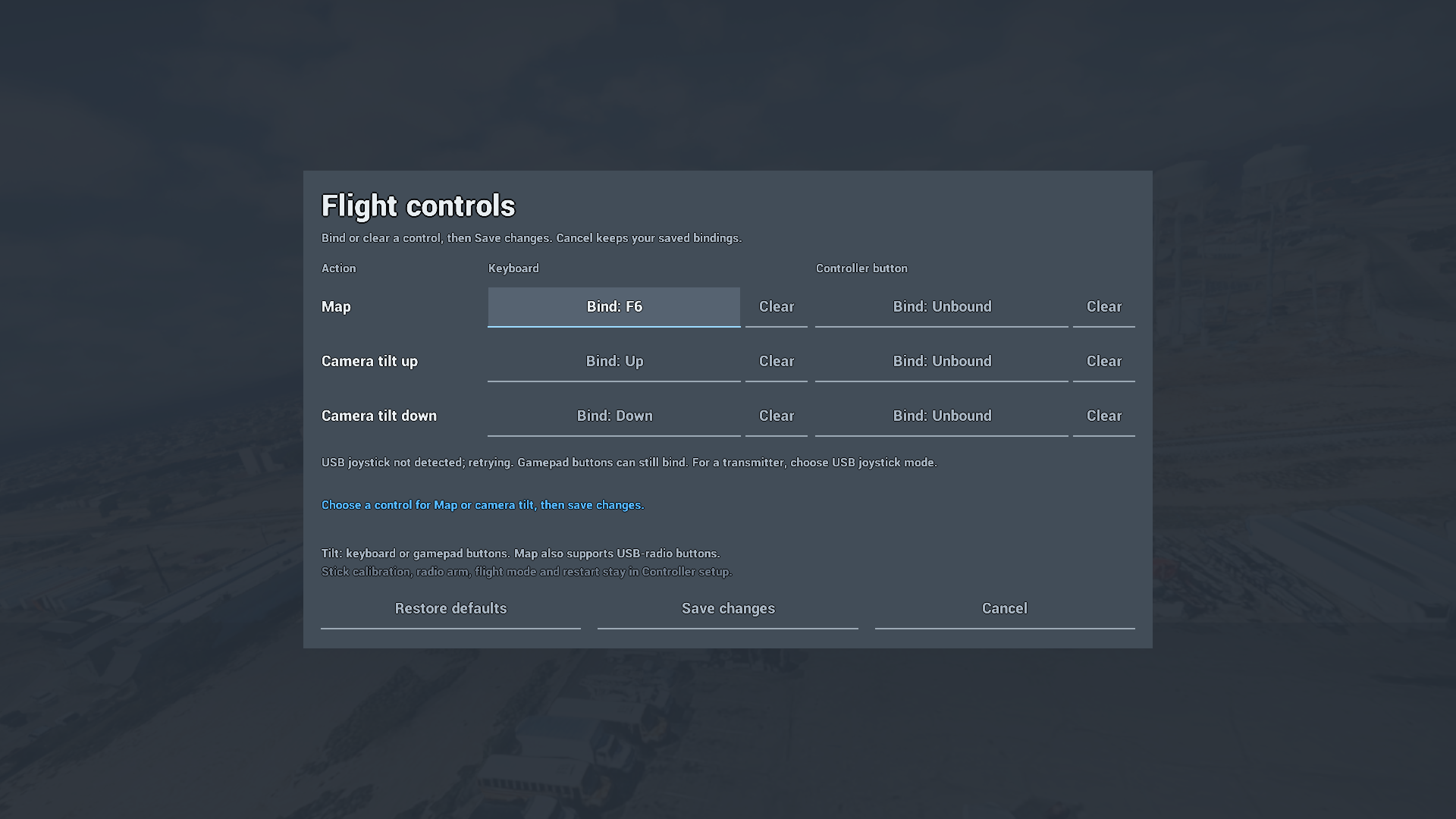
Settings > Flight controls now provides three editable actions: Map, Camera
tilt up and Camera tilt down. Assign a keyboard key or digital gamepad button,
clear an assignment, restore defaults, then Save changes or Cancel.
Camera tilt keeps its Up/Down defaults and moves two degrees per fresh press
within 0–55 degrees. Reassigned flight controls leave menu arrows available.
Shared conflict checks protect existing flight axes and reserved controls,
and held/repeated inputs do not generate extra tilt steps.
The three actions share the saved controller profile. Existing Map assignments
migrate, unrelated profile data is retained, and a failed save leaves the active
controls and editable draft intact. Resetting controller calibration preserves
these action bindings; restoring action defaults preserves calibration.
Map retains its existing digital USB-radio button support. Camera tilt supports
keyboard keys and digital gamepad buttons; USB-radio tilt and action switches on
radio axes are not supported in this release.
The v0.42.12 display controls are retained: separate Display and Window mode,
fitted windowed sizing, saved monitor preference, and Keep/Revert confirmation.
Verification and limits
The controls source passed Development Editor/Game builds, 136 focused source
checks, 13 native controller tests and 16 native display regressions.
The fresh full cook/package passed all 218 launcher tests. Independent stage
review and all 4,451 archive CRC/extracted-file checks passed. Default-state
controls captures from the actual extracted package were reviewed at 720p and
1080p; both processes exited normally and personal settings stayed unchanged.
These results do not replace complete interaction or physical-device acceptance.
Source: 45974ce74aa9642bcee15c8439808e0cf2102305.
ZIP: 676,720,589 bytes. SHA-256:
e3dbdaea14151bf7a6a721b72ea36c494fa698c900e8078c28ecabafc94a5bbe.
Full action rebinding remains unfinished, including arm/disarm, restart, flight
mode and camera view/low-light in the action editor. The Work Bench OSD editor,
rotating lobby aircraft previews, broader artwork and physics work, physical
radio/gamepad qualification and physical two-PC LAN remain open. Existing known
C2-marker, UI and low-light visual issues remain tracked in the public roadmap.
Automatic updates remain on v0.42.11 pending installed-update verification.
Publication of a newer downloadable build does not by itself validate the
older-install upgrade path.
Extract the complete ZIP into a new folder and start KESTREL.exe. Keep the
extracted tree together, back up local aircraft/settings and review the release
checksum before use. Earlier gallery images retain their original version
labels.
The Windows package is not publisher-signed. Follow your organization's policy
and keep Windows protections enabled.
KESTREL v0.42.12
KESTREL v0.42.12
A focused display-settings update. Display and Window mode are now separate controls.
This is the latest public download. Automatic updates still target v0.42.11 until the separately approved older-install update check completes.
- Choose Auto or a specific connected monitor independently of Windowed, Fullscreen or Borderless.
- Auto chooses the highest-resolution attached screen. Manual selection remembers its identity.
- Windowed sizing fits the chosen desktop work area and keeps a native title bar, including mixed-DPI setups.
- Settings changes offer clickable Keep changes and Revert, with a 15-second rollback unless confirmed.
- Alt+Enter and F11 use the same selected-display sizing. In Settings they request confirmation; outside Settings they toggle immediately.
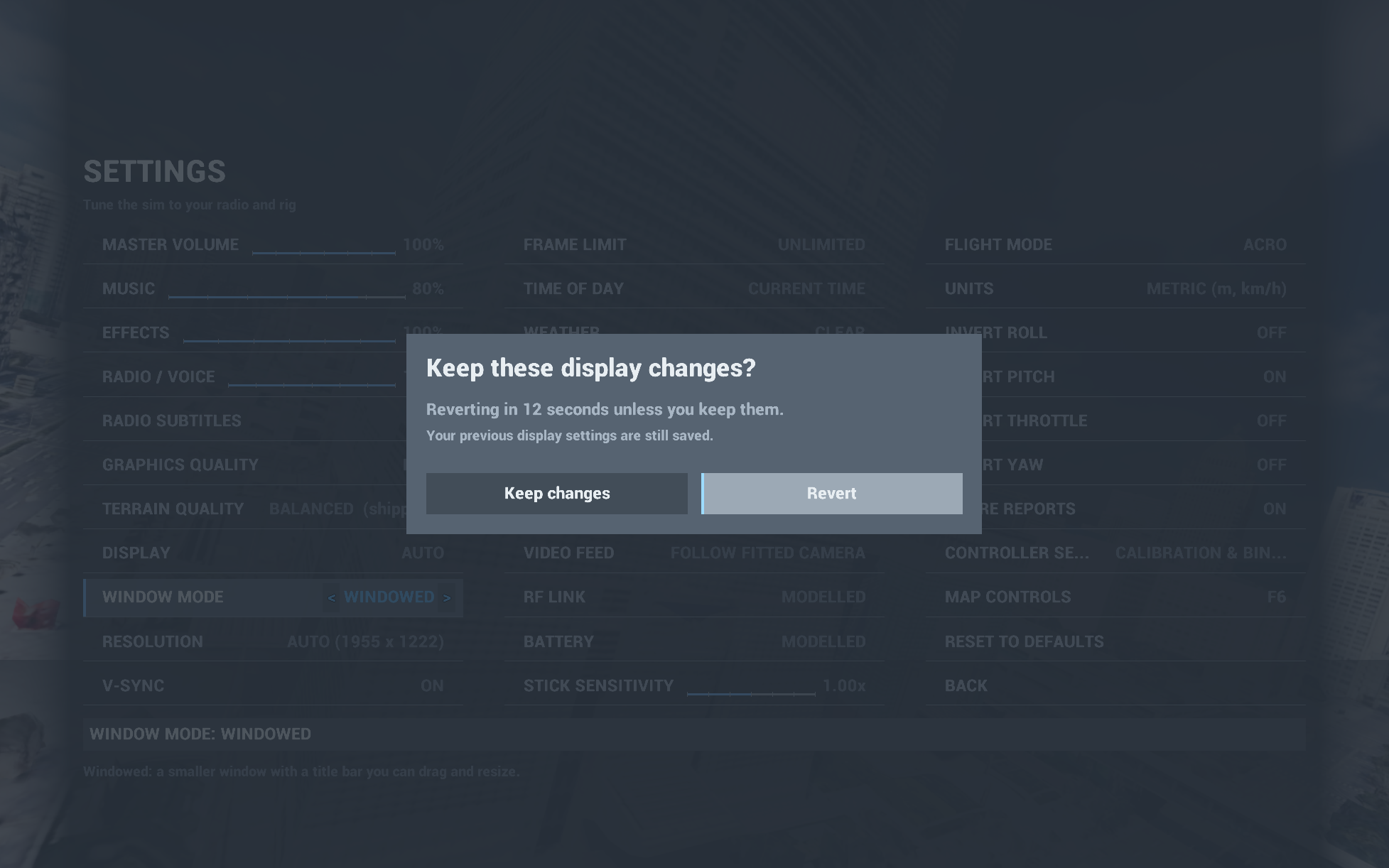
Actual packaged-game capture, not a mockup. Existing Data & Catalogs, Work Bench, location search, C2 map, mission tools and LAN capabilities are retained. This update does not complete the wider roadmap.
Download and run
Download KESTREL-alpha-win64.zip, extract the complete archive, and open KESTREL.exe. The intended public Cesium terrain configuration is included. The internal CeradonSim executable is not the player-facing entry point.
- Version:
v0.42.12-alpha - Source:
32401cce14394e7eef324be62738c8b813a65a3f - ZIP size:
676690392bytes - SHA-256:
5ca8c620c90909f71318a8e5eae5defacf235277ddc15bdaad35abda5895098e
Verification and limits
The full build/cook/package and 218 launcher tests passed. Rendered display tests cover both attached monitors, their mixed DPI, window modes, confirmation and saved-monitor restart. Independent review, CRC checks and fresh extraction verified all 4,451 archive files. The older-install HTTPS update is checked separately before promoting the default updater.
Physical radio input, two-PC LAN, monitor unplug/reconnect and actual Alt+Enter/F11 input during live or fully paused flight remain separate manual checks. The timeout test disables controller ticking; it is not proof of fully paused gameplay. Full action rebinding, Work Bench OSD editing and rotating lobby aircraft cards remain unfinished.
Publisher signing has not been established. Use only Windows environments that permit this application; do not disable Windows or organization protections. Customer datasets, inventories and personal profiles are not included.
See this release's feature list, changelog, roadmap and gameplay gallery. The older gallery images remain labeled with their actual capture version.
KESTREL v0.42.11
KESTREL v0.42.11
Published September 15, 2026. Release and immutable download.
Promoted unchanged from the tested v0.42.11-alpha package, with known defects.
The ZIP's embedded build notes retain the original candidate status.
Included capabilities and corrections
- Data & Catalogs provides visible custom-catalog creation, import, copy, rename,
export, selection and validated JSON editing. The bundled base remains read-only. - Work Bench/shelf shows current and source inventories, exposes Switch Inventory,
protects unsaved work and reports unresolved saved-aircraft identities. - Local data collections support placed image overlays and explicit activation.
Raw GIS, point-cloud and archive inputs remain conversion work, not loaded terrain. - Cesium configuration status is separate from an explicit connection check;
the panel does not expose the raw token. - City/coordinate search previews a movable pin before launch. Coarse offline
map orientation, city labels and Free Flight C2 map/compass additions are included
in this release, not the historical v0.42.9 evaluation. - Click-only aircraft selection, selected-aircraft predictions, exact stock
starter identities, targeted prop compatibility and loading hints. - Frame/board support metadata, visible stack spacers and targeted receiver/video
mounting, with representative/unverified/conflict labels. No universal physical-fit claim. - Receiver-supplied antenna ownership and mass scope are shown explicitly.
- Targeted thumbnail residency, inventory-header layout and display-state
synchronization changes; 1280x720 interactive layout minimum. - Per-aircraft audio teardown ordering and Cesium component/world-lifecycle guards.
- Terrain height-request lifetime/result classification, final-attempt retention
and sample consumption fixes; stronger full-tour failure diagnostics without
relaxing terrain readiness. - Clearer launcher missing-terrain-configuration wording, curated public notes,
third-party notices and font/source licenses; machine-local editor service
settings excluded from cooking.
Verification and identity
Source: 008b4834b9e62d166fafec5ba31aebe5746eb261.
Archive: KESTREL-alpha-win64.zip, 676,635,054 bytes.
SHA-256: b051168de33fc48afff99af7afdd635ae42a6e61650951d4d7ff8b031fc24016.
- Fresh Editor build, full Game cook/package and reviewed public-content boundary.
- All 4,451 staged/archive/extracted file identities matched.
- 70 native tests: 67 clean plus 3 expected-warning results.
- 218 launcher tests, including failed-save and HTTPS redirect/time-budget checks.
- 16 focused UI captures; 110-frame/14-stage full packaged UI tour.
All focused images and selected full-tour frames visually reviewed. - Streamed one-PC two-process LAN passed discovery, lobby approval/Ready/start,
separate spawns, armed input and reciprocal motion. Not physical two-PC acceptance. - Settings current-value readability at 720p, actual selected-aircraft preflight
capture and complete battery-list capture coverage corrected. Capture coverage
does not certify the appearance of every part.
Known defects and unfinished work
Live C2 can omit launch/objective labels, symbols and the connecting route even
when they appear in the loading brief; root cause is still under investigation.
Remaining preflight/help overlap, clipped/crowded UI, dark battery artwork,
carbon appearance and exact mounts/straps/wiring are not fixed by this release.
Dusk/night captures also expose an overbright horizon and horizontal band;
the cause remains under investigation. Those captures are excluded from the gallery.
Full action rebinding, Work Bench OSD editing and rotating lobby aircraft cards
are deferred. Physical USB-radio/display checks, two-PC LAN and mission/host-loss
acceptance, calibrated camera/prop/flight-feel comparisons, broader terrain stress
and actual-install updater/rollback/profile checks remain open. Online
street-address/POI lookup and live weather are not included. See the roadmap.
The intended public Cesium configuration is bundled; no live reporting endpoint
or customer content is bundled. Unsigned software must be permitted by the
user's environment; do not disable protections.
Install and update
Download the ZIP, verify the attached SHA-256, extract into a new folder and launch KESTREL.exe. The public Cesium configuration is included. Internet access is required for streamed terrain. Existing launchers receive this numerically newer release through the default updater once the downloadable asset has been verified and the main manifest promoted. Back up local settings and builds. Do not disable Windows or organization protections for this unsigned alpha.
Full features · Unfinished roadmap
See v0.42.11 in the game
Actual captures from the released build, using stock aircraft and public terrain.
These are not concept renders or previews of unfinished features. Open an image
for its full-resolution view; existing UI and model limitations remain visible.
FPV flight
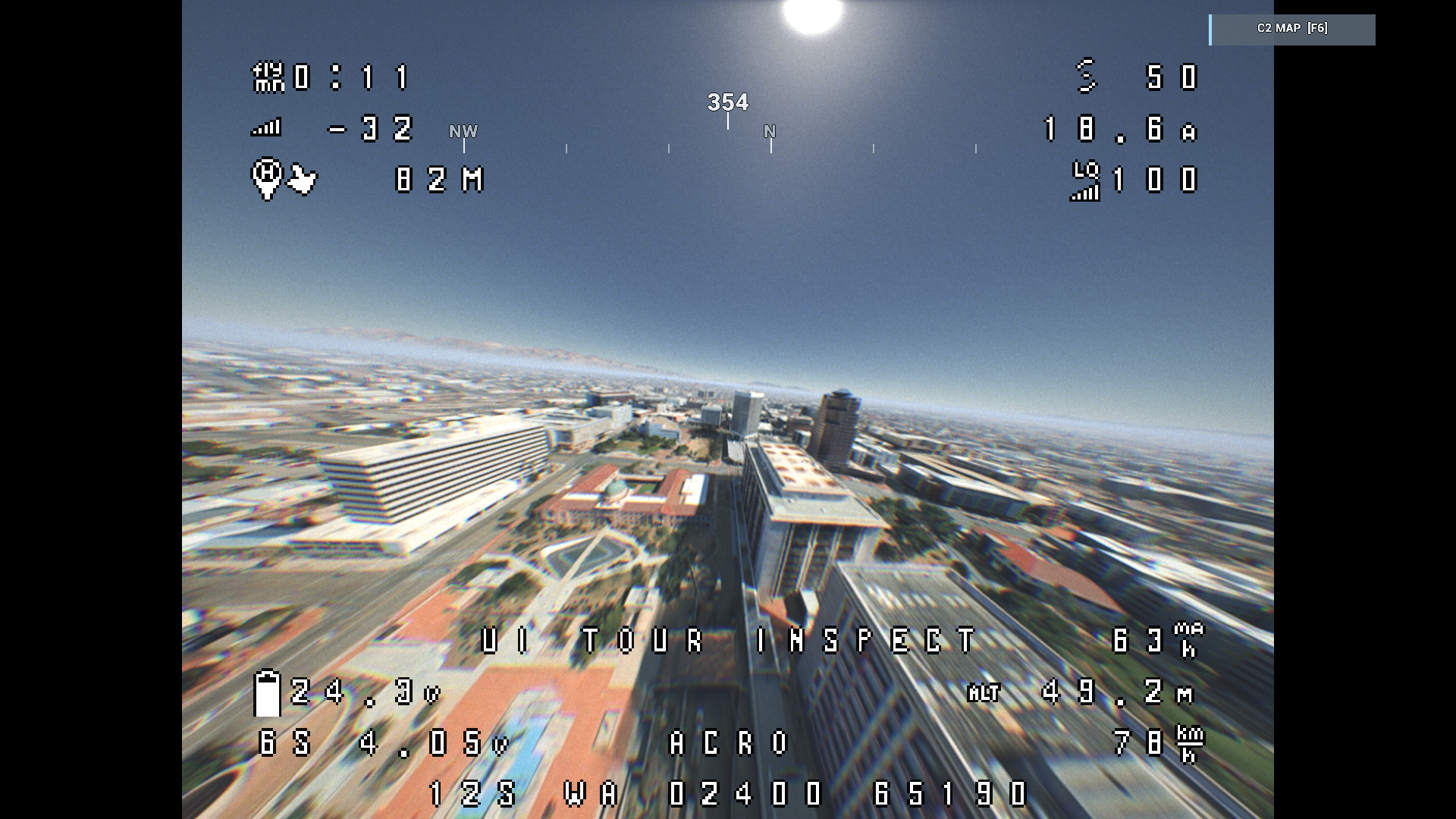
The released aircraft and its own FPV view, flown by the capture pipeline's
virtual pilot. This is an in-engine flight, not a hand-flown acceptance test.
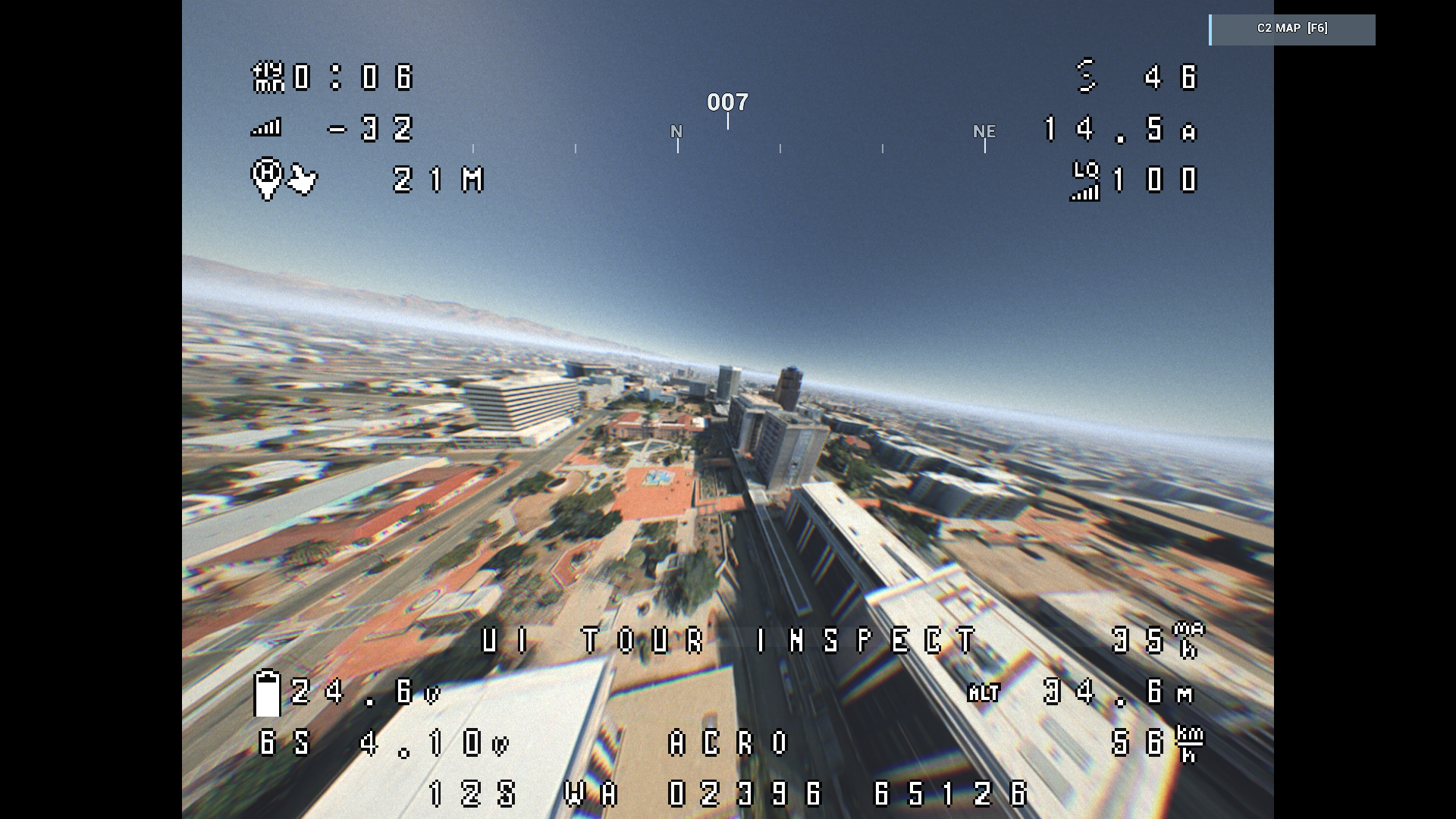
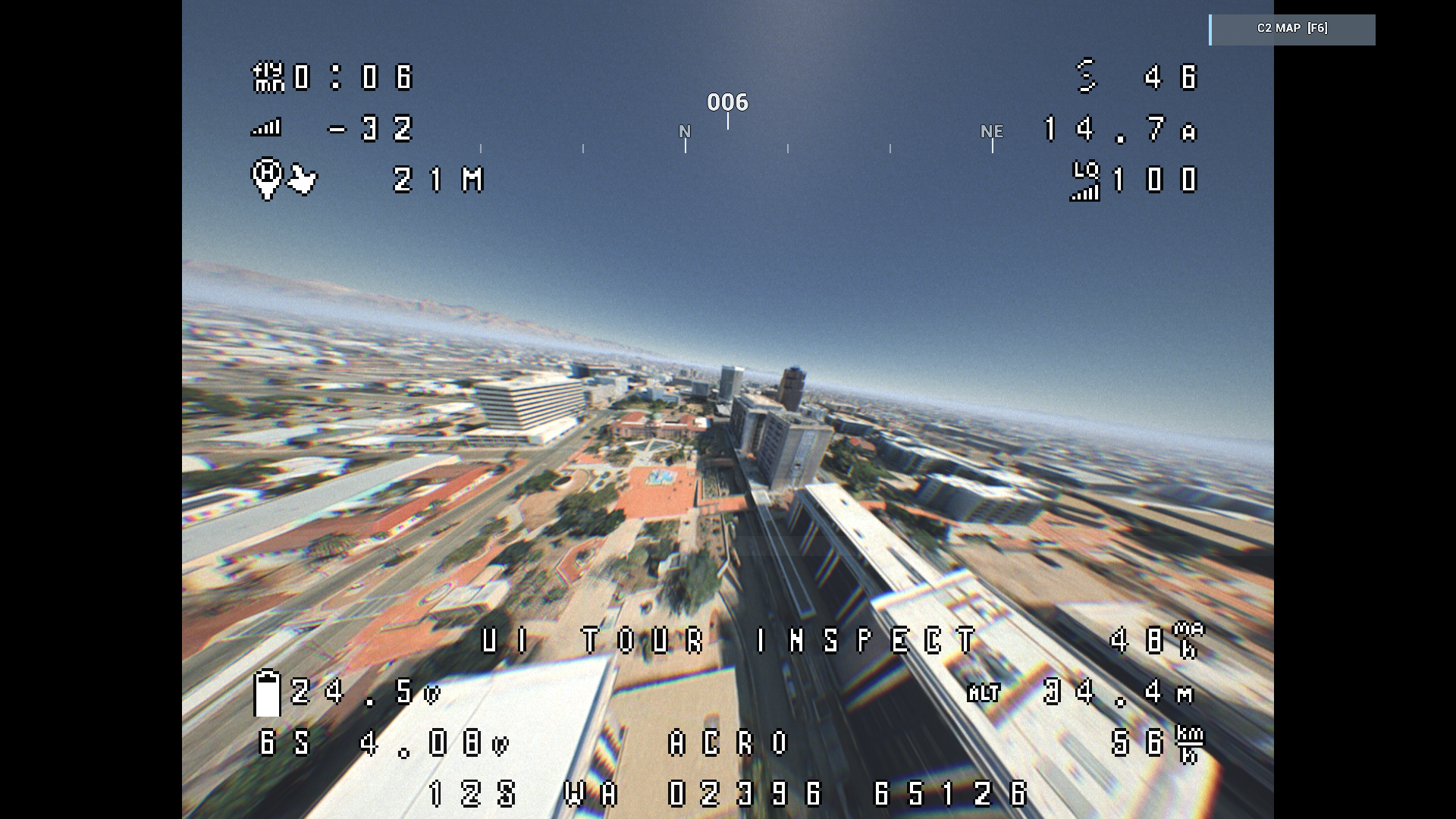
Time of day and weather
The same public area and stock aircraft under different configured conditions.
These are the game's lighting and weather presets, not a live weather feed.
Open each image for the complete 1920 x 1080 view.
| Clear morning | Clear noon |
|---|---|
 |
 |
| Clear afternoon | Noon rain |
|---|---|
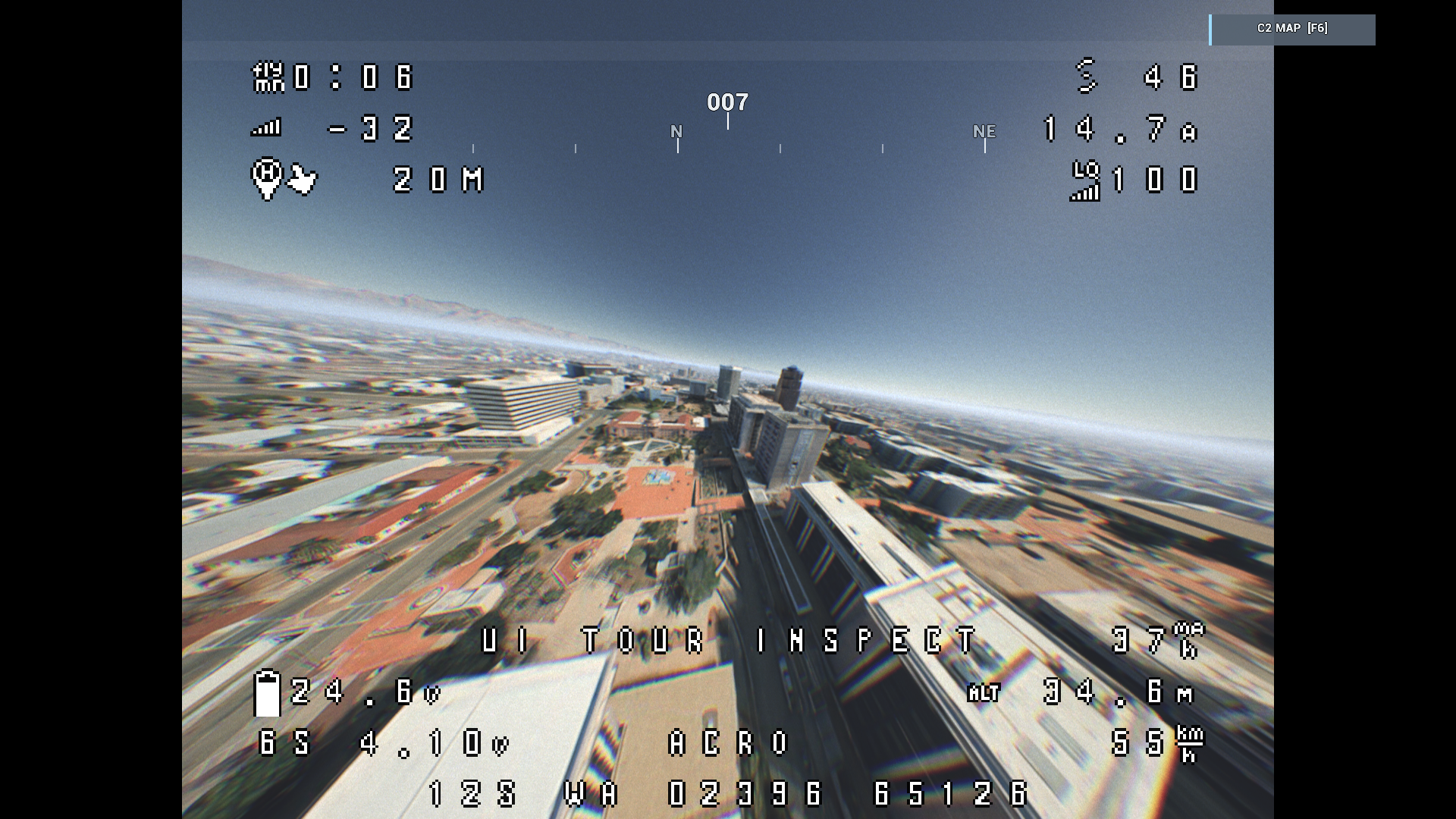 |
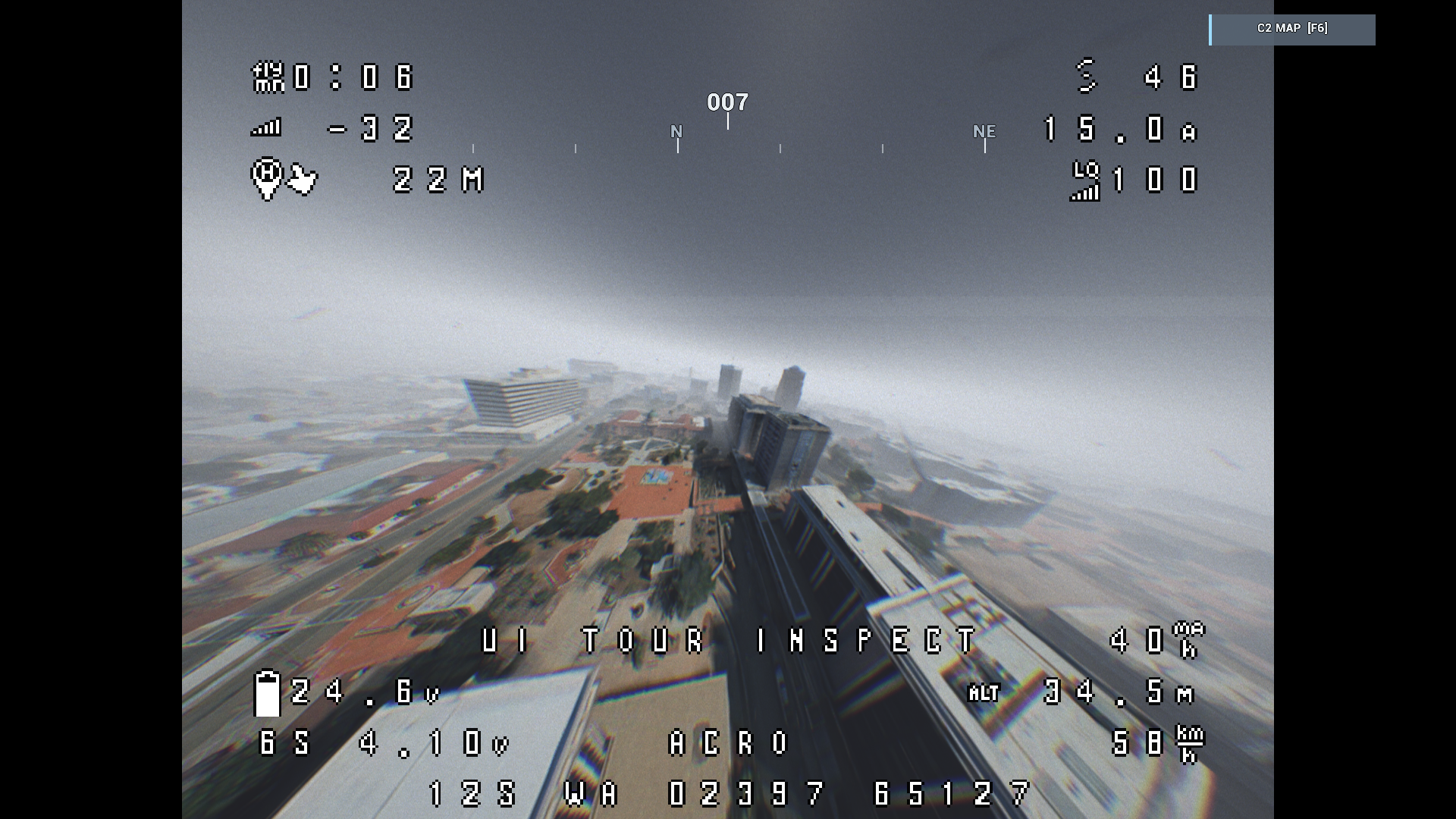 |
Work Bench
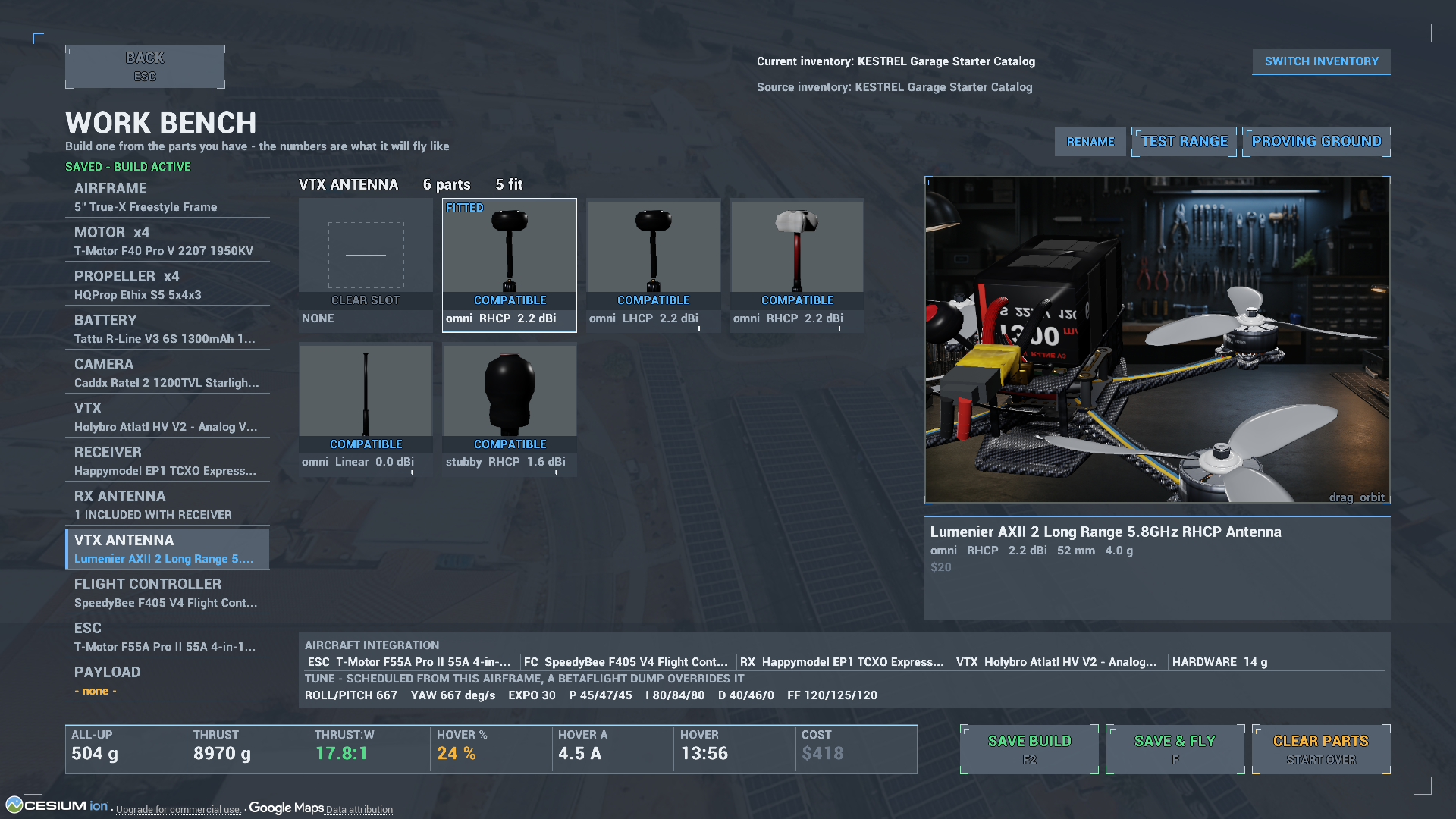
Inspect fitted components, see the aircraft's source inventory and review
predicted weight and performance. This view shows the saved stock build's
antenna-focused close-up; it does not certify real-world component fit.
Mission Builder
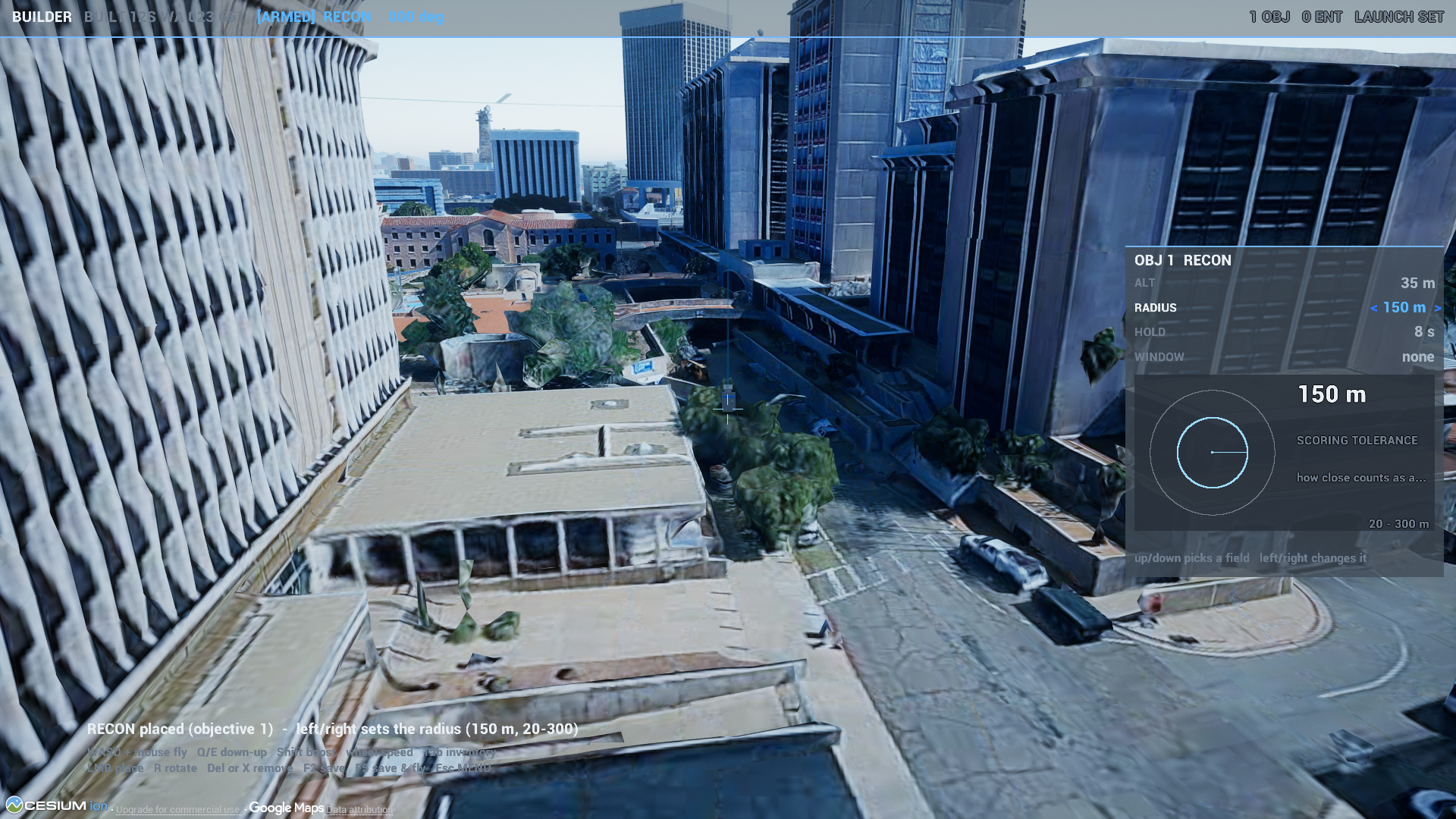
Place a launch point and edit an observation objective in the 3D environment.
The objective settings and surrounding streamed terrain are shown together.
Strike effects and ISR view
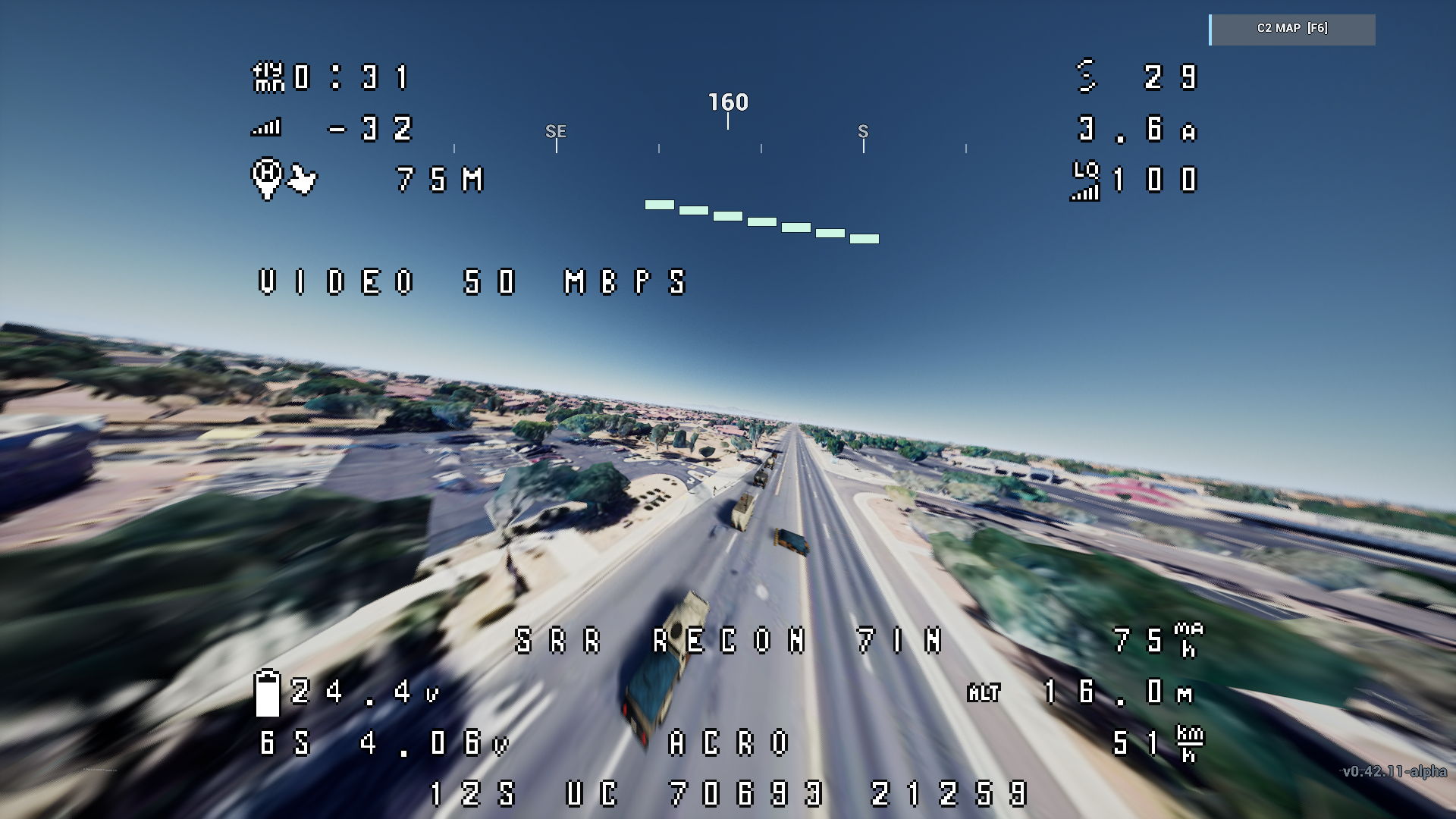
A scripted FPV pass through the stock strike scenario, captured in the current
release.
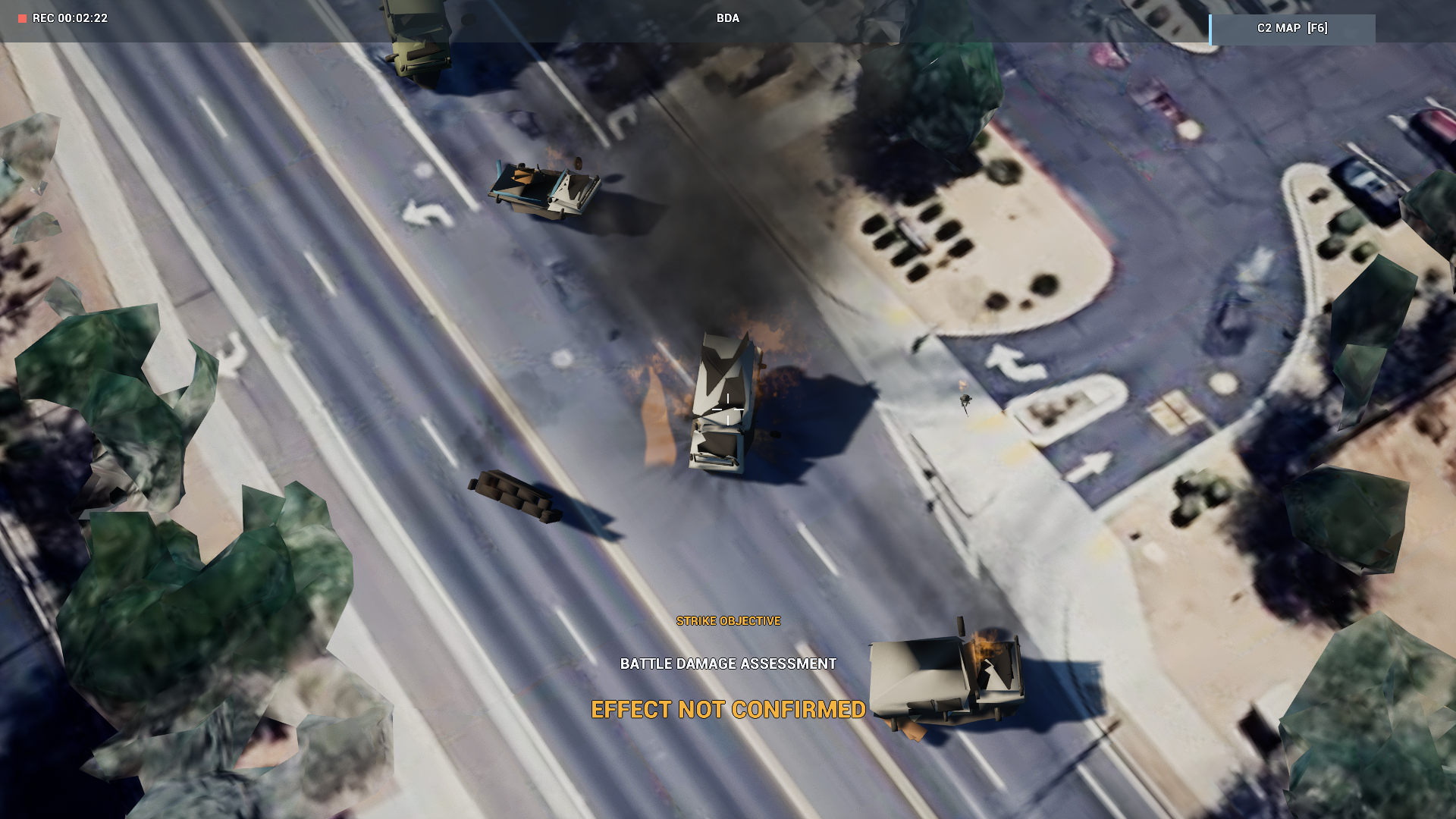
The separate ISR camera shows fire and smoke after the capture's scripted
effect. The game's Effect not confirmed verdict is retained: these images
are not proof of physical contact, a completed objective or damage-model validation.
LAN multiplayer
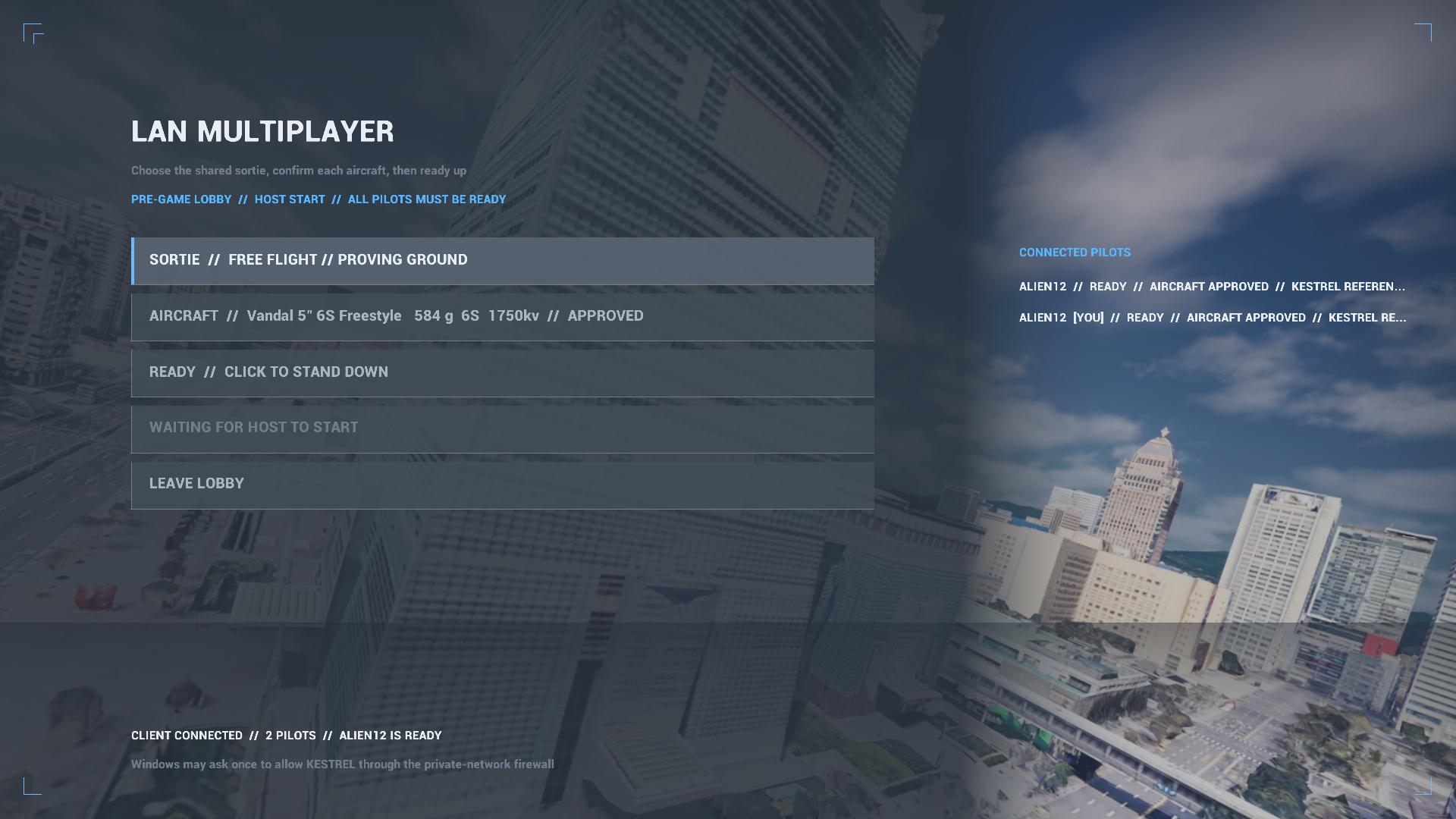
Two real game instances connected on one computer. The roster and aircraft
state are live game UI, not mockups. Physical two-computer acceptance remains open.
Before launch
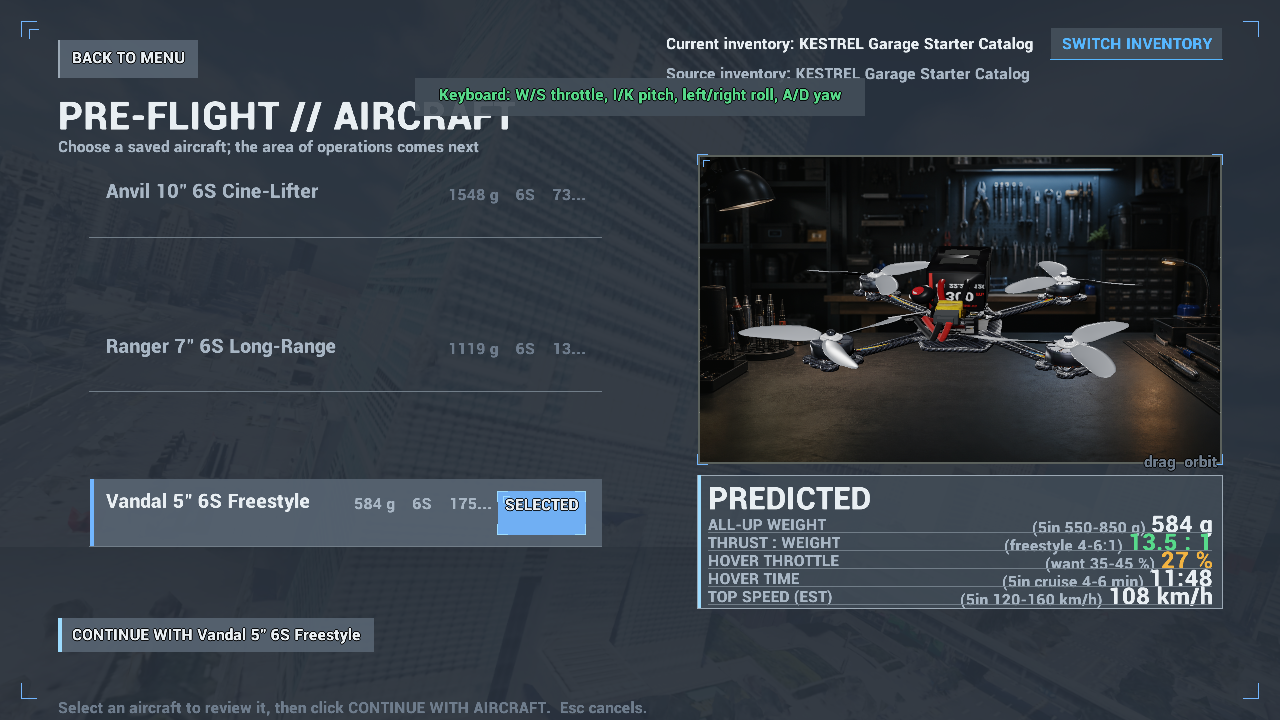
Review the selected aircraft before continuing. Prediction-panel crowding
remains a known issue.
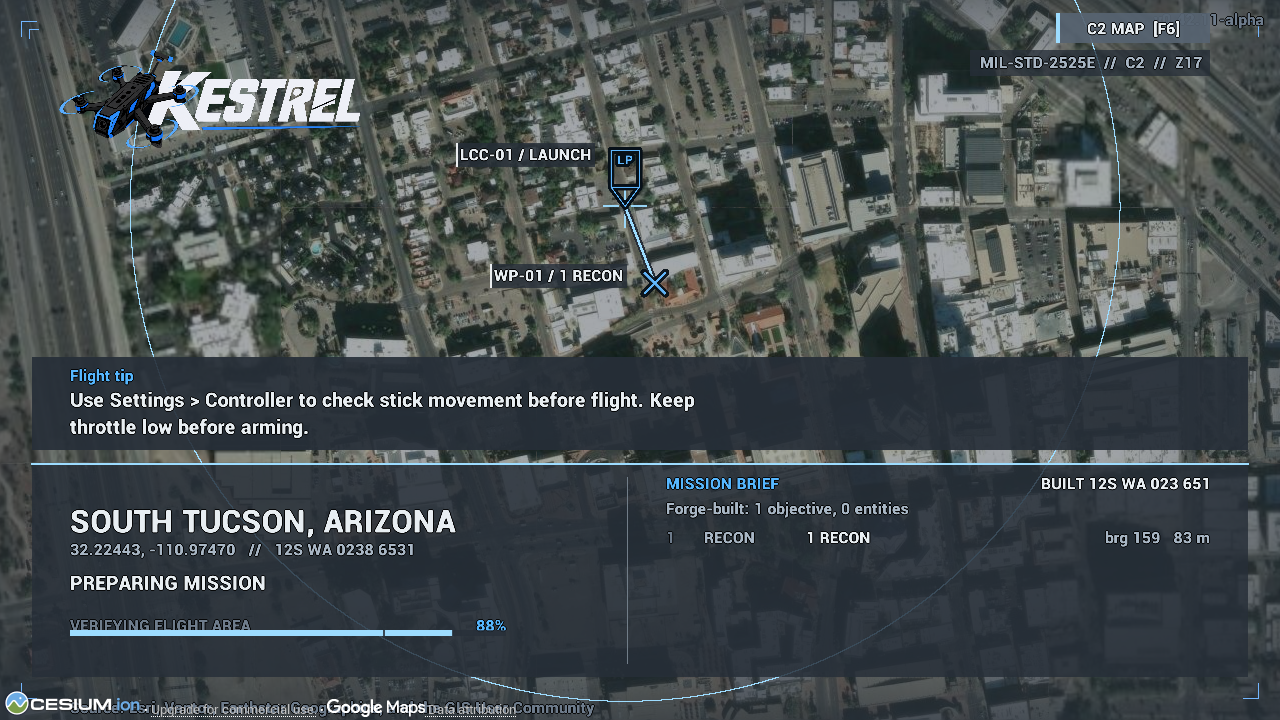
The loading brief shows launch, objective, route and a flight tip. This is not
the in-flight C2 map; its missing-marker regression remains open.