Repository navigation
mdk-sdl 0.9.0 alpha
Pre-release
Pre-release

·
35 commits
to main
since this release
First public build of mdk-sdl, a port of MDK (Shiny Entertainment, 1997) to C# and SDL3. Successor of the Godot port, which is no longer developed. Alpha: the game can be played through; bugs remain. Reports welcome in the issues.
Important
You need the original game (GOG, Steam or CD). These builds contain no data from MDK; they load it from your installed copy.
Features
- The whole game: six levels, the fall and the stream between them, rides, menus, briefings, statistics, saves, end movies. Collisions, scripts and sound as the original.
- HD textures (optional): Options, "Make HD textures" upscales the textures 2x with Real-ESRGAN, locally on your GPU (Vulkan), from your copy of the game. The upscaler (~45 MB) is downloaded once from its GitHub release; nothing upscaled is distributed.
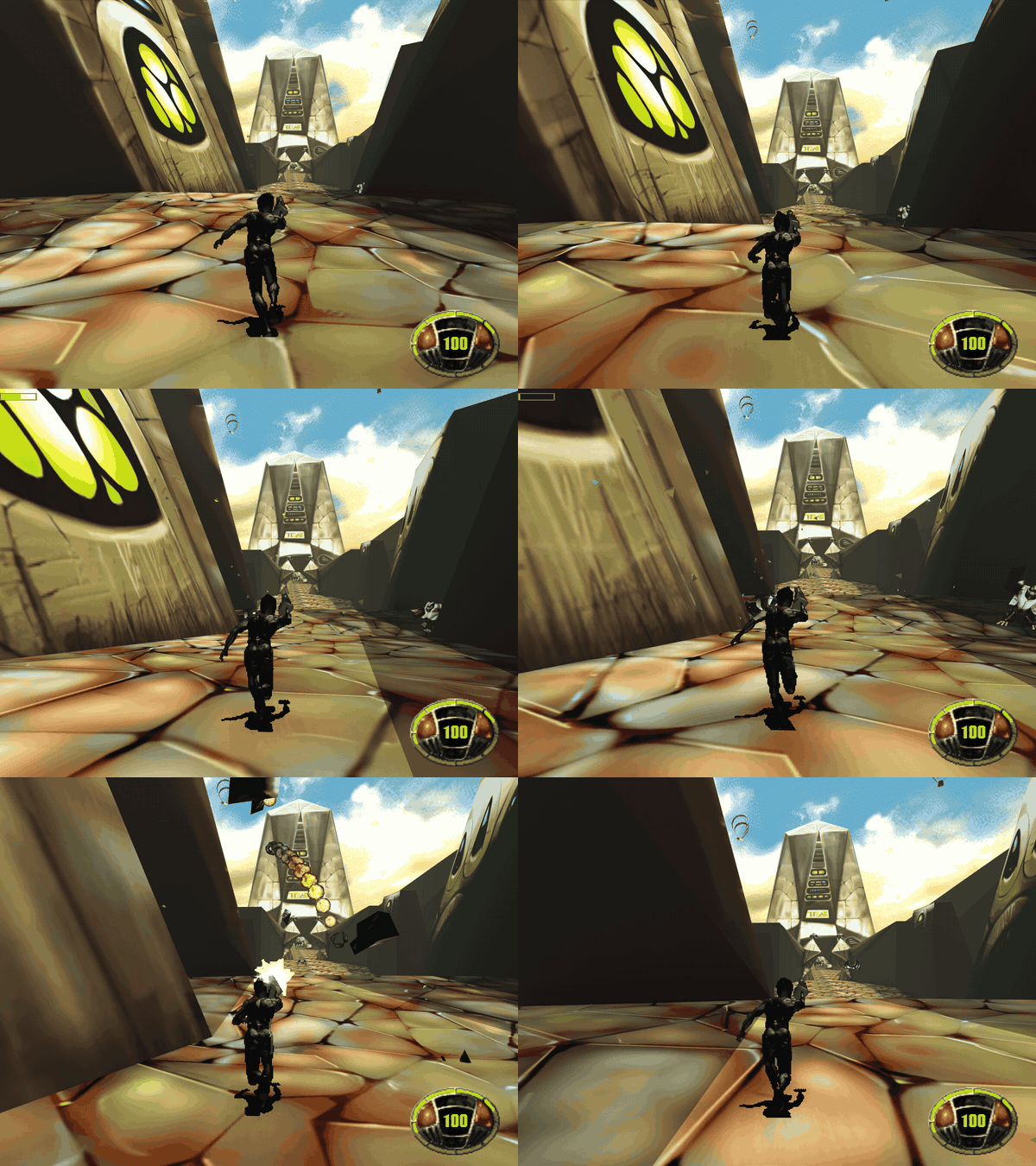
- Enhanced look (optional): filtered textures, per-level sky light and sun shadows, dynamic lights (muzzle flashes, explosions, fires), ambient occlusion, glow, haze, smooth models, anti-aliasing. The original look stays pixel-exact.
- Quick save/load (F2/F9), developer console (key left of 1), F3 overlay, the 1996 beta demo's levels (if you have it).
- Android app with touch controls.
Screenshots: original | enhanced | HD
Downloads
| File | System |
|---|---|
mdk-win-x64.zip |
Windows 10/11 x64 (Direct3D 12) |
mdk-linux-x64.tar.gz |
Linux x64 (Vulkan) |
mdk-osx-arm64.zip |
macOS, Apple silicon (Metal); run xattr -d com.apple.quarantine mdk once |
mdk-android.apk |
Android 8+, 64-bit, Vulkan |
Desktop: unpack into your MDK folder (e.g. C:\GOG Games\MDK\mdk-sdl), or set MDK_DATA_DIR, then run mdk. Played on Windows; the Linux and macOS builds are only built and started on CI.
Android
- Copy your MDK folder (with
TRAVERSE,MISC,FALL3D,STREAM) to the phone, e.g.Download/MDK. On first start pick that folder; the game files (~170 MB) are copied into the app once. - HD textures can't be made on the phone: make them on a PC, copy
textures-hdinto the phone's MDK folder, then Options, "Import from folder". - The APK is debug-signed (no release key yet): to update, uninstall the old one first (that deletes the imported files and saves).
- Tested on the emulator and one phone; controls still being tuned. No game controllers or on-screen keyboard yet.
This is an unofficial fan project, not affiliated with Shiny Entertainment or the rights holders of MDK.