Repository navigation
Releases: nemo22/mdk-sdl
Release list
MDK 1.0.0

MDK 1.0. The whole game plays through on Windows, Linux, macOS and Android. You need the original MDK game data (GOG or Steam); nothing from the game is included.
Changes since 1.0.0 beta 5
- Gamma: Options > Display > Gamma (0.5–2.0), for the whole picture, stereo and VR included.
- Android: signed with a permanent key.
- Docs: file formats and how the original engine works (its script VM included).
Highlights of the betas: the enhanced look with HD textures, 3D stereo and a VR viewer mode with head tracking, gamepads with rebindable buttons, touch controls, mods, the 1996 beta demo's levels as extras.
Downloads
| Platform | File |
|---|---|
| Windows x64 | mdk-win-x64.zip |
| Linux x64 | mdk-linux-x64.tar.gz (HD textures need libcurl) |
| Linux ARM64 | mdk-linux-arm64.tar.gz |
| macOS (Apple silicon) | mdk-osx-arm64.zip |
| Android | mdk-android.apk |
Android: uninstall the beta before installing 1.0 (one last time: it was signed with another key; this removes the copied game files and saves). Later versions install over 1.0.
Features, screenshots and modding: README, docs/modding.md.
MDK in C# and SDL3 1.0.0 beta 5
Beta. You need the original MDK game data (GOG or Steam); nothing from the game is included.
Changes since 1.0.0 beta 4
- Touch controls hide while a gamepad plays (Android): Options > Gamepad > Touch controls.
- Auto (default): hidden once a gamepad, keyboard or mouse is used; a touch brings them back.
- Off: always hidden (touches in play ignored). On: always shown.
Since beta 3 (see beta 4): VR viewer with head tracking, gamepads with rebindable buttons, Linux ARM64 build, Steam Deck notes, mdk --help.
Downloads
| Platform | File |
|---|---|
| Windows x64 | mdk-win-x64.zip |
| Linux x64 | mdk-linux-x64.tar.gz (HD textures need libcurl) |
| Linux ARM64 | mdk-linux-arm64.tar.gz |
| macOS (Apple silicon) | mdk-osx-arm64.zip |
| Android | mdk-android.apk |
Android: debug-signed — uninstall the previous version before installing (this removes the copied game files and saves).
Features, screenshots and modding: README, docs/modding.md.
MDK in C# and SDL3 1.0.0 beta 4
Beta. You need the original MDK game data (GOG or Steam); nothing from the game is included.
Changes since 1.0.0 beta 3
- VR viewer (phone, Cardboard-like): Options > 3D Stereo > Mode "VR viewer (phone)",
--stereo=vr.- Each eye pre-distorted against the lens; HUD and menus kept to the middle.
- Head tracking (Options > 3D Stereo): the phone's gyroscope turns the view.
- On the desktop: full side by side for PC VR / 3D glasses.
- Gamepads (Xbox, PlayStation, Switch, Bluetooth pads; desktop and Android):
- Options > Gamepad: look sensitivity and inversion, rebindable buttons (Start stays pause).
- Options > Keyboard & mouse: the former Controls page.
- Linux ARM64 build (Raspberry Pi 5, ARM handhelds).
- Steam Deck: how to run the Linux build (README).
mdk --helplists the options.
Not yet tested on real hardware: the gyroscope's directions, the lens correction's strength, the ARM64 build, the Steam Deck.
Downloads
| Platform | File |
|---|---|
| Windows x64 | mdk-win-x64.zip |
| Linux x64 | mdk-linux-x64.tar.gz (HD textures need libcurl) |
| Linux ARM64 | mdk-linux-arm64.tar.gz |
| macOS (Apple silicon) | mdk-osx-arm64.zip |
| Android | mdk-android.apk |
Android: debug-signed — uninstall the previous version before installing (this removes the copied game files and saves).
Features, screenshots and modding: README, docs/modding.md.
MDK in C# and SDL3 1.0.0 beta 3
Beta. You need the original MDK game data (GOG or Steam); nothing from the game is included.
Changes since 1.0.0 beta 2
- Stereo 3D, contributed by @agrofubris (#2): Options > 3D Stereo, console
stereo,--stereo=.- Side by side: half (3D TVs) and full (phone VR viewers, PC 3D glasses).
- Cross view, row-interlaced (and reversed), top and bottom (and reversed).
- Eye separation and convergence, applied live.
- Licence: GPL-3.0.
Downloads
| Platform | File |
|---|---|
| Windows x64 | mdk-win-x64.zip |
| Linux x64 | mdk-linux-x64.tar.gz (HD textures need libcurl) |
| macOS (Apple silicon) | mdk-osx-arm64.zip |
| Android | mdk-android.apk |
Android: debug-signed — uninstall the previous version before installing (this removes the copied game files and saves).
Features, screenshots and modding: README, docs/modding.md.
MDK in C# and SDL3 1.0.0 beta 2
Beta. You need the original MDK game data (GOG or Steam); nothing from the game is included.
Changes since 1.0.0 beta 1
- Options split into pages: Display, Graphics, Audio, Controls, Game, Mods (Esc goes up one page).
- Display settings: windowed / borderless fullscreen / exclusive fullscreen, resolution, render scale (50–200 %), VSync (on / off / mailbox), frame limit, and the graphics backend (Auto, Direct3D 12, Vulkan, Metal; applies after a restart;
--gpu=on the command line). - Startup info in the log and console: version, GPU and driver, backend, display mode, window and render size, swapchain and depth formats, MSAA, present mode. F3 shows the same.
Playtested on Windows: display modes, resolutions, render scale, VSync, frame limit and backend switching work.
Downloads
| Platform | File |
|---|---|
| Windows x64 | mdk-win-x64.zip |
| Linux x64 | mdk-linux-x64.tar.gz (HD textures need libcurl) |
| macOS (Apple silicon) | mdk-osx-arm64.zip |
| Android | mdk-android.apk |
Android: debug-signed — uninstall the previous version before installing (this removes the copied game files and saves).
Features, screenshots and modding: README, docs/modding.md.
MDK in C# and SDL3 1.0.0 beta 1
Beta. The whole game can be played through and has been playtested level by level. You need the original MDK game data (GOG or Steam); nothing from the game is included.
Changes since v0.9.1-alpha (v0.9.2-alpha and this beta)
- The executable is smaller: about 5.5 MB instead of 9.5 MB. The HD texture downloader now uses the operating system's HTTP library (WinHTTP on Windows, libcurl on Linux and macOS) instead of .NET's HttpClient, and the exe is optimised for size.
- The Real-ESRGAN download address and checksum can be changed in
settings.cfg(upscaler_url,upscaler_sha256); a local path orfile://URL works for offline installs.
Downloads
| Platform | File |
|---|---|
| Windows x64 | mdk-win-x64.zip |
| Linux x64 | mdk-linux-x64.tar.gz (HD textures need libcurl) |
| macOS (Apple silicon) | mdk-osx-arm64.zip |
| Android | mdk-android.apk |
Android: the APK is debug-signed, so uninstall the previous version before installing (this removes the copied game files and saves). On first start, pick the MDK folder copied to the phone; Options → Import from folder copies new files and mods/ later.
Features, screenshots and modding: see the README and docs/modding.md.
v0.9.2-alpha
Alpha. You need the original MDK game data (GOG or Steam); nothing from the game is included.
Changes since v0.9.1-alpha
- The executable is smaller: about 5.5 MB instead of 9.5 MB. The HD texture downloader now uses the operating system's HTTP library (WinHTTP on Windows, libcurl on Linux and macOS) instead of .NET's HttpClient, and the exe is optimised for size.
- The Real-ESRGAN download address and checksum can be changed in
settings.cfg(upscaler_url,upscaler_sha256); a local path orfile://URL works for offline installs.
Downloads
| Platform | File |
|---|---|
| Windows x64 | mdk-win-x64.zip |
| Linux x64 | mdk-linux-x64.tar.gz (HD textures need libcurl) |
| macOS (Apple silicon) | mdk-osx-arm64.zip |
| Android | mdk-android.apk |
Android: the APK is debug-signed, so uninstall the previous version before installing (this removes the copied game files and saves). On first start, pick the MDK folder copied to the phone; Options → Import from folder copies new files and mods/ later.
Features, screenshots and modding: see the README and docs/modding.md.
mdk-sdl 0.9.1 alpha
Second alpha of mdk-sdl, a port of MDK (Shiny Entertainment, 1997) to C# and SDL3.
Important
You need the original game (GOG, Steam or CD). These builds contain no data from MDK; they load it from your installed copy.
Changes since v0.9.0-alpha
- Modding: a
mods/folder next to the program replaces textures, HUD/menu images, fonts and models (glTF.glb) in the enhanced look. Options, Mods switches them on/off.mdk --export-assets=dirwrites the originals to start from. Guide: docs/modding.md. - HD textures are now a generated mod (
mods/hd-textures/): Options, "Make HD textures" (ormdk --upscale-textures). It now also upscales the 2D images: HUD, sniper screen, bomber sight, fall HUD, menu and loading pictures (fonts stay original). An oldertextures-hd/is moved into the mod; only new images are made. - Sniper mode: the seam around the enhanced scope view is closed.
- The enhanced look's "Smooth models" option is removed (not worth its cost); models are lit flat again.
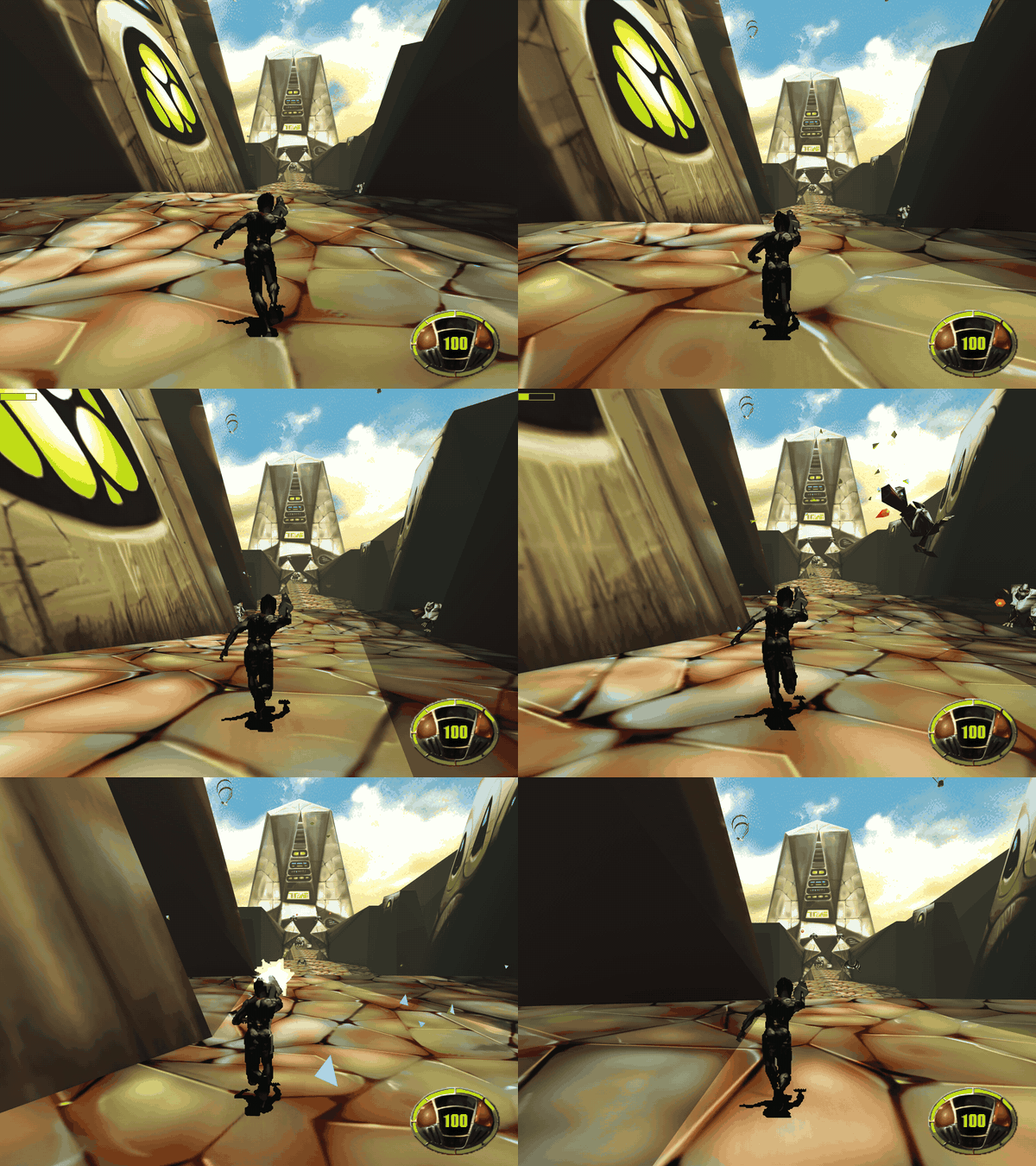
Screenshots: original | enhanced | HD mod, and the sniper HUD
Downloads
| File | System |
|---|---|
mdk-win-x64.zip |
Windows 10/11 x64 (Direct3D 12) |
mdk-linux-x64.tar.gz |
Linux x64 (Vulkan) |
mdk-osx-arm64.zip |
macOS, Apple silicon (Metal); run xattr -d com.apple.quarantine mdk once |
mdk-android.apk |
Android 8+, 64-bit, Vulkan (version 0.9.1) |
Desktop: unpack into your MDK folder (e.g. C:\GOG Games\MDK\mdk-sdl), or set MDK_DATA_DIR, then run mdk. Played on Windows; the Linux and macOS builds are only built and started on CI.
Android
- The APK is debug-signed: uninstall 0.9.0 before installing 0.9.1 (that deletes the imported game files and saves; the first start imports again).
- Copy your MDK folder (with
TRAVERSE,MISC,FALL3D,STREAM) to the phone, e.g.Download/MDK, and pick it on first start. - Mods and HD textures are made on a PC: copy the
modsfolder (next tomdk.exe) into the phone's MDK folder, then Options, "Import from folder" copies it. Options, Mods switches them. - Tested on the emulator and one phone. No game controllers or on-screen keyboard yet.
This is an unofficial fan project, not affiliated with Shiny Entertainment or the rights holders of MDK.
mdk-sdl 0.9.0 alpha
First public build of mdk-sdl, a port of MDK (Shiny Entertainment, 1997) to C# and SDL3. Successor of the Godot port, which is no longer developed. Alpha: the game can be played through; bugs remain. Reports welcome in the issues.
Important
You need the original game (GOG, Steam or CD). These builds contain no data from MDK; they load it from your installed copy.
Features
- The whole game: six levels, the fall and the stream between them, rides, menus, briefings, statistics, saves, end movies. Collisions, scripts and sound as the original.
- HD textures (optional): Options, "Make HD textures" upscales the textures 2x with Real-ESRGAN, locally on your GPU (Vulkan), from your copy of the game. The upscaler (~45 MB) is downloaded once from its GitHub release; nothing upscaled is distributed.
- Enhanced look (optional): filtered textures, per-level sky light and sun shadows, dynamic lights (muzzle flashes, explosions, fires), ambient occlusion, glow, haze, smooth models, anti-aliasing. The original look stays pixel-exact.
- Quick save/load (F2/F9), developer console (key left of 1), F3 overlay, the 1996 beta demo's levels (if you have it).
- Android app with touch controls.
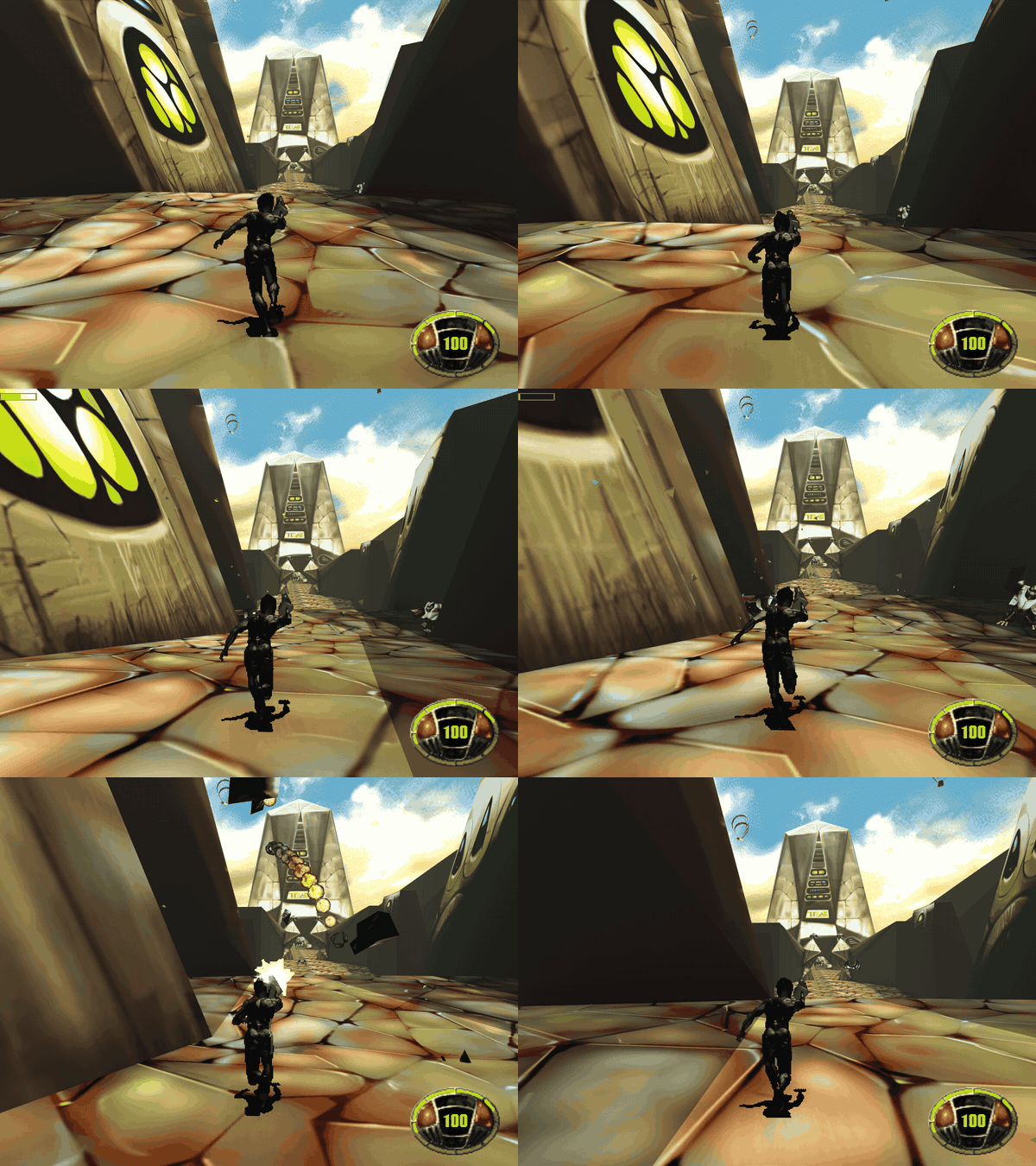
Screenshots: original | enhanced | HD
Downloads
| File | System |
|---|---|
mdk-win-x64.zip |
Windows 10/11 x64 (Direct3D 12) |
mdk-linux-x64.tar.gz |
Linux x64 (Vulkan) |
mdk-osx-arm64.zip |
macOS, Apple silicon (Metal); run xattr -d com.apple.quarantine mdk once |
mdk-android.apk |
Android 8+, 64-bit, Vulkan |
Desktop: unpack into your MDK folder (e.g. C:\GOG Games\MDK\mdk-sdl), or set MDK_DATA_DIR, then run mdk. Played on Windows; the Linux and macOS builds are only built and started on CI.
Android
- Copy your MDK folder (with
TRAVERSE,MISC,FALL3D,STREAM) to the phone, e.g.Download/MDK. On first start pick that folder; the game files (~170 MB) are copied into the app once. - HD textures can't be made on the phone: make them on a PC, copy
textures-hdinto the phone's MDK folder, then Options, "Import from folder". - The APK is debug-signed (no release key yet): to update, uninstall the old one first (that deletes the imported files and saves).
- Tested on the emulator and one phone; controls still being tuned. No game controllers or on-screen keyboard yet.
This is an unofficial fan project, not affiliated with Shiny Entertainment or the rights holders of MDK.