


diffctx selects the minimum code an LLM needs to review a git diff. Instead of pasting whole files, it walks the dependency graph from the changed lines outward and stops as soon as additional context stops paying for itself.
tree |
repomix | Claude Code Review | diffctx | |
|---|---|---|---|---|
| Primary use case | directory listing | full repo export | automated PR review | diff context for code review |
| Smart diff context | ✗ | ✗ | ✓ | ✓ |
| Works with any LLM | ✓ | ✓ | Claude only | ✓ |
| Free / local / offline | ✓ | ✓ | $15–25/review | ✓ |
| GitHub required | ✗ | ✗ | ✓ | ✗ |
| Multiple output formats | ✗ | limited | — | YAML/JSON/MD/txt |
| Python API | ✗ | ✗ | ✗ | ✓ |
| MCP server | ✗ | ✗ | ✗ | ✓ |
pip install diffctx                     # canonical
pipx install diffctx                    # or: isolated, no venv needed
pip install 'diffctx[tree-sitter]'      # + AST parsing for smarter diff context
pip install 'diffctx[mcp]'              # + MCP server for AI assistants
diffctx . --diff HEAD~1 # smart context for last commit → paste into Claude/ChatGPT
diffctx . -f md -c # full export → clipboard in Markdown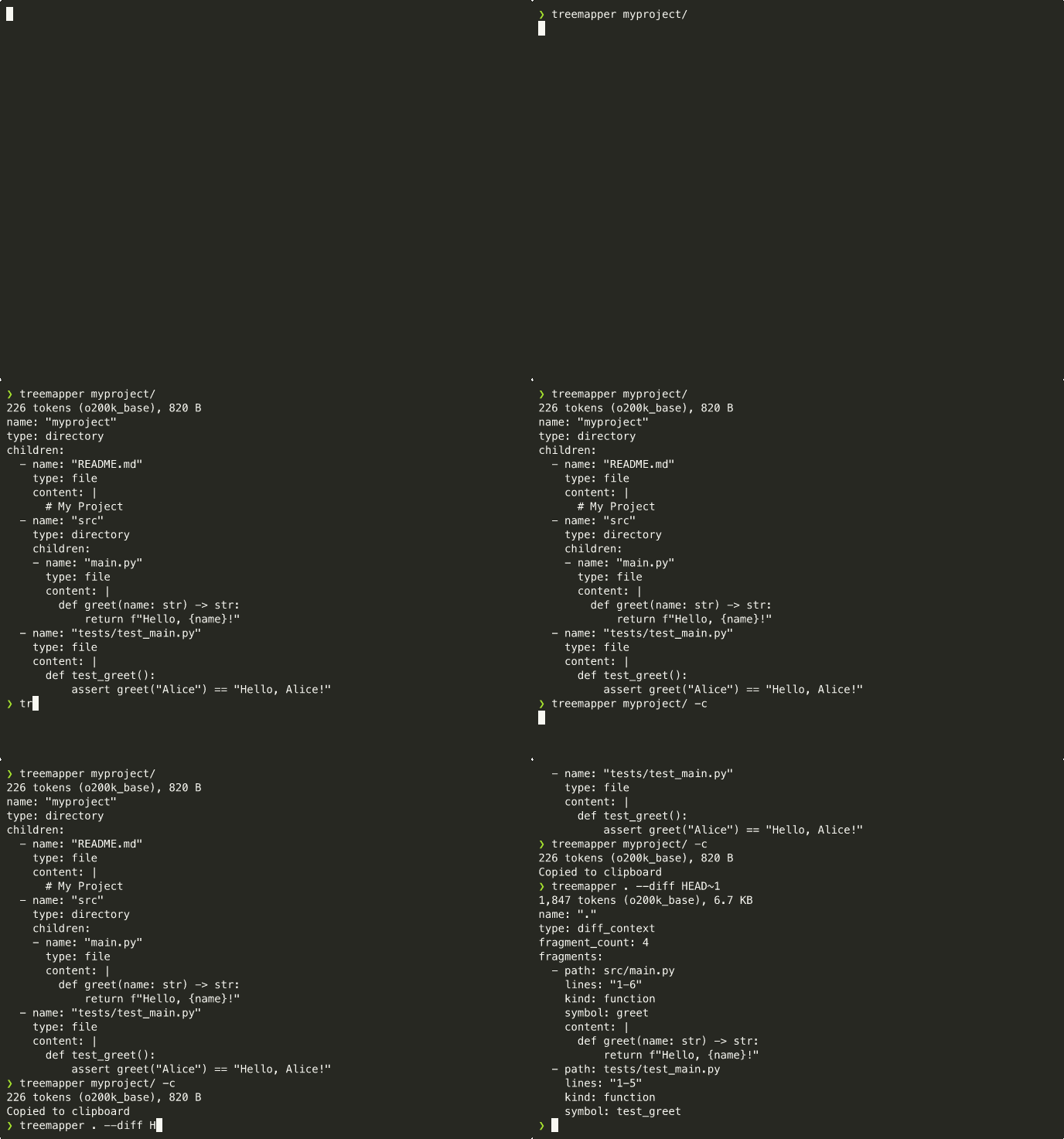
Demo: diffctx . --diff HEAD~1 selects only the fragments — functions,
imports, type definitions — that an LLM actually needs to review the last
commit, instead of dumping every changed file in full.
Standalone binary (no Python required): download from the releases page.
Diff context mode works out of the box. Adding
[tree-sitter]enables AST-level parsing for more accurate context selection across 12 languages.
Automatically finds the minimal set of code fragments needed to understand a change — imports, callers, type definitions, config dependencies — without dumping entire files. Understands 50+ file types.
name: myproject
type: diff_context
fragment_count: 5
fragments:
  - path: src/main.py
    lines: "10-25"
    kind: function
    symbol: process_data
    content: |
      def process_data(items):
...Builds a code graph (imports, co-changes, type refs) and propagates
relevance from changed lines outward across it. Three scoring modes are
available — pick one with --scoring:
--scoring |
What it does |
|---|---|
ego (default) |
Bounded ego-network expansion around changed nodes — fast, predictable radius, the current default |
ppr |
Personalized PageRank with damping --alpha — global, smoother decay, slower |
bm25 |
Lexical fragment retrieval against the diff hunks — useful as a baseline / fallback when the graph is sparse |
Selection stops when relevance drops below --tau (the minimum score a
fragment must beat to be kept), or once --budget tokens have been
emitted, whichever comes first.
| Flag | Default | Description |
|---|---|---|
--scoring |
ego |
Scoring mode: ego, ppr, or bm25 |
--budget |
auto | Token cap. auto lets selection converge; -1 disables the cap; N enforces a fixed cap |
--alpha |
0.60 | How tightly context clusters around changes (PPR damping; 0–1, higher = more focused) |
--tau |
0.08 | Minimum relevance required to include a fragment (lower = more context) |
--full |
false | Include every changed fragment; skip the smart-selection step entirely |
Calibration of --alpha, --tau, and the edge-weight priors is documented
in docs/parameter-strategy.md.
Theory: Context-Selection for Git Diff (Zenodo, 2026).
For exploring the underlying dependency graph directly (without a diff),
use the graph subcommand:
diffctx graph .                                  # Mermaid graph of directory deps (default)
diffctx graph . --summary                        # cycles, hotspots, coupling metrics
diffctx graph . --level fragment -f json         # fragment-level graph as JSON
diffctx graph . --level file -f graphml -o g.xml # file-level graph as GraphML| Flag | Default | Description |
|---|---|---|
-f/--format |
mermaid |
Output format: mermaid, json, or graphml |
--level |
directory |
Granularity: fragment, file, or directory |
--summary |
false | Print graph statistics (cycles, hotspots, coupling) |
# full codebase export:
diffctx .                                # YAML to stdout + token count
diffctx . -f md -c                       # Markdown → clipboard
diffctx . -f json -o tree.json           # JSON → file
diffctx . --no-content                   # structure only, no file contents
diffctx . --max-depth 3                  # limit depth
diffctx . -i custom.ignore               # custom ignore patterns

# diff context mode (requires git repo):
diffctx . --diff HEAD~1                  # context for last commit
diffctx . --diff main..feature           # context for feature branch
diffctx . --diff HEAD~1 --budget 30000   # limit to ~30k tokens
diffctx . --diff HEAD~1 -c               # diff context to clipboard
Full codebase export output format:
name: myproject
type: directory
children:
  - name: main.py
    type: file
    content: |
      def hello():
          print("Hello, World!")
  - name: utils/
    type: directory
    children:
      - name: helpers.py
        type: file
        content: |
          def add(a, b):
              return a + b
Token count and size are always displayed on stderr:
12,847 tokens (o200k_base), 52.3 KB
For large outputs (>1MB), approximate counts with ~ prefix:
~125,000 tokens (o200k_base), 5.2 MB
Uses tiktoken with o200k_base encoding (GPT-4o tokenizer).
Copy output directly to clipboard with -c or --copy:
diffctx . -c                       # copy (stdout suppressed, stderr: token count)
diffctx . -c -o tree.yaml          # copy + save to file
System Requirements:
- macOS:
pbcopy(pre-installed) - Windows:
clip(pre-installed) - Linux (Wayland):
wl-copy - Linux (X11):
xcliporxsel
from diffctx import map_directory
from diffctx import to_yaml, to_json, to_text, to_markdown

tree = map_directory(
    path,                     # directory path
    max_depth=None,           # limit traversal depth
    no_content=False,         # exclude file contents
    max_file_bytes=None,      # skip large files
    ignore_file=None,         # custom ignore file
    no_default_ignores=False, # disable default ignores
    whitelist_file=None,      # include-only filter
)

yaml_str = to_yaml(tree)
json_str = to_json(tree)
text_str = to_text(tree)
md_str = to_markdown(tree)

# Diff context mode
from pathlib import Path
from diffctx import build_diff_context, to_yaml

ctx = build_diff_context(
    Path("."),                # repository root
    "HEAD~1..HEAD",           # diff range; also accepts "main..feature"
    budget_tokens=None,       # None = convergence-based (default)
                              #   0  = diff only, no expansion (recall floor)
                              #  <0  = unlimited (10M-token soft ceiling)
                              #  >0  = explicit token cap
    alpha=0.6,                # PPR damping factor
    tau=0.08,                 # stopping threshold
    full=False,               # skip smart selection
)
yaml_str = to_yaml(ctx)diffctx includes an MCP server that lets AI assistants (Claude Code, Cursor, Windsurf, etc.) call diff context analysis automatically during code review.
pip install 'diffctx[mcp]'Add to your MCP client config (e.g. ~/.claude/mcp.json for Claude Code):
{
  "mcpServers": {
    "diffctx": {
      "command": "diffctx-mcp"
    }
  }
}
The server exposes a get_diff_context tool. Your AI assistant will
automatically call it when reviewing PRs, explaining changes, or investigating
broken tests — no manual invocation needed.
See src/diffctx/mcp/README.md for configs
for Cursor, Continue, Windsurf, and Zed.
Respects .gitignore and .diffctx/ignore automatically.
Use --no-default-ignores to disable built-in patterns
(.gitignore and .diffctx/ignore still apply).
- Hierarchical: nested ignore files at each directory level
- Negation patterns:
!important.logun-ignores a file - Anchored patterns:
/root_only.txtmatches only in root - Output file is always auto-ignored
Auto-discovered files:
.diffctx/ignore— diffctx-specific ignore patterns.diffctx/whitelist— Include-only filter (only matched files included)
<file too large: N bytes>— exceeds--max-file-bytes<binary file: N bytes>— binary file detected<unreadable content: not utf-8>— not valid UTF-8<unreadable content>— permission denied or I/O error
Apache 2.0
- Changelog
- Security policy — threat model and vulnerability reporting
- Parameter strategy — how
--alpha,--tau, and edge weights are calibrated