Repository navigation
Repokase 0.1.0

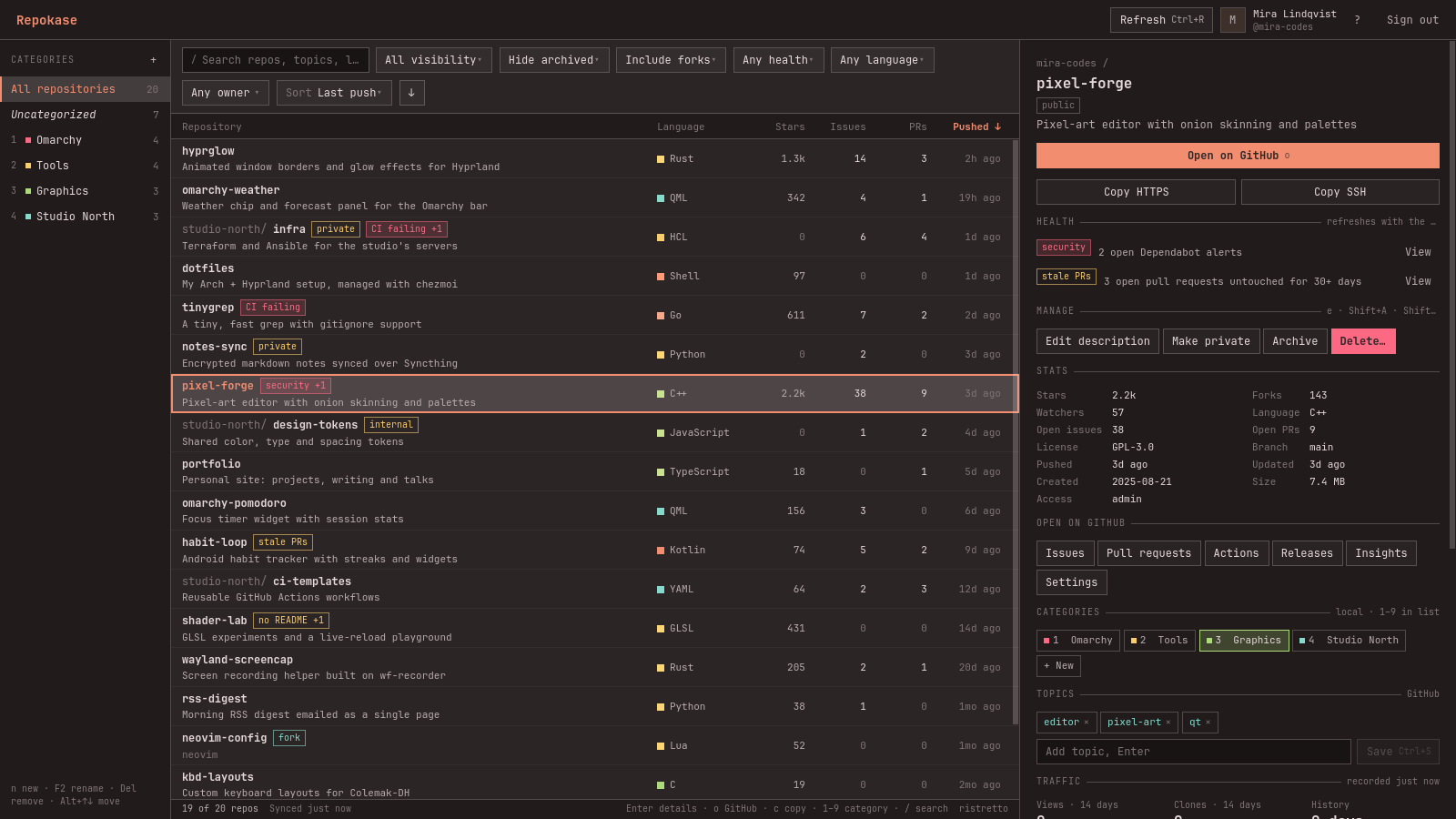
Your repos, chef's choice. The first release of Repokase, a native Omarchy desktop app for managing your GitHub repositories.
Install
sudo pacman -U https://github.com/ninepointlabs/repokase/releases/download/v0.1.0/repokase-0.1.0-2-any.pkg.tar.zstpacman installs the dependencies from the official repos (pyside6, python-httpx, python-qasync, python-secretstorage, python-yaml, python-typing_extensions). You also need a Secret Service keyring such as gnome-keyring, which Omarchy includes. To build from source instead: git clone the repo, then run makepkg -si in packaging/.
What's in it
- Every repo in one list: owned, collaborator and organization repos, loaded instantly from a local cache and refreshed in the background. Sort by any field, filter, search, and group with local categories.
- Details pane: stats, topics (editable), recent GitHub Actions runs and quick links.
- Actions: archive/unarchive, change visibility, edit the description, delete (type the name to confirm; the
delete_repopermission is only requested the first time). - GitHub Actions: re-run failed jobs, re-run or cancel runs, and start
workflow_dispatchworkflows with their input fields. - Traffic history beyond GitHub's 14 days, with charts. An optional systemd user timer keeps recording on days you don't open the app.
- Health indicators: Dependabot alerts, failing CI, stale PRs, missing README or license, inactivity.
- Bulk actions: archive/unarchive and add to or remove from categories.
- Native to Omarchy: follows your theme and font live, uses Wayland app ID
repokase, adapts to half-screen tiles, and is fully keyboard-driven (F1 lists the shortcuts).
Signing in uses GitHub's device flow with minimal scopes (read:user repo workflow). The token is stored only in your keyring. See the README for each permission and why it's needed.
Checksum: repokase-0.1.0-2-any.pkg.tar.zst.sha256 is attached.