Repository navigation
Releases: ninepointlabs/repokase
Release list
Repokase 0.2.2

Repokase 0.2.2 tells you when an organization is hiding its repositories from Repokase.
Install or update
sudo pacman -U https://github.com/ninepointlabs/repokase/releases/download/v0.2.2/repokase-0.2.2-1-any.pkg.tar.zstWhat's new
Organizations with OAuth app access restrictions hide themselves from apps they haven't approved, completely and without an error. Repokase now handles this where it can:
- Clear errors. When GitHub refuses an action because an organization hasn't approved Repokase, the message names the organization (instead of saying you lack admin access), and Fix on GitHub… opens the page where you approve it. SAML SSO errors use the same button.
- A banner for organizations that start blocking Repokase. Repokase remembers the organizations it has shown you. If one disappears after a refresh, it checks whether that organization now blocks Repokase, and if so names it with a Grant access… button.
- Missing an organization? in the sidebar opens Repokase's approval page on GitHub, for organizations that blocked Repokase before it ever saw them. Owners click Grant next to the organization; members click Request. Then press Ctrl+R.
Repokase can't detect an organization it has never been able to see; that case is what the sidebar link is for.
Checksum: repokase-0.2.2-1-any.pkg.tar.zst.sha256 is attached.
Repokase 0.2.1
Repokase 0.2.1 helps repositories you reach through an organization show up.
Install or update
sudo pacman -U https://github.com/ninepointlabs/repokase/releases/download/v0.2.1/repokase-0.2.1-1-any.pkg.tar.zstChanged
- Repokase now asks for the read-only
read:orgpermission. Without it GitHub hides which organizations you belong to, so repositories you can only reach through an organization (for example as an org owner) can be missing.read:orgonly lets Repokase see your memberships; it can't change anything in your organizations.
If organization repositories are still missing
There are two separate things to check:
- The
read:orgpermission. If you signed in with an earlier version, a banner above the list says organization repositories are missing. Click Allow… and approve the permission on GitHub. You stay signed in and your other permissions are kept. - The organization's app policy. Many organizations turn on OAuth app access restrictions, which hide the organization from apps it hasn't approved, with no error. Open Repokase's authorized-app page: owners click Grant next to the organization, members click Request and wait for an owner. Then press Ctrl+R in Repokase.
Repokase 0.2.1 can't tell you when the second case applies, so check it if the first doesn't help.
Checksum: repokase-0.2.1-1-any.pkg.tar.zst.sha256 is attached.
Repokase 0.2.0
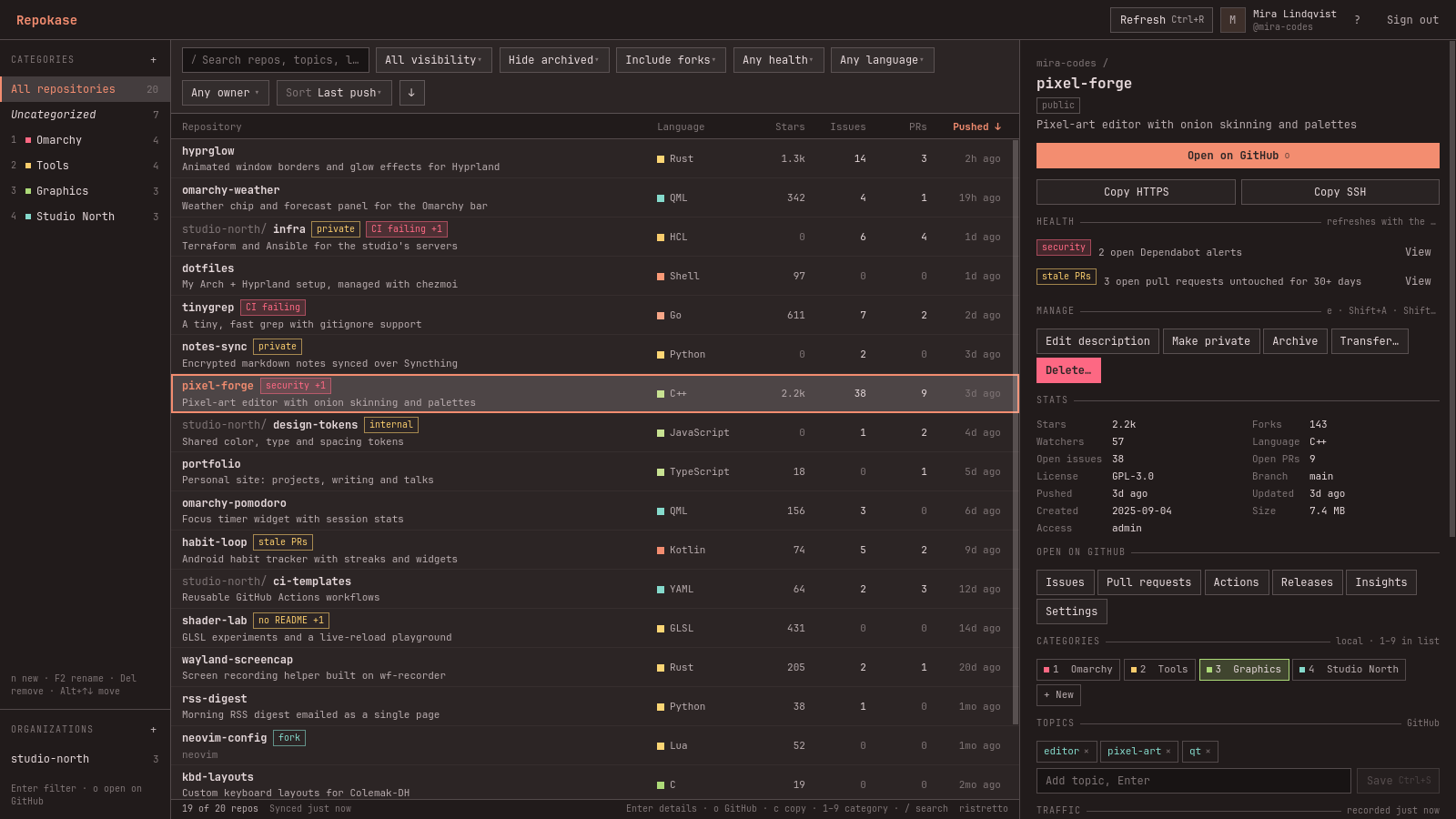
Repokase 0.2.0 adds repository transfers and an organizations list in the sidebar.
Install or update
sudo pacman -U https://github.com/ninepointlabs/repokase/releases/download/v0.2.0/repokase-0.2.0-1-any.pkg.tar.zstWhat's new
- Transfer repositories to an organization or another account: Transfer… in the details pane, or
Shift+Tin the list. Like delete, it needs admin access and the full name typed to confirm. Transfers to an organization apply right away, and your categories, workflow runs, health and traffic history move with the repo. Transfers to a person wait until they accept GitHub's email. No new permission is needed. - Organizations in the sidebar, with repo counts. Select one to filter the list to it and get links to its GitHub page, people and settings. + opens GitHub's form for creating an organization (GitHub's API can't create them).
- Clearer errors: when GitHub rejects a change with "Validation Failed", Repokase now shows GitHub's specific reason, such as a name that already exists.
- Fix: signing out now clears the previous account's owners from the owner filter.
Upgrade notes
- The local cache gains a column (migration 002), applied automatically on first start. The Organizations section fills in once the first background refresh after upgrading finishes.
- Only organizations that own a repository you can see are listed. Listing every membership would need the
read:orgpermission, which Repokase doesn't request.
Checksum: repokase-0.2.0-1-any.pkg.tar.zst.sha256 is attached.
Repokase 0.1.0
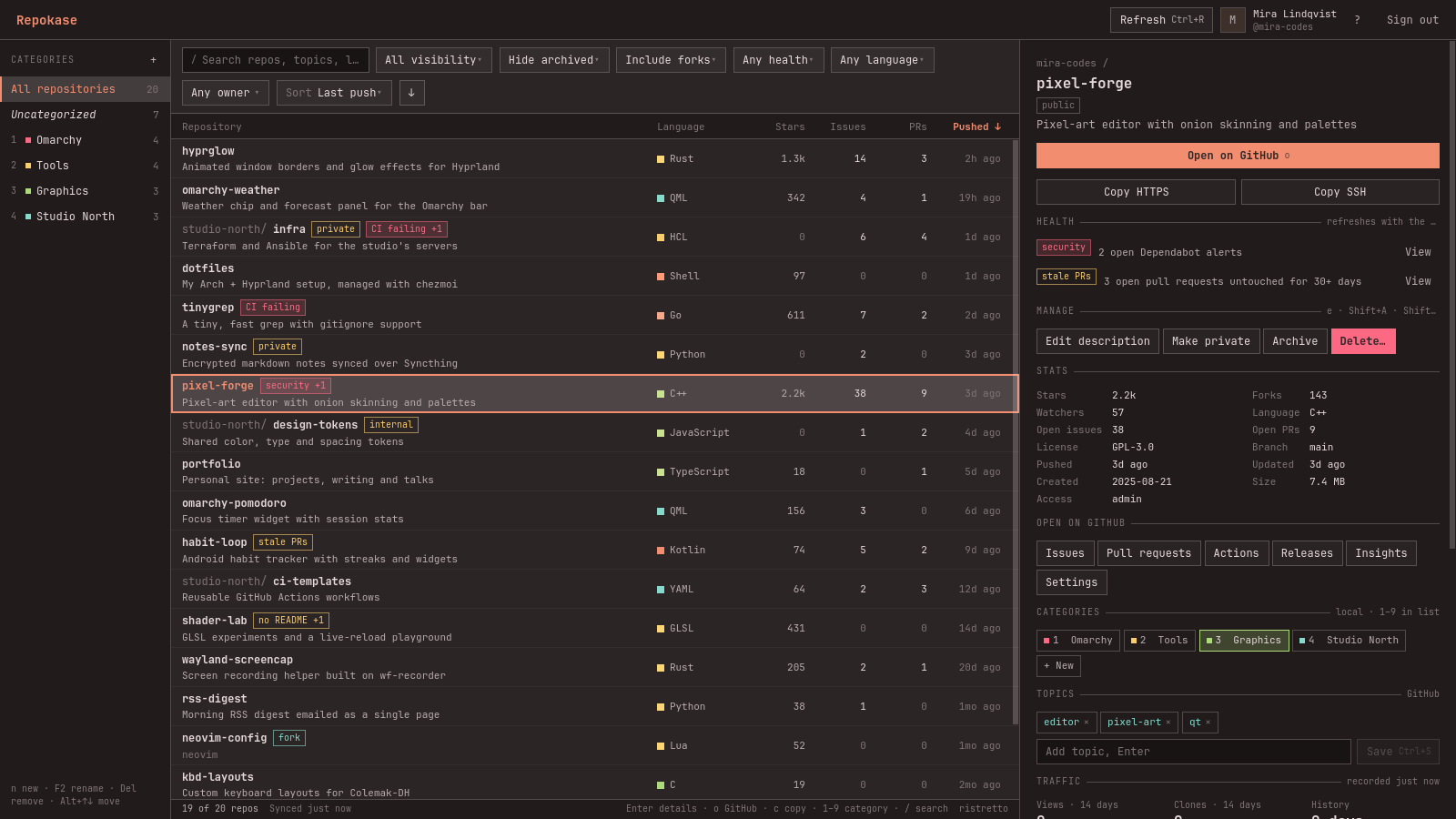
Your repos, chef's choice. The first release of Repokase, a native Omarchy desktop app for managing your GitHub repositories.
Install
sudo pacman -U https://github.com/ninepointlabs/repokase/releases/download/v0.1.0/repokase-0.1.0-2-any.pkg.tar.zstpacman installs the dependencies from the official repos (pyside6, python-httpx, python-qasync, python-secretstorage, python-yaml, python-typing_extensions). You also need a Secret Service keyring such as gnome-keyring, which Omarchy includes. To build from source instead: git clone the repo, then run makepkg -si in packaging/.
What's in it
- Every repo in one list: owned, collaborator and organization repos, loaded instantly from a local cache and refreshed in the background. Sort by any field, filter, search, and group with local categories.
- Details pane: stats, topics (editable), recent GitHub Actions runs and quick links.
- Actions: archive/unarchive, change visibility, edit the description, delete (type the name to confirm; the
delete_repopermission is only requested the first time). - GitHub Actions: re-run failed jobs, re-run or cancel runs, and start
workflow_dispatchworkflows with their input fields. - Traffic history beyond GitHub's 14 days, with charts. An optional systemd user timer keeps recording on days you don't open the app.
- Health indicators: Dependabot alerts, failing CI, stale PRs, missing README or license, inactivity.
- Bulk actions: archive/unarchive and add to or remove from categories.
- Native to Omarchy: follows your theme and font live, uses Wayland app ID
repokase, adapts to half-screen tiles, and is fully keyboard-driven (F1 lists the shortcuts).
Signing in uses GitHub's device flow with minimal scopes (read:user repo workflow). The token is stored only in your keyring. See the README for each permission and why it's needed.
Checksum: repokase-0.1.0-2-any.pkg.tar.zst.sha256 is attached.