Repository navigation
Repokase 0.2.0

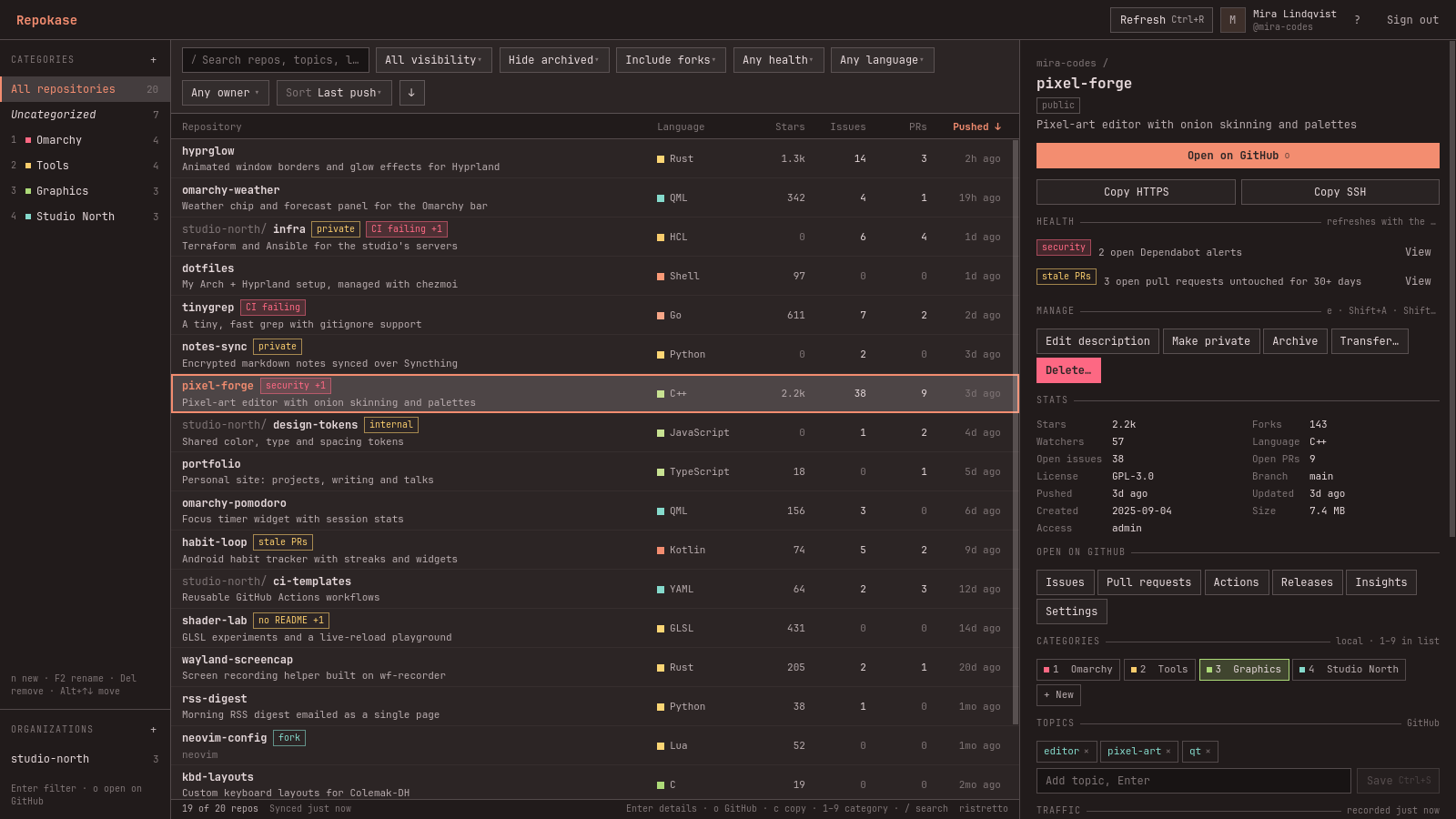
Repokase 0.2.0 adds repository transfers and an organizations list in the sidebar.
Install or update
sudo pacman -U https://github.com/ninepointlabs/repokase/releases/download/v0.2.0/repokase-0.2.0-1-any.pkg.tar.zstWhat's new
- Transfer repositories to an organization or another account: Transfer… in the details pane, or
Shift+Tin the list. Like delete, it needs admin access and the full name typed to confirm. Transfers to an organization apply right away, and your categories, workflow runs, health and traffic history move with the repo. Transfers to a person wait until they accept GitHub's email. No new permission is needed. - Organizations in the sidebar, with repo counts. Select one to filter the list to it and get links to its GitHub page, people and settings. + opens GitHub's form for creating an organization (GitHub's API can't create them).
- Clearer errors: when GitHub rejects a change with "Validation Failed", Repokase now shows GitHub's specific reason, such as a name that already exists.
- Fix: signing out now clears the previous account's owners from the owner filter.
Upgrade notes
- The local cache gains a column (migration 002), applied automatically on first start. The Organizations section fills in once the first background refresh after upgrading finishes.
- Only organizations that own a repository you can see are listed. Listing every membership would need the
read:orgpermission, which Repokase doesn't request.
Checksum: repokase-0.2.0-1-any.pkg.tar.zst.sha256 is attached.