Repository navigation
OmaDroid v0.3.2

OmaDroid brings your Android phone to Omarchy, with a real scrcpy mirror and mouse/keyboard control over USB or paired Wi-Fi.
First public release, created and maintained by OneLegDave.
- Guided desktop setup, phone preparation, pairing, and connection instructions.
- Explicit buttons to install desktop dependencies; optional KDE Connect battery status and Ring.
- Theme-aware interface, one card per identified phone, and clear Stop / Disconnect / Wake controls.
- Keep the phone awake during mirroring and choose quality, audio, and physical screen behavior.
- No telemetry or background website requests. See SECURITY.md for network behavior and audit limits.
Install
omarchy plugin add https://github.com/onelegdave/omadroid --enableThat command obtains current upstream HEAD. For this exact release, download the attached archive and checksum, verify with sha256sum -c omadroid-v0.3.2.sha256, extract it, and run /usr/bin/python3 -E -s install.py from the extracted folder, followed by omarchy restart shell.
Open the phone icon and follow Connect. Android debugging authorization is required; KDE Connect alone cannot provide mirroring. See the README for dependencies, setup, and removal.
Validation
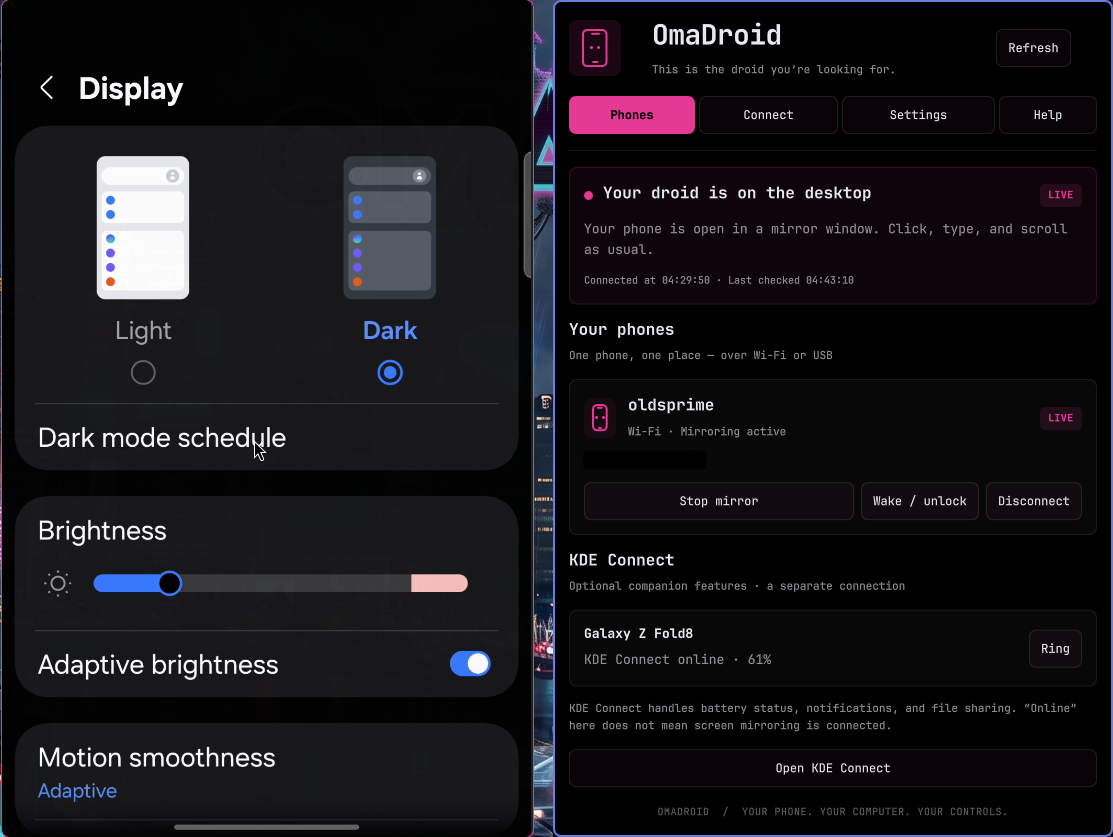
85 Python tests passed during release preparation. Final QML lint, Omarchy plugin validation, and network-policy tests passed. The real mirror and screenshots were visually checked; the phone address is redacted in the preview. Device testing is currently limited to the development Samsung foldable; protected screens and vendor restrictions still apply.
Version: 0.3.2. Commit: b3a1881709d056a842fdc432f0f7cbaab2e50a44. Internal plugin ID: onelegdave.phone-mirror (preserved for existing settings).