Repository navigation
Document panel
EasyPDM → Document panel (the third toolbar button) opens a panel beside the model tree. It follows the active document: switch to another document and it shows that one.
-
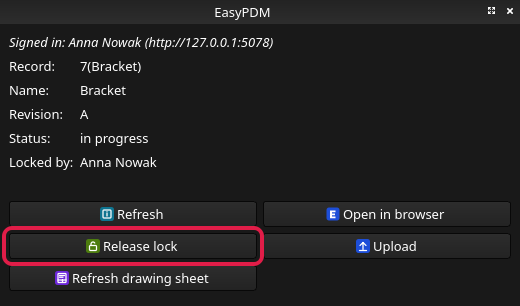
Record, name, revision, status of the item the document belongs to. A document belongs
to an item once it was uploaded (or downloaded): its label is then the record name with the
revision, e.g.
7(Bracket).A. - Locked by — who holds the item's lock.
- Refresh — ask the server again (the panel does it by itself when the active document changes).
- Open in browser — the item in EasyPDM.
- Upload — the same as EasyPDM → Upload.
- Refresh drawing sheet — fill the EasyPDM drawing sheet on the document's TechDraw pages with the item's current data, without uploading anything.
One button, which shows what a click does now:
| The item is | The button |
|---|---|
| not locked | Lock for editing — lock it so only you can change it |
| locked by you | Release lock |
| locked by someone else | Release lock, greyed out; hover over it to see who holds it |
| released or cancelled | greyed out: it cannot be changed, so there is nothing to lock |
The lock is the same as in the browser, and the same button is on the toolbar and in the menu.
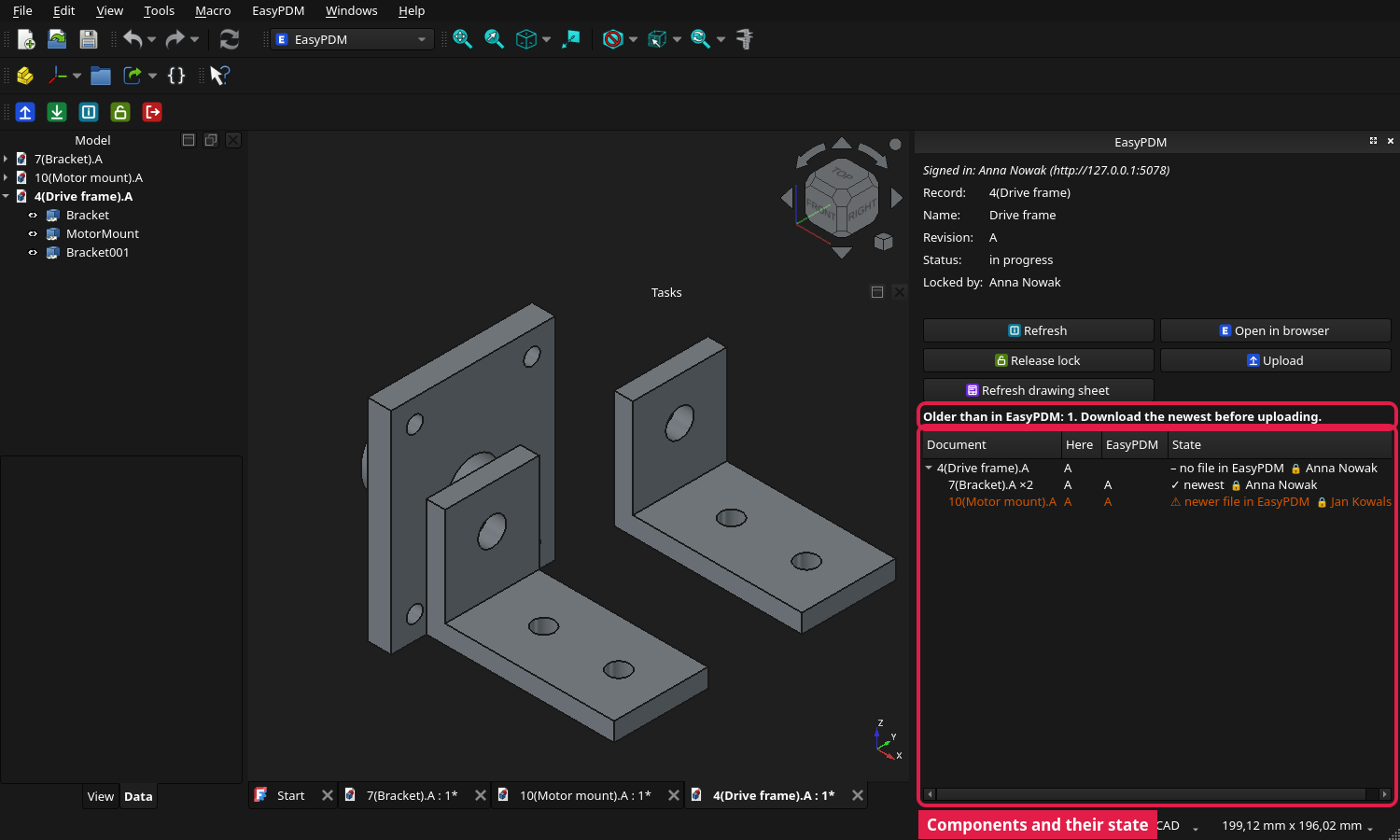
For an assembly the panel also lists its components, as in its tree, each with its state:
| State | Meaning |
|---|---|
| ✓ newest | the same file as the current one in EasyPDM |
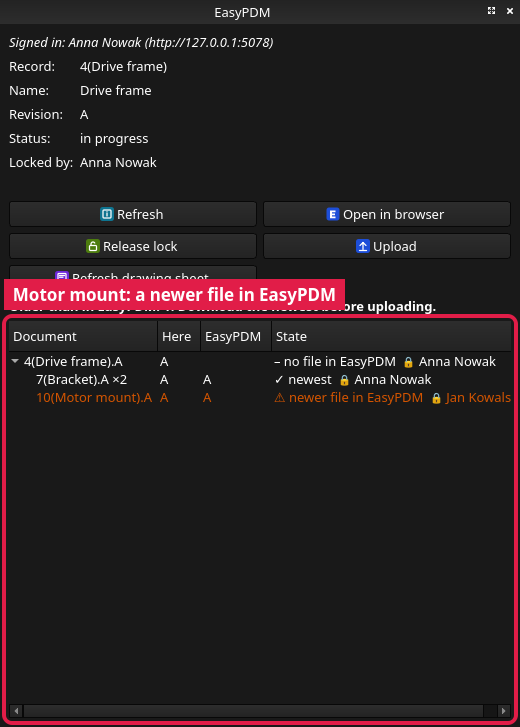
| ⚠ newer file in EasyPDM | someone uploaded a newer file of it — a new revision, or the same revision again. Download the newest before you upload the assembly |
| • changed here, not uploaded | your copy differs from every file EasyPDM has: you changed it and have not uploaded it yet |
| – not in EasyPDM yet | not an EasyPDM item yet; Upload creates it |
| – no file in EasyPDM | an item without a FreeCAD file in EasyPDM |
Here is the revision of your copy, EasyPDM the revision of the current file there; a 🔒 and a name show who is working on that component now. Hover over a state to see who uploaded the newer file and when. A line above the list says how many are outdated.
How it knows: every Upload writes a version mark into the document, which stays the same when FreeCAD saves the file again unchanged. Files uploaded before EasyPDM 0.9 are recognised by their content until their next upload.