Releases: phodara/LilygoTDisplayC5
Release list
v2.1.0

Firmware
Lots of UI cleanup added new button functions
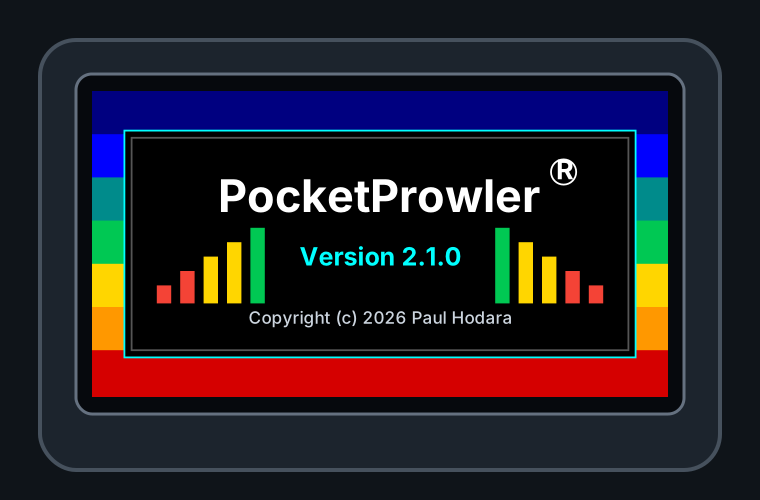
- Added splash screen with the official name 'PocketProwler(R)', the version #, and the copyright.
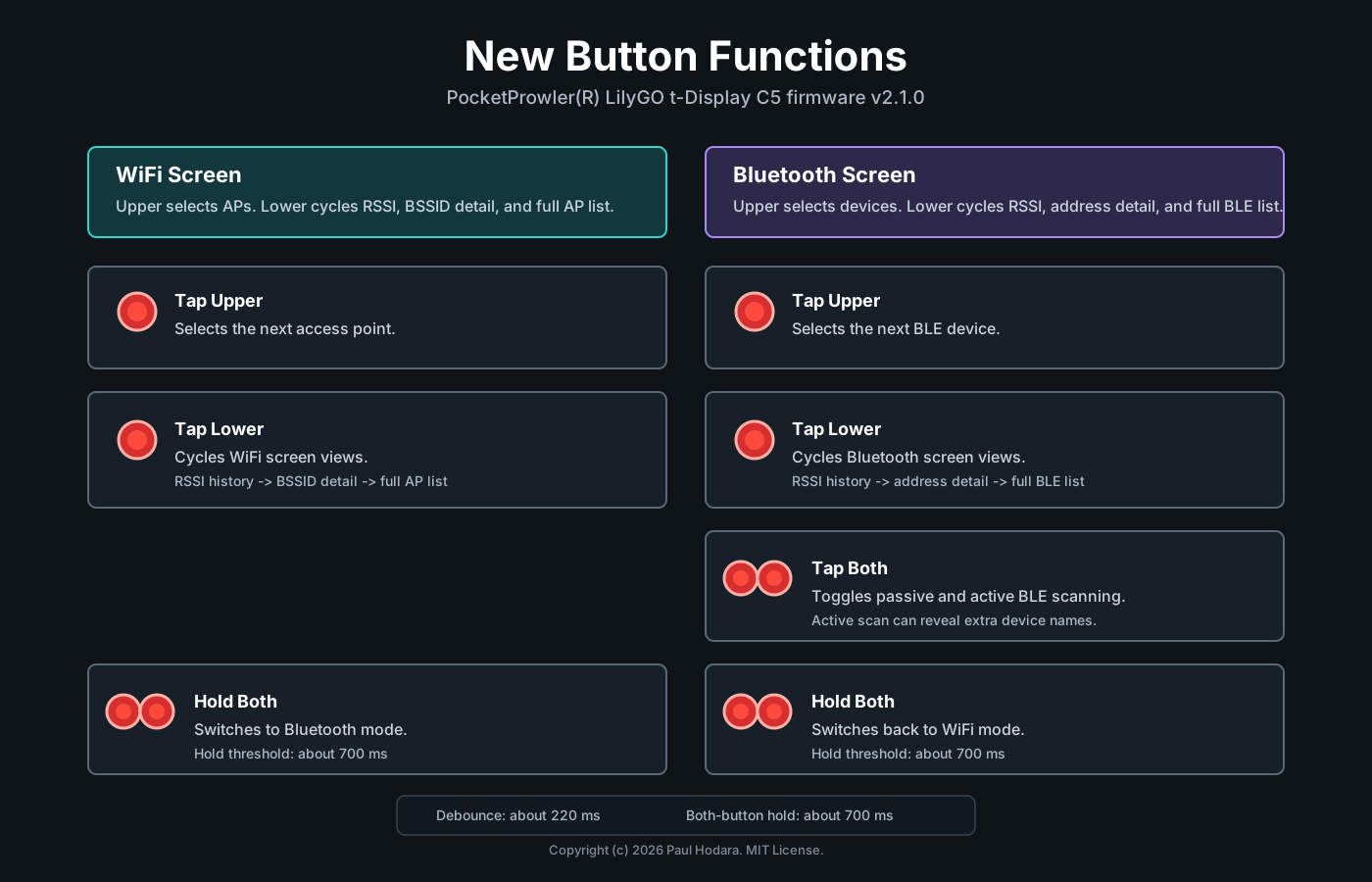
- Added three-state lower-button view cycles for WiFi and Bluetooth:
- WiFi cycles RSSI history, BSSID detail, and full AP list views.
- Bluetooth cycles RSSI history, address detail, and full BLE device list views.
- Kept selected WiFi/BLE items highlighted across full-list and detail/history views, and preserved RSSI history when cycling between views.
- Allowed lower-button view cycling to continue while a scan has no current WiFi or BLE results, so the user can leave list mode from the empty-state screen.
- Adjusted the WiFi header so the battery/charge indicator stays in the same fixed position when the yellow
Scanlabel appears. - Clarified WiFi BSSID labeling, including same-channel
BSSIDscount, a BSSID suffix on the RSSI history panel, and removal of duplicate-looking detail mode labels. - Added BSSID values to WiFi scan serial output.
- Changed WiFi scan pacing so the next scan waits 10 seconds after results are processed and redrawn, and failed scans exit the scanning state cleanly before retrying later.
- Fixed BLE scan duration to 3000 ms and updated the Bluetooth header to show a yellow
Scanactivity label while keeping the greenActive/Passivemode label visible. Scan now has enough time to find all devices within range.
Button Controls
v2.0.1
Patch release for the LilyGO T-Display C5 WiFi/BLE analyzer.

Highlights:
- Adds the Bluetooth header indicator for Active/Passive scan mode.
- Includes the v2 BLE scanner improvements: passive/active BLE scanning, 60-second device retention, BLE name preservation, and named-device de-duplication.
- Includes the display flicker reduction work and VS Code extension recommendation cleanup.
Bluetooth controls:
- Upper/top button: scroll to the next BLE device on the Bluetooth screen.
- Lower button: toggle RSSI history/address detail for the selected BLE device.
- Tap both buttons together (briefly): toggle Passive/Active BLE scan mode.
- Hold both buttons together: switch between WiFi analyzer and Bluetooth scanner modes.
- Bluetooth header shows Passive or Active when idle, and Scanning while a BLE scan is running.
Artifacts:
- LilygoTDisplayC5-v2.0.1-full.bin: complete firmware package with bootloader, partition table, boot app, and application firmware. Recommended for most users.
- LilygoTDisplayC5-v2.0.1-firmware.bin: application firmware only for PlatformIO/developer workflows.
- SHA256SUMS.txt: checksums for the attached binaries.
LilyGO T-Display C5 WiFi/BLE Analyzer v1.0.0
LilyGO T-Display C5 WiFi/BLE Analyzer v1.0.0

LilyGO T-Display C5 running the WiFi/BLE Analyzer in a custom 3D-printed enclosure
First stable release of the WiFi and Bluetooth Low Energy analyzer for the LilyGO T-Display C5.
Features
- Scans nearby WiFi networks
- Displays SSID, RSSI, signal strength, channel, band, and security information
- RSSI history graph for selected WiFi access points
- Bluetooth Low Energy (BLE) device scanning
- RSSI history for selected BLE devices
- BSSID and BLE address detail views
- Button-based navigation
- Switch between WiFi and Bluetooth modes using both buttons
- Serial Monitor scan output
Hardware
Designed for the LilyGO T-Display C5 using its built-in ST7789 display and buttons.
Attached bin files:
LilygoTDisplayC5-v1.0.0-full.bin — Recommended for most users. Contains the complete firmware package (bootloader, partition table, and application) and is flashed at address 0x0.
LilygoTDisplayC5-v1.0.0.bin — Application firmware only. Intended for developers, PlatformIO workflows, or updating a device that already has the required bootloader and partition table installed.