Home
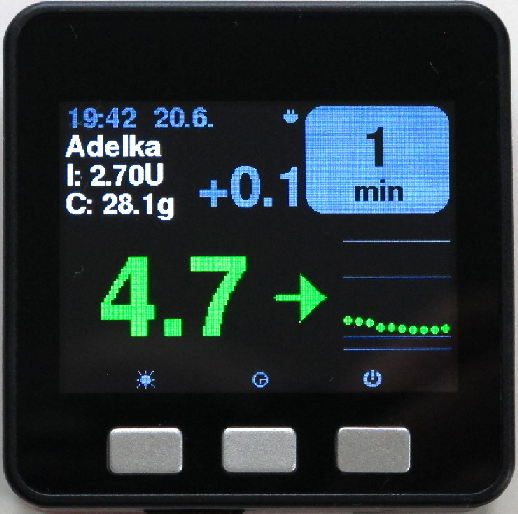
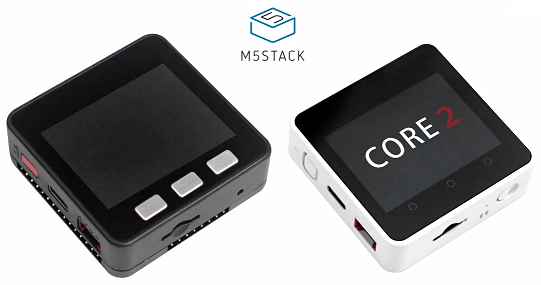
You need an M5Stack device, like the Core Basic ESP32 IoT Development Kit.
You can buy it from the vendor, on AliExpress or online sellers like Amazon, RS Components, Reichelt, .... and it should cost less than 60€ - US$70 shipped (July 2026 prices).
Some more expensive devices like Core GRAY, GO, FIRE, Core2, CoreS3 / S3SE or M5Tough can also be used but they don't add value.
A low-cost alternative is the Guition JC3248W535, a 3.5" 320×480 touch display with the same ESP32-S3 chip as the CoreS3, sold on AliExpress for around 15€ - US$20. It has no buttons and no battery option, but works well as a permanently powered bedside or desk monitor. It can only be programmed with the Web Flasher.
You will need Wi-Fi or a smartphone allowing Wi-Fi tethering since internet access is mandatory.
You will need an Android phone (minimum Android version x, USB C recommended) with an USB-C to USB-C cable, or a computer (Windows preferred) to program the device.
A micro SD card is optional if you want to have different sets of settings, it doesn't need to have a large capacity. When booting the M5Stack with an SD memory it will use values from it, else it will use those in the device memory. Newer M5Stack Basic and Grey don't like SanDisk Ultra SD memories, try Kingston or some no-brand memories, 16Gb or even 8Gb (and less) are more than enough.
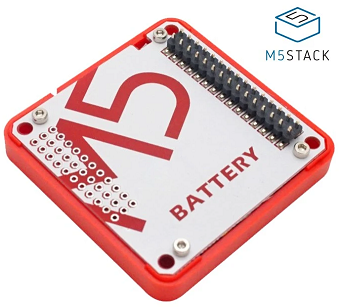
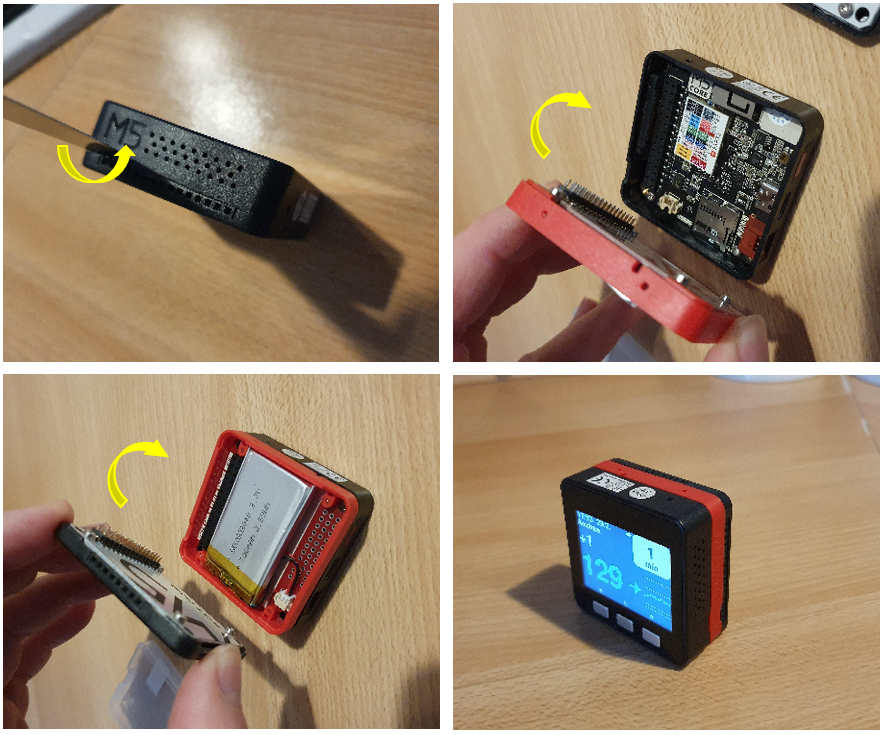
If you don't want to keep your device permanently connected to and USB charger (having one is mandatory but any charger will do) you'll need to buy one ore more battery extensions. Verify battery packs are supported by your device. See this for normal battery lifetime.
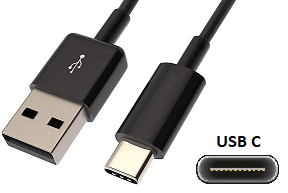
The USB cable provided is very short, you might want to buy a longer one if you prefer to keep the device connected all the time. The cable is USB to USB-C.
You need a computer to program your M5Stack.
"Easy" install with your Android smartphone (recommended)
"Easiest" install from your web browser — Chrome/Edge on any computer, and the only method for the Guition JC3248W535
"Easy" install guide with Windows
Install guide with Mac
For developers: build the firmware from source with the Arduino IDE
Setup with SoftAP and web server
See the latest features in CHANGELOG
M5_NightscoutMon is free software under the GNU GPL v3 (or later) — Copyright (C) 2018-2023 Martin Lukasek, Copyright (C) 2021-2026 Patrick Sonnerat and contributors. It comes with no warranty of any kind.
It includes and adapts third-party code — IniFile by Steve Marple (LGPL v2.1), the IoT Icon Set by Artur Funk (GPL v3), DHT12 by Bobadas (public domain), M5Stack's SHT3X example code (MIT), font aliases from Bodmer's TFT_eSPI (FreeBSD), and the Dexcom Share / LibreLinkUp follower protocols adapted from ktomy/nightscout-clock (LGPL v2.1) — and builds on the M5Unified/M5GFX (MIT), ArduinoJson (MIT), Adafruit NeoPixel (LGPL v3) and Arduino_GFX (BSD 2-Clause) libraries. The full list is in the repository's License and credits section.
The Web Flasher uses ESP Web Tools (Apache 2.0). The Android M5Stack Loader app is a separate GPL-3.0 project with its own third-party notices.