Deploy on Hardware
e-stop in hand. This is motion-producing.
Runs a trained checkpoint on the real UR5e + AmazingHand from live camera + proprioceptive
observations (scripts/eval_hw.py, on the robot PC). The same rtde_arm clamps stay active (workspace
no-go, per-step max_step + max_rot_step, IK-reachability guard), so the arm ramps toward the
policy's targets and can't jump; Ctrl-C aborts (stops the servo + control script).
The robot subnet has no internet: the ACT ResNet18 backbone tries to fetch ImageNet weights the first
time a checkpoint loads. Seed the torch cache once — copy resnet18-f37072fd.pth into
~/.cache/torch/hub/checkpoints/ from a machine that has it (the GPU box or Mac) — and run.sh already
exports HF_HUB_OFFLINE=1. The trained weights overwrite the backbone on load, so the ImageNet init is
only needed to build the module.
No panel-first dance: freedrive is built in, and eval_hw powers the UR tool voltage itself if the
first connect fails (the hand is tool-powered). Three keys (a keyboard fallback maps the same
letters if no deck is found):
-
PLAY / PAUSE (
p) — toggle the policy. Paused holds the arm; play (re)starts and resets the policy so it re-observes from the current pose. Key is green paused, red while the arm is live. -
FREEDRIVE (
f) — gravity-comp teach mode: hand-guide the arm to a training start pose (policy suspended). Pressing PLAY exits freedrive and starts. -
RESET (
r) — reset the policy's internal state and pause (arm holds). Abort a run and start clean. -
EXIT (
x) — stop + disconnect cleanly (Ctrl-C also aborts).
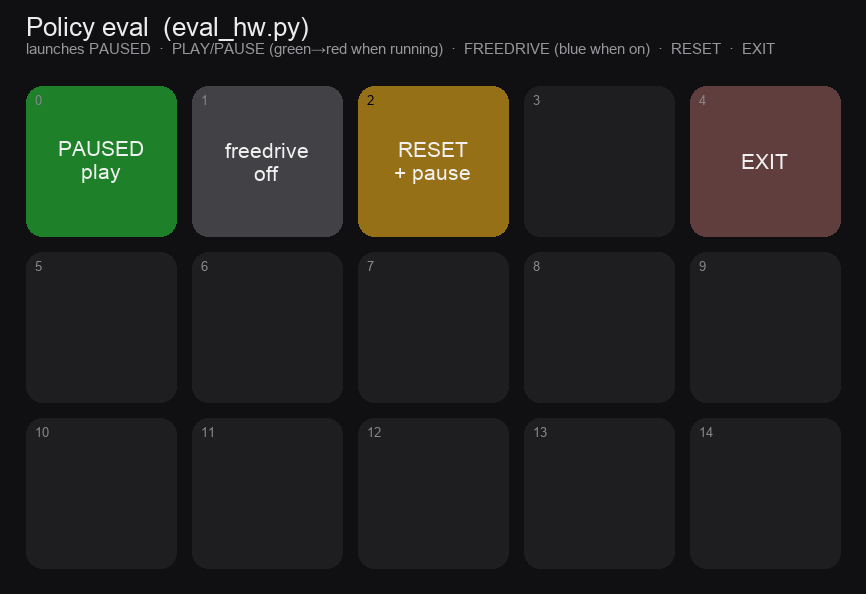
UR in Remote Control + brakes released; place the target as in the demos.
~/VLA/run.sh scripts/eval_hw.py \
  --ckpt outputs/train/hw_pickplace_act/checkpoints/last/pretrained_model \
  --task "pick up the Home Depot bucket" \
--temporal-ensemble 0.01 --fps 12 --videoAn ACT checkpoint runs n_action_steps == chunk_size (here 100) by default — fully open-loop: one
observation, then 100 blind actions (~8 s at 12 fps). For a contact-rich pick this alone can mean 0%.
--temporal-ensemble 0.01 re-observes every step (ALOHA-style blending); --n-action-steps 8
re-observes every 8. Both are inference-time only — no retraining.
Typical loop: launch (paused) → FREEDRIVE to a training-like start → FREEDRIVE off → PLAY →
watch → PAUSE / reposition / PLAY → EXIT. --fps must match the training data (12 here);
--device cpu by default (no CUDA on the robot PC — ACT is small, CPU keeps up at 12 fps); --video
writes outputs/eval_hw.mp4 of the played segments; --steps N auto-pauses after N played steps (0 =
unlimited); --task is cosmetic for ACT (no language encoder). There is no automatic success metric
on hardware — watch it and judge, or review the MP4. First rollouts from ~20 demos read as "reaches the
right region" more than clean grasps; the fix is more position-varied demos, not a bigger model.
For SmolVLA the policy can run on the GPU box via the remote-inference bridge
(--remote, with scripts/infer_server.py serving on the GPU) so the robot PC stays a thin client.