
Tells a recovered retry apart from a track the drive gave up on, and sums
the run up when it ends.
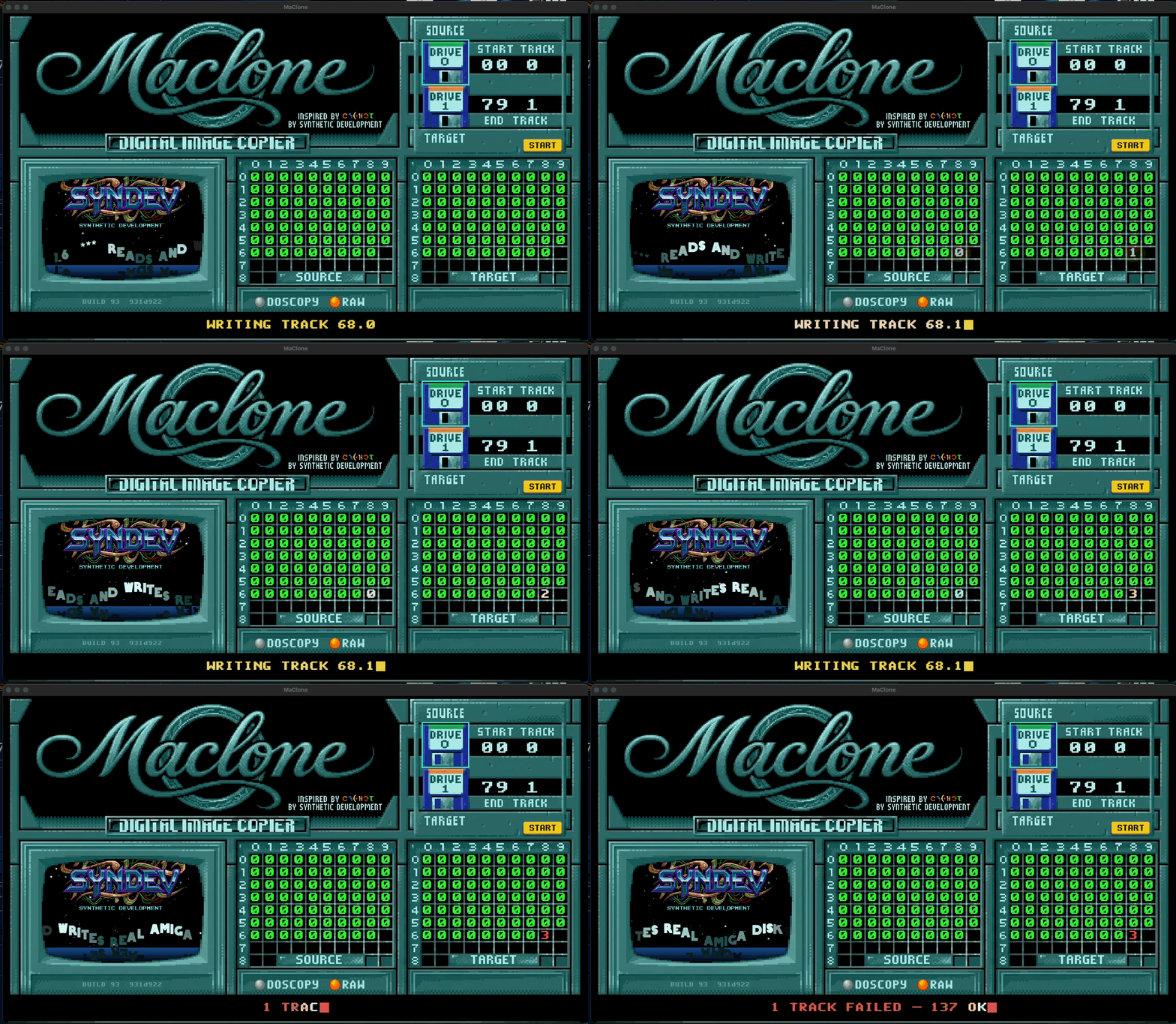
Why this release exists
A write that finished with All tracks verified but needed one retry on three
cylinders showed three red numbers and nothing to say they had been made good.
It looked like a failing disk. It wasn't.
gw distinguishes the two cases — Writing Track (Verify Failure: Retry #1)
followed by the next track means it recovered; Failed to verify Track 68.1
means it stopped trying. Now the display does too:
- green
0— clean - amber — retry needed, and it worked
- red — gw gave up, or sectors are missing for good
A verdict when the run ends
Instead of a bare DONE:
DONE — 160 TRACKS VERIFIED
DONE — 160 TRACKS, 3 REWRITTEN OK      ← green, the retries are accounted for
2 TRACKS FAILED — 158 OK               ← red
DONE — 160 TRACKS, 4 BAD SECTORS       ← reading
The numbers stay in the grid, so you still see where the disk was awkward.
The verdict says what it amounts to.
Everything else
Unchanged from 1.2.0 — ADF / ADZ / SCP / SCPZ / IPF / IPFZ, reading, writing,
verifying, IPF creation through the bundled disk-analyse, the app icon and
the styled disk image window.
Requirements
- A Greaseweazle (tested: V4.1, firmware 1.6)
- macOS 11 or newer
- A drive on the Greaseweazle's second port — it answers as unit 1 and
shows asDRIVE 0, matching the Amiga'sDF0: - IPF additionally needs the SPS/CAPS library in
~/Library/Frameworks/; it is
not bundled, and MaClone says so when it is missing
Unsigned build
Right-click MaClone.app → Open → Open on first launch.
Still unproven
Whether a written disk boots on a real Amiga. That test needs genuine DD media
and is outstanding.
Checksum
SHA-256 a810482905d9b79f89b005e2c6282b2ae496faacbcc82d2e5db308c69d41a86c