0.1.0-beta.3
Pre-release
Pre-release

TaskNotes Gantt 0.1.0-beta.3
Added
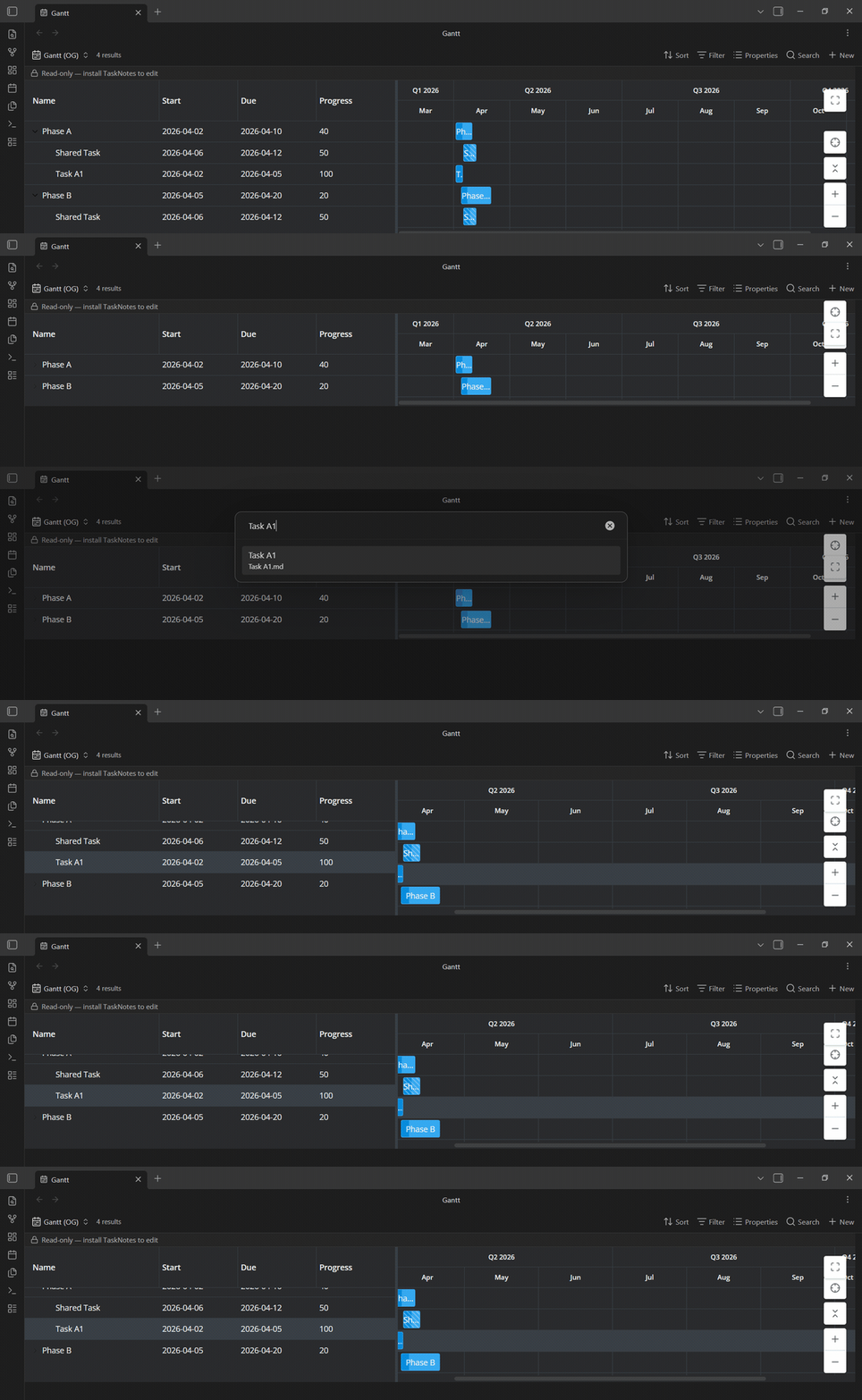
Focus on a specific task
- A new crosshair button in the chart controls — and a "Gantt: Focus on task…" command — opens a fuzzy search over every task in the chart (both the tasks matched by your Base and any pulled in through relationships).
- Pick one and the Gantt brings it into view for you: it expands only the parents needed to reveal it, zooms so the whole bar is visible without filling the chart, scrolls to it on both axes, and highlights it.
- Tasks without a full date range (milestones, unscheduled) are revealed at the current zoom. This is navigation only — focusing never opens or edits the task. (#189)
Changed
Clicking a task bar now selects it first, instead of immediately opening it
- A single click (or tap) on an unselected bar just selects and highlights its row, so you can pick out a task without the edit modal popping up.
- The configured TaskNotes click action runs when you click an already-selected bar, or on a double-click —
singleClickAction/doubleClickActionare honoured exactly as before. - Ctrl/Cmd-click still opens the note in a new tab, and the behaviour works the same on touch (tap to select, tap again or double-tap to open, long-press for the task menu). (#188)