en Quick Start
- You need to join the game server, search by the name OutEnemy
- Then you need to log into your personal account via Steam on the page https://www.outenemy.ru/se
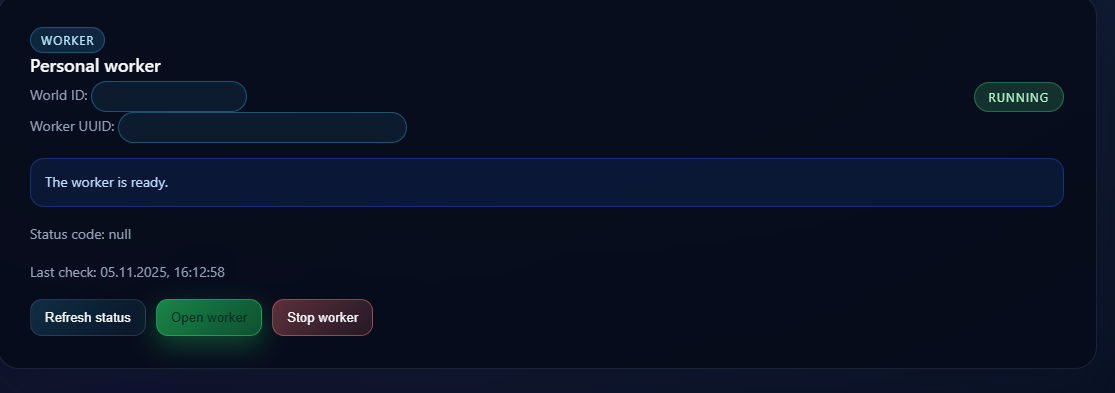
- In your personal account, start the worker and, after it starts, open it
- Create a program
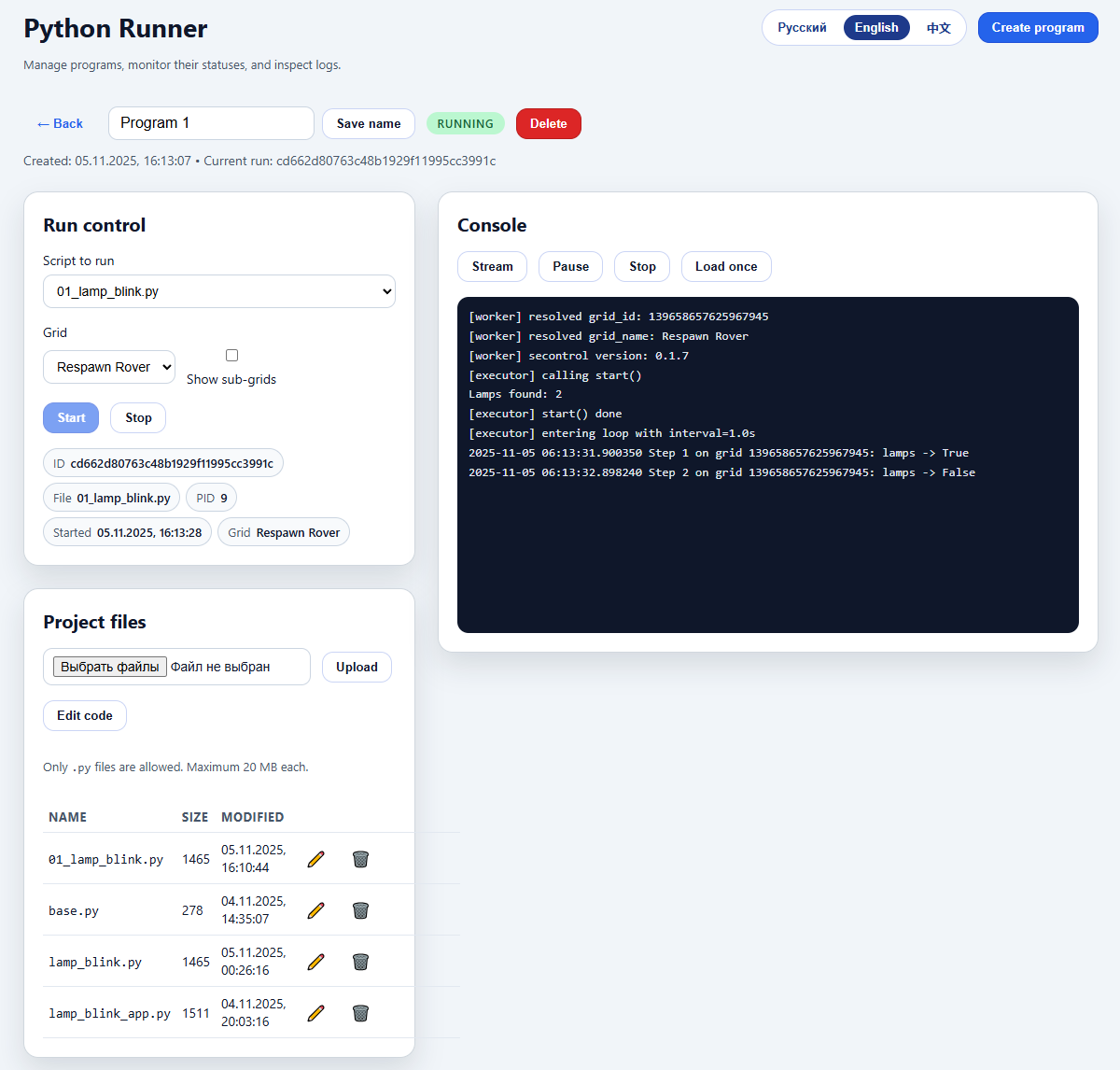
- Select the file to run 01_lamp_blink.py
- Select the grid to work with
- Run the code, Start button
- Check the logs in the Console to ensure the work has started
- Switch to the game, the lamps on the grid should blink